
Automate Content Creation for TikTok and Reels
Automating your content creation really just means swapping out those manual, soul-crushing tasks for smart, AI-powered systems. Think of it like this: instead of grinding away on every single step, you use a tool like ClipShort to handle everything from dreaming up ideas and writing scripts to recording voiceovers and editing the final video.
The end goal is to build a well-oiled machine that pumps out high-quality short-form videos at scale—without you having to be hands-on 24/7.
The Unstoppable Demand for Short-Form Video
If you're creating for platforms like TikTok, Instagram Reels, or YouTube Shorts, you know the feeling. It's a content treadmill that just never stops. The relentless pressure to churn out engaging, high-quality videos every single day is the number one reason creators burn out. It's a huge problem.
Doing it all by hand is a massive time-suck. Brainstorming, scripting, filming, editing, captioning… a single 60-second video can easily swallow hours of your day. That kind of schedule makes consistency feel impossible and scaling your channel a total pipe dream.
A Smarter Way to Create Content
This is where you have to work smarter, not harder. You can build an intelligent system that does the heavy lifting for you by automating your content creation. And this isn't about taking your creativity out of the picture; it's about giving it rocket fuel.
With the right AI tools, you can set up a workflow that produces polished, engaging faceless videos in a matter of minutes, not hours. This blueprint is what separates the creators who get ahead from those who get left behind. Moving from a manual to an automated system is fundamentally changing how the creator economy operates.
The real win with automation is getting your time back. When you hand off the repetitive grunt work to AI, you're free to focus on what actually matters: big-picture strategy, engaging with your community, and the creative vision that makes your brand unique.
This diagram shows just how stark the difference is when you shift from a traditional process to an automated one.
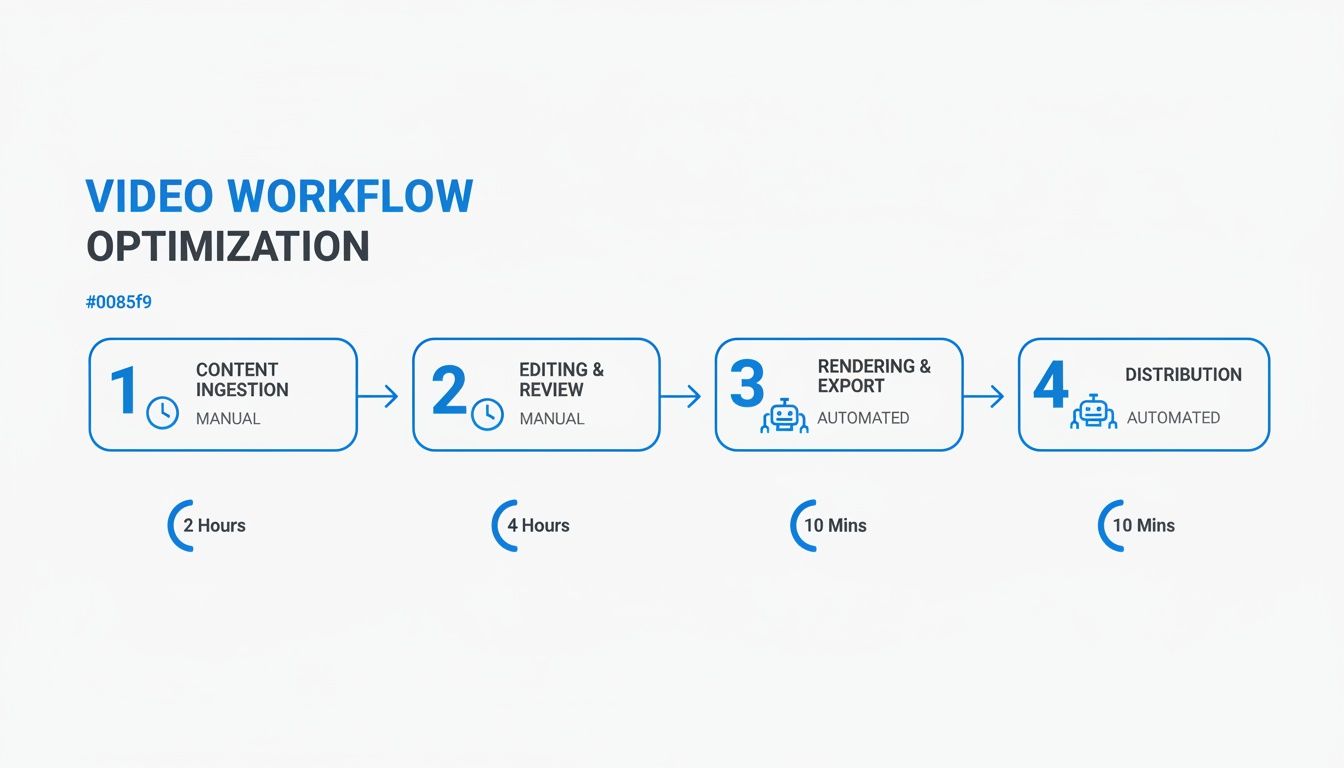
As you can see, automation takes a process that used to take hours and collapses it into something you can knock out in minutes.
The difference in time and resources is staggering when you lay it out side-by-side.
Comparing Manual vs Automated Video Workflows
| Production Stage | Manual Workflow (Hours per Video) | Automated Workflow (Minutes per Video) |
|---|---|---|
| Idea Generation | 1-2 hours | 2-5 minutes |
| Scriptwriting | 1-3 hours | 5-10 minutes |
| Voiceover/Filming | 1-2 hours | 1-2 minutes (AI Voice) |
| Editing & Visuals | 2-4 hours | 10-15 minutes |
| Captions & Effects | 1 hour | 2-5 minutes |
| Total Time | 6-12 hours | 20-37 minutes |
This table makes it crystal clear: automation isn't just a minor improvement; it's a complete game-changer for your productivity.
The Growing AI Adoption Among Creators
This shift isn't some fringe trend—it's happening everywhere. More than 80% of creators are already using AI in their workflows. Video creators are way ahead of the curve, with a 54% adoption rate that leaves text and design professionals in the dust.
This huge wave of adoption points to one thing: a massive demand for tools that make creating content for TikTok and Reels faster and easier. You can dive deeper into these creator trends in Digiday's comprehensive survey.
This guide is your practical blueprint for building your very own automated system. We’re going to walk through:
- Building an AI-powered idea and script factory.
- Generating lifelike voiceovers and visuals in a flash.
- Using automated edits to keep viewers hooked.
- Scaling your entire output through content batching.
- Analyzing data to make your AI workflow even smarter.
By the time you're done, you'll have a clear, actionable plan to completely overhaul your content strategy, post consistently, and finally scale your presence without the burnout.
Building Your AI-Powered Idea and Script Factory
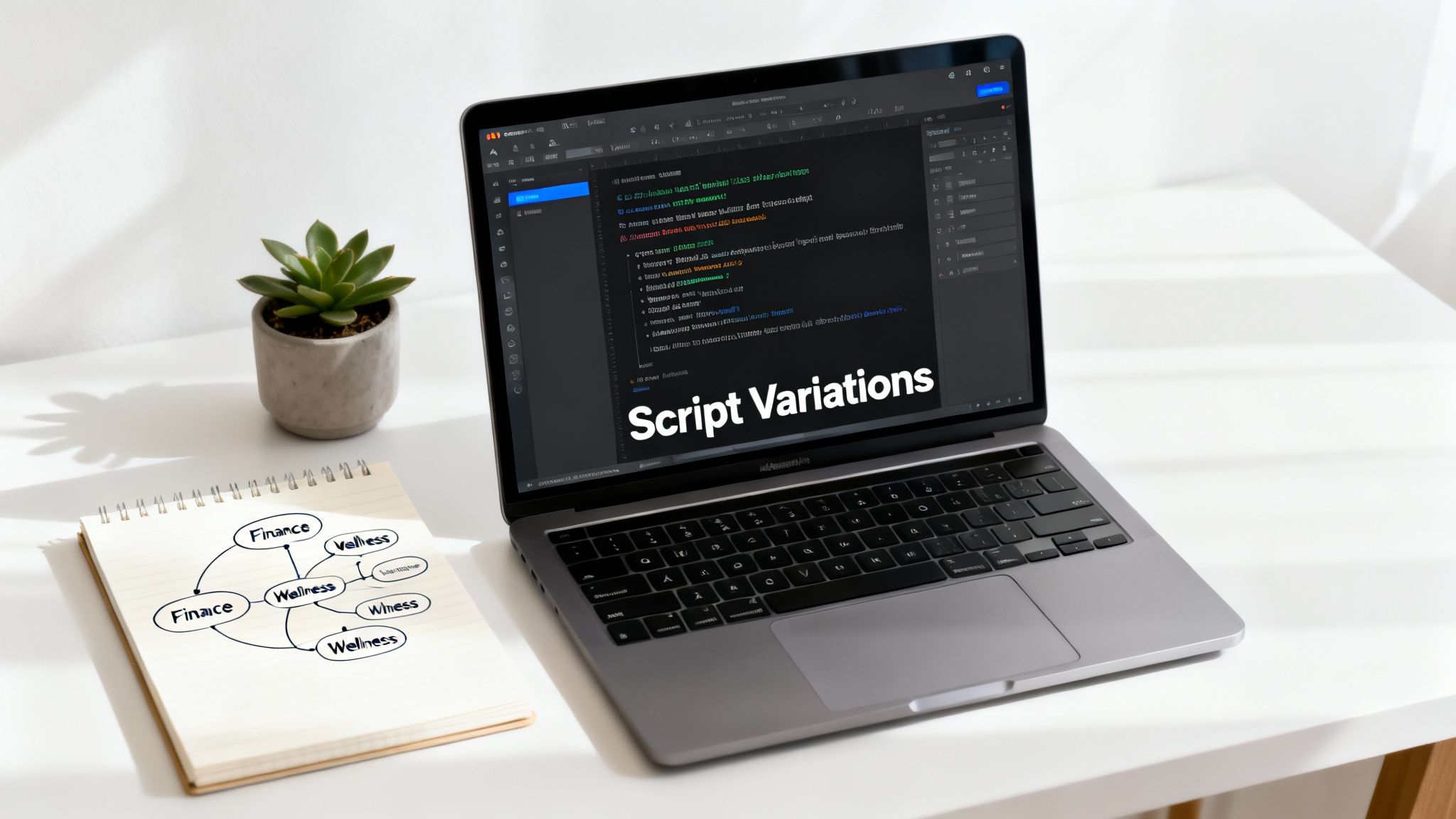
A great content machine isn't just born; it’s built. And the engine driving it is a relentless, nonstop flow of fantastic ideas and solid scripts. This is where we stop waiting for inspiration to strike and instead engineer a system to automate content creation right from the start.
Forget staring at a blank page. The new approach is all about strategically feeding an AI the right information to churn out a steady stream of video concepts and scripts that are already tailored for your audience. This isn't just about moving faster—it's about creating a predictable and scalable process for your creativity.
From Single Ideas to Content Clusters
One of the smartest moves you can make is to focus on topic clustering. Instead of chasing random viral trends, you aim to completely own a specific niche. Think of it like curating a library on a single subject. Every short video is another book on the shelf, adding to your overall authority.
For example, a finance creator could build an entire cluster around "Beginner Investing Mistakes." With the right prompt, an AI can instantly brainstorm dozens of video ideas within that theme:
- Why "timing the market" is a losing game
- The hidden fees lurking in popular investment apps
- How emotional trading is quietly costing you money
- Explaining diversification in under 60 seconds
This method makes your content incredibly cohesive and encourages viewers to binge-watch, which sends a powerful signal to platform algorithms. Your channel stops being a collection of random videos and starts being a go-to resource.
Repurpose Your Long-Form Content
Do you have blog posts, podcast episodes, or long YouTube videos? That's not just old content; it's a goldmine of scripts waiting to be excavated. Every single long-form piece can be broken down into countless bite-sized stories perfect for TikTok or Reels.
Let's say you have a 2,000-word blog post on "Healthy Meal Prep for Busy Professionals." A simple AI prompt can pull out the key points and spin them into a full week's worth of video scripts. You could ask for a script on "3-Ingredient Lunches," another on "Common Meal Prep Blunders," and a third showing a "Sunday Prep Routine." Just like that, you've turned one asset into seven potential videos with almost no extra work.
This is a central pillar of efficient content automation. And it's not just a neat trick; it's where the industry is heading. A massive 90% of content marketers plan to use AI, with ideation (68%) and drafting (57.4%) being the top use cases—a perfect fit for this repurposing model.
Pro Tip: When you're generating scripts, never settle for just one. Prompt the AI to create three to five variations of the same core idea, each with a different hook. This lets you test multiple angles and quickly find out what really grabs your audience's attention.
Crafting Prompts That Deliver
The quality of your AI-generated script is a direct reflection of the quality of your prompt. Vague requests give you generic, unusable mush. But specific, context-rich prompts deliver compelling narratives. To really get your script factory running, mastering the art of writing compelling YouTube video scripts is a non-negotiable skill.
Here’s a quick look at a weak prompt versus a strong one:
| Weak Prompt | Strong Prompt |
|---|---|
| "Write a script about saving money." | "Write a 150-word TikTok script for a 25-35 year old audience. The topic is 'The 50/30/20 Budget Rule.' Use a conversational, encouraging tone. Start with a hook that challenges a common money myth. End with a clear call-to-action to follow for more tips." |
The difference is night and day. The strong prompt gives the AI clear guardrails—audience, topic, tone, structure, and length. This ensures the output isn't just a script, but a production-ready asset. That level of detail is how you truly get results. For a closer look at the mechanics behind this, check out our guide on how to create videos with AI.
Generating Lifelike Voiceovers and Visuals Instantly
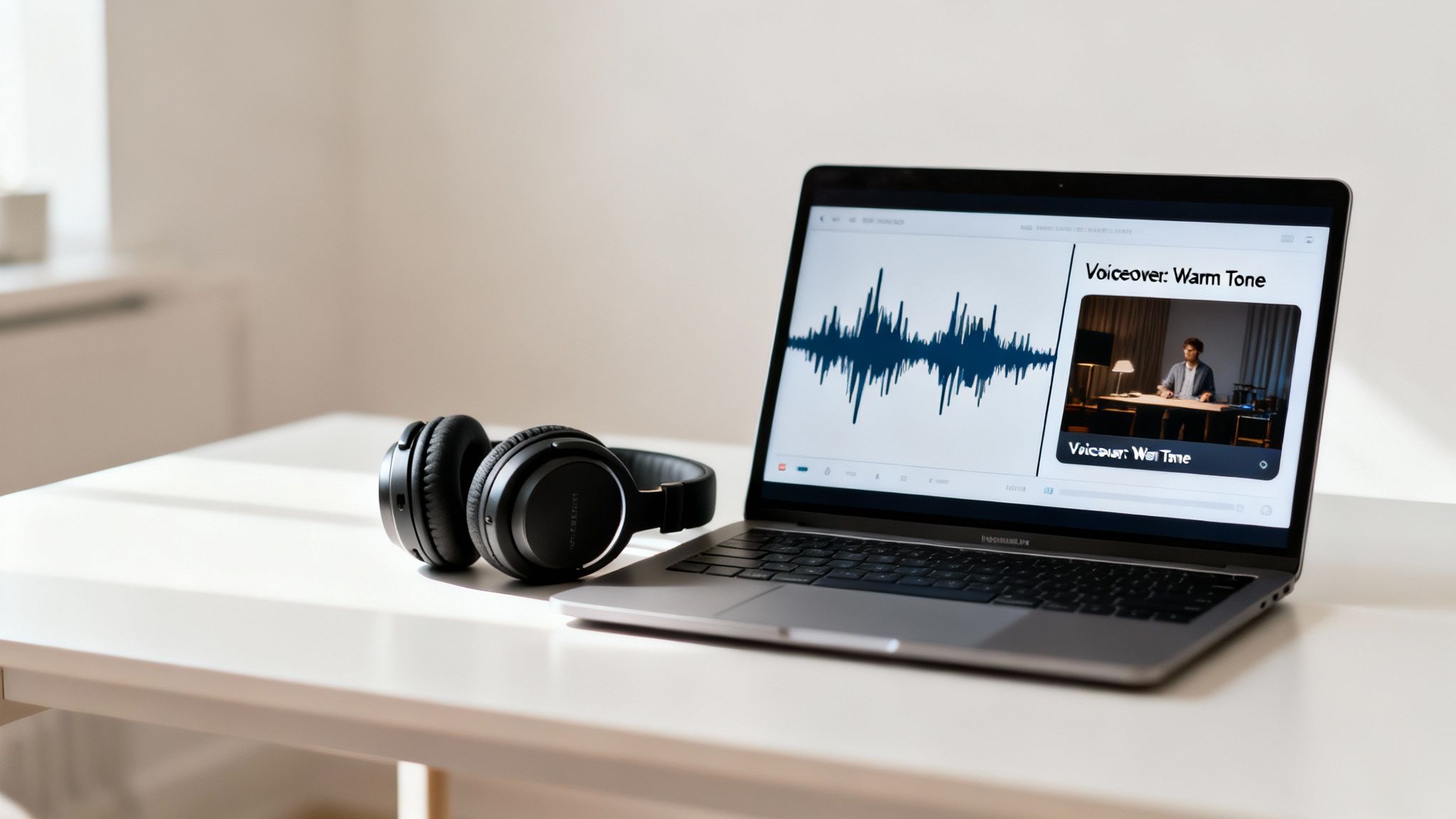
Okay, you've got a killer script ready to go. Now it's time to bring it to life without ever touching a camera or microphone. This is where you really start to automate content creation, transforming your text into a polished video in just a few minutes.
The first piece of the puzzle? The voice. A human voice is what builds connection, but modern AI can replicate it with stunning accuracy. Forget those robotic, monotone text-to-speech generators from a few years ago. Today’s tech delivers incredibly lifelike voiceovers that can perfectly match your brand’s personality.
Selecting the Perfect AI Voice
Think of an AI voice library as a casting call for your brand’s narrator. You’re not just picking a voice; you're choosing an identity. Does your content need a warm, authoritative tone for dishing out finance tips? Or maybe you're after a high-energy, friendly voice for a quick product tutorial?
Platforms like ClipShort offer a deep roster of options, giving you the power to fine-tune several key elements:
- Language and Accent: Go global by generating voiceovers in dozens of languages, from Spanish to Japanese, complete with authentic regional accents.
- Tone and Emotion: Find a voice profile that matches your script's vibe—whether it's confident, calm, playful, or dead serious.
- Pacing and Style: Control the narration speed to match the quick-cut nature of short-form video, making sure you keep your viewers hooked.
The right AI voice makes even faceless videos feel personal and authentic, which is a huge step in building trust with your audience. For creators on TikTok, knowing how to blend great audio with sharp visuals is non-negotiable. To dig deeper into that, check out our guide on how to add a voiceover on TikTok.
Automating Visuals While Keeping Creative Control
Once the voiceover is locked in, the AI steps in as your director and editor. It automatically scans your script, identifies the key concepts, and assembles a sequence of relevant stock footage, images, or B-roll to match.
This process is incredibly fast, but the real power comes from staying in the driver's seat. Automation should be your starting point, not the final product. A great tool doesn't just generate visuals; it lets you direct them.
Automation without control is just a template. The real magic happens when you can instantly generate a foundation and then spend your time refining it, ensuring every scene perfectly matches your creative vision.
This is where you infuse your unique brand identity into the automated workflow. For instance, maybe the AI generates a scene for "skyrocketing profits," but you’d prefer something a bit more abstract or on-brand. You have plenty of options to steer the creative direction.
Refining Your AI-Generated Scenes
Even the smartest AI needs a human co-pilot. Here’s how you can take the AI's first draft and turn it into a final, polished video that feels completely you:
- Regenerate Specific Scenes: If one clip feels off, you don't have to start over. Just regenerate that single scene with a tweaked prompt or a different visual style—like switching from a cinematic look to an anime vibe for a different feel.
- Upload Your Own Assets: This is critical for branding. Easily drop your logo, product shots, or custom b-roll footage right into the timeline. This makes the content unmistakably yours.
- Tweak the Visual Style: Instantly apply different aesthetic filters across your entire video. With a single click, you can test how your story looks with a realistic, comic book, or fantasy art style, making it easy to A/B test different visual hooks.
This hybrid approach gives you the best of both worlds: the incredible speed of AI-driven production combined with the granular control of a manual editor. You end up with unique, high-quality videos at a scale that was never possible before.
Using Automated Edits to Maximize Retention

You can have a fantastic script and stunning visuals, but your video can still fall flat if the final edit isn't optimized for how people actually watch short-form content. Those last few seconds of editing are where you inject the scroll-stopping magic that grabs and holds attention, and guess what? This is yet another area where you can automate content creation.
Think about the user experience for a second. Most people are scrolling through their feeds with the sound off, at least at first. If your video doesn't scream "watch me" in the first three seconds without audio, you’ve already lost them to the next video.
This is why dynamic, automated edits are no longer a luxury—they’re a necessity for survival on crowded platforms. The entire goal is to make your videos so visually engaging that they’re impossible to ignore, even on mute.
The Power of Dynamic Captions
Animated captions are probably your single most powerful tool for hooking viewers. They do so much more than just transcribe your voiceover; they become an active part of the storytelling. When text pops, slides, or highlights in sync with the narration, it forces the viewer’s eyes to follow along, keeping them glued to the screen.
Modern AI video editors like ClipShort handle this entire process for you. Instead of spending ages manually timing every single word, the tool generates perfectly synced, animated subtitles that you can tweak in seconds.
- Color and Font: Match the text to your brand's color palette and fonts for a clean, cohesive look.
- Animation Styles: Choose from different animations like pop-ups, fades, or slides to find what best fits your video's vibe.
- Highlighting: Automatically emphasize key words with different colors to draw attention to your main points.
These automated features transform a mind-numbing manual task into a quick creative choice, saving you hours of work on every single video. If you want to dive deeper into these final touches, we have a comprehensive guide on YouTube Shorts editing techniques.
Enhancing Storytelling with Automated Effects
Beyond captions, automation tools can layer in other small but mighty elements that boost retention and inject personality into your content. These details work together to create a polished, professional final product that feels native to social media feeds.
Strategic Emojis and Sound Effects
Adding a relevant emoji or a subtle sound effect can punctuate a key moment, add a dash of humor, or emphasize an emotion. Instead of hunting for and placing these assets manually, AI tools can suggest them based on the context of your script. A line about a "shocking discovery" could automatically get a 🤯 emoji and a dramatic sound cue.
Key Takeaway: Every automated edit—from captions and emojis to music—is a tool to direct the viewer's attention. Your job is to use them strategically to keep eyes on the screen until the very last second.
The Right Background Music
The soundtrack is everything. It sets the entire mood and drives the pacing of your video. A great AI tool won't just give you a library of royalty-free music; it will help you find the perfect track. You can filter by mood, genre, or energy level to quickly find audio that complements your story without overpowering it. This one step can elevate your perceived production value immensely.
This level of automation is also reshaping the economics of content creation. Research shows that 83% of marketing leaders believe fully automating content creation would lower their agency spending. In fact, 73% of successful AI adopters have already managed to cut these costs, making it far easier for individual creators and small businesses to produce high-quality videos without huge production teams. You can read the full report on how AI is changing content marketing to see the financial shift for yourself.
Scaling Your Output with Content Batching
So, you’ve nailed the automation for making a single video—the script, voice, visuals, and edits are all handled. This is the moment you graduate from the daily grind of being a content creator to a strategic content publisher who’s always ahead of the game.
The secret to making this leap is a concept called content batching. Forget the daily scramble to come up with and create a video. Instead, you'll dedicate a single, focused session to producing an entire week’s—or even a month’s—worth of content all at once. This is how you reclaim your time and build a system that actually lasts.
Building Your Themed Production Day
The most effective way to batch your content is by building your workflow around content pillars or recurring themes. It gives your creative process some much-needed structure and makes everything ridiculously efficient. Think about it: a dedicated theme for each day of the week.
For example, your schedule could look something like this:
- Myth-Busting Mondays: A series where you debunk common misconceptions in your niche.
- Tutorial Tuesdays: Quick, actionable how-to guides that solve a specific problem.
- Wisdom Wednesdays: Bite-sized, insightful quotes or interesting historical facts.
- Trend-Spotting Thursdays: Breaking down the latest news or trends your audience cares about.
With a framework like this, you can spend one afternoon knocking out all four "Myth-Busting Monday" videos for the entire month. The next day, you tackle all the "Tutorial Tuesday" videos. This kind of focused work is a cornerstone of successfully scaling and being able to automate content creation at a high level.
The Batching Workflow in Action
What does this actually look like in practice? It’s a systematic process that transforms a chaotic, creative task into a streamlined assembly line, moving from bulk ideation all the way to final scheduling.
Here’s a practical workflow you can start using right away:
- Bulk Script Generation: Fire up your AI tool and feed it prompts for all the videos under a single theme. For "Wisdom Wednesdays," you might ask it to generate four different 150-word scripts, each based on a quote from a different industry leader.
- Voiceover and Visual Assembly: With your scripts in hand, run each one through your AI video generator. Because you’re working on one theme, you can often keep the voiceover style and visual aesthetic consistent across the board, which saves even more time.
- Review and Refine: Do a quick review of the AI-generated drafts. You might need to make small tweaks to a few scenes, upload some specific brand assets, or just double-check that the captions and music feel right for each video.
- Export and Organize: Export all your finished videos into clearly labeled folders (e.g., "Myth Mondays - Week 1," "Myth Mondays - Week 2"). Trust me, this organization will be a lifesaver in the final step.
This entire process, which covers a month of themed content, can often be done in just a few hours. That's time you get back from what would have previously eaten up your entire week.
The real power of batching isn't just about saving time—it's about freeing up your mental energy. When your content is scheduled weeks in advance, you can stop thinking about daily production and start focusing on high-level strategy, community engagement, and your next big idea.
Connecting Production to Publishing
Creating the videos is only half the battle. The final piece of the puzzle is automating the publishing so your content goes live like clockwork, without you needing to manually hit "post" every single day. This is where scheduling tools become your best friend.
Tools like Buffer, Later, or even the built-in schedulers on platforms like TikTok and Meta Business Suite are essential here. Once your batched videos are ready, you can upload them all in one go and set them to publish on the right days and at the right times.
This closes the loop, creating a seamless pipeline from production to distribution. Your AI-powered system cranks out the content, and your scheduling tool makes sure it gets to your audience at the perfect moment, every time. This is the pinnacle of an automated workflow, allowing you to maintain a constant presence on TikTok, Reels, and Shorts while you focus on growing your business.
Using Analytics to Refine Your AI Workflow
Making videos with AI is fast. But making smart videos is what actually grows your channel. Automation becomes your secret weapon when you start using data to close the feedback loop. This means jumping into your platform analytics to figure out what your audience really wants, then feeding those insights back into your AI workflow to make it better.
Forget about just chasing view counts. The real story is always hiding in the deeper metrics. You need to be looking at data that shows you how people behave—things like audience retention graphs, average watch time, and completion rates. These numbers tell you the exact moment you hooked someone and the precise second they decided to swipe away.
Turning Data into Actionable Prompts
Your analytics are a direct roadmap for making your automated content smarter. For example, maybe you look at your retention graphs and see a pattern: on videos with slower hooks, people consistently drop off after the first five seconds. That's not just a number; it's a clear signal from your audience.
With that insight, you can immediately go back and tweak your AI prompts. Instead of something generic, you can get specific: "Generate a script with a high-impact, controversial hook in the first sentence to grab attention immediately." This data-driven approach is how you systematically level up the performance of your automated videos.
The goal is to let your audience's behavior guide your automation. Analytics aren't just for reporting; they are a live feedback mechanism to train your AI prompts and editing templates to perform better over time.
This rapid feedback cycle is also perfect for A/B testing different parts of your videos. By keeping an eye on performance, you can quickly test things like:
- Hooks: Do videos starting with a question get more engagement than those starting with a bold statement?
- Visual Styles: For your niche, does a cinematic style get higher watch times than an anime style?
- Calls-to-Action: What specific phrase at the end of your video drives the most profile clicks or follows?
Optimizing Your Entire Workflow
This data-first mindset goes way beyond just your scripts. Let's say you discover that videos with faster, punchier captions have a 15% higher completion rate. Boom. You can make that your new default setting in your ClipShort editing template. It’s a small change, but when applied across hundreds of future videos, it compounds your growth.
This continuous optimization cycle is the real key to mastering how you automate content creation. It transforms your workflow from a simple production line into an intelligent system that actually learns and adapts. To keep improving, it's worth exploring strategies for building smarter AI post-production workflows.
When you systematically analyze what works and feed those learnings back into your tools, you're not just making more content—you're making more of the content your audience genuinely loves, which is what accelerates your growth with every video you publish.
You've got the blueprint, but a few questions might still be bubbling up. It's totally normal. Let's tackle some of the most common ones I hear from creators diving into AI-powered video for the first time.
Are platforms like TikTok and Instagram going to penalize my AI videos?
Nope. This is a big misconception. Platforms don't care how you made the video; they care about audience engagement. That's it.
Think about it from their perspective. Their goal is to keep users on the app as long as possible. If your AI-generated video is captivating, original, and keeps people watching, it has the exact same shot at going viral as something filmed on an iPhone. The algorithm's job is to push good content, period.
The real question isn't whether it was made by AI, but whether it's good. Focus on creating something valuable or entertaining, and the platforms will reward you for it.
But won't my content just look like everyone else's?
Absolutely not. That’s the beauty of modern tools—they’re built for customization, not cookie-cutter content. You're still the creative director here. AI is just your super-efficient production assistant.
Here’s how you keep your brand’s unique flavor:
- Bring Your Own Assets: Got logos, product shots, or specific b-roll? Just upload them. The AI will weave your custom footage right into the video.
- Make the Script Yours: Don’t just accept the first script the AI spits out. Punch it up with your own humor, your unique slang, your specific point of view.
- Swap Out Visuals: If a scene doesn't feel right, just hit "regenerate." You can guide it with different prompts until it perfectly matches the vibe you’re going for.
- Find Your Brand's Voice: Scroll through the library of AI voices. You're not stuck with a generic robot. Find one that has the personality and tone that truly feels like you.
Okay, be honest: How much time will this actually save me?
While your mileage may vary, the time savings are massive. I've seen creators go from spending an entire day on one video to batching a full week's worth of content in just a couple of hours.
The real win is cutting out all the tedious, soul-crushing tasks. The cycle of scripting, recording yourself, hunting for stock footage, editing, and then painstakingly adding captions... that multi-hour slog gets condensed down to just a few minutes per video.
Ready to ditch the content hamster wheel and build an automated video machine that works for you? Give ClipShort a try and see just how fast you can turn a simple idea into a steady stream of high-quality videos. Create your first AI video for free!