
How to Advertise on TikTok a Practical Guide for Brands
Advertising on TikTok is all about getting into the flow. It starts with a business account and diving into the TikTok Ads Manager to build your campaigns. The real magic, though, happens when you create video content that feels right at home on the platform—engaging, authentic, and native to the user experience. To really win, you’ll need to track what’s working with the TikTok Pixel and constantly refine your creative based on real performance data. This is how you turn views into traffic and sales.
Why TikTok Ads Are a Must for Modern Brands
If you still think TikTok is just for dance challenges, you're sleeping on one of the most powerful advertising platforms out there right now. It’s grown way beyond a Gen Z hangout spot into a global engine of culture and commerce. Brands that get it are building real connections and driving serious revenue.
The secret sauce is its algorithm and how people use the app. Unlike other platforms that are all about who you follow, TikTok's "For You Page" is a discovery machine. It feeds users a non-stop stream of content it thinks they'll love. This creates an environment where brands can pop up in front of hyper-engaged audiences who are actively looking for new things. That discovery mindset makes them incredibly open to new brands that match their vibe.
Unlocking a Massive and Engaged Audience
The scale of TikTok is just wild, and it’s not slowing down. Its potential ad reach is on track to hit a massive 1.94 billion users globally by 2025. People aren't just scrolling past, either; they're spending an average of 58 minutes a day on the app.
A deeper look at the numbers shows just how valuable this audience is for advertisers.
TikTok User Engagement at a Glance
Here's a quick breakdown of some key stats that really highlight why TikTok is a goldmine for advertisers looking to connect with an active audience.
| Metric | Statistic | Why It Matters for Advertisers |
|---|---|---|
| Average Session Duration | 10.85 minutes | This is a long time in the social media world. It means you have a better chance of your ad being seen and absorbed. |
| Ad Audience Over 35 | 32.9% | It's not just a young person's app. There's a mature audience with real purchasing power ready to be reached. |
| Users Seeking More Info | 54% of users 25-44 | Over half of this key demographic actively looks for more product info after seeing it on TikTok. They're primed to buy. |
These numbers paint a clear picture: TikTok gives you access to a huge, diverse, and deeply engaged audience that's ready to discover and spend.
The magic of TikTok is that ads don't feel like ads. The best campaigns just blend into the feed, offering entertainment or value first. This native approach builds trust and drives action in a way old-school advertising just can't.
More Than Just Views—An Engine for Sales
TikTok's power goes way beyond just brand awareness; it's a real sales driver. The hashtag #TikTokMadeMeBuyIt isn't just a meme—it has billions of views and spotlights countless products that have gone viral. This whole phenomenon shows the platform's unique power to create genuine demand and turn viewers into customers almost overnight. For a deeper dive into the platform's ad capabilities, you can find great resources on Tiktok Ads.
And getting in on this action is easier than you might think. With tools built to simplify video creation, you can produce native-style content that really connects with users. Check out our guide on how to promote products on TikTok for more hands-on strategies. We'll walk you through everything you need to know to turn your brand’s presence into a profitable advertising machine.
Building Your Foundation in TikTok Ads Manager
Before you can even think about launching your first ad, you have to get your house in order inside the TikTok Ads Manager. This isn't just busywork—getting these foundational steps right from the get-go will save you from massive reporting headaches and performance issues later on.
Think of it like building a house. You wouldn't start putting up walls without a solid foundation, right? The same logic applies here.
Your first step is creating a TikTok for Business account. It's a straightforward process where you'll enter basic details about your brand. But pay very close attention when you get to the billing country, time zone, and currency. These settings feel small, but they are permanent. Once you set them, you can't change them, and they directly impact all of your financial reporting and data. A wrong time zone can completely skew your daily performance data, making it impossible to figure out when your ads are actually performing best.
This flow chart gives you a bird's-eye view of how a customer typically moves through the journey on TikTok, from seeing an ad to making a purchase.
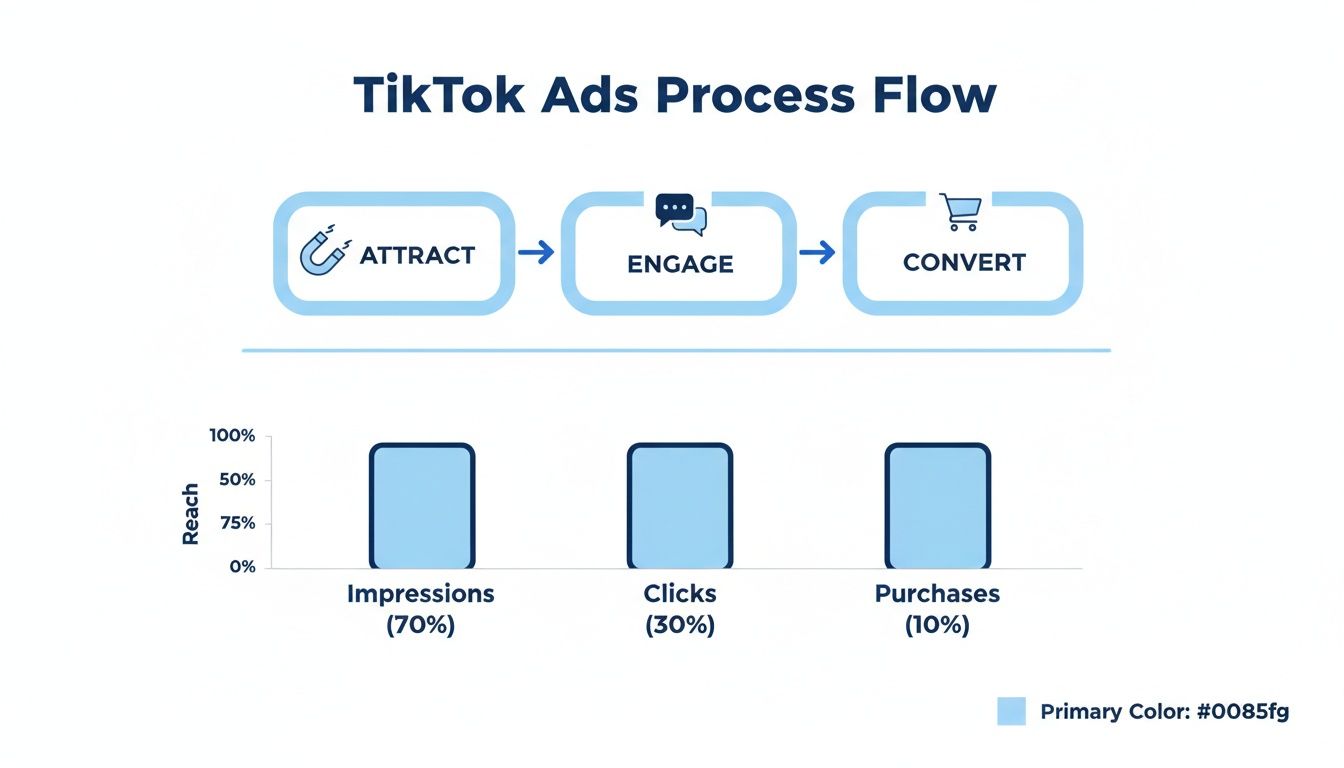
As you can see, successful TikTok advertising is a funnel. You attract attention, get people to engage, and then guide them toward that final conversion.
Installing the TikTok Pixel
With your account set up, the single most critical next step is to install the TikTok Pixel. The Pixel is just a small snippet of code you add to your website, but it’s absolutely non-negotiable if you're serious about getting results.
Honestly, running ads without the Pixel is like flying blind. You’re spending money but have no real way of knowing what’s actually driving sales.
The Pixel is the data pipeline connecting TikTok to your website. It watches what users do after they click your ad—things like viewing a product, adding it to their cart, or actually buying something. This data is pure gold.
- Conversion Tracking: It tells you exactly how many sales or leads your ads are generating. This is how you calculate your return on ad spend (ROAS).
- Audience Building: It unlocks the ability to create powerful Custom Audiences made up of your website visitors. These are perfect for high-converting retargeting campaigns.
- Algorithm Optimization: Most importantly, it feeds performance data back to TikTok’s algorithm. This helps the algorithm get smarter and find more people who are likely to become your customers.
I always tell my clients to think of the TikTok Pixel as a GPS for the algorithm. By feeding it real-time conversion data, you're giving it the exact coordinates it needs to find your ideal customers faster and cheaper.
Configuring Key Conversion Events
Just installing the Pixel isn't enough. You have to tell it what to track. This means configuring specific "events" that match your business goals. For an e-commerce brand, this means tracking the most important steps in the buying journey.
To get started, head over to the "Events" section in your Ads Manager and click "Web Events." TikTok has a pretty good setup guide that will walk you through adding the code. You can do it manually or use an integration with platforms like Shopify or Google Tag Manager, which makes it much easier.
Here are the must-have events you should set up right away:
- View Content: This event should fire whenever someone lands on a product page. It’s a great way to gauge initial interest and build an audience of people who have browsed your products.
- Add to Cart: This one tracks when a user puts an item in their shopping cart. This is a huge signal of purchase intent and is perfect for creating a high-value audience to retarget.
- Complete Payment: This is the finish line—the event that tracks a confirmed purchase. It's the key metric for measuring sales and optimizing your campaigns for actual profit.
For instance, a clothing brand would want to set up the 'Complete Payment' event to fire only on the "Thank You" or order confirmation page. This simple step ensures every conversion logged in Ads Manager is a real sale, giving you clean, reliable data to measure the success of a campaign for a new clothing line. When you track these events accurately, you give the platform the clarity it needs to work its magic and drive real results for your business.
A messy campaign setup in TikTok Ads Manager is a fast track to wasted ad spend and confusing data. To get anywhere on the platform, you need a clear, logical structure from the get-go. A well-organized campaign isn't just about being tidy; it’s about making your campaigns easier to manage, analyze, and ultimately, scale.
Think of the structure like a filing cabinet. The Campaign is the main drawer, the Ad Group is the folder inside, and the Ad is the specific document. Keeping this organized ensures you always know where to find your performance data and can make smart decisions without digging through a mess.
Understanding TikTok's Campaign Hierarchy
TikTok's advertising platform is built on a simple three-level structure. Grasping how these levels interact is the first step toward building campaigns that actually work.
- Campaigns: This is the highest level where you set your one true goal. You choose a single campaign objective, like driving website traffic or generating conversions, and can set an overall budget if you prefer.
- Ad Groups: Housed within a campaign, ad groups are where the real work happens. This is where you define your audience, placements, and bidding strategy. You can have multiple ad groups under one campaign, which is perfect for testing different targeting options.
- Ads: This is the creative level—the actual video and text users will see. Each ad group can contain multiple ads, allowing you to A/B test different hooks, visuals, and calls to action.
Let's imagine an e-commerce brand selling athletic wear. They'd create one Campaign with a "Conversions" objective. Inside, they could set up two Ad Groups: one targeting users interested in "fitness & training" and another targeting a lookalike audience of past purchasers. Each of those ad groups would then contain three different Ads showcasing various products to see which creative resonates most with each audience.
This clean separation lets the brand see exactly which audience (Ad Group) and which video (Ad) drives the most sales, all under one unified goal (Campaign).
Selecting the Right Campaign Objective
Choosing the right campaign objective is probably the most crucial decision you'll make. It tells TikTok’s algorithm exactly what you want to achieve, and it will optimize delivery to find users most likely to perform that specific action.
If you pick "Traffic," TikTok will find people who love to click links. If you pick "Conversions," it will hunt for users with a history of making purchases. Choosing the wrong one is like giving your delivery driver the wrong address—you’ll get a result, just not the one you wanted.
A common mistake I see is choosing a 'Video Views' objective when the real goal is sales. While views are great for brand awareness, they rarely translate directly to purchases. Always align your objective with your core business goal.
Let's break down the most common objectives and when you should actually use them.
- Reach: Your goal is maximum brand awareness. Use this when you're launching a new product and just want to get your brand name in front of as many unique people as possible for the lowest cost.
- Video Views: Perfect for warming up a cold audience or building social proof. This objective optimizes for getting the most 6-second or 2-second video views, which can be a cost-effective way to build a retargeting audience of engaged viewers.
- Traffic: Use this when your main goal is to send users to a blog post or a landing page. It's optimized for clicks, not necessarily for actions taken on the page itself, so don't expect sales from this one.
- Lead Generation: Ideal for service-based businesses or companies wanting to build an email list. This allows you to collect user information directly on TikTok with a pre-filled Instant Form.
- Conversions: This is the go-to for most e-commerce brands. It optimizes for specific actions on your website, like 'Add to Cart' or 'Complete Payment,' and is essential for driving a positive return on ad spend (ROAS).
How to Structure Your Ad Groups for Testing
The real magic of a smart campaign structure happens at the ad group level. This is where you isolate variables to test what truly works. The golden rule here is simple: one audience per ad group.
If you mix different audiences—like interests, lookalikes, and retargeting—into a single ad group, your data becomes a muddy mess. You’ll have no idea which segment is actually driving your results.
Here’s a practical structure for getting clean, actionable insights:
- Separate Cold and Warm Audiences: Always create different campaigns for prospecting (cold traffic) and retargeting (warm traffic). Their performance metrics and creative needs are completely different, and they shouldn't be mixed.
- Isolate Targeting Types: Within your prospecting campaign, create distinct ad groups for each audience type you want to test. For example:
- Ad Group 1: Interest Targeting (e.g., users interested in "skincare" AND "beauty").
- Ad Group 2: Lookalike Audience (e.g., a 1% lookalike of your past customers).
- Ad Group 3: Broad Targeting (no specific interests, just letting the algorithm find your customer).
- Test One Variable at a Time: If you're testing audiences, keep the ad creative the same across all ad groups to start. Once you find a winning audience, you can duplicate that ad group and start testing different creatives within it.
By structuring your campaigns this way, you create a controlled environment for testing. After just a few days, you'll have clean data showing which audiences are most responsive and which creatives drive the most action, giving you the clarity needed to scale your budget with confidence.
Finding Your Ideal Customer with Smart Targeting
A viral creative can only get you so far if you’re showing it to the wrong people.
Honestly, getting your ads in front of the right audience is the single biggest thing that separates a profitable TikTok campaign from a complete flop. This is where you stop just hoping for the best and start engineering predictable results.
While other platforms lean heavily on old-school demographics, TikTok's magic lies in its deep understanding of user intent. The algorithm knows exactly who’s binge-watching skincare routines, saving workout tutorials, and commenting on home decor videos in real-time. Your job is to simply tap into those signals.
Going Beyond Basic Demographics
Just targeting by age and gender on TikTok is a rookie mistake. The real power comes from using Interest and Behavior targeting to pinpoint users who are already consuming content just like yours. This is how you find an audience that isn't just a demographic match, but an interest match.
- Interest Targeting: This lets you target users based on their long-term engagement with certain content categories. A brand selling hiking gear, for instance, could easily target users with interests in "Outdoors" and "Sports Equipment."
- Behavior Targeting: This is where it gets really powerful. You can target users based on what they've done on the platform in the last 7 or 15 days. Think about it—you can target people who have watched videos to the end, liked, commented on, or shared content from a specific category like "Travel."
Let's say you're launching a new vegan protein powder. Instead of just aiming at users aged 25-40, you could build an audience of people who have recently watched, liked, and shared videos in the "Food & Beverage" and "Health & Wellness" categories. This puts your ad right in front of an audience that's already highly engaged with the topic, making them way more likely to be interested in what you're selling.
Unlocking High-Value Custom and Lookalike Audiences
Okay, this is where your advertising efforts really start to compound. Using your own data with Custom and Lookalike Audiences is how you find your absolute best customers on TikTok—both new and old.
Custom Audiences are built from your existing customer and website visitor data. These are your warmest audiences because they already know who you are. The most effective ones I've seen are:
- Website Visitors: By using data from your TikTok Pixel, you can create audiences of people who visited your site, looked at a specific product, or even added an item to their cart but didn’t finish checking out. This is your secret weapon for high-converting retargeting campaigns.
- Customer File: You can upload a list of your existing customers (using emails or phone numbers). TikTok will match these to user profiles, letting you re-engage them with new offers or exclude them from prospecting campaigns so you don't waste money.
Once you have a solid Custom Audience (like a list of past buyers), you can create a Lookalike Audience. TikTok’s algorithm analyzes the common traits of your source audience and then finds millions of new users on the platform who share those same characteristics. This is, hands down, the most powerful tool for scaling your campaigns efficiently.
I almost always recommend starting with a 1% Lookalike Audience built from a "Complete Payment" custom audience. This creates a super-concentrated group of new users who act just like your proven buyers, and it often delivers the best initial return on ad spend.
Choosing the Right Bidding Strategy
Your bidding strategy is simply you telling TikTok how to spend your money in the ad auction. The two main options serve very different purposes, and picking the right one can make or break your campaign costs and results.
At the ad group level, keep in mind that TikTok requires a minimum daily budget of $20. This gives your ads enough runway to gather data and start optimizing. If you mismanage your bid on top of that, you can burn through your budget in a flash with nothing to show for it.
Here’s a practical look at how to choose the right strategy.
TikTok Bidding Strategies Compared
Picking between Lowest Cost and Cost Cap is a common sticking point. This table breaks down which one to use and when, so you can make a confident choice for your campaign.
| Bidding Strategy | Best For | How It Works | Pro Tip |
|---|---|---|---|
| Lowest Cost | Maximizing delivery and spending your full daily budget, especially when you want the most results possible without a strict cost-per-result goal. | TikTok's system automatically bids to get you the most conversions or clicks at the lowest possible price, trying to spend your entire budget by day's end. | Use this when launching a new campaign to gather data fast. It helps the algorithm learn who your ideal customer is, even if the initial CPA is a little volatile. |
| Cost Cap | Controlling and stabilizing your cost per acquisition (CPA). This is perfect for scaling campaigns once you know your target CPA and need to stay profitable. | You set the maximum average cost you're willing to pay per result. TikTok will then only try to win auctions that meet this target, which means it might not always spend your full budget. | Set your Cost Cap about 10-20% higher than your ideal CPA. This gives the algorithm enough wiggle room to compete effectively in auctions and deliver your ads consistently. |
Choosing the right bid is all about your current goal.
For example, if you're an e-commerce brand and know you need to acquire customers for under $30 to stay profitable, using a Cost Cap strategy set around $32 gives you the control and predictability you need to scale. On the other hand, if you're just launching a new product and want to see what kind of traction you can get, Lowest Cost will get you the most data, as quickly as possible.
For more specific tactics on turning those clicks into sales, it's worth exploring different approaches to sell products on TikTok effectively.
How to Create TikTok Ads That Feel Native
If your ads look like commercials from TV, you've already lost the game on TikTok. The creative is everything, and the golden rule is surprisingly simple: Don't make ads. Make TikToks.
The campaigns that absolutely crush it are the ones that blend seamlessly into the "For You Page." They feel like authentic, user-generated content (UGC) instead of a jarring sales pitch that makes someone instantly scroll away.
This native approach isn't just a suggestion; it's a requirement. People are on TikTok to be entertained, to discover something new, or to laugh. They aren't there to be sold to. Your ad has to lead with value—whether that's a clever tip, a relatable story, or just pure entertainment.

This ad is a perfect example. It has that classic UGC vibe that feels personal and trustworthy, which is exactly what you need to stop the scroll and actually connect with someone.
The Ingredients of a High-Performing TikTok Ad
To make content that really hits the mark, you have to understand the platform's DNA. This isn't about massive production budgets or cinematic quality. It's about being real and grabbing attention from the very first second.
Seriously, your entire focus needs to be on the first three seconds. That's your whole window to hook a viewer. If you don't nail the hook, the rest of your video might as well not exist.
- A Powerful Hook: Kick things off with a bold claim, a weird visual, or a question that makes people curious.
- Trending Sounds: Tapping into popular music and sounds is an instant cheat code. It makes your ad feel relevant and part of the conversation.
- Lo-Fi is Better: Overly polished, professional videos can stick out like a sore thumb. A simple video shot on a smartphone often feels more genuine and builds more trust.
- On-Screen Text: Use big, clear captions to get your message across. A huge chunk of users watch with the sound off, so text is non-negotiable.
From what I've seen, the best-performing ads almost always come from creators, not brands. They just get the language of the platform. This is why partnering with UGC creators is one of the fastest ways to get ad creative that actually works.
Using AI to Create Native Ads at Scale
The biggest headache for any TikTok advertiser is the constant need for fresh creative. Ad fatigue sets in fast, and you have to churn through dozens of concepts to find a winner. This is where AI video generators like ClipShort completely change the game.
These tools are specifically built to pump out native-style, short-form videos without you ever needing to pick up a camera or learn complex editing software. It’s the perfect solution for brands that need to test a ton of ideas quickly without blowing their budget on production.
Here’s how a workflow with a tool like ClipShort might look:
- Generate a Script: Just give it a simple prompt about your product and who you're targeting. The AI can spit out several script ideas, each with a different hook or angle.
- Pick a Voiceover: Choose a realistic AI voice that fits your brand's personality. Most tools have a ton of options, from different accents to various tones.
- Add Engaging Captions: Slap on some animated caption templates—the kind you see all over TikTok. These dynamic subtitles are a must for keeping eyes on the screen.
- Assemble the Visuals: The AI can generate or pull in relevant stock footage and images to match the script, pulling together a compelling video in just a few minutes.
The Power of Faceless Video and Automation
The real beauty here is that this enables "faceless" content creation. You don't have to put yourself on camera to produce ads that feel authentic. This opens up a massive opportunity for testing and scaling your campaigns.
Imagine an e-commerce brand using an AI tool to create five different video ads for one product in less than an hour. Each video could test a different hook, a different customer pain point, or a different call to action. By launching all five, they can quickly see which message clicks with the audience and then pour their budget into the winner. It's a low-cost, high-speed way to figure out what your customers actually want to see.
For a deeper dive into the technical side, getting the TikTok aspect ratio right is a fundamental first step to making sure your visuals are perfectly optimized.
Analyzing Performance and Scaling What Works
Getting your TikTok ad campaign live is a great first step, but don't pop the champagne just yet. The real work starts now. This isn't a "set it and forget it" game; it's all about obsessing over the data, learning what it's telling you, and making smart moves to get better results.

Your command center for all of this is the TikTok Ads Manager dashboard. It can look like a lot at first glance, but you really only need to zero in on a handful of key metrics to see what’s actually going on. These numbers tell a story about how people are reacting to your ads.
Interpreting Your Core Performance Metrics
Don't get bogged down in a sea of data. To really understand how to advertise on TikTok effectively, you need to master a few essential numbers that paint a clear picture of your campaign's health.
-
Click-Through Rate (CTR): This is just the percentage of people who saw your ad and actually clicked. A high CTR is a great sign—it means your creative is good enough to stop the scroll. A low CTR, on the other hand, is a red flag that your ad just isn't connecting.
-
Cost Per Click (CPC): This tells you exactly what you're paying every time someone clicks your ad. The average CPC on TikTok hovers around $1.00, but that number is pretty meaningless on its own. Your job is to drive that cost down while making sure the clicks you are getting actually turn into customers.
-
Return on Ad Spend (ROAS): This is the one that really matters. ROAS tells you how much money you’re making for every single dollar you spend. If you have a 2:1 ROAS, you're generating $2 in revenue for every $1 spent. Simple as that.
Think of your initial data as your most valuable asset. The first few days of any campaign aren't about profit—they're about buying data to learn what your audience actually wants. Treat that early ad spend like an investment in market research.
A Practical Framework for A/B Testing
If you want to get better, you have to test. But you need to do it in a structured way. If you test a new audience and new creative at the same time, you'll have no idea which change actually moved the needle. The key is to isolate your variables.
Start with a "control" ad group—this is your current champion, the best-performing combination of audience and creative you have. Then, you just duplicate it and change one single thing.
- Test Audiences First: Let your best video ad keep running, but pit it against totally different audiences. See how a lookalike audience performs against an interest-based one. The goal is to find which one gives you a lower cost per acquisition (CPA).
- Test Creatives Second: Once you've found a winning audience, lock it in. Duplicate that ad group and start throwing new video creatives at it. Try a different hook in the first three seconds, test a raw UGC-style video against something more polished, or see if a different call to action makes a difference.
Smart Scaling Strategies for Winning Campaigns
When you finally strike gold with an ad set that's delivering a solid ROAS, the first instinct is to just crank up the budget. That’s a mistake. Pumping too much money in too quickly can shock the algorithm, kick it out of its learning phase, and completely wreck your performance.
A much safer way to scale is to increase your budget gradually. A good rule of thumb is to never increase an ad group's daily budget by more than 20% every 24-48 hours. This slow and steady approach lets the algorithm adapt without causing your costs to go haywire.
Another great scaling trick is simple duplication. Instead of messing with the budget on your successful ad group, just duplicate the entire thing. The new ad group will go out and find a whole new pocket of users within your target audience. This is how you scale your reach without messing with the original ad set that's already working so well. It's how small wins become consistent, long-term growth.
A Few Common Questions About TikTok Advertising
Jumping into TikTok ads usually sparks a few questions, especially if you're new to the game. Getting these sorted out upfront will help you launch your first campaigns with way more confidence and sidestep some of those early, easy-to-make mistakes.
So, How Much Do TikTok Ads Actually Cost?
This is the classic "it depends" question. Your costs will swing based on who you're targeting, what industry you're in, and what your campaign goal is.
That said, you can generally benchmark around $1.00 for an average Cost Per Click (CPC) and about $10 for a Cost Per Mille (CPM), which is the cost per 1,000 impressions.
TikTok also sets a few minimums to get your ads running effectively:
- Campaign Level: You'll need to set a daily or lifetime budget of at least $50.
- Ad Group Level: For each ad group, the daily budget has to be at least $20.
How Long Does It Take for Ads to Get Approved?
Typically, TikTok's review team gets ads approved within 24 hours.
Be aware, though, that it can sometimes take a bit longer. This often happens during super busy times like major holidays or if your ad needs a closer look to make sure it lines up with all the platform rules. It's always a good idea to submit your ads a little early to avoid any last-minute launch delays.
Key Takeaway: TikTok might be all about creative freedom, but they are very strict with their ad policies. The quickest way to get an ad rejected is by using prohibited content, making wild or misleading claims, or just having low-quality visuals. Always, always give TikTok's official ad policies a quick read-through before you hit submit.
Ready to create scroll-stopping TikTok ads without ever showing your face? With ClipShort, you can generate viral, native-style videos in minutes using AI scripts, realistic voiceovers, and animated captions. Automate your content and scale your brand effortlessly. Try it for free today at https://www.clipshort.co.