
How to Create a TikTok Video That Goes Viral
Before you even think about AI generators or fancy editing software, you need to understand the basic anatomy of a viral TikTok. It's not about luck; it's about structure. Every single video that stops you mid-scroll, no matter the niche, follows a surprisingly simple formula designed to grab and hold your attention.
Let's break it down.
The Framework of a Viral TikTok Video
It all starts with the hook. You have, at most, three seconds to give someone a reason to stop scrolling. That’s it. Your opening has to instantly spark curiosity, present a relatable problem, or signal massive value.
Don't just take my word for it. TikTok's own data shows that 63% of top-performing ads get their main message across in that tiny initial window. Slow builds just don't work on this platform.
Mastering the Three-Second Hook
Think of your hook as the video's first impression. It's a promise you're making to the viewer.
It could be a direct question like, "Are you making this common mistake?" or a bold, almost unbelievable statement like, "This AI tool will change how you work." It can even be a visually jarring or satisfying clip that makes people pause. The goal is to make them think, "Okay, I need to see where this is going."
Building a Simple and Satisfying Narrative
Once you've got their attention, you need to deliver on that promise with a clear story. Even a 15-second video needs a beginning, a middle, and an end.
- The Beginning: This is your hook, introducing the problem or core idea.
- The Middle: Here's where you deliver the value—the solution, the transformation, the funny punchline.
- The End: You wrap it up with a clear takeaway that flows right into your call-to-action.
For a deeper dive into this structure, check out this excellent guide to creating short form videos for TikTok. It really helps build a strong foundation.
This simple infographic breaks down the flow perfectly.
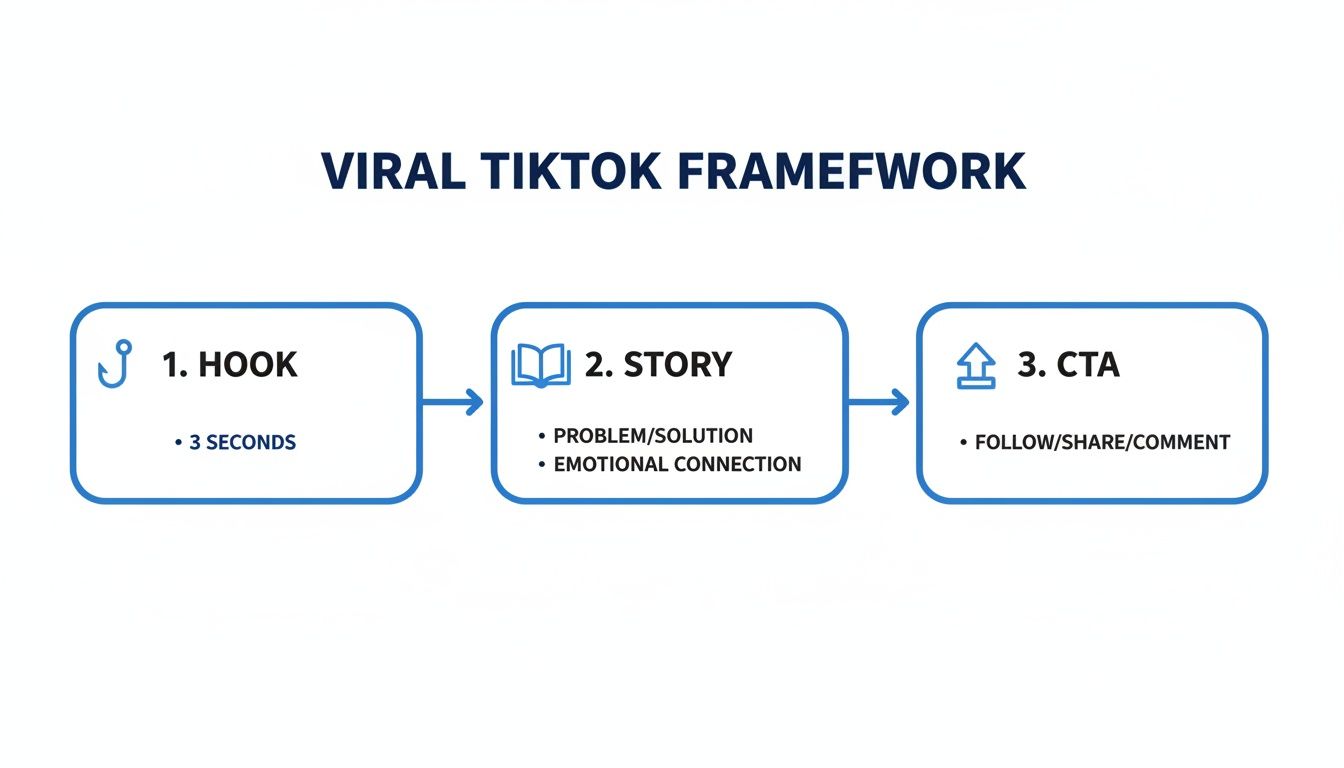
As you can see, it's a straight line from grabbing attention to driving a specific action.
To help you internalize this structure, here's a quick summary of what makes a video work.
Core Components of a Viral TikTok Video
| Component | Why It Matters | Example Implementation |
|---|---|---|
| The Hook (0-3s) | Grabs immediate attention in the "For You" feed. | "You're cleaning your air fryer all wrong." |
| The Story (3-15s) | Delivers the promised value and keeps viewers watching. | Show a quick, satisfying cleaning hack. |
| The CTA (Final 2s) | Tells viewers what to do next, boosting engagement signals. | "Follow for more life hacks!" |
This table breaks down the essentials. Nail these three parts, and you're already ahead of the curve.
The most successful TikTok creators don't just make videos; they tell micro-stories. They understand that a satisfying narrative arc, no matter how short, is what keeps viewers invested and encourages them to share.
Whether you're pointing at text bubbles over a trending sound or using a custom AI voiceover, this framework is your foundation. The audio sets the mood, but the structure is what delivers the punch and gets the algorithm on your side. Master this, and you're ready for the next step.
Generating Endless Ideas and Scripts Without a Camera
Let's be real. The hardest part of making TikToks isn't the filming or editing. It's the constant, grinding pressure to come up with new ideas. When you're trying to scale, especially with faceless content, a blank page is your worst enemy.
The secret? Stop trying to invent ideas from thin air. You need a system.
Your audience's problems are an absolute goldmine for content ideas. Instead of asking, "What video should I make today?" shift your thinking to, "What problem can I solve for them?" If you're in the finance niche, that question becomes, "How can I help people save money while everything is so expensive?" For a fitness account, it might be, "What's a killer workout someone can do at home with zero equipment?"
Finding Your Niche Angle
Look, every popular topic has been done a thousand times over. But it hasn't been done from your specific perspective. The trick is to find your unique angle by looking at what's already out there and spotting the gaps.
- Repurpose with a Twist: Find a video that went viral in your niche. Now, how can you spin it? Can you simplify a really complex idea? Debunk a common myth that everyone believes? Maybe even offer a totally opposite point of view?
- Analyze the Comments: The comment section on a top creator's video is a treasure trove. What questions keep popping up? What are people confused about? Every single one of those questions is a video idea that you already know has a built-in, hungry audience.
This approach transforms you from just another content consumer into a sharp content analyst. It ensures every single video you plan is based on proven demand.
Using AI as Your Creative Co-pilot
Once you’ve got that core idea, you can bring in AI tools to act as your creative partner and churn out scripts like a machine. Platforms like ClipShort are built for this. You can feed it a simple keyword or a rough concept, and it will spit out multiple script variations in seconds. This lets you experiment with different hooks and angles without having to write every single one yourself.
For example, you just drop a basic prompt in to get the ball rolling.

This completely changes your workflow. You get to spend your time polishing the message and making it perfect, not staring at a cursor blinking on an empty page. If you want to see how powerful this can be, check out how a script to video AI can seriously level up your production.
A solid script is the blueprint for any good faceless video. I've found that a simple, punchy structure works best across almost any niche.
The Hook: Start with a bold statement or a question that makes people stop scrolling. (e.g., "You're probably using this productivity hack all wrong.") The Problem: Quickly touch on the common pain point your audience feels. (e.g., "You're focusing on complicated systems that just lead to burnout.") The Solution: Deliver your unique solution or insight, clean and simple. (e.g., "The secret is the 'two-minute rule' for tiny tasks.") The Call-to-Action (CTA): Tell them exactly what to do next. (e.g., "Follow for more simple productivity tips.")
This structure gives your video a mini-story arc, which is crucial for keeping viewers hooked until the very end. That's a huge signal to the TikTok algorithm.
Selecting the Perfect AI Voiceover
The final piece of the puzzle is the voice. The right AI voiceover can make or break a faceless video, turning a decent script into something truly captivating. Your goal is to match the voice to the personality of your brand.
Are you running an authoritative, educational channel? A calm, deeper voice might be the ticket. A motivational account? You’ll want something energetic and upbeat. Thankfully, modern AI tools give you a ton of options—different voices, accents, and even emotional tones.
When you're picking a voice, keep these things in mind:
- Clarity and Pace: Is the voice easy to understand? Is the speaking pace right for the fast-and-furious nature of TikTok?
- Tone and Emotion: Does it sound like a real person, or does it have that robotic drone? Listen for natural-sounding ups and downs.
- Brand Alignment: Just close your eyes and listen. Does this voice sound like your brand?
By building a system for your ideas, scripts, and voiceovers, you create an assembly line for top-tier content. This completely eliminates the creative paralysis that stops so many people in their tracks, letting you pump out engaging videos without ever having to get in front of the camera.
Producing High-Quality Visuals with AI
You’ve got your script locked in and an AI voiceover that sounds incredible. Now for the visuals. For a lot of creators, this is the part that slows everything down—filming takes time, requires gear, and can feel like a huge production. This is exactly where AI video generation flips the script, letting you produce a slick, professional-looking TikTok without ever picking up a camera.
The whole idea is to let AI transform your script into a sequence of dynamic, eye-catching scenes automatically. Tools like ClipShort are built for this. It’s not just about grabbing random stock clips anymore; modern AI actually understands the context of your script to generate relevant, compelling visuals completely from scratch.
Think of it like this: you’re the director, but you have an entire AI art department ready to bring your vision to life. The first step is deciding on the look and feel.
Selecting Your Visual Style
Before you even drop your script in, take a second to think about the mood you're going for. The visual style you pick is a huge part of your brand on TikTok. Are you aiming for something epic and cinematic, or more quirky and animated?
- Cinematic: This style leans into realistic, high-definition visuals that look like they were pulled straight from a movie. It's a fantastic choice for motivational content, deep dives into history, or showing off luxury products.
- Abstract: Imagine dynamic shapes, flowing colors, and conceptual visuals. This is perfect for breaking down complex ideas or creating that futuristic, tech-heavy vibe.
- Illustrative or Anime: These styles give you a hand-drawn or animated feel, which can set a more playful or fantastical tone. They work wonders for storytelling and can make educational content feel way more fun and approachable.
Sticking to one style helps people instantly recognize your videos as they scroll. Once you've made your choice, the AI will generate a scene for each line of your script. The first pass is usually pretty impressive, but the real control comes next.
Curation is the most underrated skill in AI content creation. The AI gives you the raw material; your job is to shape it into something polished that perfectly matches your story.
The Art of Curation and Refinement
AI is a phenomenal creative partner, but you’re still the one driving. Once the video is generated, it's time to put on your editor hat and review every single scene. This is what separates a decent automated video from a truly great one.
Does a certain clip feel a little off-brand or not quite right for the line? Swap it out. Most platforms let you regenerate a scene with a new prompt or even upload your own media. If your script says "saving money on groceries" but the AI gave you a fancy restaurant, you can replace it with a shot of a shopping cart in seconds.
Here’s a look at how an AI video generator gives you options to tweak and perfect your visuals.
This is where you make sure every frame of your video is pulling its weight and serving the story.
This hands-on curation ensures your final video feels like a cohesive narrative, not just a slideshow of random clips. If you want to inject some humor, you can even pull in visuals from an AI meme generator to play on trending formats. You can see more on how this all comes together in our guide on using an AI video generator for TikTok.
By bringing AI into your visual production, you’re basically removing one of the biggest roadblocks to creating content consistently. You're no longer held back by your filming schedule, location, or budget. Instead, you can pour all that energy into what really matters: telling a great story. This approach lets you pump out visually stunning content at a scale that just wasn't possible before, all from your desk.
Editing Techniques That Boost Viewer Retention
A brilliant script and stunning AI-generated visuals can still fall flat if the editing doesn't hold attention. This is where you bake in the addictive, fast-paced energy that makes a TikTok video work.
It’s not about adding flashy effects for the sake of it. It's about strategically using pacing, captions, and sound to keep people glued to their screen.

Let’s be clear: the single most important metric for the TikTok algorithm is viewer retention. A high video completion rate is a massive signal to the algorithm that your content is valuable, which gets it pushed to a wider audience. Every single editing choice you make needs to serve this one goal.
Turn Captions into an Engagement Tool
Stop thinking of captions as an afterthought. They are a primary tool for hooking viewers.
Since 50% of viewers watch videos on silent, skipping captions immediately alienates half your potential audience. It’s no surprise that captioned ads on the platform see 95% higher brand affinity.
To make your captions work harder, you need to make them dynamic. Here’s how:
- Animated Text Effects: Use a "pop-up" or "zoom-in" effect for each word as it’s spoken. This forces the viewer's eye to follow along with the audio.
- Strategic Emoji Use: Don't just tack emojis onto the end of a sentence. Weave them into the caption to replace or emphasize words (e.g., "This hack will 🤯 your mind").
- Color Highlighting: Make key phrases or power words pop by changing their color. This is visual punctuation, helping viewers instantly grab the most important parts of your message.
Doing this manually is a huge time sink. This is where AI-powered tools like ClipShort shine—they’re built to automate these engaging caption styles, applying them to your video in just a few clicks. For more foundational knowledge, our guide on video editing tips for beginners is a great place to start.
Master the Psychology of Pacing
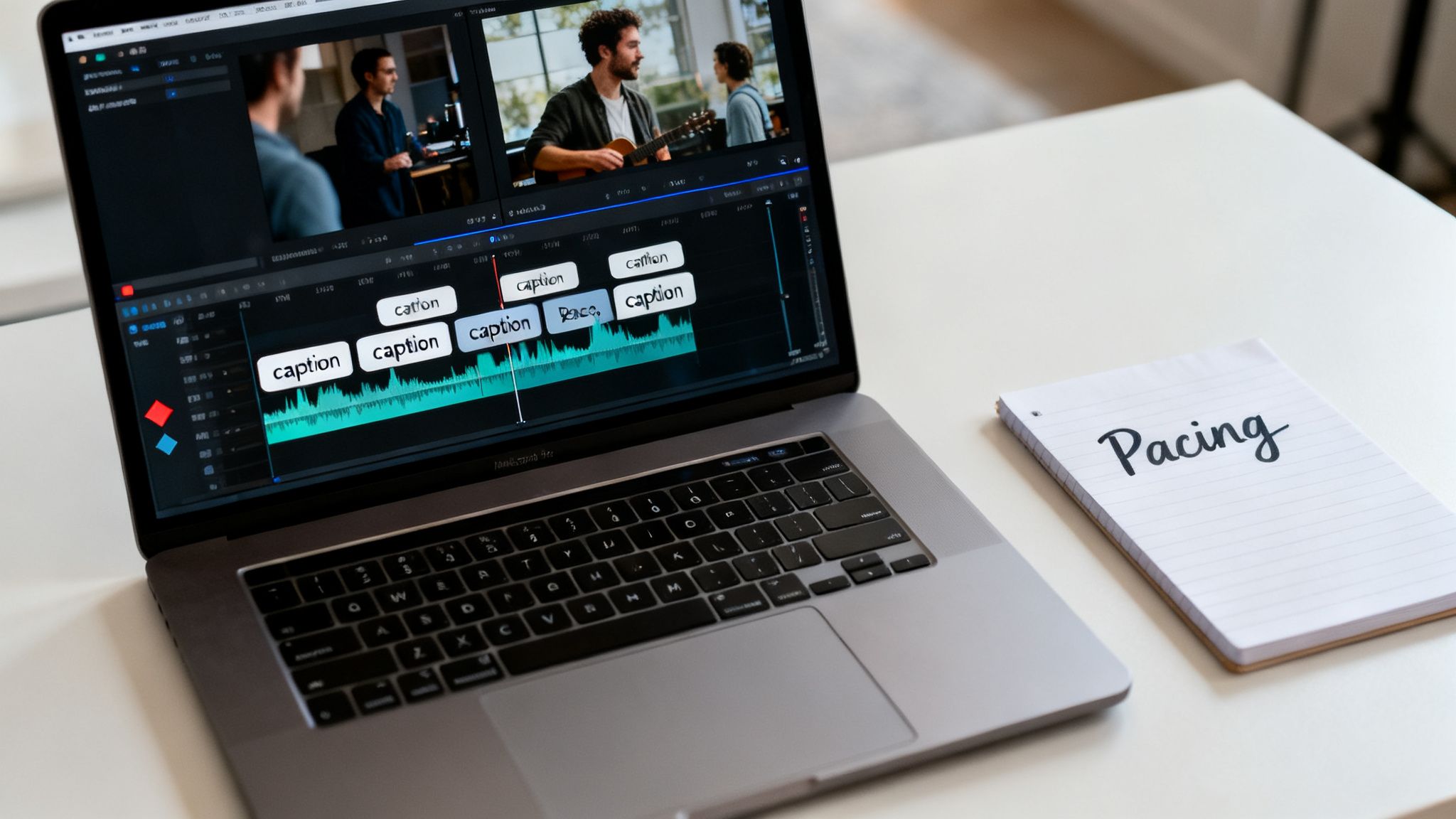
The rhythm of your video is everything. A slow, lethargic video is a guaranteed scroll-past. The goal is to create a seamless, almost hypnotic flow where every visual change is perfectly timed to the beat of the music or the cadence of the voiceover.
This is more than just making quick cuts; it's about building momentum.
If your voiceover makes a powerful point, sync it with a dramatic visual change. If the background music has a big beat drop, make sure a new scene appears at that exact moment. This synchronization creates a deeply satisfying viewing experience that feels professional and polished.
The best-edited TikToks don't feel edited at all. The cuts, captions, and music blend so perfectly that the viewer is completely absorbed in the story, only realizing the video is over when it loops.
This table breaks down the subtle but powerful differences between a standard edit and one that’s laser-focused on retention.
Retention-Boosting Editing Tactics
| Editing Element | Standard Approach | Retention-Focused Approach |
|---|---|---|
| Captions | Plain white text at the bottom. | Animated, colored text with emojis that pop up word-by-word. |
| Pacing | Cuts happen at the end of sentences. | Scene changes are synced to the music's beat or key phrases. |
| Sound | Background music is added at a low volume. | Music volume swells in silent parts and dips during narration. |
| Visuals | One static clip per sentence. | Quick zooms, pans, and effects are added to keep static images dynamic. |
These small tweaks add up to have a massive impact on how long someone watches your video.
When you create a TikTok video, every second is a battle for attention. By treating your captions as a core visual element and mastering the rhythm of your cuts, you give yourself the best possible chance of winning that battle.
Optimizing Your Post for the Algorithm
Hitting "export" on your perfectly edited video isn't the finish line. It’s just the start of the final—and maybe most critical—lap: the publishing process. This is where you hand your creation over to the TikTok algorithm, and you need to give it every possible reason to push your video out to the world.
A great video can easily fall flat without a smart posting strategy. Think of the caption, hashtags, and call-to-action as the packaging. They tell TikTok exactly who needs to see your work, turning a good video into one with serious viral potential.
Crafting a Hook-Driven Caption
Your caption is your second hook. The first one was the opening three seconds of your video, but this one grabs the people who read before they watch. Keep it short, punchy, and built to start a conversation.
One of the best moves here is to ask a question or drop a bold statement that makes people curious. For a video on a productivity hack, skip "Check out my new productivity hack." Instead, try something like, "Is this the most underrated productivity method of 2024? 🤔" See the difference? It makes you want to know the answer.
The goal is to get people to pause, think, and drop a comment. That immediate engagement is a huge green light for the algorithm.
Selecting a Powerful Mix of Hashtags
Hashtags aren't just for show; they're the algorithm's filing system. Use them right, and you're telling TikTok exactly who to show your video to. The biggest mistake I see is creators stuffing their captions with dozens of generic tags, which just looks spammy and can actually hurt your reach.
A much smarter approach is to use a balanced mix of three to five highly relevant hashtags.
- Broad Hashtags (1-2): These are the high-volume tags for your general topic, like
#historyor#motivation. They give your video a shot at reaching a wider audience. - Niche Hashtags (2-3): These are specific tags that hit a dedicated community, like
#romanempirefactsor#stoicmindset. This is where you find your most engaged viewers—the ones who will watch the whole thing.
This blend gives you the best of both worlds: broad reach plus targeted delivery to your ideal audience.
The best TikTok creators treat their posting process like a science. They understand that a well-written caption and a smart hashtag strategy are just as important as the video content itself. It's the final polish that maximizes algorithmic favor.
Driving Action with a Clear CTA
Every video needs a purpose. What do you want your viewer to do after watching? If you don't tell them, you're leaving a ton of valuable engagement on the table.
Your call-to-action (CTA) should be simple and direct. Do you want more followers, comments, or shares? Just ask.
- "Follow for more daily tips like this!"
- "What’s the biggest mistake you see? Let me know in the comments."
- "Share this with someone who needs to hear it."
Pop your CTA at the end of your caption and also mention it in your video (either with your voice or on-screen text) to really drive the message home.
Consistency: The Ultimate Growth Hack
Finally, the most powerful growth tool you have is consistency. The algorithm loves active creators who show up regularly. If you only post once in a while, it's nearly impossible to build momentum or keep your audience hooked.
Consistent posting absolutely turbocharges TikTok growth. Creators who post daily see 2.5–6% engagement rates, while those who only post a few times a month struggle to get noticed. With 23.5 million videos uploaded every single day, showing up regularly is far more important than being perfect. You can dig into more of these TikTok statistics to see just how crucial a steady schedule is.
This is exactly where an AI-assisted workflow becomes a game-changer. By automating the most tedious parts of video creation, you can finally build a sustainable posting schedule without burning out. That's how you get the momentum you need to truly grow.
Got Questions About Making TikToks? We’ve Got Answers.
As you start diving into the world of TikTok, especially with AI and faceless videos, you're bound to have questions. The platform is always changing, and what worked last month might not work today. Let's clear up some of the most common things creators wonder about.
What’s the Perfect Length for a TikTok Video?
Even though TikTok lets you upload videos up to 10 minutes long, the magic really happens in the 21 to 40-second range. That’s the sweet spot. It gives you just enough time to tell a compelling story or share a killer tip without losing your viewer's attention.
But don't get too hung up on a single number. The real goal is to make every single second count. A powerful 15-second clip that people watch all the way through will crush a rambling one-minute video that gets swiped away.
The algorithm is obsessed with video completion rate. Your main job is to script your video to be as tight and punchy as possible. Get your hook in right at the start and keep the story moving.
Can Faceless, AI-Made Videos Actually Go Viral?
Absolutely. Going viral on TikTok is all about the story, the value, and the emotion you deliver—it has nothing to do with whether your face is in the video. Some of the biggest accounts in niches like history, finance, and motivation are completely faceless, proving that people show up for great content, period.
Today's AI video tools can spit out visuals, voiceovers, and captions that look incredibly professional. Honestly, they can often be far more engaging than a poorly shot video of someone just talking to their phone.
Focus your energy on a great script and a compelling story. That’s how you create faceless videos with massive viral potential. The production quality you get from AI levels the playing field, letting the power of your idea do the talking.
This really changes the game. Your success is no longer tied to being a charismatic on-camera personality. It's about your message and how well you can package it visually, which AI makes easier than ever before.
How Many Hashtags Should I Really Be Using?
When it comes to hashtags, less is more. The best strategy is to stick with 3 to 5 highly relevant hashtags for each video. Slapping a dozen tags on your caption just looks spammy to both people and the algorithm, and it confuses TikTok about what your video is actually about.
A much smarter approach is to use a strategic mix:
- Broad Hashtags (1-2): These are the big-ticket tags that get your content in front of a massive audience. Think
#motivationor#historyfacts. - Niche Hashtags (2-3): These are more specific and target a smaller, but way more engaged, community. Something like
#stoicismdailyor#ww2history.
This combo helps TikTok figure out exactly who to show your video to. It gets you a shot at a broad audience for viral potential while also reaching a core group of people who are likely to love what you do. Just make sure every single hashtag is directly related to your video.
When Is the Best Time to Post My TikTok?
Forget what those generic guides say. The only "best" time to post is when your specific audience is scrolling through their For You page. The good news? Finding this info is super easy and free with a TikTok Business account.
Here’s exactly how to find your personalized peak times:
- Head to your profile and tap the three lines in the top-right corner.
- Choose 'Creator Tools'.
- Go into 'Analytics' and tap the 'Followers' tab.
- Scroll down until you see the 'Follower activity' chart.
This chart shows you the exact days and hours your followers are most active. That’s your posting guide. Pro tip: try posting about an hour before that peak activity starts. This gives your video time to pick up some steam just as your audience is logging on. Play around with times near these peaks and see what works best for you.
Ready to stop guessing and start creating? ClipShort is the all-in-one AI video generator that turns your ideas into viral-ready TikToks in minutes. From script to final edit, we automate the hard parts so you can focus on growing your audience. Create your first video for free at https://www.clipshort.co.