
Post YouTube Videos on Instagram The Smart Way
Of course you can post your YouTube videos on Instagram. In fact, it's one of the smartest things you can do to get more mileage out of the content you already have. The trick is to do it right—don't just dump a horizontal video onto a vertical platform.
You need to reformat your long-form, landscape videos into snappy, vertical clips that feel native to Instagram, especially for Reels.
Why Post Your YouTube Videos on Instagram
Shifting your YouTube content over to Instagram is about more than just chasing views. It's a strategic play to build a stronger, more connected brand across the internet's two video giants.
Instead of getting stuck on the content creation hamster wheel, you’re saving a ton of production time by giving your best clips a second life. This is your ticket to connecting with Instagram’s massive, always-on user base without starting from scratch.
Tap Into a Cross-Platform Audience
Think of your audience for a second. They don't just live on YouTube or just on Instagram; they bounce between both all day long. This is a massive opportunity for you.
Sharing killer snippets from your longer YouTube videos gives your Instagram followers a real reason to head over to your channel and watch the full thing. It’s a simple, effective way to build a brand that feels present and consistent everywhere your audience hangs out.
- Find Your Overlapping Fans: A huge chunk of Instagram users are also avid YouTube watchers. You're not finding a new audience so much as meeting your current one where they are.
- Create Unmissable Teasers: Use Reels and Stories as mini-trailers for your latest YouTube drop. Build some hype and drive that traffic straight to your channel.
- Be a Consistent Voice: When people see you on both platforms, it reinforces who you are and what you're an expert in. You become a familiar, trusted face in your niche.
Leverage the Power of Short-Form Video
Let's be real: the content world has gone vertical. Bite-sized videos are no longer a trend; they're the main event. In 2024, YouTube Shorts hit a staggering 70 billion daily views. That number alone shows you where people's attention is right now.
This is exactly why so many creators are slicing up their YouTube videos for Instagram Reels. It's the most efficient way to engage that overlapping audience without reinventing the wheel. Plus, Instagram Reels often crushes the engagement of standard feed posts and Stories. When you cross-post, you're tapping into Instagram's 2 billion+ users—many of whom are the same people watching your YouTube content. You can get more insights on the power of this strategy from our friends at Opus Pro.
The goal isn’t to just be on every platform. It's to make every single piece of content work as hard as it possibly can. Turning one YouTube video into a handful of Instagram Reels means one asset just became a week's worth of content.
This approach is a total game-changer. You get to test what lands with a slightly different crowd, keep your content calendar full, and grow both of your channels at the same time. It’s all about working smarter.
Before you start chopping up your videos, it's crucial to understand the different formats Instagram uses. Each placement—Reels, Stories, and the main Feed—has its own rules for aspect ratio and length. Getting this right is the first step to making your content look professional and native to the platform.
YouTube vs Instagram Video Format Quick Guide
Here’s a quick-reference table to help you plan how you’ll adapt your YouTube content for each Instagram spot.
| Instagram Placement | Optimal Aspect Ratio | Max Length | Best Use Case |
|---|---|---|---|
| Instagram Reels | 9:16 (Vertical) | Up to 90 seconds | Short, entertaining, or educational clips designed for discoverability. |
| Instagram Stories | 9:16 (Vertical) | 60 seconds/slide | Behind-the-scenes, Q&As, and interactive content like polls or quizzes. |
| Instagram Feed | 1:1 (Square) / 4:5 | Up to 60 minutes | Longer tutorials, highlights, or key moments from a longer video. |
Keep this guide handy. Knowing these specs upfront will save you a ton of editing headaches and ensure your repurposed clips feel like they were made for Instagram all along.
Finding and Prepping Your Best YouTube Clips
Your journey from YouTube to Instagram starts with a bit of content archaeology. Think of your YouTube channel as a goldmine—you just need to find the richest veins of content that will stop a fast-scrolling Instagram user in their tracks.
The best place to start digging is your own YouTube Analytics. Look for videos with the highest audience retention and zero in on the exact moments where viewership spikes. These peaks are pure gold. They almost always point to a powerful hook, a key "aha!" moment, or a visually stunning sequence that your audience absolutely loved.
Identifying Your Most Shareable Moments
Don't leave it to guesswork. Your data has all the clues. The goal here is to find those perfect, self-contained moments that tell a mini-story or deliver a single, high-impact takeaway in under 90 seconds.
So, what should you be looking for?
- "Aha!" Moments: These are the clips where you break down a complex topic or drop a game-changing tip that makes everything click for the viewer.
- Emotional Peaks: Raw, genuine reactions—laughter, surprise, or an impactful story—are incredibly powerful and translate perfectly to short-form video.
- Strong Visuals: A cool B-roll sequence, a satisfying product demo, or a dramatic before-and-after shot can be a serious scroll-stopper.
Once you’ve pinpointed these golden nuggets, it's time to get them ready for a vertical world. This is way more than just downloading; it’s about strategic reformatting. To get the ball rolling, you'll need a way to grab these specific segments from your longer videos. We've got a detailed breakdown in our guide on how to take clips from a YouTube video.
This process is all about maximizing your effort. One long video can become a whole library of Instagram content.
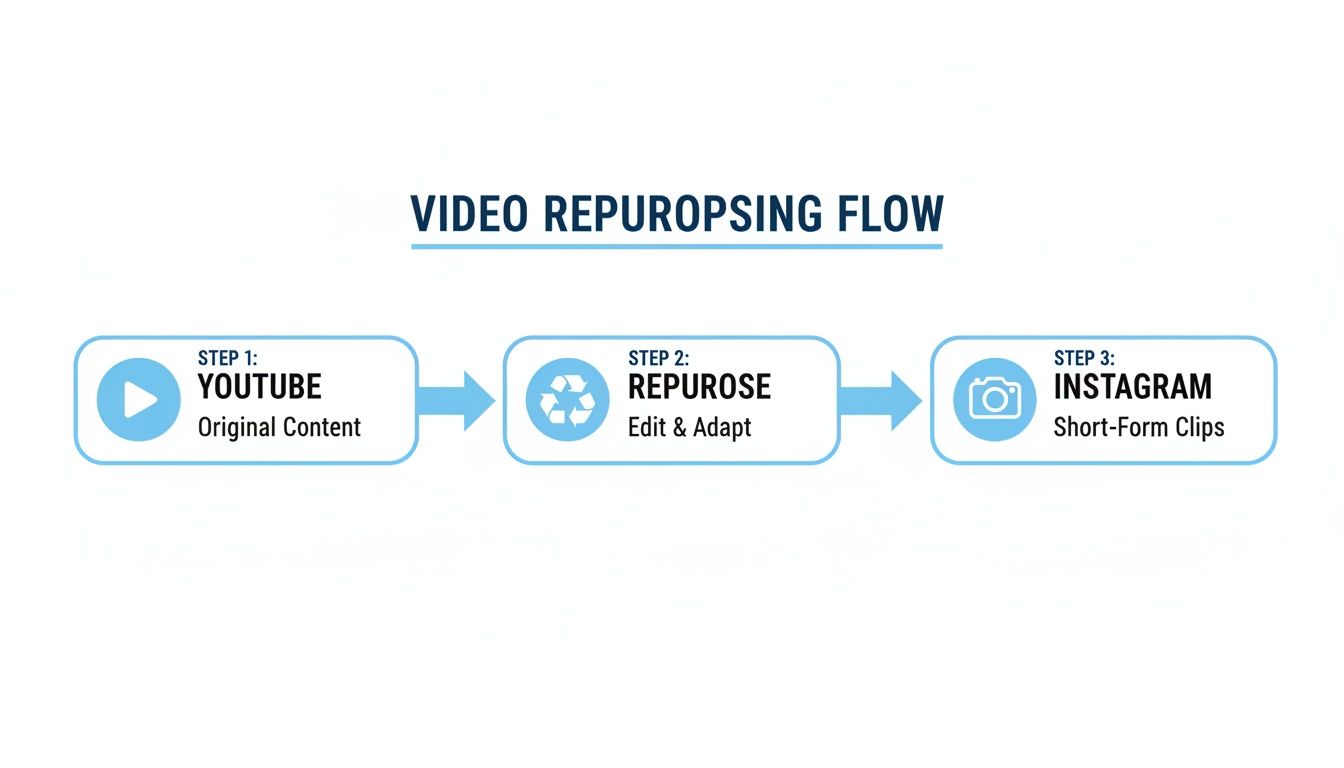
As you can see, a single piece of YouTube content can be sliced and diced into multiple assets for Instagram, multiplying your reach with minimal extra work.
From Horizontal to Vertical The Right Way
Here's where a lot of people mess up. Simply slapping a vertical crop on your 16:9 video and calling it a day is a huge mistake. You have to reframe the action.
Think about it: the main subject of your video has to stay front and center. If you’re demonstrating something on a wide computer screen, you’ll probably need to zoom in and pan to keep the most important elements in view.
Imagine a cooking tutorial filmed in landscape. A wide shot of the entire kitchen is useless for Reels. Instead, you'd want to reframe the shot to focus tightly on the mixing bowl or get a close-up of the sizzling pan. Your goal is to make the repurposed clip feel like it was shot for a vertical screen from the very beginning.
This attention to detail is what separates the pros from the amateurs, and the potential payoff is massive. Reels are reshared over 4.5 billion times daily on Instagram, turning your old YouTube clips into a potential viral engine. It's a direct line to explosive growth.
Pro-Tip: Don't skip the legal check. Only repurpose content that you 100% own. If you collaborated with other creators or used licensed music, you have to double-check those agreements. Make sure you have the rights to repost the content on another platform. Ignoring this can get your content taken down or even get your account penalized. It's not worth the risk.
How AI Tools Can Automate Your Workflow
Let's be real: manually finding, downloading, trimming, and reformatting dozens of clips is a soul-crushing time sink for any creator. All those hours spent staring at an editing timeline could be poured back into brainstorming new ideas or actually talking with your community. This is where automation stops being a buzzword and becomes your most valuable asset.
AI-powered tools are built to absolutely crush this kind of repetitive work. Imagine just dropping a single YouTube link into a tool and letting an algorithm do the heavy lifting. Instead of you manually scrubbing through an hour-long video, the AI instantly pinpoints the most compelling, share-worthy moments based on transcripts, visual energy, and speech patterns.
This completely flips the script on how you create content. What used to be a tedious, multi-step editing marathon turns into a simple, almost effortless workflow.
From Hours to Minutes
The real magic happens after the clips are identified. Modern tools don't just find the best moments; they get them ready for Instagram’s vertical-first world right out of the box.
- Automatic Reframing: The AI intelligently converts horizontal 16:9 clips into the perfect 9:16 aspect ratio for Reels and Stories. It’s smart enough to keep the main subject in the frame, so you don’t have to manually adjust every shot.
- Dynamic Captions: It automatically generates and animates subtitles right onto the video. This is non-negotiable, since so many people watch videos with the sound off.
- AI-Powered Suggestions: Many platforms will even suggest trending audio or relevant hashtags to give your clip an extra visibility boost on the platform.
This automation isn't just about moving faster; it’s about being more consistent. You can generate a week's worth of high-quality, engaging Instagram content in the time it once took to painstakingly edit a single clip. To really get a handle on the possibilities, it's worth exploring the best AI video generators available today.
The process has become incredibly intuitive. A clean, simple interface, like the one you'd find in a tool like ClipShort, turns a complex task into a few clicks. You just paste a link, and the AI serves up a platter of ready-to-post clips.
Manual Repurposing vs AI Automation
The difference between the old way and the new way is stark. Let’s break down exactly what you’re saving when you let AI handle the grunt work.
| Task | Manual Method | AI-Powered Method |
|---|---|---|
| Finding Clips | Manually scrubbing through entire videos, taking notes. (1-2 hours) | AI scans the transcript and video to find viral moments. (~5 minutes) |
| Editing & Trimming | Opening an editor, importing files, making precise cuts. (30-60 mins/clip) | Click to select the AI-suggested clip. (~1 minute/clip) |
| Formatting | Adjusting aspect ratio, keyframing to keep subject in view. (15-30 mins/clip) | Automatic reframing to 9:16. (Instant) |
| Adding Captions | Transcribing audio, timing each caption by hand. (20-40 mins/clip) | Auto-generated and animated captions. (~2 minutes) |
| Total Time per Clip | 1-2+ Hours | ~10 Minutes |
The table makes it clear: it's not just a small time-saver, it's a fundamental change in your entire content production system. You move from being a video editor to a content director.
A creator's most finite resource isn't money; it's time. By automating the technical side of repurposing, you free yourself up to focus on the creative strategy that actually grows your brand.
This shift means you can consistently post YouTube videos on Instagram without hitting that dreaded creative burnout wall. You maintain a strong presence, keep your audience engaged, and drive traffic back to your main channel—all with a tiny fraction of the manual effort.
For a deeper look into the mechanics, you can learn more about how automatic video editing is completely changing the game. The efficiency you gain allows you to experiment more, test different types of clips, and ultimately discover what truly connects with your Instagram audience.
Optimizing Your Clips for Instagram Engagement
Getting your YouTube clip resized and onto Instagram is just the start. The real work is making sure people actually stop scrolling to watch it. An unoptimized video is just more noise on a crowded feed, but a strategically tweaked clip can grab attention and drive some serious interaction.
Simply put, your repurposed content has to feel like it belongs on Instagram. It needs to fit the platform's culture and how users behave—from the very first frame to your final call to action.
Crafting an Irresistible Hook
You have less than three seconds. That's it. Your video’s opening has to be magnetic, instantly promising value or sparking curiosity. Forget the slow intros or long branding animations that might work on YouTube.
Jump straight into the good stuff. Start with a provocative question, a surprising statistic, or the most visually interesting part of your entire clip. The idea is to create an immediate "information gap" that viewers feel an almost physical need to close by watching the rest.
Your hook is everything. If the first three seconds don't land, the other 87 seconds are completely irrelevant.
This is also where bold, dynamic captions are essential. With so many people watching videos with the sound off, on-screen text isn't a bonus; it’s a requirement. Use captions to hammer home your hook and guide the viewer through your main points.
The Power of Native Elements
To make your clip truly feel at home, you need to layer in the elements Instagram users expect to see. This means things like trending audio, relevant hashtags, and a well-written caption.
- Trending Audio: Even if your video has its own narration, adding a popular song or sound clip at a very low volume can signal to the Instagram algorithm what your content is about, helping push it to a wider audience.
- Strategic Hashtags: Do your homework. Find a mix of broad, niche, and community-specific hashtags. The goal is to find tags relevant to your video's topic that aren't so popular that your content gets buried in seconds.
- Compelling Captions: Your caption should add context or start a conversation, not just repeat what’s in the video. Ask a question, share a personal thought, or include a clear call-to-action (CTA) like "Drop your thoughts in the comments!"
For your YouTube clips to really hit the mark on Instagram, it's worth digging into proven strategies that can increase Instagram engagement and grow your following.
Designing a Thumb-Stopping Cover Image
Before anyone even thinks about hitting play, they see your Reel's cover image. A blurry, confusing, or just plain boring cover is a guaranteed way to get scrolled past. You need a custom cover that clearly tells people what the video is about and why they should care.
Your cover should use a high-quality still from the video—ideally one showing a face or a clear action. Overlay some bold, easy-to-read text that summarizes the video's value, like "3 Mistakes to Avoid" or "My Go-To Hack For..."
The data doesn't lie. In 2024, Instagram Reels from influencers hit a 2.08% engagement rate, proving that short-form video is still king. With over 694,000 Reels being sent in DMs every single minute, optimizing every detail—from the hook to the cover—is how you tap into that massive potential for organic reach. For even more detail, take a look at our guide on Instagram Reels best practices.
Where to Post Your Video on Instagram
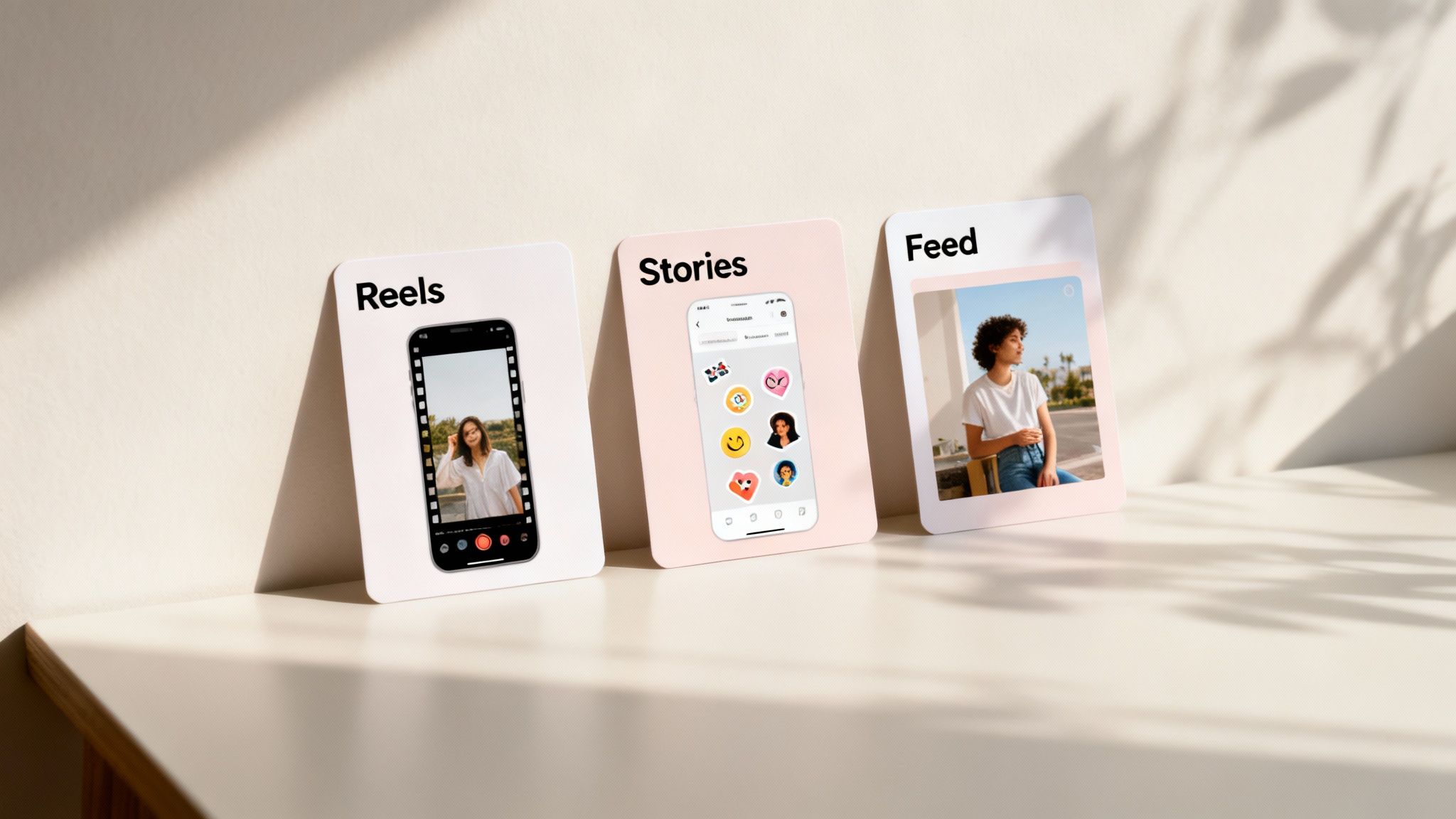
Alright, you've got the perfect clip pulled from your YouTube video. Now comes the big question: where exactly on Instagram should it go?
It's tempting to just hit "post" anywhere, but that's a huge mistake. Instagram isn't a one-size-fits-all platform. Each placement—Reels, Stories, and the Feed—has a totally different job. Picking the right one can be the difference between your content taking off or just fizzling out.
Before you do anything else, ask yourself: what’s my goal with this clip? Are you trying to get in front of people who’ve never heard of you? Or are you talking to your loyal followers? Your answer changes everything.
Instagram Reels: The Discovery Engine
If your number one goal is growth, Reels are where you need to be. Period. This is Instagram’s discovery engine, built from the ground up to push your content to people who don't follow you yet. The algorithm is hungry for short, snappy, and valuable clips, making it the absolute best place for your repurposed YouTube highlights.
Think of Reels as your brand's handshake. These clips have to grab attention in seconds and stand on their own.
- Best for: Quick educational tips, mind-blowing "aha!" moments, visually stunning clips, or the most entertaining bits from your long-form content.
- Real-world example: Imagine you have a 20-minute YouTube tutorial on Photoshop. Pull out the 45-second segment where you reveal a single, game-changing keyboard shortcut. That's a perfect Reel. It delivers instant value and makes people think, "Wow, what else do they know?"
Every single Reel is a new lottery ticket for going viral. You never know which one will catch the algorithm's eye and get shown to millions.
When you post YouTube videos on Instagram as Reels, you’re giving your best content a shot at massive organic reach. It's your single biggest opportunity to attract brand new followers from a cold audience.
Instagram Stories: The Community Hub
While Reels are for finding new people, Stories are for the people who already know and love you. This is your casual, behind-the-scenes space. It’s where you can be more informal, chatty, and interactive. Since they vanish after 24 hours, there's less pressure for them to be perfect.
Use Stories to share clips that add a bit of personality or context. They're amazing for strengthening the bond with your core audience. For example, you could share a funny outtake from your latest YouTube video or use a clip to kick off a Q&A session. Don't forget the interactive stickers—polls, quizzes, and question boxes are engagement gold.
The Instagram Feed: For Evergreen Value
Posting a video to your main Instagram Feed is a much more deliberate move these days. Think of your feed as your brand's polished portfolio. The videos you post here should have a long shelf life and provide serious, lasting value. They don't have the wild discovery potential of Reels, but they live on your profile grid forever.
This makes the feed the perfect spot for more substantial content you want people to find weeks or even months down the line.
- Consider this: Post a condensed 2-3 minute tutorial, a powerful client testimonial, or a mini-documentary style clip that really shows what your brand is all about.
By understanding the unique roles of Reels, Stories, and the Feed, you can build a much smarter content strategy. Use Reels to attract, Stories to connect, and your Feed to create a lasting library of your best work. This approach makes sure every single clip you repurpose is pulling its weight.
Of course, once you start turning your YouTube videos into Instagram content, a few specific questions always come up. Getting these details right is the difference between content that looks professional and content that feels out of place.
Let’s dig into some of the most common hurdles creators run into.
What About Copyright and Music?
This is probably the biggest one. If your original YouTube video has a licensed song in the background, you can't just slap that same video onto Instagram. Music licenses are almost always platform-specific, which means you risk getting your Reel muted or even taken down entirely.
The bottom line: Unless you own the music yourself, you should always strip the original audio from your YouTube clip. Your safest bet is to add a new track directly from Instagram's own audio library when you're editing your Reel or Story. That way, you know you're in the clear.
Can I Just Post My Full YouTube Video?
Nope, and honestly, you wouldn’t want to. Instagram’s much shorter video limits exist for a reason—the way people consume content there is completely different. An entire 10-minute vlog just isn't going to fly as a 90-second Reel.
The goal isn't to just transfer the video over. It's to pull out the most valuable, high-impact moments. Think of it as creating a "greatest hits" teaser that gets people hooked and makes them want to check out the full version on your YouTube channel.
- Reels: Capped at 90 seconds. This is perfect for a single hard-hitting tip, a quick tutorial, or an entertaining highlight.
- Stories: Limited to 60 seconds per slide. This is your go-to for behind-the-scenes clips or little interactive Q&A segments.
- Feed Videos: While these can be up to 60 minutes, shorter videos in the 1-3 minute range almost always perform better.
What About the YouTube Watermark?
If you download your video with certain tools, you might end up with a pesky YouTube watermark on it. While Instagram doesn't have a strict rule against watermarks, its algorithm definitely prefers content that feels native to the platform.
A visible logo from a competing platform is a dead giveaway that the content is repurposed, and that can sometimes limit your reach.
For the best results, always aim for a clean export. Use a tool that lets you download your clips without adding any logos. Clean, unbranded content just feels more authentic, performs better with your audience, and gives you a better shot with the algorithm.
Ready to stop wasting hours on manual editing and start creating scroll-stopping videos in minutes? ClipShort uses AI to find the best moments in your YouTube videos, automatically reframes them for Instagram, and adds dynamic captions to grab attention instantly. Turn your long-form content into a library of viral clips today.