
Automatic Video Editing A Guide to Scaling Your Content
Automatic video editing is really just about using smart software to turn a script or an idea into a finished video, with you doing as little of the grunt work as possible. Think of it like having an AI-powered director on call, ready to automate all the tedious stuff—finding clips, syncing a voiceover, adding captions—so you can get a polished, engaging video in minutes.
Your Personal AI Production Team
Imagine having a full film crew ready to go, just waiting to bring your ideas to life as short-form videos. That's the real promise of automatic video editing. It’s not here to kill creativity; it's designed to knock down the technical walls that slow you down. This makes high-quality video production something anyone can do, no matter their editing background.
Let's be real, the old way is a grind. You spend hours digging through stock footage, trimming clips just right, lining up audio, and then manually typing out every single subtitle. It's a slow, painful process that demands real skill and expensive software.
This whole manual system creates a huge bottleneck, especially for creators and brands who need to pump out content daily on TikTok, YouTube Shorts, and Instagram Reels just to stay in the game. That pressure to produce constantly can burn you out or force you to cut corners on quality.
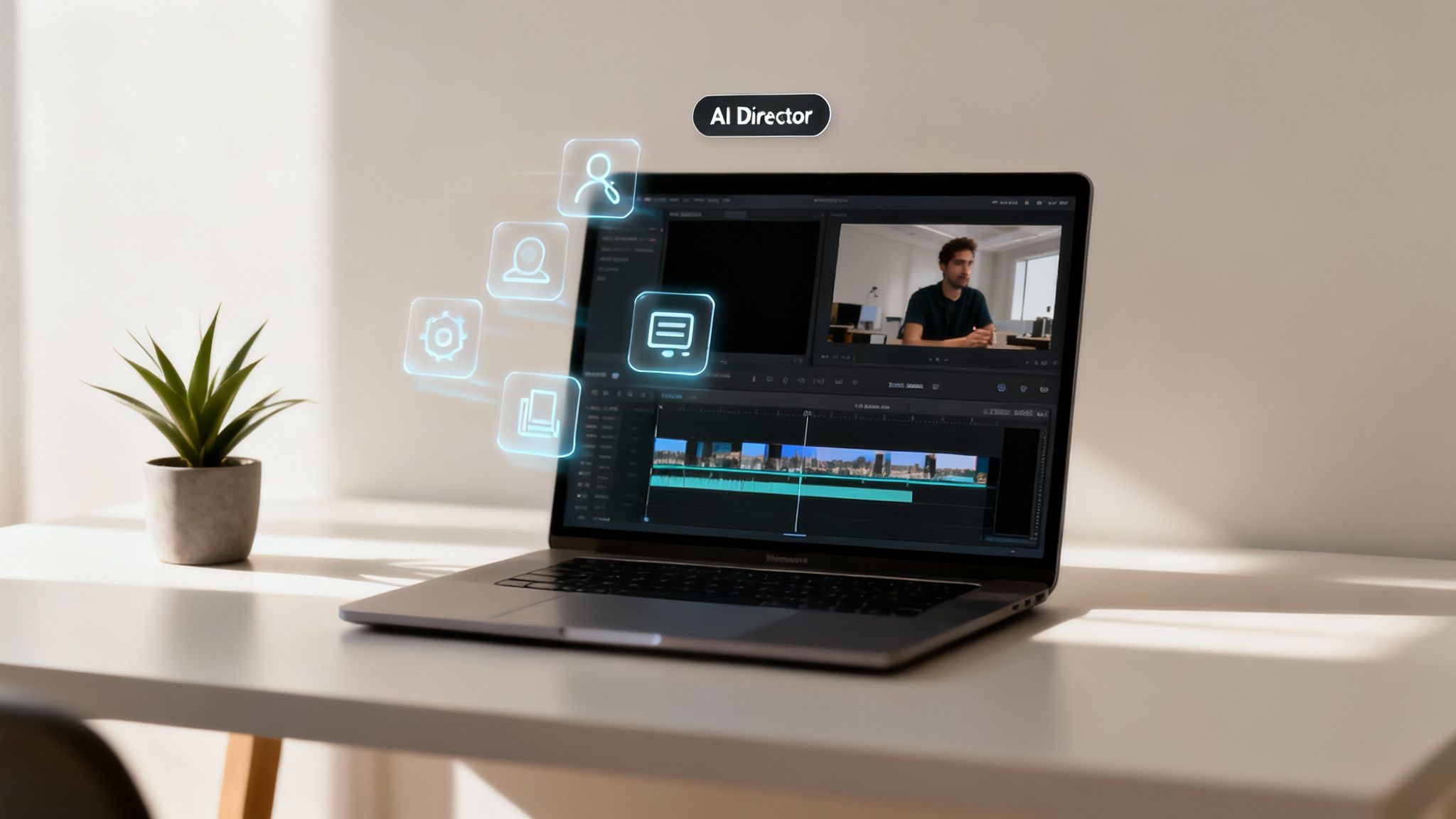
How AI Steps In as the Director
Automatic video editing completely flips that workflow on its head. You stop being the editor and become the creative director, letting the AI handle all the technical execution.
You just provide the script—your creative vision—and the AI steps into these roles:
- The Cinematographer: It reads your text and intelligently picks out the perfect, high-quality stock footage or AI images to bring each scene to life visually.
- The Sound Engineer: The system cooks up a natural-sounding voiceover from your script in whatever language and accent you need, then syncs it perfectly with the visuals.
- The Subtitle Artist: It automatically transcribes the audio and overlays dynamic, animated captions. This is huge for social media, where tons of people watch with the sound off. In fact, data shows videos with subtitles can bump up view time by over 12%.
This teamwork between your idea and the AI's execution is where the real magic is. You're no longer stuck in the weeds of "how" to do something. Instead, you can pour all your energy into the "what"—your message, your story, your strategy.
The goal of automation isn’t to eliminate the creator but to empower them. It provides a tool that handles the repetitive, time-consuming tasks, freeing up mental energy for brainstorming, scriptwriting, and engaging with the audience.
Manual vs Automatic Video Editing at a Glance
To put things in perspective, let's break down the real-world differences between the old way and the new way of creating short-form video content.
| Aspect | Manual Editing | Automatic Editing |
|---|---|---|
| Time Investment | 2-4 hours per video | Under 10 minutes per video |
| Skill Required | Intermediate to advanced editing skills | No technical skills needed; just a good idea |
| Cost | High (software licenses, freelance editors) | Low (affordable subscription plans) |
| Scalability | Limited; tied to editor's bandwidth | High; can produce dozens of videos daily |
| Consistency | Can vary depending on editor/time | Highly consistent style and quality |
The table makes it pretty clear. Automation doesn't just save time—it changes the entire economic and creative equation of content production.
From Hours of Work to Minutes
The impact on your productivity is just massive. A video that would normally take a skilled editor 2-4 hours to create can now be generated, tweaked, and ready to post in under 10 minutes.
This kind of speed opens the door to rapid-fire experimentation. You can test out different hooks, visual styles, or calls-to-action by churning out multiple versions of a video in the time it used to take to make just one. That agile approach is exactly what you need to figure out what resonates with your audience and the ever-changing platform algorithms.
This efficiency is the bedrock of a winning content strategy. If you want to dig deeper into this, you can learn more about how automatic content creation helps creators scale up their output and stay on top of trends. By automating the production grind, you build a sustainable workflow that fuels consistent growth without draining your creativity or bank account. This is the foundation you need to start mastering short-form video.
The AI Technology Driving Video Automation
So, automatic video editing isn't magic. It's more like a highly skilled digital production crew working behind the scenes, with each member handling a specialized role. Once you understand this "crew"—the core AI technologies doing the heavy lifting—the whole process becomes clear, and you can really appreciate just how powerful these tools are.
Instead of one single "AI," automation is really a team of interconnected systems. These systems tackle the complex, repetitive tasks that would otherwise eat up hours of your time, seamlessly translating a simple script into a dynamic video. It’s no surprise the market for these tools is growing so fast.
The global AI video editing market is absolutely exploding. It's projected to leap from USD 0.9 billion in 2023 to a massive USD 4.4 billion by 2033. This growth is all thanks to creators and businesses who are tired of tedious manual work. In fact, companies report that AI video tools slash their production costs by an average of 58%. That’s a huge saving, and 63% of businesses are already using it to scale up their content output.
Natural Language Processing: The Script Supervisor
At the very heart of any automatic video editing system is Natural Language Processing (NLP). You can think of this as the "brain" of the whole operation. Just like a human director, NLP algorithms read and actually comprehend the text of your script.
It’s not just scanning for keywords. NLP understands context, sentiment, and the main themes you're trying to convey. This is the critical first step because it tells the rest of the system what kind of visuals it needs to find to match your story. For example, if your script mentions "a bustling city at night," the NLP model knows to look for visuals representing "bustling city" and "night."
Computer Vision: The Cinematographer
Once the NLP brain knows what to look for, computer vision steps in as the "eyes." This technology is responsible for sifting through massive libraries of stock footage, images, and other visual assets. It can identify objects, specific scenes, and even abstract concepts within all that media.
How does it work? Computer vision analyzes the pixels in an image or video to recognize patterns, colors, and shapes. Every single asset in the library is meticulously tagged with descriptive metadata—things like "skyscraper," "neon lights," or "fast-moving traffic." The system then perfectly matches the concepts identified by the NLP with these tags, instantly pulling the most relevant clips for your script.
This intelligent pairing of script analysis (NLP) and visual selection (computer vision) is the core engine of automatic video editing. It ensures the story you write is the story viewers see on screen.
Generative AI: The Creative Artist
But what happens when the perfect image doesn't exist in a stock library? That's where Generative AI comes in as the creative artist on the team. By using simple text prompts, these models can create entirely new, unique visuals from scratch.
This opens up a ton of creative flexibility. If your script calls for something really specific like "an astronaut riding a bicycle on Mars in a pop-art style," generative AI can actually produce that image. This ensures your video is visually distinct and perfectly aligned with your vision. To learn more about how different platforms achieve this, check out our guide on the best AI video generators.
Text-to-Speech: The Voice Actor
Finally, Text-to-Speech (TTS) technology provides the voiceover. Modern TTS systems are a world away from the robotic, monotone voices of the past. They use deep learning to generate incredibly lifelike narration, complete with natural-sounding inflections, pauses, and even emotional tone.
You can usually pick from a wide range of voices, accents, and languages to find the perfect narrator for your content. The TTS engine converts your written script into a high-quality audio file, which is then automatically synced up with the visuals selected by the computer vision system. To explore the tech behind this further, you can dive into various AI editing techniques that power these features.
Building Your Automated Content Workflow
Knowing the theory is one thing, but putting it into practice is where automatic video editing really shines. The secret to scaling your content—especially for faceless channels on TikTok, YouTube Shorts, and Instagram Reels—is building an efficient, repeatable workflow. We’re not just making one video here. We’re creating a system that churns out high-quality content with as little friction as possible.
Think of it like a content assembly line. Each step is fine-tuned for speed, with a tool like ClipShort at the center, piecing everything together. Your job changes from being a hands-on editor to a strategic director, guiding the AI to bring your vision to life.
The whole process is designed to be straightforward. It gets rid of the creative roadblocks so you can focus on what actually matters: your ideas and your message.
Step 1: From Idea to Script
Every great video starts with a solid concept. The first step is taking that idea and turning it into a script—the blueprint the AI will use to build your video. This is the foundation for everything that follows.
You can write the script yourself or, to speed things up, use an AI script generator. Just give it a simple prompt like, "five surprising facts about ancient Rome," and it'll spit out a structured script ready to go.
- Be Clear and Concise: Always write for the ear. Short sentences and simple words make it easy for the voiceover to sound natural and for your audience to keep up.
- Structure Your Story: A killer short-form video needs three things: a hook, the core message, and a call-to-action (CTA). Make sure your script follows that simple path.
This is where the AI kicks in, using a few core technologies to transform your words into a video.
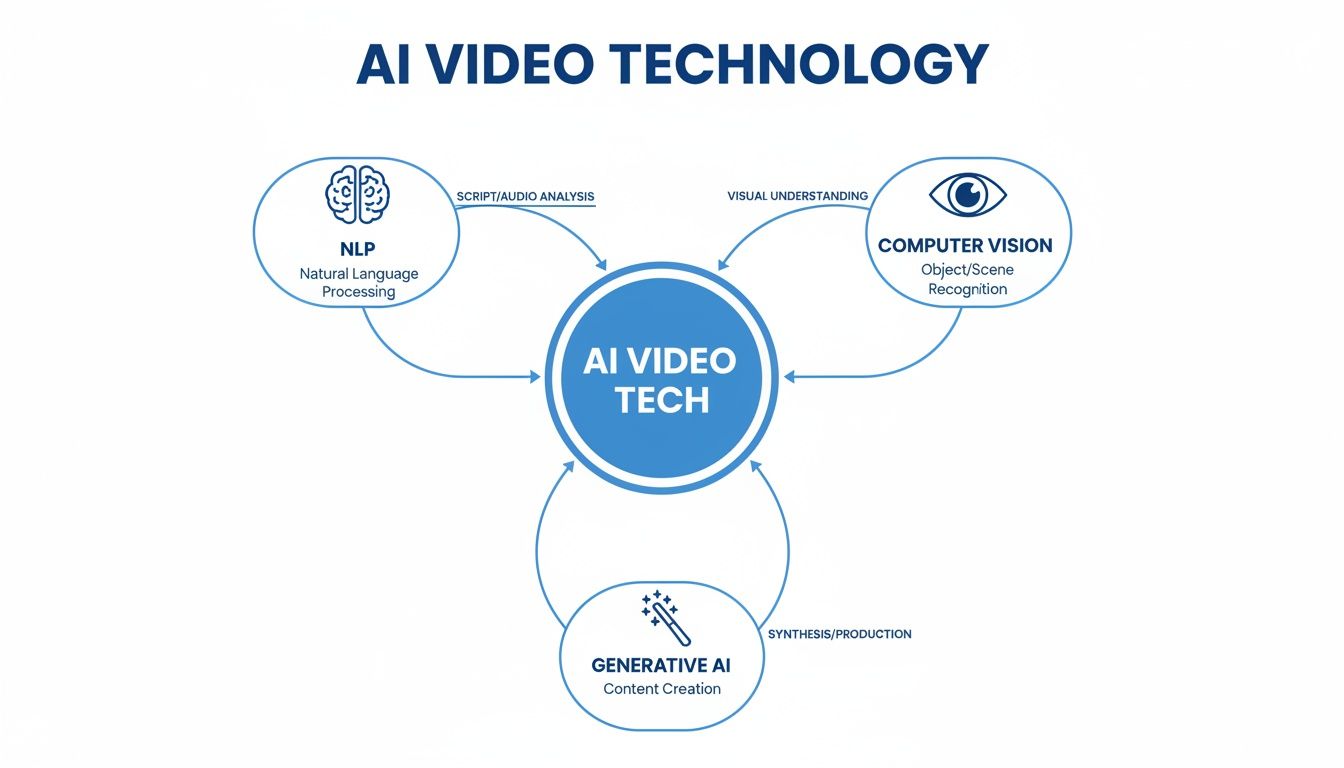
As you can see, the AI uses NLP to understand your script, Computer Vision to find the right visuals, and Generative AI to create any unique assets needed. It’s a powerful combination.
Step 2: Defining Your Visual and Audio Style
Okay, script's done. Now it’s time to decide what the video will look and sound like. This is where you set the creative direction for the AI to follow. Most tools let you lock in these choices upfront, which is great for keeping your content consistent and on-brand.
First up, pick a voiceover. Modern text-to-speech engines have come a long way, offering tons of different languages, accents, and tones. Find a voice that fits your brand’s vibe—whether that’s super energetic or calm and knowledgeable.
Next, lock in your visual style. Tools like ClipShort let you choose from styles like cinematic, realistic, anime, or even comic book. This tells the AI what kind of footage and images to use, making sure your video has a cohesive, professional feel.
Step 3: The Automated Assembly and Refinement
This is where the magic really happens. You’ve given the AI your script and style preferences, and now it takes over. The platform analyzes your text, generates a perfectly synced voiceover, and starts pulling together a sequence of visuals that match the narration. An initial draft is usually ready in just a few minutes.
But don't stop there. The best creators know that a quick refinement stage is what separates good content from great content. This is where you add that human touch.
An automated draft is your starting point, not the final product. The creator's role is to refine the AI's output, adding the subtle touches and strategic elements that capture audience attention and align with platform trends.
Here are a few high-impact tweaks you should always make:
- Customize Your Captions: Don't just use the default subtitles. Play with animated templates, tweak the timing, and highlight important words to make your captions pop. Videos with engaging captions get way higher retention.
- Add Emoji Overlays: Emojis are the universal language of social media. Sprinkling in a few relevant ones can help emphasize your points, inject some personality, and make your content feel more native to platforms like TikTok.
- Select Trending Music: Find a background track that fits the current trends but doesn't drown out your voiceover. The right music can totally change the energy and emotional punch of your video.
Once you master this three-step workflow, you’ve basically built a content engine that can scale. If you want to dive deeper into growing your output, our guide on how to scale content creation has more great strategies. And remember, editing is just one piece of the puzzle. To really streamline things, you can explore various content marketing automation tools to handle distribution and publishing. This systematic approach turns video creation from a chore into a simple, predictable process.
Real-World Examples of Automated Video Success
Theory is great, but seeing the results in action is what really counts. Let's move past the technical stuff and look at how real businesses and creators are using automatic video editing to get ahead right now. These examples show just how versatile these AI-driven tools are, no matter the goal or the platform.
The numbers don't lie, either. This is more than just a passing trend; it's a fundamental shift in how content gets made. The automatic video editing software market is projected to jump from USD 7.50 billion to USD 12.40 billion by 2030. That growth is coming from creators and businesses who need to feed the beast—platforms like TikTok and YouTube Shorts. For social media managers juggling multiple accounts, AI editing tools are boosting team productivity by an average of 47%. That's a massive win. You can dig into more of these insights on Mordor Intelligence's market report.
The E-commerce Brand Driving Sales on Instagram
Picture an online fashion boutique. They’re constantly getting new arrivals but struggling to create fresh Instagram Reels to show them off. Their goal was simple: get product videos live fast to drive sales, all without hiring a full-time video editor. Trying to manually create trendy, dynamic videos for every single new item was eating up hours and causing major marketing delays.
Then they switched to an automated workflow, and everything changed.
- Workflow: For each new piece, they’d write a quick script highlighting the best features. Something like, "Our new summer dress features breathable linen fabric and comes in three vibrant colors." They plugged that script into an automatic video editing tool, chose a "cinematic" style, and let the AI cook up a first draft.
- Refinement: The team would then spend just 5-10 minutes on each video. They’d swap out a few AI-selected clips for their own product shots, tweak the animated captions to match their brand’s color palette, and drop in some trending audio.
- Results: The brand went from struggling to produce a few videos a week to easily pumping out 10-15 high-quality Reels. That's a 5x increase in their content output. The result? A 30% jump in click-through rates from their Reels to their product pages and a real, measurable increase in sales.
The YouTuber Scaling a Faceless Channel
Next up, a creator looking to launch a faceless YouTube channel all about "surprising history facts." They knew that to grow on YouTube Shorts, they had to post a lot. But the thought of editing dozens of videos every month was completely overwhelming, not to mention expensive. The main goal was to rack up subscribers quickly with a high volume of engaging shorts.
Automation becomes the great equalizer for solo creators. It provides the production capacity of a small team, allowing them to compete with larger channels by focusing on content quality and consistency rather than technical execution.
This creator basically built their entire channel on an automated content engine.
- Workflow: They started by using an AI script generator to brainstorm dozens of short, punchy scripts on interesting historical events. Each script was then fed into ClipShort to generate a complete video with a consistent, authoritative voiceover and a "realistic" visual style.
- Results: By putting in just a few hours a week, the creator was able to schedule 30-40 YouTube Shorts every single month. The high-velocity strategy worked like a charm. In just three months, the channel blew up, going from zero to over 50,000 subscribers. Several of their Shorts went viral, which in turn drove a ton of traffic to their longer videos.
The Agency Boosting Client ROI
Now, think about a social media marketing agency managing five different clients. Each one needs a constant flow of video content for TikTok and Instagram. The manual editing process was a huge bottleneck. It was capping how many clients they could handle and was seriously cutting into their profit margins. They needed to work smarter, not harder, to get better results for their clients and grow their own business.
By building automatic video editing right into their services, they were able to offer way more value without hiring more people. They set up unique style templates for each client, so every AI-generated video was perfectly on-brand. The agency cut the time they spent on video production by a staggering 70%, freeing up their team to focus on big-picture strategy and client relationships. This newfound efficiency led directly to higher ROI for their clients and boosted the agency's own profit margin per client by 40%.
Impact of Automatic Video Editing Across Industries
These examples aren't isolated incidents. We're seeing this kind of impact across a whole range of industries. Businesses are finding that automating video creation isn't just about saving time; it's about directly improving the metrics that matter most to them.
| Use Case | Primary Goal | Key Metric Improvement | Platform |
|---|---|---|---|
| E-commerce | Drive product sales | +30% Click-Through Rate | Instagram Reels |
| Marketing Agency | Increase client ROI | +40% Agency Profit Margin | TikTok & Instagram |
| Faceless Channel | Grow subscriber base | 50,000 Subscribers in 3 Months | YouTube Shorts |
| Online Education | Boost course sign-ups | +25% Landing Page Conversion | Facebook Ads |
| Real Estate | Generate property leads | +50% Engagement on Listings | Zillow & Instagram |
From selling more dresses to getting more subscribers, the story is the same. Automated tools empower creators and businesses to produce content at a scale and quality that was once impossible without a dedicated video team.
Creating Viral Short-Form Videos with AI
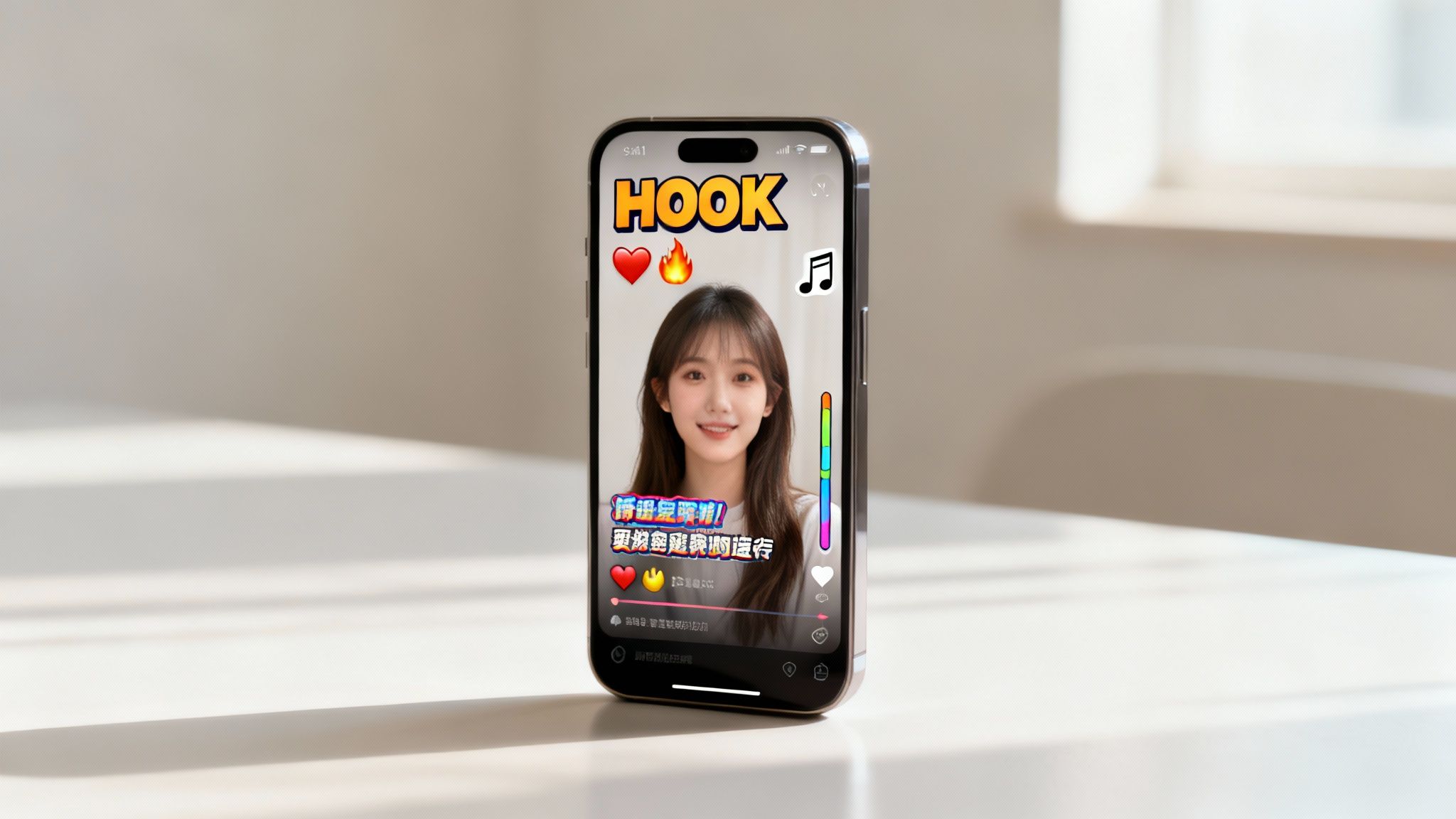
Knowing how the tech works is one thing, but making it work for you is the real challenge. To really win at short-form video, you have to blend that technical speed with a solid gut feeling for what makes people stop scrolling. It’s about more than just a slick edit; it’s about making videos designed from the ground up to grab attention and play nice with the algorithms on TikTok, YouTube Shorts, and Instagram Reels.
The entire game is won or lost in the first few seconds. With an endless firehose of content just a swipe away, your window to make an impression is tiny. This is where automation stops being a tool and starts being a creative partner, freeing you up to think about viral strategy instead of getting lost in the weeds of manual editing.
Mastering the All-Important Hook
Let's be blunt: your hook is everything. It's the promise you make to the viewer in the first one to three seconds, and it's the only thing that will stop their thumb from swiping away. A killer hook sparks curiosity, highlights a common problem, or just makes a bold, unignorable statement.
Automatic video editors are absolute gold for this. Forget spending an hour on a single video version. You can now pump out multiple variations in minutes, each with a slightly different opening line or visual. This lets you A/B test your hooks in real-time to see what actually resonates with your audience.
- Test Different Phrasing: Think "Here's why you're failing" versus "This one trick will change everything."
- Vary Visual Openers: Start with a huge, shocking statistic on screen, or maybe an intriguing bit of stock footage.
- Experiment with Voice Tone: Try a high-energy, fast-paced voiceover and pit it against a calm, authoritative one.
Being able to iterate this fast is a huge advantage. You're no longer just guessing what works; you're letting the data guide your content strategy, all fueled by the incredible speed of automation.
Optimizing for Platform-Specific Algorithms
While the basics of good content don't change much, every platform has its own personality and preferences. A smart strategy means tweaking your videos to fit the unwritten rules of TikTok, YouTube Shorts, and Instagram Reels.
The secret to going viral isn't just making great content; it's making content that speaks the native language of the platform it's on. Automation gives you the agility to adapt your core message for each unique algorithm.
Take TikTok, for instance. Its algorithm is famously obsessed with trending audio. A video's chance of hitting the "For You" page can explode just by using a popular sound. Automatic editing tools let you easily slap these audio tracks onto your videos, so you can jump on trends the second they pop up.
Over on YouTube Shorts, the algorithm often rewards content that gets people to subscribe. This makes a clear call-to-action super important. With an automated tool like ClipShort, you can quickly add animated text overlays at the end of your clips, reminding viewers to subscribe. It's a simple tweak that can make a massive difference to your channel's growth.
Driving Retention with Dynamic Visuals
Once you've hooked them, the next job is keeping them glued to the screen until the end. Watch time—or audience retention—is a major signal to every platform's algorithm that your content is worth showing to more people.
This is where dynamic captions and snappy visuals become your best friend. Manually animating subtitles word-by-word is a soul-crushing task. Automatic video editing platforms do it for you instantly, using cool animations, color highlights, and even emojis to keep viewers' eyes locked on the screen.
Here are a few retention-boosting tricks that automation makes dead simple:
- Animated Captions: Use templates that make words pop, bounce, or slide in sync with the audio.
- Emoji Overlays: Drop in relevant emojis to emphasize key ideas and add some personality.
- Fast Pacing: Keep the momentum going by making sure scenes change every 2-3 seconds.
By automating these visual elements, you can consistently churn out videos that aren't just informative but are also genuinely fun and stimulating to watch. It's this formula—a strong hook, the right length, and dynamic visuals—that gets the algorithms to sit up and take notice.
Alright, you've made it this far, which means you're ready to jump in and see what automated video editing can do for you. We’ve covered a lot of ground, but it all comes down to this: this tech is your secret weapon for competing in the ridiculously fast world of short-form video.
The upsides are massive and immediate. You get back countless hours, slash your production budget, and finally gain the ability to scale your content without burning out. It’s a fundamental shift that moves you from being a technician hunched over a timeline to a true creator, focusing on the big ideas that will actually grow your channel.
Think of it as Your Creative Partner, Not Your Replacement
Let's get one thing straight: this isn't about replacing your creativity. It's about unleashing it. These tools are designed to take on the grunt work—the tedious, repetitive tasks that kill your inspiration. This frees you up to do what really matters: brainstorming killer hooks, writing scripts that connect, and actually talking to your audience.
This technology tears down the old barriers to entry.
- No Complex Skills Needed: Forget spending months learning professional editing software.
- No On-Camera Presence Required: This is the perfect path to building a successful faceless channel.
- No Huge Budget Necessary: You can create high-quality videos without hiring an expensive editing team.
By letting automation handle the heavy lifting, you get the freedom to experiment. You can test new ideas, see what sticks, and double down on what your viewers love.
The real power of automation isn’t just about making videos faster; it’s about making you more agile. You can test, learn, and pivot quicker than anyone editing manually, turning your content creation from a grind into a genuine growth engine.
With a tool like ClipShort in your corner, producing consistent, high-impact content is no longer some far-off goal. You have the know-how and the workflow. The only thing left is to create that first video and start building the channel you've been dreaming of.
Still Have Questions? Let's Clear Things Up.
Got a few last questions before jumping into automatic video editing? It's a common feeling. Let's tackle the biggest concerns creators have, from creative control to making sure your videos work everywhere.
A big one I hear all the time is the fear of losing your creative touch. People worry an automated tool will just pump out generic, cookie-cutter videos that all look the same. But modern tools are built to avoid exactly that, giving you a surprising amount of control. You're the director—you set the visual style, pick the voice, and have the final say on the edit. The AI does the heavy lifting, but the creative calls are all yours.
This is what keeps your content uniquely yours. While the tool gives you a powerful framework, it's your script, your branding, and your final tweaks that give the video its personality. Think of it like a world-class camera—the gear doesn't make the art, the artist does.
The point of automatic video editing isn't to replace you. It's to accelerate your vision by automating the tedious stuff. This frees you up to focus on what really matters: your story and strategy.
Will My Automated Videos Work on TikTok, Shorts, and Reels?
Yes, absolutely. Videos made with automatic editors are just standard MP4 files, so they're 100% compatible with every major social platform out there.
Even better, tools like ClipShort are designed from the ground up specifically for these platforms. They come packed with features to help you win:
- Perfectly Vertical: Videos are automatically created in the 9:16 format that mobile-first platforms love.
- Dynamic Captions: You get those engaging, animated subtitles baked right in—a must-have for keeping viewers hooked.
- Built-In Trends: Easily add trending background music and emoji overlays to make your content feel native to the platform.
So, not only is the content compatible, it's actually optimized to perform well on today's most important short-form video channels.
Ready to stop wasting hours on mind-numbing edits and finally scale your content? Give ClipShort a try and see just how fast you can turn your ideas into viral-ready videos. Create your first video for free at https://www.clipshort.co.