
Desvendando a Viralidade com Sobreposições de Vídeo no TikTok
Uma sobreposição estratégica de vídeo no TikTok é sua arma secreta para parar a rolagem e manter os espectadores grudados ao seu conteúdo. Não é mais apenas um item desejável; é uma peça central do quebra-cabeça que transforma uma navegação passiva em uma experiência ativa e envolvente. Acertando na estratégia, você verá um impacto direto em métricas cruciais como tempo de exibição e taxas de conclusão.
Por que as Sobreposições São Essenciais Para Viralizar
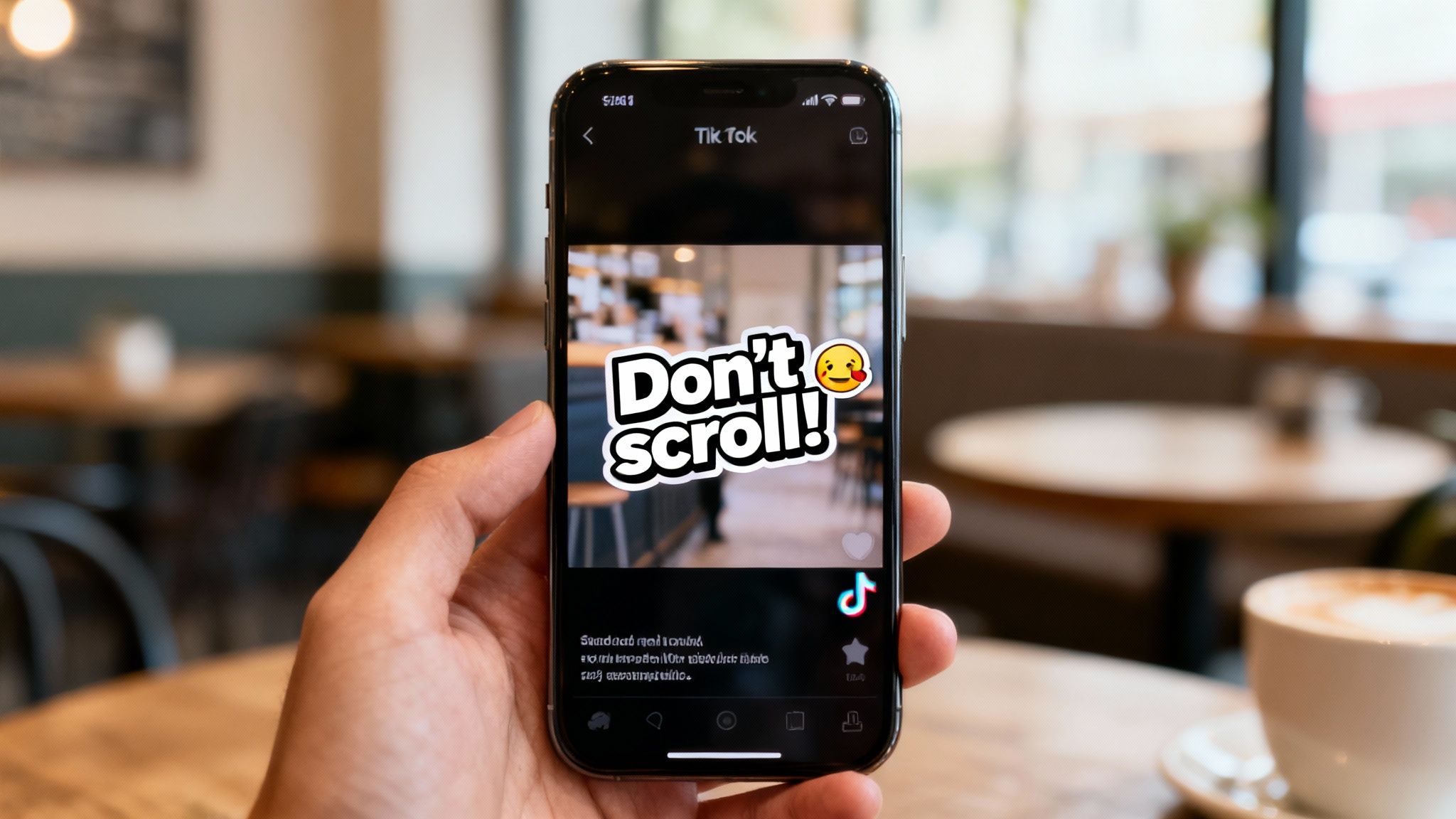
Se você sente que seu conteúdo está preso na mesmice, o problema pode não estar no vídeo em si—é como você o apresenta. Sobreposições são os sinais visuais que guiam sua audiência, tornando seus vídeos mais acessíveis, memoráveis e, no final, muito mais compartilháveis.
Pense no último vídeo que viralizou na sua Página Para Você. Aposto que usou algum tipo de sobreposição. Pode ter sido legendas animadas perfeitamente sincronizadas, um título chamativo que despertou sua curiosidade ou um emoji engraçado que reforçou a piada. Esses elementos não são apenas decorativos; eles desempenham um papel específico e crucial no mundo rápido e efêmero do vídeo de curta duração.
Captando Atenção Imediatamente
Você tem menos de três segundos. É isso. Uma sobreposição bem elaborada, como um título impactante ou uma pergunta provocadora, dá aos espectadores um motivo instantâneo para interromperem a rolagem e verem o que você tem a dizer. Esse gancho inicial é sua primeira vitória no caminho para uma taxa de conclusão maior, uma métrica que o algoritmo do TikTok adora.
Aumentando o Tempo de Visualização e Retenção
O algoritmo do TikTok tem uma missão principal: manter as pessoas no aplicativo pelo maior tempo possível. Sobreposições dinâmicas—especialmente textos animados sincronizados com o que você está dizendo—são excelentes para isso. Elas criam uma experiência mais imersiva que mantém os olhos fixos na tela, aumentando dramaticamente as chances de um espectador assistir até o final. Melhor ainda, eles podem assistir de novo só para captar algo que perderam.
De fato, o algoritmo da plataforma agora valoriza essa métrica pesadamente. Sobreposições de texto são uma potência para aumentar as taxas de finalização de vídeos, que agora representam cerca de 70% da ponderação no ranking da plataforma. Já vi criadores que usam legendas animadas reportarem até 17% a mais de visualizações por postagem. Para fazer isso realmente funcionar, você precisa entender como as sobreposições se encaixam em uma estratégia maior de marketing de mídia social.
Para te dar uma visão mais clara, aqui está uma rápida divisão de como diferentes tipos de sobreposições servem a diferentes propósitos.
Tipos de Sobreposições Centrais e Seus Impactos no Engajamento
| Tipo de Sobreposição | Propósito Principal | Métrica Principal Aumentada |
|---|---|---|
| Títulos | Chamar atenção imediatamente e estabelecer contexto | Taxa de Gancho Inicial |
| Legendas Animadas | Melhorar compreensão e manter os olhos na tela | Tempo de Visualização, Taxa de Conclusão |
| Emojis/Imagens | Adicionar personalidade, humor e ênfase visual | Engajamento (Curtidas, Comentários) |
| Chamada para Ação (CTA) | Orientar os espectadores para o próximo passo | Visitas ao Perfil, Seguidores |
Cada tipo desempenha seu papel, e os vídeos mais bem-sucedidos frequentemente combinam dois ou mais para maximizar seu impacto desde o primeiro segundo até o último.
Destaque principal: Uma sobreposição de vídeo no TikTok não é apenas texto na tela. É uma ferramenta estratégica projetada para comandar a atenção do espectador, aumentar a compreensão e sinalizar ao algoritmo que seu conteúdo vale a pena ser apresentado a um público mais amplo. Compreender o que faz um vídeo viral geralmente começa com dominar essa técnica simples, mas incrivelmente poderosa.
Como Criar Textos e Legendários Atrativos para Sobreposições
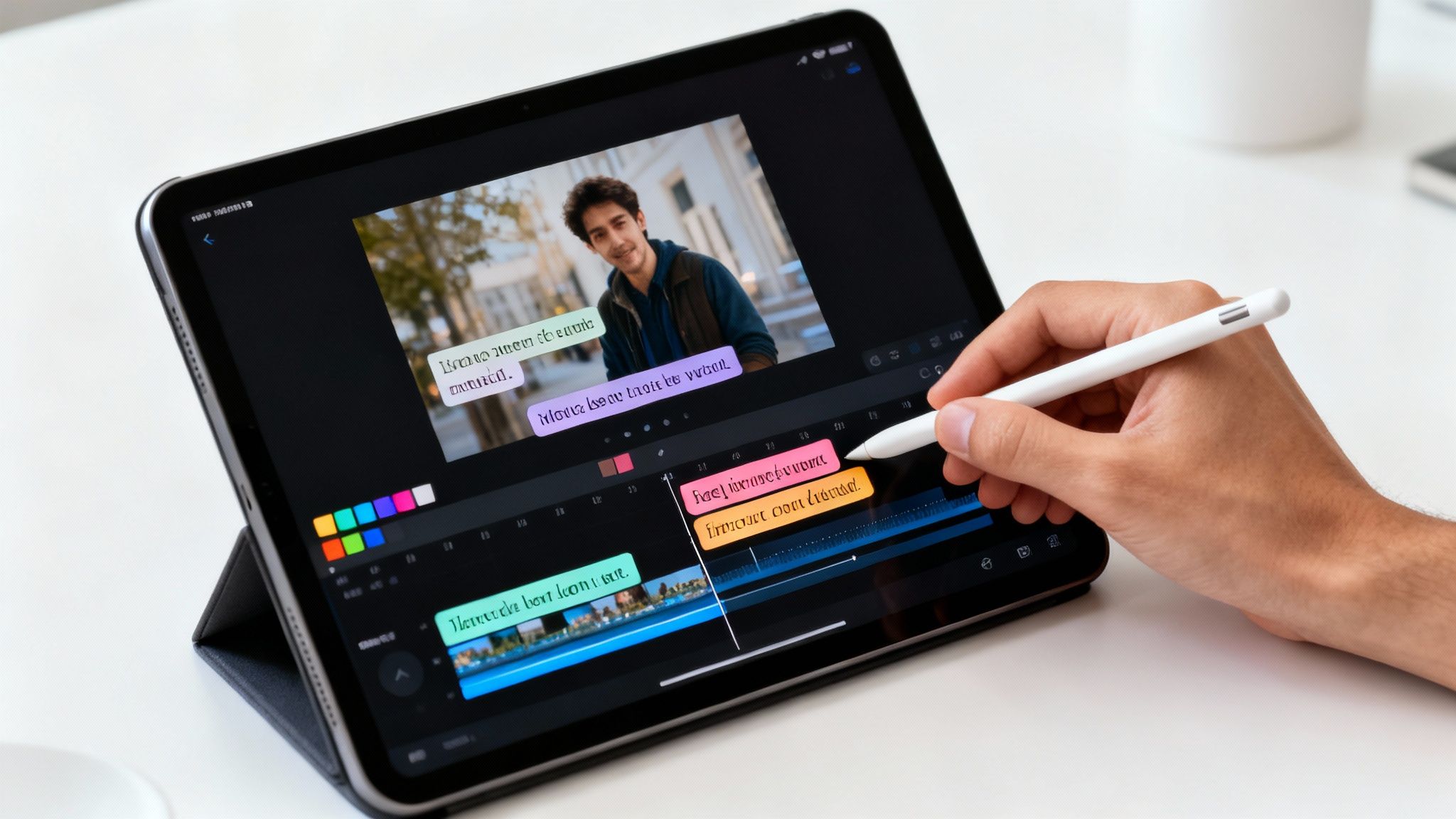
Este é o momento em que você passa de fazer vídeos bons a excelentes. Uma sobreposição de vídeo no TikTok incrível vai além do que você diz — trata-se de como você mostra isso. Suas palavras precisam chamar atenção instantaneamente, sem ofuscar completamente seus visuais.
Cada palavra que você coloca na tela precisa ter um propósito. Ela está esclarecendo um ponto? Contando uma piada? Ou simplesmente tornando seu conteúdo acessível? Seja qual for a razão, seja intencional.
Dominando Psicologia de Fonte e Cor
As fontes e cores que você escolhe enviam sinais subconscientes ao seu espectador. Uma fonte pesada e em bloco parece urgente e de alta energia. Uma fonte limpa, sem serifa, transmite modernidade e informação. Faça um favor a si mesmo e evite fontes finas, estilos manuscritos; elas são um pesadelo para ler em um telefone.
A escolha de cores é igualmente crítica, e alto contraste é tudo.
- Texto branco com contorno preto ou sombra projetada: Este é o campeão indiscutível da legibilidade. Funciona contra quase qualquer fundo que você colocar.
- Cores brilhantes, de marca: Ótimas para destacar frases-chave, mas tome cuidado para não entrarem em conflito com o restante do seu vídeo.
- Formas simples de fundo: Colocar seu texto dentro de um retângulo semi-transparente colorido é uma jogada profissional. Faz as palavras se destacarem sem esconder demais a ação de trás.
O nome do jogo é legibilidade instantânea. Se alguém tiver que cerrar os olhos para ler sua sobreposição, já estará pensando em deslizar para fora. Você pode aprofundar mais em como acertar seu texto no nosso guia sobre como adicionar legendas a vídeos.
Posicionamento Estratégico e Timing
Onde e quando seu texto aparece pode fazer toda a diferença na retenção do seu vídeo. Não esqueça que a interface do TikTok — nome de usuário, legenda e botões de curtir/comentar — ocupa muito espaço na tela. Sempre mantenha seu texto mais importante dentro da "zona segura", que é a parte central da tela que está sempre visível.
Agora, vamos falar sobre timing. Tudo é questão de ritmo. Não basta colocar um bloco de texto na tela e deixá-lo lá durante todo o vídeo. Em vez disso, use a técnica que chamo de "interrupções de padrão".
Uma interrupção de padrão acontece quando você exibe frases curtas e impactantes na tela por apenas 2-3 segundos, sincronizadas perfeitamente com o que você está dizendo. Esse truque simples reconecta o espectador a cada poucos segundos, forçando seus olhos a acompanharem e mantendo a atenção fixada na tela.
Essa abordagem transforma alguém de um espectador passivo em um participante ativo. É por isso que um vídeo com legendas dinâmicas, palavra por palavra, quase sempre supera um com um bloco de texto chato e estático.
Aumentando a Retenção com Texto Dinâmico
O algoritmo do TikTok ficou mais inteligente. Agora, ele valoriza edições de alta qualidade que prendem a atenção, e sobreposições de vídeo habilidosas são parte importante disso. Compartilhamentos e salvamentos — que indicam que seu conteúdo é realmente valioso — recebem um impulso maior quando suas legendas deixam a mensagem cristalina.
Pense nisso: 73% dos usuários assistem ao conteúdo que o algoritmo sugere para eles. Eles ficam presos por feeds imersivos onde ótimas sobreposições ajudam a impulsionar as taxas de conclusão do vídeo acima de 60% — um sinal enorme para alcançar a For You Page.
Vamos ver um exemplo real. Um criador posta um vídeo explicativo de 40 segundos.
- Versão A (Texto Estático): Um único parágrafo sobreposto resume a ideia principal. Os espectadores leem em cinco segundos, ficam entediados e deslizam para fora. A taxa de conclusão despenca.
- Versão B (Texto Dinâmico): O criador usa legendas animadas que aparecem uma frase-chave de cada vez, sincronizadas com sua voz. Os espectadores ficam engajados, acompanhando por 30 segundos ou mais.
A Versão B grita "este vídeo é valioso" para o algoritmo, aumentando massivamente seu alcance. Ao transformar seu texto em uma parte energética da história, você não está apenas adicionando informações — está construindo uma máquina de retenção poderosa.
Usando Imagens E Emojis Para Aumentar o Engajamento
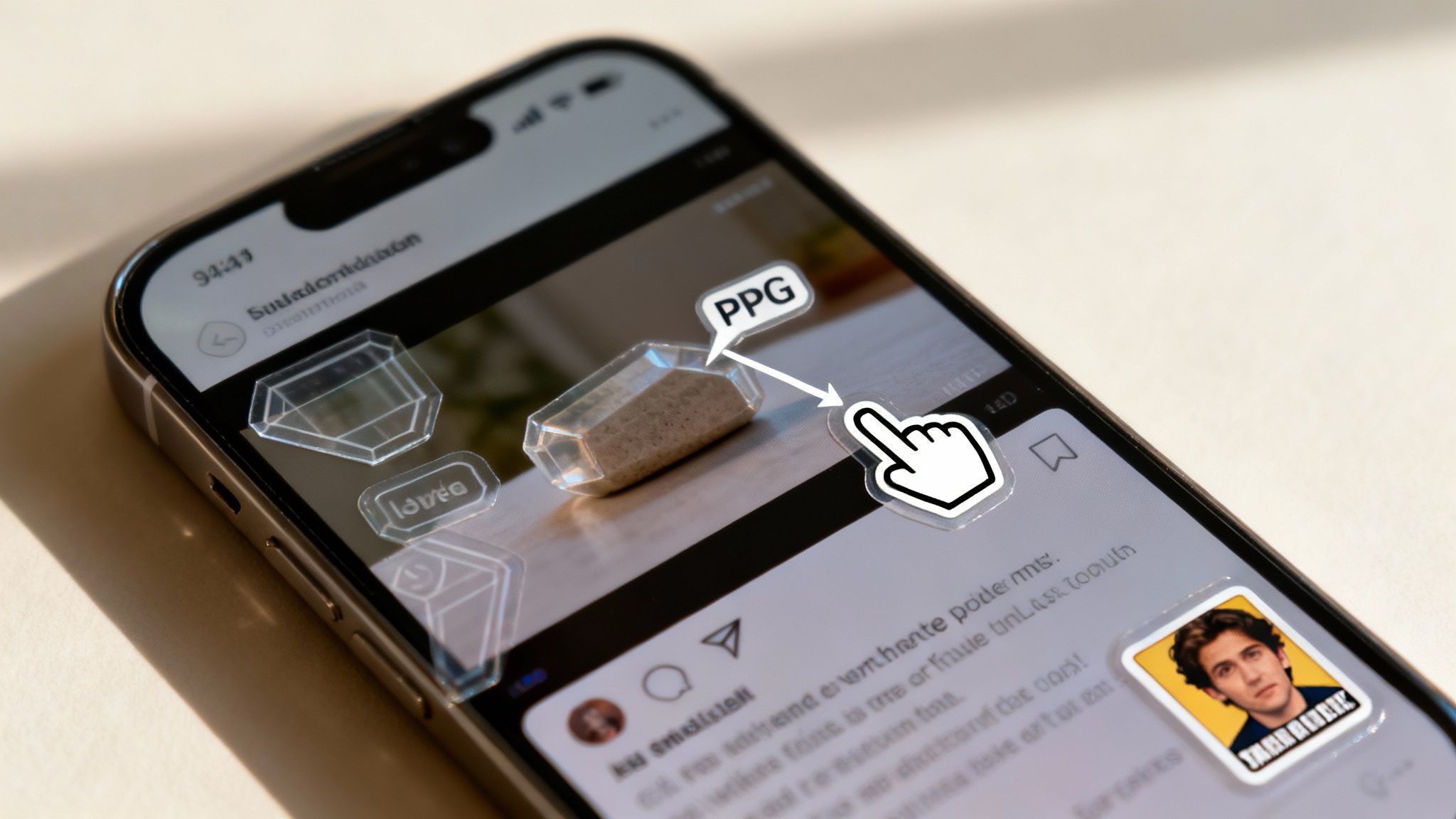
Texto dinâmico é uma maneira fantástica de manter a atenção, mas é apenas uma peça do quebra-cabeça. Se você quer que seus vídeos pareçam realmente nativos do TikTok, precisa pensar de forma mais visual. Isso significa incorporar imagens, emojis e stickers.
Esses pequenos elementos funcionam como pontuação visual. Eles injetam personalidade e adicionam contexto que o texto simples simplesmente não consegue igualar. Um emoji bem colocado pode aumentar a emoção de uma história, e a imagem certa pode tornar uma ideia complexa cristalina em um instante.
Adicionar esses elementos à sua estratégia de sobreposição de vídeo no TikTok dá ao seu conteúdo uma sensação mais refinada e dinâmica que conecta com a cultura da plataforma.
Por exemplo, um emoji de dedo apontando (👇) é um clássico por uma razão — ele indica instantaneamente ao seu espectador onde olhar, seja um detalhe importante do vídeo ou seu call-to-action na legenda. Um meme perfeitamente sincronizado pode fazer a piada atingir dez vezes mais forte, muitas vezes gerando uma grande onda de comentários e compartilhamentos. Esses não são apenas enfeites decorativos; são pistas estratégicas que impulsionam a interação.
Encontrando e Usando Sobreposições Visuais
Um dos maiores calos pode ser encontrar os visuais certos, especialmente imagens com fundos transparentes. Você não pode simplesmente colocar uma imagem quadrada com fundo branco no seu vídeo. Isso fica desajeitado, pouco profissional e quebra a experiência imersiva que você está tentando criar.
O segredo é procurar por imagens PNG royalty-free. Esses arquivos são seus melhores amigos porque muitas vezes possuem fundo transparente, permitindo que você as sobreponha ao vídeo de forma fluida.
- Pexels e Pixabay: Ambos esses sites são fontes de PNGs gratuitos para uso. Basta procurar por termos como "seta PNG" ou "emoji de fogo transparente" para obter o que precisa.
- Canva ou Adobe Express: Essas ferramentas estão cheias de grandes bibliotecas de gráficos e tornam incrivelmente fácil remover o fundo de suas próprias fotos.
- Stickers do TikTok: Não deixe de conferir a biblioteca integrada ao aplicativo! Ela sempre está atualizada com stickers e GIFs em alta, que podem dar uma vibe relevante e oportuna ao seu conteúdo.
Depois de encontrar sua imagem, você pode adicioná-la diretamente no editor do TikTok. Basta clicar no botão "Stickers" e escolher o ícone de imagem. Se quiser controle mais preciso sobre o timing e a animação, recomendo usar um editor externo antes de fazer o upload. Nosso guia sobre transformar uma sequência de imagens em vídeo tem dicas ótimas que podem ajudar nesse fluxo de trabalho.
Lembre-se, o objetivo é melhorar, não distrair. Uma única visual bem colocada é muito mais poderosa do que uma tela cheia de uma dúzia de emojis aleatórios. Mantenha limpo e verifique se cada elemento tem uma finalidade.
Quando Usar Emojis Vs. Imagens
Então, quando você deve usar um emoji, um sticker ou uma imagem completa? Na verdade, tudo se resume ao contexto e ao que você está tentando comunicar. Cada um deles desempenha um papel um pouco diferente na história do seu vídeo.
Uma boa regra prática é usar elementos visuais para enfatizar um ponto ou adicionar uma camada de humor ou emoção. Por exemplo, se você estiver apresentando um fato surpreendente, um emoji de "🤯" (cabeça explodindo) captura perfeitamente aquele momento de "cabeça explodindo". Mas, se você estiver falando sobre um produto específico, uma imagem PNG limpa desse item fornece clareza instantânea para o seu público.
Depois de dominar o básico de adicionar texto, é hora de avançar para os aspectos mais avançados. Aqui é onde você pode realmente fazer seus vídeos se destacarem e manter as pessoas assistindo.
Uma estratégia avançada de sobreposição em vídeos do TikTok não é só sobre o que você coloca na tela, mas quando e como você faz isso. Estamos falando de dominar o timing, movimento e posicionamento para criar um vídeo fluido, profissional, que parece quase impossível de abandonar.
Esses pequenos ajustes é o que diferencia vídeos comuns daqueles que viralizam constantemente. Tudo se resume a fazer suas sobreposições parecerem uma parte natural da história, não algo que você colocou às pressas de última hora.
Aperfeiçoando o Timing e o Movimento
O ritmo de suas sobreposições pode fazer ou quebrar seu vídeo. Um erro clássico é deixar o texto na tela por tempo demais. Isso dá aos espectadores uma desculpa perfeita para ficarem entediados e deslizar para fora. Você quer sincronizar cada revelação de texto perfeitamente com o que está dizendo, criando uma experiência super dinâmica e envolvente.
Veja como fazer isso:
- Animação Palavra por Palavra: Em vez de mostrar toda uma frase de uma vez, tente fazer cada palavra ou frase curta aparecer exatamente enquanto você a fala. Essa técnica faz com que os olhos do espectador sigam junto, transformando-os de espectadores passivos em participantes ativos.
- Movimento Sutil: Não basta apenas fazer o texto aparecer e desaparecer. Dê vida a ele! Uma rápida entrada deslizante, uma suave suavizada ou um leve zoom adicionam um toque de acabamento que faz o vídeo parecer muito mais de alta qualidade.
- Regra dos Três Segundos: Como regra geral, nunca deixe um elemento de texto estático na tela por mais de três segundos. A única exceção é se faz parte de uma frase mais longa que você revela aos poucos. Mantenha o movimento para manter a atenção deles focada.
Esse movimento constante e sutil funciona como uma quebra de padrão poderosa. Mantém o foco do espectador sendo recomeçado, o que aumenta muito a chance dele permanecer até o final.
Respeitando a Zona Segura da Interface do TikTok
Nada diz "sou novo aqui" como uma sobreposição que fica bloqueada pela interface do TikTok. Lembre-se, o nome de usuário, a legenda e todos esses botões de curtida e compartilhamento ocupam bastante espaço na parte inferior e direita da tela.
Dica Profissional: Sempre coloque suas informações mais importantes — como suas legendas principais, pontos-chave ou chamadas para ação — bem no centro da tela. Pense nisso como uma "zona segura" onde você sabe que nada será cortado. Isso garante que sua mensagem sempre seja clara e fácil de ler.
Antes de exportar qualquer coisa, faça uma rápida checagem mental sobre a colocação. Imagine onde todos os elementos da interface ficarão e certifique-se de que suas sobreposições tenham espaço suficiente para respirar.
Usando um Fluxo de Trabalho Profissional de Edição
Para um visual o mais clean possível, você vai notar que muitos dos principais criadores montam suas sobreposições em outras ferramentas antes mesmo de abrir o aplicativo TikTok. Essa abordagem oferece muito mais controle sobre itens como fontes, animações e como você sobrepõe diferentes elementos.
Aqui está um fluxo de trabalho simples que você pode seguir:
- Criar em um Editor Externo: Use uma ferramenta como CapCut, Adobe Premiere Pro ou até Canva para desenhar suas sobreposições de texto e imagem. Você terá acesso a fontes personalizadas e animações muito mais sofisticadas.
- Exportar com Transparência: Este é o ingrediente secreto. Você precisa exportar essas sobreposições como arquivos de vídeo com fundo transparente (também conhecido como canal alfa). Formatos como ProRes 4444 ou um arquivo MOV costumam ser suas melhores opções para isso.
- Camadas no Seu Editor Principal: Agora, basta importar seu vídeo principal e seu arquivo de sobreposição transparente no seu editor. Coloque a faixa de sobreposição logo acima da sua faixa de vídeo, e você terá um acabamento limpo e profissional.
Com o ritmo insano do TikTok — mais de 16.000 vídeos são enviados a cada minuto — esse nível de acabamento pode ser o que diferencia você. O algoritmo tem favorecido vídeos entre 30-90 segundos que mantêm alto engajamento, o que muitas vezes depende dessas pequenas, mas poderosas, truques visuais.
De fato, dados mostram que vídeos que atingem uma taxa de visualização de 60% ou mais recebem um grande impulso na distribuição. E uma ótima maneira de alcançar esse número é usando legendas sincronizadas e pontos-chave em negrito para manter os espectadores grudados. Se quiser aprofundar, pode encontrar mais estatísticas do TikTok na Buffer. Dominando essas técnicas, você não está apenas fazendo mais um vídeo; você está criando uma experiência pensada para retenção máxima.
Automatizando Seu Fluxo de Trabalho de Sobreposições Com Clipshort
Vamos ser honestos: criar sobreposições de alta qualidade de forma consistente é uma grande perda de tempo. É aí que a automação se torna sua arma secreta, transformando uma tarefa manual em um processo eficiente, alimentado por IA.
Ferramentas como o ClipShort foram criadas exatamente para resolver as dores de retenção e edição que discutimos. Elas liberam você para focar nas grandes ideias, ao invés de se perder em edições tediosas na linha do tempo. Imagine agendar uma semana inteira de vídeos perfeitamente legendados em apenas uma hora — não um dia inteiro.
Simplifique a Criação Com IA
Esqueça passar horas tentando ajustar manualmente suas legendas ou procurar o emoji perfeito. Plataformas com IA podem fazer toda a parte pesada por você. O ClipShort, por exemplo, possui modelos de legendas animadas que sincronizam automaticamente com seu áudio.
Isso significa que você pode obter legendas envolventes, palavra por palavra, em minutos. Ele também oferece sugestões inteligentes de emojis que analisam o contexto do seu roteiro para recomendar visuais relevantes, adicionando personalidade sem esforço. Para qualquer criador que gerencia múltiplos projetos, esse tipo de automação é um divisor de águas.
Ao automatizar as partes mais repetitivas da criação de sobreposições, você libera tempo valioso para focar no que realmente importa: sua estratégia de conteúdo, engajamento da comunidade e brainstorming criativo. É sobre manter consistência e qualidade em escala.
Além de criar as sobreposições, você também pode aprimorar sua análise de conteúdo ao resumir vídeos do TikTok com IA.
Este diagrama descompõe um fluxo de trabalho simples, mas poderoso, para sobreposições avançadas.
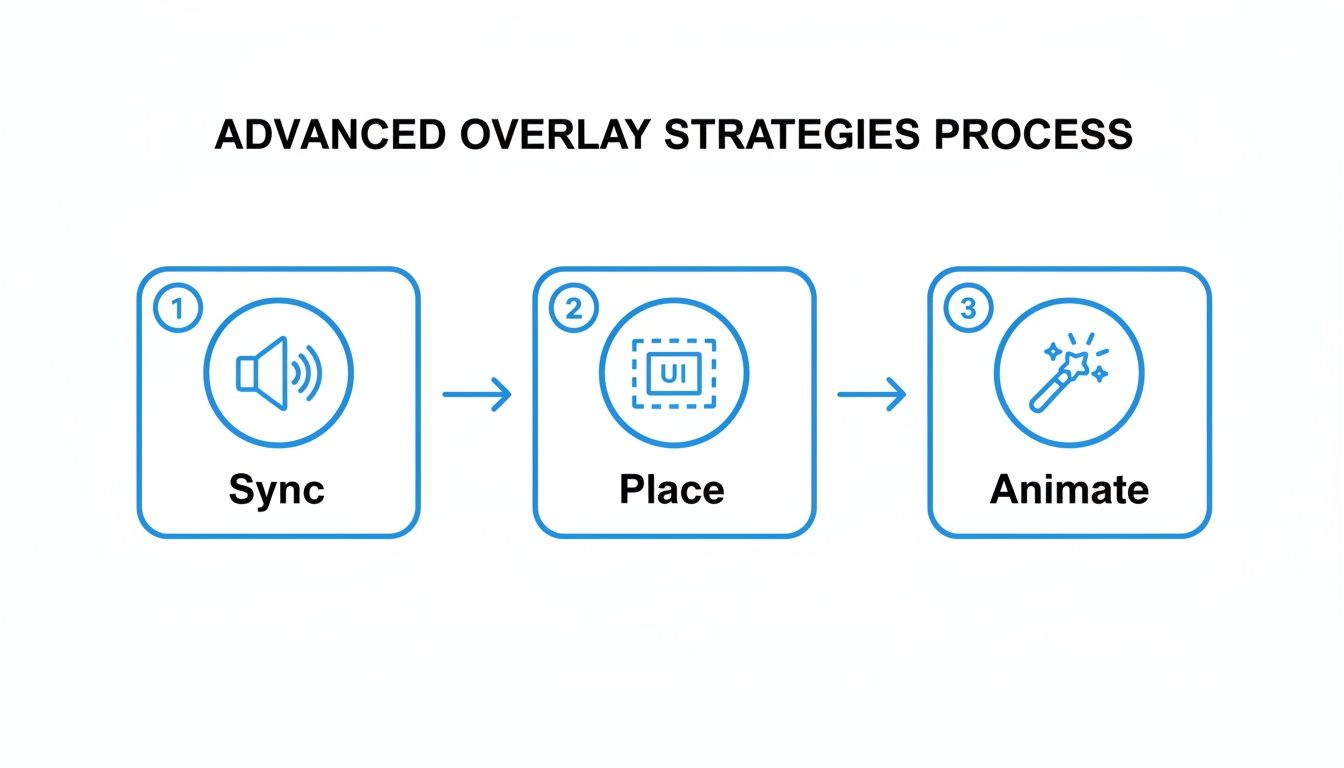
Esse processo — Sincronizar, Colocar e Animar — é exatamente o que ferramentas como ClipShort fazem por você, assegurando que suas sobreposições ocorram no momento e local perfeitos para impacto máximo.
Como a Automação Resolve Problemas Comuns
Tentar criar uma sobreposição de vídeo do TikTok atraente manualmente costuma ser uma batalha contra problemas pequenos, mas frustrantes. A automação entra em cena para resolver esses pontos específicos de dor.
- Elimina Erros de Sincronização: Todos já passamos por isso — tentando sincronizar texto com fala minuciosamente. Transcrição AI e o timing acertam isso toda vez, garantindo que cada palavra apareça na tela exatamente quando é falada. Isso é imprescindível para manter o espectador interessado.
- Garante Compatibilidade com a Interface: Alguma vez uma sobreposição foi bloqueada pelos botões do TikTok? Muitas ferramentas automatizadas possuem modelos de "zona segura" embutidos para evitar isso, garantindo que sua mensagem seja sempre vista de forma clara e audível.
- Mantém Consistência de Marca: Você pode criar e salvar seus próprios estilos de sobreposição personalizados, definindo suas fontes, cores e animações específicas. Isso permite aplicar uma aparência consistente e profissional em todo seu conteúdo com apenas um clique.
Ao integrar uma ferramenta automatizada ao seu fluxo de trabalho, você não é mais apenas um criador de conteúdo; você se torna um estrategista de conteúdo. Você pode testar diferentes estilos de sobreposição, ver o que funciona e reforçar seus formatos vencedores — tudo sem se perder nos detalhes técnicos da edição de vídeo. Essa eficiência é a chave para produzir uma alta quantidade de conteúdo de qualidade necessária para realmente crescer no TikTok.
Perguntas Frequentes Sobre Sobreposições no TikTok
Mesmo com um plano sólido, é provável que você se depare com algumas perguntas específicas ao começar a usar sobreposições em vídeos do TikTok. Acertar esses pequenos detalhes pode fazer toda a diferença entre um vídeo que se destaca e um que não consegue engajar. Aqui estão respostas rápidas e objetivas às perguntas que mais ouço.
Quanto tempo uma sobreposição de texto deve ficar na tela?
Aqui vai uma regra de ouro que sempre sigo: mantenha seu texto na tela tempo suficiente para alguém lê-lo duas vezes em velocidade normal. Isso dá tempo ao espectador de absorver a mensagem sem parecer que você está apressando.
Para uma frase curta e impactante — digamos, de três a cinco palavras — geralmente 2 a 3 segundos é suficiente. Se estiver compartilhando uma sentença mais longa ou uma informação importante, pode precisar de 4 a 5 segundos. Uma jogada de mestre aqui é sincronizar o timing da sobreposição com um som ou ação específica do seu vídeo. Assim, o texto parece fazer parte natural da experiência, não apenas um pop-up aleatório.
Posso adicionar links clicáveis às minhas sobreposições?
Infelizmente, não. Para a maioria dos criadores, o TikTok não permite inserir um link clicável diretamente em uma sobreposição de texto no vídeo.
Mas isso não significa que as sobreposições não possam gerar tráfego. Você só precisa ser um pouco mais criativo com sua chamada para ação (CTA). Uma sobreposição que diga algo como "Guia completo no link da minha bio!" é incrivelmente eficaz. Ela planta a ideia e direciona os espectadores motivados exatamente para onde você quer. Para contas comerciais com TikTok Shop ativado, você pode marcar produtos, que depois aparecem como um pequeno ícone clicável.
Pense na sua sobreposição como uma placa de sinalização visual, não um link direto. Seu objetivo é tornar a CTA tão atraente que as pessoas queiram visitar seu perfil para saber mais.
Qual é a melhor fonte para uma sobreposição em vídeo do TikTok?
A melhor fonte é sempre aquela que é negrito, clara e fácil de ler em uma tela de telefone bem pequena. Minha dica? Use fontes sem serifa. Elas foram especificamente criadas para legibilidade digital.
Algumas das minhas escolhas preferidas que sempre funcionam bem são:
- A fonte Bold
- Bebas Neue
- Montserrat
- Futura
Evite fontes finas, manuscritas ou excessivamente decorativas. Elas podem parecer legais no seu computador, mas muitas vezes se transformam em uma bagunça ilegível quando colocadas em uma tela de telefone com um vídeo movimentado ao fundo. Para melhorar ainda mais a legibilidade, tente adicionar uma sombra leve ou um bloco semitransparente de cor atrás do seu texto.
Usar Muitas Camadas Sobrepostas Pode Prejudicar Meus Vídeos?
Sim, cem por cento. Embora algumas sobreposições bem posicionadas possam realmente aumentar seu engajamento, a "bagunça de sobreposições" é um problema real. Ela é distraída e uma das maneiras mais rápidas de fazer alguém simplesmente passar direto pelo seu conteúdo. A ideia é melhorar o vídeo, não enterrá-lo em ruído visual.
Como regra geral, limite-se a uma sobreposição de texto principal por vez, como suas legendas principais. Depois, use outros elementos como emojis ou adesivos de imagem com moderação para dar um toque de ênfase quando necessário. Um layout limpo e simples sempre superará uma tela que grita por atenção com informações demais.
Pronto para criar vídeos impressionantes e de alta retenção, sem todo o trabalho manual? ClipShort usa IA para cuidar das suas legendas animadas, sugerir emojis e acertar o timing da sua overlay, ajudando você a produzir conteúdos virais em minutos. Comece a criar gratuitamente no ClipShort.