
How to Make Your TikTok Go Viral The Ultimate Guide
Going viral on TikTok isn't just luck; it's about following a repeatable system. It all boils down to a core formula: a powerful hook to stop the scroll, holding attention with great storytelling, and delivering a satisfying reward that makes people want to share and re-watch. Get this right, and you've built the foundation for every viral video you'll ever make.
Your Blueprint for Going Viral on TikTok
First, let’s get one thing straight: virality isn't a random lightning strike. It's an engineered outcome built on four key pillars: trend awareness, immediate engagement, content velocity, and syncing up with the algorithm.
To really win, you have to stop thinking like a content creator and start thinking like a strategist who gets the psychology of the platform. The real goal isn't just to entertain. It's to create videos that give the algorithm exactly what it craves—insane watch time and strong engagement signals.
This all starts with the 'hook, hold, and reward' framework. Think of it as the backbone of any video that makes someone stop scrolling. You have three seconds. That's it. In that tiny window, you have to grab their attention so hard that their thumb physically freezes. This is where the magic happens, combining the perfect audio with a visual story that they can't look away from.
The Hook, Hold, and Reward Framework
Mastering this three-part structure is non-negotiable if you're serious about making your TikTok go viral. It’s a simple but incredibly effective way to structure your content for maximum impact.
- Hook: Start with a bold claim, a problem everyone relates to, or a visual that breaks their scrolling pattern.
- Hold: Keep them watching with fast-paced editing, a compelling story, or by building suspense that they need to see resolved.
- Reward: End with a satisfying conclusion—a useful tip, a surprising reveal, or a hilarious punchline that makes the entire video feel worthwhile.
This infographic breaks down this simple but powerful flow, showing you exactly how the "Hook, Hold, Reward" structure works.
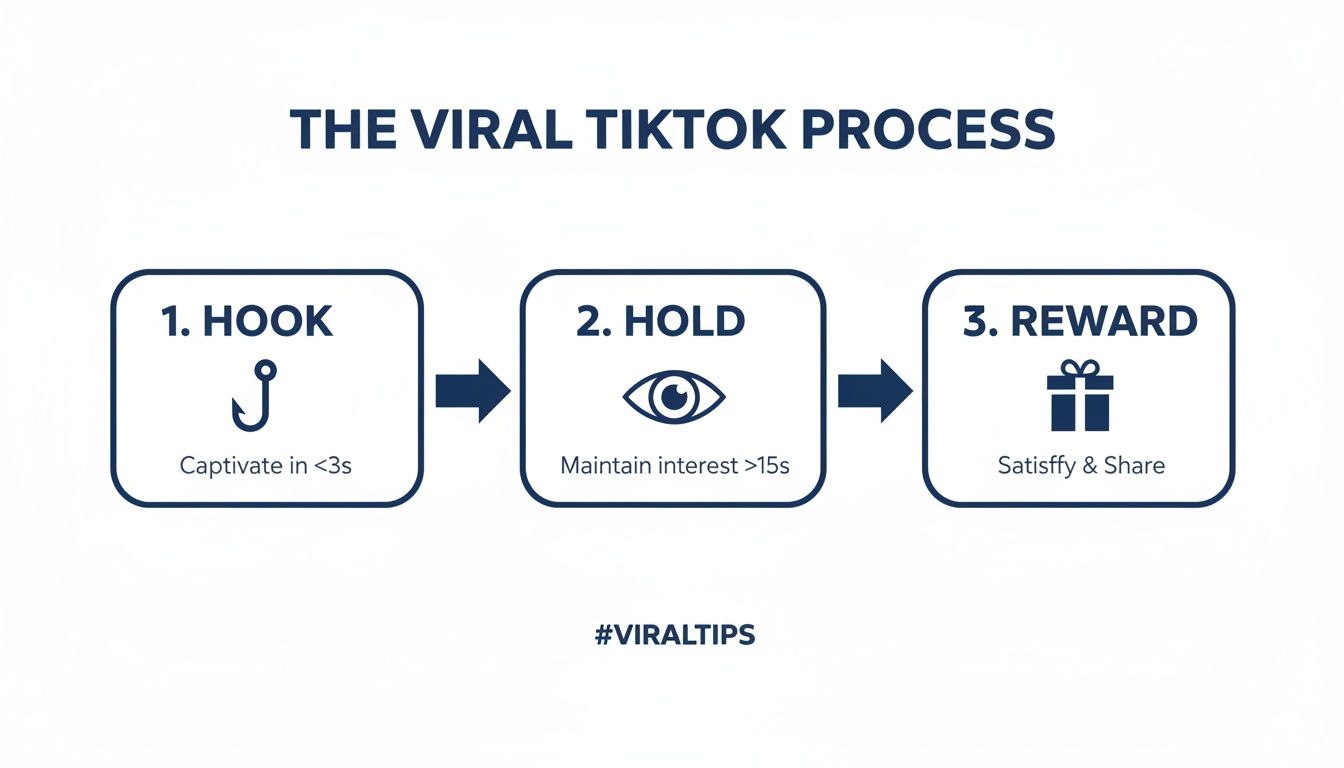
As you can see, each stage is critical. You’re guiding the viewer toward the ultimate goal: engagement and sharing. For a deeper dive into these principles and a practical roadmap, this guide on how to go viral is a fantastic resource.
The key takeaway is that you are designing an experience, not just a video. Every single element needs to serve one purpose: keeping the viewer on your video for as long as humanly possible.
This system is a game-changer, especially for faceless creators. When you aren't on camera, your ability to hook and hold attention depends entirely on your editing, audio choice, and how well you can tell a story.
Consider this: short-form hooks under seven seconds make TikTok videos 18% more likely to go viral. That’s a massive edge when you remember there are 1.9 billion videos viewed on the platform every day. Simple editing tricks like jump cuts can boost completion rates by 26%, which is why automation tools like ClipShort are becoming essential for creating high-retention faceless content at scale.
By building a system around these principles, you can test ideas fast, see what works, and turn virality into something you can actually predict.
The Four Pillars of TikTok Virality
To really nail this down, it helps to think of your viral strategy in terms of four core pillars. Each one builds on the last, creating a solid foundation for content that the algorithm can't help but push to the For You Page.
| Pillar | Core Action | Why It Works |
|---|---|---|
| Trend Awareness | Find and adapt trending sounds, formats, and topics. | Taps into existing conversations and user interests, giving the algorithm familiar signals to work with. |
| Immediate Engagement | Master the "Hook, Hold, Reward" framework. | Stops the scroll in the first 3 seconds and maximizes watch time, the most important virality metric. |
| Content Velocity | Post consistently and test ideas rapidly. | Gives you more "at-bats" to go viral and provides the algorithm with more data on what your audience loves. |
| Algorithmic Harmony | Optimize with keywords, hashtags, and ideal posting times. | Helps TikTok understand your content's topic and show it to the most receptive audience. |
Ultimately, these four pillars are interconnected. A great hook won't work if it's on a dead trend, and a perfectly optimized post will fall flat if the content itself is boring. Focus on mastering all four, and you'll be well on your way.
Crafting a Truly Scroll-Stopping Hook
Let's be real: you have about three seconds to stop someone from scrolling past your TikTok. That's it. If you don't give them a reason to pause their endless thumb-flick, your video is basically invisible, no matter how amazing the other 27 seconds are.
Those first few moments are everything. It’s your entire pitch to the viewer and the algorithm, all rolled into one.
A great hook isn't just about getting attention—it’s about making a promise. It tells the viewer exactly what value they’re going to get, making sure they stick around for the payoff. If you want to figure out how to make your TikTok go viral, you have to master the art of the hook.
The Problem-Agitation Hook
One of the most powerful ways to grab someone is with the Problem-Agitation hook. It works because it taps directly into a viewer's real-life frustrations, making them feel like you get them.
Here’s how it breaks down:
- Call out the Problem: Start with a pain point your audience knows all too well. Think, "You're tired of your houseplants always dying."
- Agitate It: Twist the knife a little. Remind them of the frustration. "And you've wasted so much money on replacements you've lost count."
- Offer the Solution: Now you swoop in with the answer, which is the rest of your video. "Here are three unkillable plants that even you can keep alive."
This method is built on empathy. You’re showing you understand their struggle, which builds instant trust and makes them lean in, desperate for your solution.
The Curiosity Gap Hook
People are naturally curious. The Curiosity Gap hook plays on this by dangling a piece of information or a surprising outcome that someone just has to know.
A classic example is starting with something that goes against common wisdom, like, "This is why you should never put your tomatoes in the fridge." The immediate thought is, "Wait, what? I always do that." Boom. You've created a knowledge gap they feel a burning need to fill.
This hook is pure genius because it flips a switch in the viewer's brain. They go from passively watching to actively hunting for an answer. They’re on a mission to uncover the secret you’re holding.
This strategy is perfect for educational content, myth-busting, or any video where you have a juicy reveal. Just make sure the payoff is worth the buildup!
The Pattern Interrupt Hook
The For You Page is a hypnotic, predictable scroll. A Pattern Interrupt hook shatters that rhythm. It’s an unexpected sound, visual, or statement designed to jolt someone out of their scrolling zombie-state.
You can do this in a few ways:
- A Weird Sound: Start with a loud clap, a bizarre sound effect, or anything out of place.
- A Startling Visual: A super-fast zoom, a weird camera angle, or an object that makes no sense in the scene.
- A Confusing Statement: Open with a line that’s totally out of context, like, "I accidentally bought a pallet of rubber ducks."
This is a go-to tool for faceless creators. You can pair dramatic stock footage (like a crashing wave) with a bold text overlay to create instant urgency. Even an animated text effect that flies onto the screen can be enough to break the pattern. It's easier than ever to make these kinds of hooks, and you can get more ideas from our guide on how to create engaging social media content.
The goal is simple: be the one thing in their feed that doesn't look or sound like everything else.
Riding Trends Without Blending In
Copying a trend is easy. Anyone can do it. The real skill—the one that separates amateur creators from viral powerhouses—is strategically using a trend to engineer explosive reach.
Think of it this way: trends are your direct line to the algorithm's heart, but only if you approach them with a plan.
The goal isn't just to participate; it's to stand out. Imagine a trending sound as a busy highway. You can merge into traffic and get lost in the noise, or you can be the eye-catching vehicle everyone turns to look at. A unique twist makes you the main event. This is how you turn trends from a random gamble into a reliable growth strategy.
Becoming a Strategic Trendspotter
Your "For You" Page is more than just entertainment—it's your personal, real-time market research feed. The algorithm is literally showing you what's working right now. Pay close attention to the patterns.
Don't just look at the dances or lip-syncs. You need to analyze the underlying structures:
- Audio Memes: Sounds used over and over with a specific comedic or relatable format.
- Editing Formats: Trends built around a specific cut, transition, or visual effect (like the popular "photo swipe" or "3D photo" trends).
- Challenge-Based Trends: Specific prompts or activities that creators replicate, usually tied to a hashtag.
Your job is to spot these formats early. The moment you hear the same sound for the third or fourth time from different creators, that's your cue. It's a clear sign the algorithm is picking it up and pushing it to a wider audience.
Finding Sounds Before They Peak
While your FYP is great for spotting what's hot today, the TikTok Creative Center is your secret weapon for finding what's hot tomorrow. This is where you can see which sounds are starting to break out, giving you a crucial head start.
Look for sounds with a steep upward trajectory in usage that haven't yet saturated the platform. Getting in on a sound while it's climbing the charts gives your video a massive algorithmic boost. It tells TikTok your content is fresh, relevant, and timely.
Tapping into trending sounds is one of the most reliable paths to virality. In fact, it can skyrocket your video's watch time by a whopping 47%, according to recent platform analytics. With creators uploading around 16,000 videos per minute, you have to hook into what's already buzzing to stand out.
The data doesn't lie: over 450 different sounds have shot past the 1 billion view mark, proving their power. You can discover more about these powerful TikTok video statistics and how they impact creators.
Don't just pick a sound because it's popular. Ask yourself: "Does this audio format give me a container to tell a story that fits my niche?" If the answer is no, move on. Forced trends feel inauthentic and rarely perform well.
The sweet spot is finding the intersection between what's trending and what's true to your own content style.
How to Add Your Unique Spin
Once you've picked a promising trend, the real work begins. Blindly copying it is the fastest way to get ignored. You need to adapt it, adding a layer of your own value or perspective.
Here are a few solid frameworks for putting a unique spin on any trend:
- Niche It Down: Apply the trend to your specific area of expertise. If there's a trending audio about "Things I wish I knew sooner," create a version for your audience: "Things I wish I knew sooner about investing" or "Things I wish I knew sooner about Adobe Photoshop."
- Subvert Expectations: Start the video as if you're following the trend, then take a completely unexpected turn. This "pattern interrupt" is incredible for grabbing attention and earning shares because it’s surprising.
- Combine Two Trends: Try taking a popular audio clip and mashing it up with a different trending visual format. This creative combination can produce something entirely new and make your video stand out as original.
For example, a faceless creator in the finance niche could take a trending sound where people point to text bubbles and use it to illustrate common budgeting mistakes. They aren't on camera, but they've successfully adapted the trend's format to provide value specific to their audience.
This is how you ride the wave of a trend without being washed away by it.
Editing Techniques to Maximize Watch Time
A killer hook might get you the first three seconds, but it's your editing that earns you the full watch. And that full watch? That's the golden metric that screams to the TikTok algorithm, "Hey, push this video out to more people!" If you're serious about going viral, you have to master retention-focused editing. It’s all about making every single second count.
Your one and only goal here is to snip out any possible moment a viewer might even think about scrolling away. This means you need to build a dynamic, fast-paced experience that glues their eyes to the screen from the hook to the very last frame. Believe it or not, even a half-second of silence or a sluggish scene is an open invitation for them to leave.
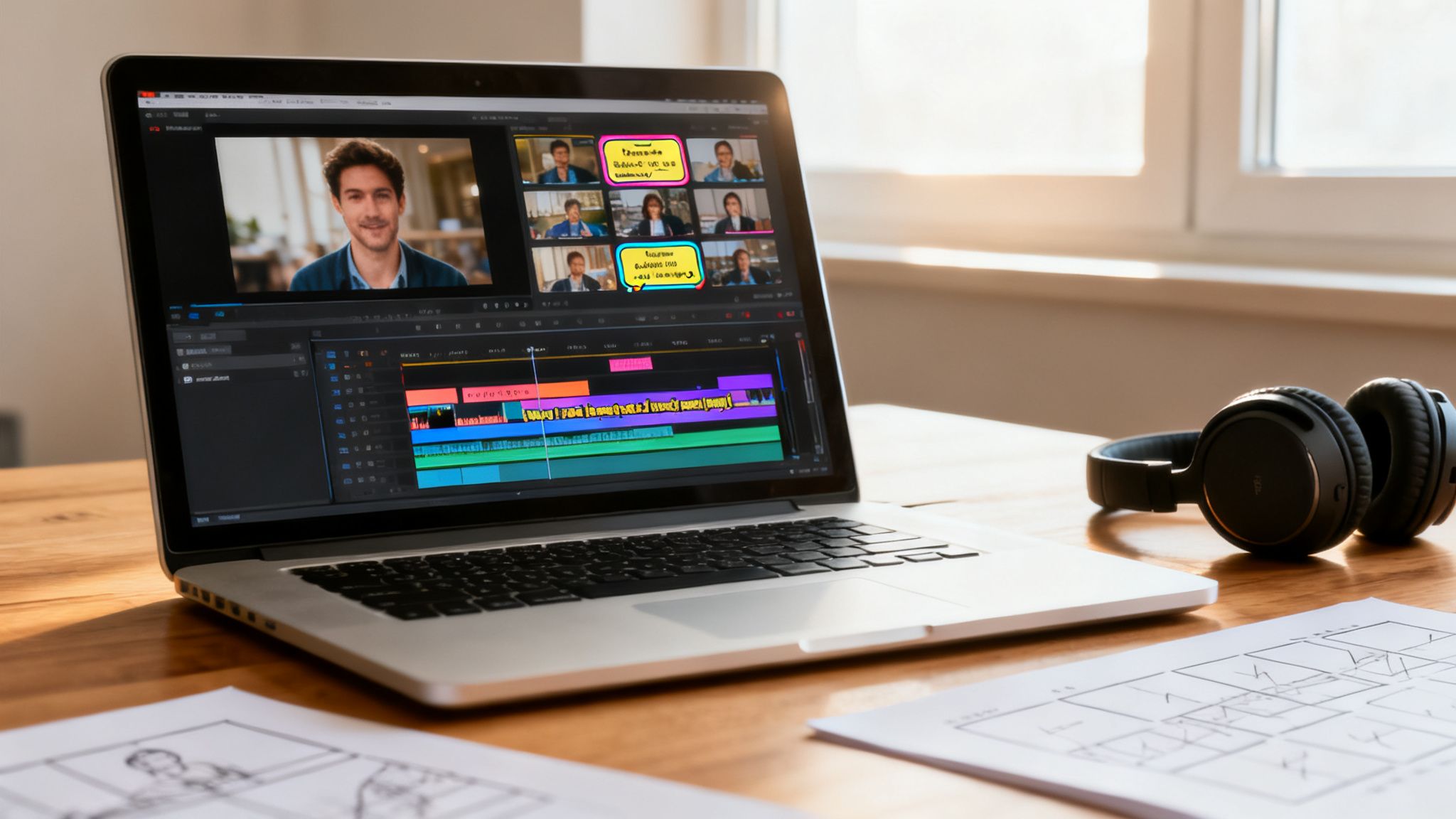
This is a make-or-break rule for faceless creators. When there’s no person on screen to connect with, your editing is your personality. It has to do all the heavy lifting.
The Power of Rapid-Fire Cuts
One of the most surefire ways to keep the energy cranked up is using rapid-fire jump cuts. A jump cut is just a quick transition between two very similar shots, and on TikTok, we use it to chop out every single breath, pause, or "um" from a video.
Imagine someone talking to the camera. Instead of one long, boring take, you're hitting the viewer with quick cuts every few words. This creates a feeling of momentum and makes the content feel tight, energetic, and valuable. People’s attention spans are microscopic; your editing needs to be even faster.
The core principle is simple: if a frame doesn't add value, cut it. Your editing should be ruthless. This signals to the viewer that you respect their time and that every second of your video is packed with value.
For faceless videos, this translates to changing the visual on screen every 2-3 seconds. You can cycle through different stock clips, b-roll footage, animations, or text overlays to keep things in constant motion. This visual velocity is everything when you don't have a human face to hold attention. For creators looking to streamline this, our guide on automatic video editing breaks down tools that can handle this for you.
Using Pattern Interrupts to Re-Engage Viewers
Even with lightning-fast cuts, minds can wander. This is where the pattern interrupt comes into play. It’s a sudden, jarring change in the video designed to snap the viewer back to attention.
Here are a few simple but incredibly effective pattern interrupts:
- Sudden Zoom: A quick punch-in on something important.
- Sound Effect: A perfectly timed "swoosh," "ding," or pop sound.
- Color Flash: A split-second flash of color to highlight a word or moment.
- On-Screen Emojis: A relevant emoji popping up to add personality.
These little jolts break the monotony and reset your viewer's focus. Getting good at using dynamic video effects can dramatically boost your video's appeal, keeping eyeballs locked on your content and driving up that watch time.
To really level up your editing, it helps to know why you're using a specific technique. Here’s a quick breakdown of how different styles directly impact viewer retention.
Editing Techniques to Boost Watch Time
| Editing Technique | Primary Goal | Best For | Tool to Use |
|---|---|---|---|
| Jump Cuts | Maintain high energy and pace | Talking head videos, tutorials | CapCut, Adobe Premiere Pro |
| Pattern Interrupts | Re-capture wandering attention | Long-form storytelling, educational content | ClipShort, Veed.io |
| Dynamic Captions | Guide the eye and add visual interest | All video types, especially sound-off viewing | Captions App, ClipShort |
| Seamless Loops | Encourage immediate re-watches | Short, satisfying, or surprising videos | Any editor with precise timeline control |
Ultimately, mixing and matching these techniques based on your video's content is what will set you apart and keep people watching until the end—and then watching again.
Create the Perfect Satisfying Loop
Ever watch a video and not even realize it started over? That’s the magic of a seamless loop. A viral video often gets watched multiple times by the same person, and a deliberate loop makes this happen almost subconsciously.
The trick is to edit the very end of your video so it flows flawlessly back into the beginning. You could match the last few words with the first few words or line up the final visual to transition perfectly into the opening shot. When you nail it, viewers get tricked into a second or third watch, which sends your average watch time through the roof.
Make Your Captions a Visual Guide
Finally, do not sleep on dynamic captions. On-screen text isn't just for accessibility anymore—it's a critical part of the viewing experience. Animated captions that pop up word-by-word or in short, punchy phrases do an incredible job of guiding the viewer's eye and controlling the video's pace.
Use them to:
- Emphasize key points with a bold color or bigger font.
- Add a second layer of humor or commentary.
- Keep people engaged even when their sound is off.
When your captions are visually engaging, they become another powerful tool for holding attention. Combine all of these elements—the rapid cuts, the pattern interrupts, the loops, and the dynamic text—and you create a video that’s almost impossible to scroll away from.
How to Optimize Your Post for the Algorithm
You just created a fantastic, high-retention video. That’s a huge win, but the job isn't over once you hit export. The way you package and post your TikTok is the final, crucial step that can be the difference between getting stuck at 100 views and soaring into the millions.
Think of it this way: hitting "post" without optimizing is like launching a rocket without a guidance system. You’ve built a powerful machine, but you haven’t told it where to go. By strategically using your caption, hashtags, and timing, you’re giving the TikTok algorithm a clear roadmap to find your video's perfect audience.
Write Captions That Spark Conversation
Your caption is prime real estate for kicking off engagement. While the video itself grabs attention, the caption is what turns a passive viewer into an active participant. Your goal isn't just to describe what’s happening in the video—it’s to start a conversation that gets the comments flowing.
A great caption usually does one of two things:
- Asks a direct question: Instead of "Here's my morning routine," try something like, "What's the one non-negotiable part of your morning routine? Tell me below."
- States a polarizing opinion: A slightly controversial (but harmless) take can absolutely ignite the comments section. A food creator, for example, might say, "Pineapple on pizza is the best, and I'm not apologizing for it."
This simple trick creates an engagement feedback loop. More comments signal to the algorithm that people are invested in your content, so it pushes your video to more people, which in turn leads to even more comments. It’s a powerful cycle that can kickstart virality.
Master the Modern Hashtag Strategy
Gone are the days of just stuffing your caption with massive hashtags like #fyp or #viral. The algorithm is much smarter now and needs a more balanced approach to figure out what your content is about and who to show it to. A solid strategy involves a careful mix of different hashtag types.
Your hashtags are metadata. You're not just using them for discovery; you're using them to explicitly tell TikTok what your video is about and who it's for. The more accurately you can do this, the faster the algorithm can find your target audience.
I like to think of my hashtag strategy as a pyramid with three essential layers:
- Broad Tags (1-2): These are the high-volume tags for your general industry (e.g., #digitalmarketing, #veganrecipes). They give the algorithm a broad category for your content.
- Niche Tags (2-3): Get more specific to the video's topic here (e.g., #seotipsforbeginners, #plantbasedmealprep). This is how you connect with your core community.
- Trending/Video-Specific Tags (1-2): Jump on a trending sound’s hashtag or use one that describes something unique in your video (e.g., #capcutedit, #satisfyingpeel). This helps you tap into current conversations.
This balanced mix gives TikTok the precise data it needs to find the right people fast.
Pinpoint Your Audience's Peak Activity
Timing is everything. Posting your video at the right time ensures it gets an immediate burst of engagement right when it goes live. This initial velocity is a powerful signal to the algorithm that your content is a hit.
Posting when your audience is asleep is a surefire way to kill your video’s momentum before it even has a chance to take off.
So, where do you find this golden window? Head straight to your TikTok Analytics:
- Go to Creator Tools > Analytics > Followers.
- Scroll down to the Follower Activity section.
This dashboard shows you the exact days and hours your followers are most active. I always aim to post 30-60 minutes before these peak times to give the algorithm a little lead time to start distributing the video.
If you’re trying to stay consistent, you might find our guide on how to schedule a TikTok post helpful. Consistently posting during these peak hours trains both your audience and the algorithm to anticipate your content.
Turning a Viral Moment Into Real Growth
So, you had a video go viral. Awesome! But one viral hit is an event, not a strategy. The real magic happens when you turn that sudden spike in attention into actual, sustainable growth for your account.
This is where you stop guessing and start knowing what your audience wants to see. It’s all about digging into your TikTok analytics to find the hidden patterns in your wins. This data-driven feedback loop is your secret weapon for going viral again and again.
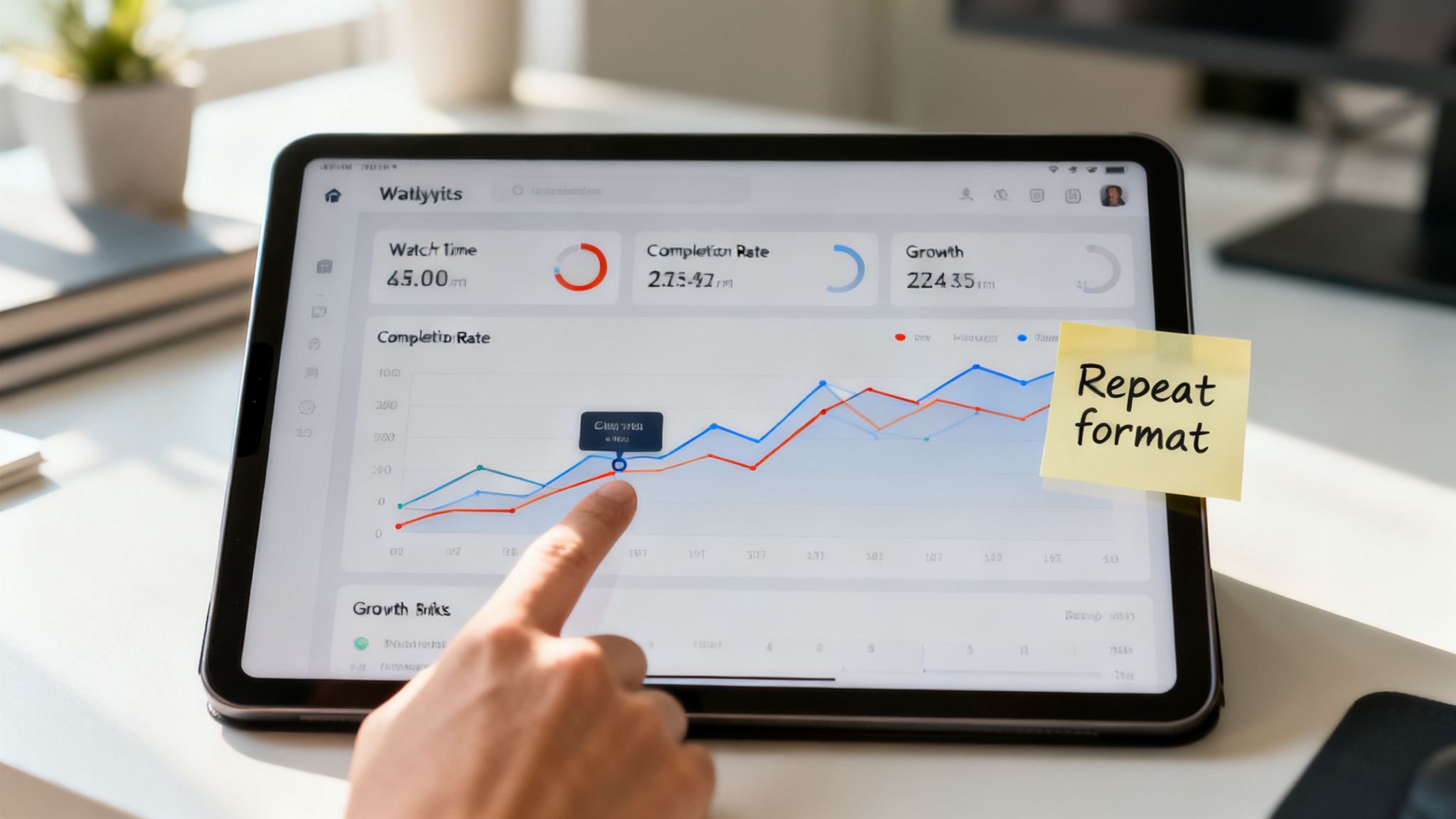
Think of your analytics less like a spreadsheet and more like a direct conversation with your viewers. They're telling you—second by second—exactly what keeps them glued to the screen and what makes them scroll away.
Demystifying Your Key Metrics
Your analytics dashboard can feel like a lot to take in, but honestly, only a few numbers really matter when you're chasing virality. For now, just focus on these two heavy hitters. They’re the most powerful signals you can send to the algorithm.
- Average Watch Time: This is the gold standard. It tells you exactly how long, on average, people are sticking around. A high number here screams to the algorithm that your content is doing its job.
- Watched Full Video (Completion Rate): This percentage shows you who watched the entire video. A high completion rate is a massive vote of confidence and tells TikTok your content is worth showing to more people.
These two metrics are basically best friends. A killer hook and an engaging story will boost your average watch time, which naturally pushes up your completion rate. Get these right, and you're building on a solid foundation.
Spotting Your Winning Patterns
Alright, time to put on your detective hat. Pull up the analytics for your top 3-5 videos and start looking for the common threads. Don’t just glance at the numbers; you need to connect them back to the creative choices you made.
Your best-performing videos are not a fluke. They are a roadmap. They contain the exact formula your audience responds to, and it's your job to deconstruct it so you can use it again and again.
Start asking yourself some sharp questions about those top videos:
- The Hook: Did I lead with a controversial question? A shocking statement? A really weird visual?
- The Topic: Was the subject matter something educational and helpful, or was it purely for laughs?
- The Audio: Was it a trending sound, my own voiceover, or a popular track?
- The Editing: Did I use super fast cuts, those cool dynamic captions, or a specific visual effect?
Look for the overlaps. Maybe you’ll notice all your winners start with a "You won't believe..." style hook and use a certain type of animated text. That’s not a coincidence—that's your formula.
Building Repeatable Content Formats
Once you've nailed down a successful pattern, the next move is to systematize it. Turn it into a repeatable format or a series. This isn't about making the exact same video over and over again. It’s about using a proven structure as a launchpad for new ideas.
For example, let's say you discover that quick, myth-busting videos in your niche absolutely crush it every time. Boom. You've just found a content pillar. You can now build out an entire series around that concept, feeling confident that the format itself works.
This simple process takes all the guesswork out of content creation. It's how you turn a one-hit wonder into a reliable growth engine for your entire account.
Got Questions About Going Viral on TikTok?
So, you're chasing that viral hit. It’s a wild ride, and almost every creator I know has hit the same roadblocks and asked the same questions along the way. Let's cut through the confusion and tackle some of the most common hurdles you'll face.
How Long Does It Really Take for a TikTok to Go Viral?
This is the big one, isn't it? While a video can show glimmers of viral potential within a few hours, the real magic usually happens between 24 and 72 hours.
Here's how it works behind the scenes: TikTok's algorithm serves your video to a small, initial test group. If that group eats it up—meaning high engagement and solid watch time—it gets pushed out to a much bigger audience. This cycle repeats, and that's how a video blows up.
But sometimes, you get a "delayed explosion." I've seen videos sit quietly for days, even weeks, before suddenly taking off because a sound or a related topic starts trending out of nowhere. The biggest takeaway? Be patient. Your job is to create something so good that it captivates that first test audience.
Should I Delete and Repost a TikTok That's Flopping?
Tempting, I know. But in almost every case, the answer is a hard no. Deleting and reposting the same video is a fast track to getting your content flagged as spammy by the algorithm, which can seriously kneecap your account's reach down the line.
Instead of just hitting repost and hoping for the best, treat it as a learning opportunity. Dig into why the video didn't perform. Was the hook too weak? Did the story lose momentum? Was the trending sound a mismatch for your visuals?
Figure out the weak link, then create a brand new, souped-up version. Iterating on your ideas based on real feedback is so much more powerful than just trying the same thing twice. That’s how you actually get better and find what works.
Can I Go Viral on TikTok Without Ever Showing My Face?
You absolutely can. In fact, "faceless" content is a huge, thriving corner of TikTok. The secret to making a faceless TikTok go viral isn't some strange, hidden technique—it’s built on the exact same principles we've already covered.
Success really boils down to nailing three things:
- A killer hook that stops the scroll in its tracks.
- A compelling story told through your visuals and sound design.
- Smart, retention-focused editing that keeps people glued to the screen.
You can build an entire empire using stock footage, AI-generated art, screen recordings, or just beautifully shot product B-roll. The goal is simple: make the viewing experience so captivating that nobody even misses seeing a person on camera. For faceless creators, dynamic captions and a strong voiceover are your secret weapons for forging a connection and telling a great story.
Ready to create scroll-stopping faceless videos in just a few minutes? ClipShort is an AI tool that handles everything from scriptwriting to the final edit, packing your videos with lifelike voiceovers and dynamic captions. Start creating your next viral hit with ClipShort today.