
How to Make a TikTok Video: how to make tiktok video for beginners
So, you want to make a TikTok. The basic process is pretty straightforward: come up with an idea, write a script, film (or find) your clips, and then edit it all together with music, text, and effects before you hit post.
But here’s the secret sauce: you absolutely must have a strong hook in the first three seconds. If you don't grab their attention immediately and offer some kind of value or entertainment, they're gone. The real magic happens when you can ride a current trend while still making it completely your own.
Laying The Groundwork For a Viral TikTok
Every single viral TikTok I've ever seen or made started long before anyone hit the record button. Yes, sometimes pure spontaneity strikes gold, but the videos that consistently perform well are built on a solid foundation of real planning.
Think of it less like a random burst of creativity and more like you're building a product specifically designed to stop someone mid-scroll in a sea of endless content. Mastering this pre-production phase is the first real step in learning how to make a TikTok that people actually watch.
This is where you take that fleeting idea and give it structure. You figure out what the video is for, who you're talking to, and how you're going to tell a story—even a tiny one—that connects with them. Trying to skip this part is like building a house without a blueprint. You might end up with four walls and a roof, but it's probably not going to be very impressive.
From Spark to Script
It all starts with an idea. But where do the good ones come from? I've found they almost always live at the intersection of what’s currently trending on the platform and what actually makes sense for your niche.
Trying to force a trending dance into a channel about personal finance just feels… weird. Instead, look for trending audios or formats you can adapt. A financial advisor could totally use a popular sound to debunk a common money myth in 15 seconds. That works.
Once you’ve got your concept, you need a script. This doesn't have to be a word-for-word masterpiece, but it needs to outline the video's structure. For TikTok, that structure is non-negotiable: Hook, Value, and Call-to-Action (CTA).
- The Hook (1-3 seconds): Your one and only job here is to stop the scroll. Hit them with a bold statement, a surprising visual, or a question they can't help but want the answer to.
- The Value (5-20 seconds): This is the meat of your video. It’s where you deliver the punchline, share the tip, or tell your quick story. Be concise. Be impactful.
- The Call-to-Action (1-3 seconds): Tell people exactly what you want them to do next. "Follow for more tips," "Let me know in the comments," or "Check the link in my bio."
My biggest piece of advice: Pour most of your energy into the hook. The data is clear—you have less than three seconds to convince someone not to swipe away. I often test a few different hooks for the same video idea just to see what lands best.
This entire process—from a raw idea to a structured video with a killer hook—is the foundation for everything.
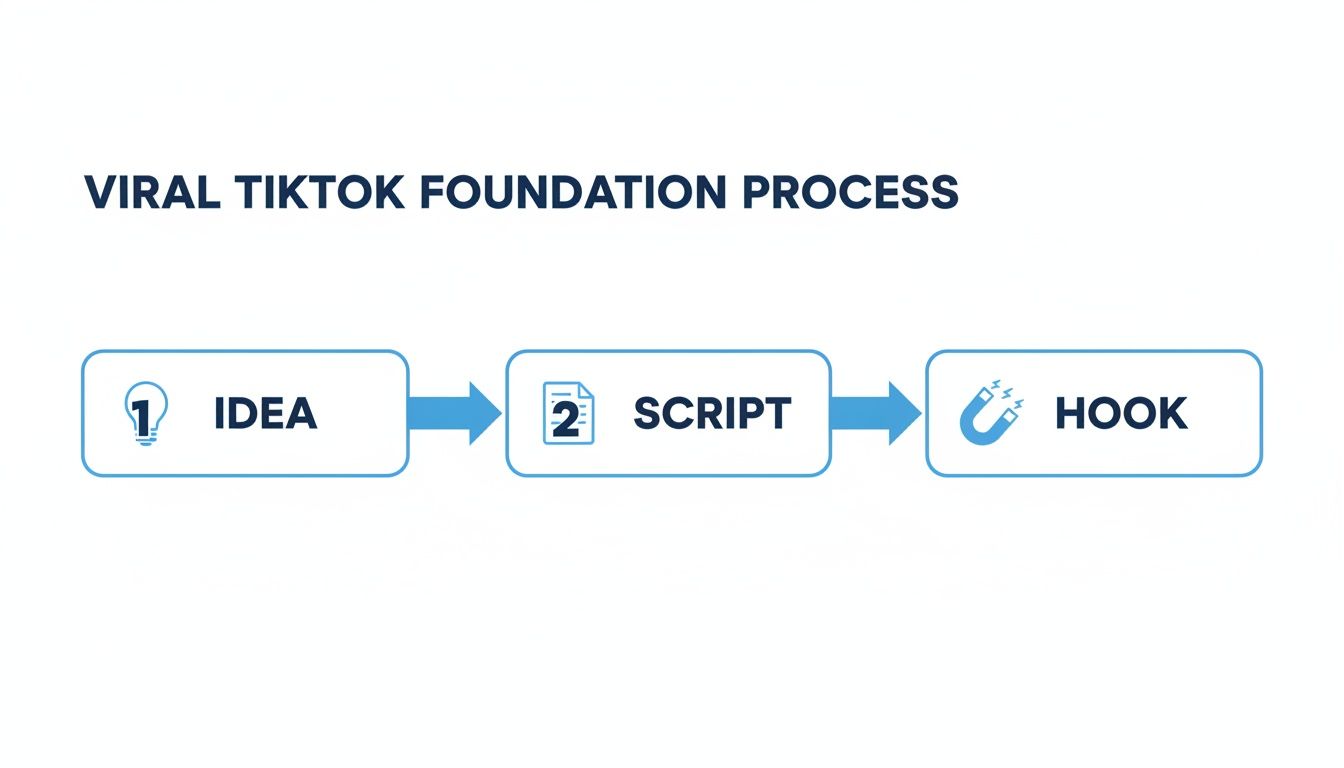
As you can see, a powerful hook isn't just a lucky guess; it’s the direct result of a clear idea and a well-planned script.
Supercharge Your Scripting with AI
Let's be real: creative blocks happen, especially when you're trying to churn out content consistently. This is where AI tools have become my secret weapon. Instead of staring at a blank screen, I can use AI to spit out dozens of script ideas, hooks, and CTAs in minutes.
For example, I can feed a simple prompt to an AI script generator: "Write three different 15-second TikTok scripts about the benefits of drinking water. Give each one a strong hook and a CTA to follow my account." Just like that, I have structured outlines to work from, saving me a ton of brainstorming time.
This isn't about letting a robot replace your creativity; it's about making your workflow smarter. When you already understand the fundamentals—like the right vertical video dimensions and platform formatting—you can use AI as a tool to execute your vision way faster. It handles the boring first draft, freeing you up to focus on the performance, visuals, and edits that will make the video uniquely yours.
Weaving Your Story with AI Visuals and Voice

With a solid script ready to go, it's time to bring your story to life. And here’s the best part: you don't need a fancy camera or even have to show your face to create a killer TikTok.
"Faceless" content is a massive trend right now, letting you tell powerful stories with nothing but captivating visuals and a strong voiceover. It’s a game-changer because it allows you to focus 100% on the narrative.
This style unlocks so many creative possibilities. You can break down complex ideas, retell historical events, or share motivational messages—all without the pressure of being on camera. The real secret is making sure your visuals and audio are perfectly in sync to hook viewers from the very first second.
Finding the Perfect AI Voice
The narration is the soul of your faceless video. It sets the tone, controls the pace, and delivers the emotional punch. While you can always record your own voice, AI voice generators have gotten incredibly good, offering a quick and flexible way to get professional-sounding audio.
No mic? No quiet space? No problem.
When picking an AI voice, think about your brand and who you're talking to. Do you want a friendly, conversational vibe or something more dramatic and authoritative? Most tools have plenty of options.
- Tone and Accent: A British accent might add a touch of class to a history video, while a warm, friendly American voice could be perfect for a channel sharing daily tips.
- Pacing: The speed of your voiceover is critical. It needs to be zippy enough for TikTok's fast-paced environment but clear enough that people can actually understand it. Always hit that preview button to make sure the timing feels right.
Once the audio is generated, listen back with your script in hand. Does the voice emphasize the words you want it to? Does the pacing match the mood? A few small tweaks here can make a massive difference.
Building Your Visual World
Now for the fun part—creating the visuals. AI image generators are your best friend here. They let you create totally unique, high-quality images that match every single beat of your script. Think of your script less as a document and more as a shot list.
The most important skill to learn is writing effective prompts. Vague prompts give you generic, boring images. You have to get specific.
Don't just ask for "a sad man." Instead, try: "A heartbroken man in his 30s, sitting alone on a park bench in the pouring rain, cinematic lighting, hyper-realistic, 8k." That level of detail is what stops the scroll.
You'll also want to think about the overall aesthetic. Mixing different styles can feel jarring, so try to keep it consistent within a single video.
- Anime Style: Perfect for dynamic storytelling, fantasy themes, or explaining concepts in a super engaging way.
- Cinematic or Photorealistic: This is your go-to for creating a serious, dramatic, or high-end feel. It works incredibly well for historical stories or motivational content.
- Comic Book Style: A bold and punchy choice for high-energy videos, listicles, or telling a brand's origin story.
For more inspiration on the visual side, check out guides on AI social media content creation for fresh ideas. And remember, you're not just limited to AI images. Mixing in your own photos, screen recordings, or short video clips can add a personal layer that makes your content stand out even more.
These elements combine to tell a visual story that syncs up with your powerful AI voiceover. For a deeper dive into this process, you can learn more about how to create videos with AI in our detailed guide.
Ever wonder why some videos get a handful of views while others hit billions? The most-viewed TikTok of all time is Zach King's 'Magic Ride' from 2019, which has a mind-blowing 2.3 billion views as of January 2025. It’s a masterclass in how a creative hook in the first 3 seconds and seamless editing can make something go insanely viral.
Using Editing Techniques That Stop The Scroll
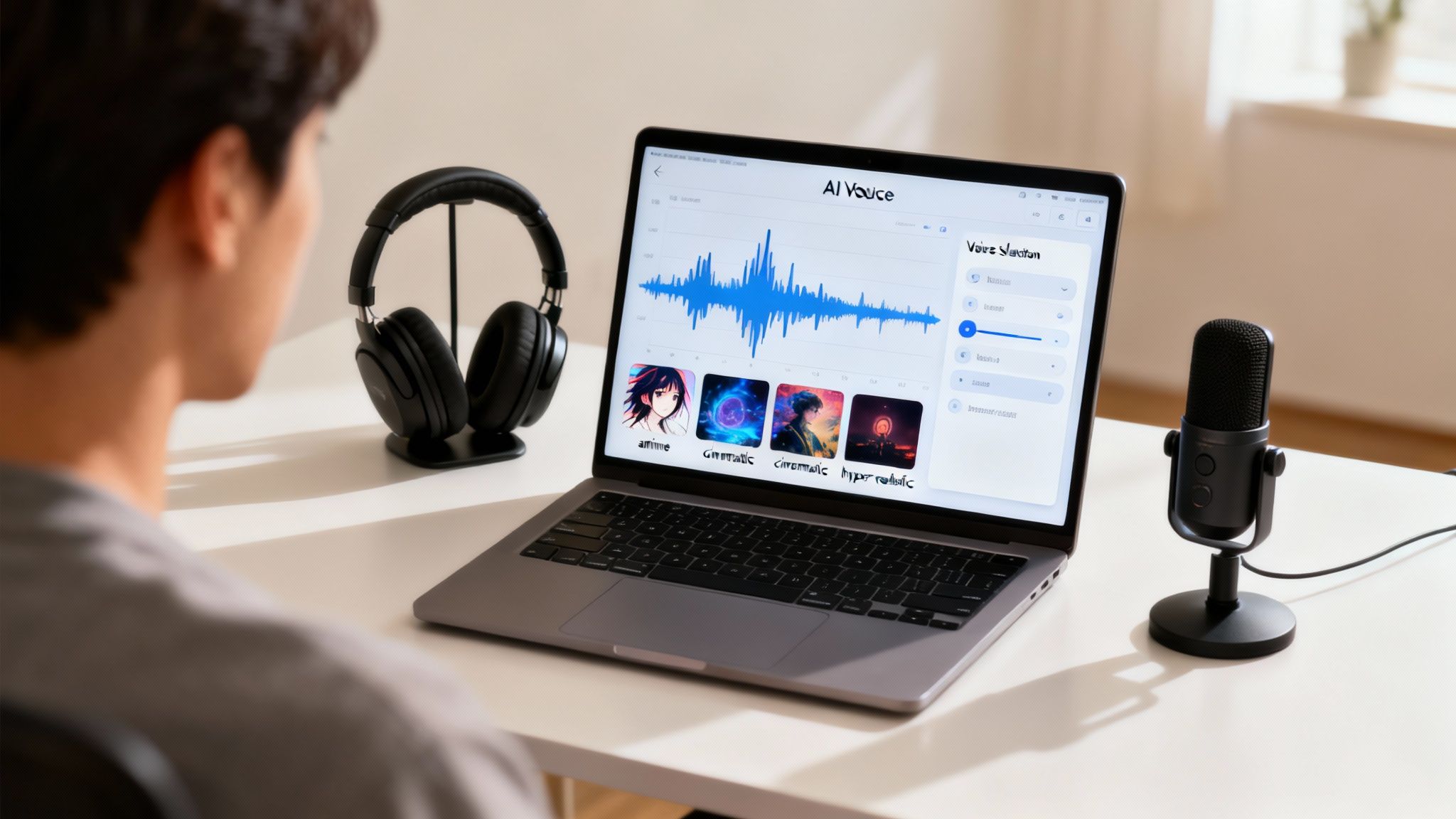
A killer concept and slick AI visuals will get you noticed, but the editing is where a good TikTok becomes an unforgettable one. Post-production is the secret sauce that turns your raw assets into a polished, high-retention video.
This is your chance to direct the viewer’s experience. You control the pace, highlight the big moments, and inject the personality that keeps them glued to the screen. The right edits don't just assemble your video; they elevate it.
Crafting Captions That Command Attention
So many users watch videos on silent, which makes your captions absolutely non-negotiable. I’m not talking about boring, static subtitles, though. To win on TikTok, you need dynamic, animated text that’s part of the visual experience.
Think of your captions as a second visual hook. They need to pop, move, and draw attention to the most important parts of your script. This does two things: it makes your content accessible and it holds the focus of viewers who might otherwise swipe away.
Here’s how to make your captions work for you:
- Emphasize Keywords: Make the most powerful words in your script a different color or a little bigger to draw the eye.
- Use Motion: Have words appear one by one, perfectly synced to your voiceover. This builds a rhythm that keeps people watching.
- Strategic Placement: Don't let your text cover the best parts of the visuals. Stick to the lower third, but don't be afraid to move it around to compliment the on-screen action.
The goal is to make your captions so engaging that people would rather watch your video than just read a block of text. Great captions are a retention tool, not just an accessibility feature.
Getting this detail right is a huge step for anyone learning how to make a TikTok video that actually performs. It shows you get how people consume content on the platform.
Layering Sound for Emotional Impact
While visuals grab attention, it's the sound that creates the mood. A silent TikTok just feels... off. Your audio needs to be more than just a voiceover; it should be a thoughtful mix of background music and sound effects that build a complete experience.
The TikTok ecosystem is a short-form video goldmine, with 272 videos uploaded every second. And with 46% of users coming to the platform primarily for entertainment, your video's pacing and hook are everything.
A few carefully chosen audio elements can completely transform how your message lands.
- Background Music: Find a track that matches your video's energy. A subtle ambient track can add a professional touch to an educational video, while a trending, upbeat song can make a simple clip feel way more exciting.
- Sound Effects (SFX): Use "whoosh" sounds for transitions, a "ding" for a lightbulb moment, or a "click" when an image appears. These small audio cues make the video feel more dynamic and alive.
- Emojis: Don't just stick them in the caption. Pop emojis on screen to emphasize an emotion or illustrate a point. A laughing emoji next to a punchline adds a whole other layer of communication.
For creators just starting out, mastering these basics is a game-changer. You can dig into more foundational techniques in our guide covering essential video editing tips for beginners.
To create truly compelling faceless videos, it's essential to understand how different editing elements work together to hold a viewer's attention. I've broken down the most critical components in this table.
Key Editing Elements for High Retention
| Editing Element | Impact on Retention | Best Practice Example |
|---|---|---|
| Dynamic Captions | Keeps sound-off viewers engaged and reinforces key messages. | Use an app like CapCut to animate words one-by-one, highlighting important phrases in yellow. |
| Quick Cuts | Prevents boredom by constantly introducing new visual information. | Change the on-screen image or clip every 2-3 seconds to maintain a fast pace. |
| Sound Effects (SFX) | Adds a layer of polish and emphasizes on-screen actions. | Add a "whoosh" for transitions or a "ding" sound effect when a new tip appears on screen. |
| Trending Audio | Leverages the TikTok algorithm to boost discoverability and reach. | Layer a popular, trending song quietly (5-10% volume) under your voiceover. |
By mastering these four elements, you're not just making a video—you're crafting an experience designed to perform well on the platform.
Mastering Pacing and Trending Audio
The final piece of a scroll-stopping edit is the pacing. TikTok moves fast. You need quick cuts and seamless transitions that never give the viewer a chance to get bored. A new visual element should hit the screen every 2-3 seconds.
This rapid pace is what keeps the brain locked in. Linger too long on one shot, and you’ll lose your audience to the endless scroll.
Finally, jumping on trending audio is one of the single most powerful ways to boost your video's reach. The TikTok algorithm actively pushes videos that use popular sounds.
- Find the Trend: Just scroll through your "For You Page" and start saving sounds you hear over and over.
- Check the Sound Page: Tap the sound to see how many videos have used it. Hundreds of thousands or millions means it's a solid trend.
- Act Quickly: TikTok trends have a very short lifespan. Use a trending sound within a few days to get the biggest algorithmic bump.
To really nail viewer engagement and make content that truly stops the scroll, check out these 8 Essential TikTok Video Editing Tips. By combining punchy captions, layered sound, fast pacing, and trending audio, you'll have all the ingredients for an edit that's engineered for performance.
Optimizing Your Post For Maximum Reach
Creating a killer video is a huge win, but the work isn't over once you hit export. Honestly, how you package and post your content is just as important as the video itself. This is the final, critical step that decides if your masterpiece gets seen by a handful of people or explodes on the For You Page.
Think of it this way: your caption, hashtags, and post time are the instructions you're giving the algorithm. You're telling TikTok exactly who needs to see this video. A weak posting strategy can completely kill the reach of even the best content.
The Anatomy Of A Perfect Caption
Your caption is way more than just a description—it's your engagement engine. While the video does the heavy lifting, a great caption is what can turn a passive viewer into an active participant in your comments section. The main goal here? Start a conversation.
One of the easiest ways to do this is to ask a question directly related to your video. If you just shared a productivity hack, a simple "What's your number one time-saving tip?" invites people to share their own ideas. This little prompt can skyrocket your comments, which is a key metric the algorithm absolutely loves.
Keep it short and punchy. That first line is everything because it's all people see before they have to tap "more." Use it to add context, double down on your video's hook, or get that engaging question in right away.
Decoding The Hashtag Strategy
Hashtags are basically signposts for the algorithm, guiding it to the right audience. A massive mistake I see all the time is either using no hashtags or stuffing the caption with generic, oversaturated tags like #fyp. The real secret is a balanced mix of broad, niche, and trending hashtags.
A smart hashtag strategy gives your video multiple ways to get discovered. Here’s a simple framework I use for every video:
- Broad Hashtags (1-2): These are high-volume tags for your general topic, like
#digitalmarketingor#healthyrecipes. They give your video a shot at reaching a huge audience. - Niche Hashtags (2-3): Now, get specific. Instead of just
#digitalmarketing, try#searchengineoptimizationor#contentstrategytips. This connects you with a smaller but far more engaged community. - Trending Hashtags (1-2): If there’s a relevant trend, jump on it. This can give your video a quick visibility boost while the sound or tag is hot.
This approach ensures you're not just shouting into the void of a massive hashtag but are also reaching the specific people most likely to care about what you made. It's a fundamental part of learning how to make a TikTok video that consistently finds its home.
Pro Tip: Don't just copy and paste the same block of hashtags on every video. The algorithm is smart. It knows when your tags don't match your content, and that can actually hurt your reach. Always tailor them to the specific video.
Timing And Consistency Are Everything
When you post really does matter. Dropping a video when your target audience is most active gives it an immediate engagement boost. That initial surge signals to the algorithm that your content is worth pushing out to even more people.
So, how do you find your golden hour? Dive into your TikTok Analytics.
- Head to your profile and tap the three lines in the top-right corner.
- Select "Creator tools," then tap "Analytics."
- Go to the "Followers" tab.
- Scroll down to the "Follower activity" section. You'll see a graph showing the exact days and hours your followers are most active.
Use this data as your guide, but don't be afraid to experiment. I like to post 30-60 minutes before the peak activity time to give the algorithm a chance to start distributing the video.
Beyond just timing, consistency is king. Sticking to a regular posting schedule—whether it's once a day or three times a week—trains the algorithm to expect new content from you. Over time, this can lead to better treatment in the feed. This is how you build real momentum.
Building a Sustainable TikTok Content Strategy
That rush of a video going viral is incredible, but what happens next? That’s what separates a one-hit wonder from a genuinely successful account. Real, sustained growth on TikTok isn't about luck—it's about building a smart, repeatable content system. This is the moment you stop just making videos and start building a brand.
The real challenge isn't just making one great video. It's creating a workflow that lets you produce quality content over and over again without hitting a wall. A solid strategy is your best defense against creative burnout and the key to keeping your audience hooked for the long haul.
Define Your Content Pillars
Before you can build a workflow, you need to know what you’re actually creating. Content pillars are the 3-5 core topics your account will consistently circle back to. Think of them as your North Star, making sure every single video you post is relevant to your niche and tells your audience exactly what to expect from you.
Let’s say you’re a personal finance creator. Your pillars might look something like this:
- Budgeting Hacks: Quick, actionable tips for saving money.
- Investing 101: Breaking down complex investment topics into simple terms.
- Debt Payoff Stories: Real-world case studies and motivational strategies.
- Side Hustle Ideas: Creative ways people can earn extra cash.
When you have these pillars defined, brainstorming becomes a thousand times easier. Instead of staring at a blank screen wondering what on earth to post, you can just ask, "What's a simple budgeting hack I can share today?" This focus not only streamlines your creation process but also cements your authority in that niche.
A well-defined set of content pillars is the blueprint for your entire TikTok presence. It gives your content direction and helps your audience understand exactly why they should hit the follow button.
Getting this clarity is the first real step toward making a TikTok video as part of a bigger, more impactful strategy, not just another random piece of content.
Master The Art Of Batch Creation
The secret to posting consistently isn't finding more hours in the day—it's about using the hours you already have way more efficiently. This is where batch creation comes in. It’s the simple idea of filming multiple videos in one dedicated session. Instead of the daily grind of planning, scripting, filming, and editing, you set aside one block of time to create a week's—or even a month's—worth of content.
Honestly, this method is a total game-changer for avoiding burnout. It lets you tap into a creative flow state, knocking out several videos while your ideas are fresh and you've got the energy for it.
Here’s what a simple batching workflow could look like:
- Idea Day: Just brainstorm. Spend an hour coming up with video ideas for each of your content pillars. No bad ideas at this stage.
- Scripting Day: Take the best ideas and flesh them out into short, punchy scripts.
- Filming Day: This is your big production day. Set aside a few hours and film all the raw footage for your planned videos.
- Editing Sessions: Break up the editing into smaller, more manageable chunks to sprinkle throughout your week.
By separating each task, you’re basically creating a mini production line for your content. It makes the whole process feel less overwhelming and far more sustainable.
Find Your Ideal Posting Frequency
The TikTok algorithm definitely rewards consistency, but "consistent" doesn't have to mean posting three times a day. The real key is finding a realistic schedule you can actually stick to without fail. If you’re just starting out, aiming to post 3-5 times per week is a fantastic starting point to build momentum.
Believe it or not, most brands are lagging behind, posting an average of just 1.7 videos per week. That’s barely eight a month. In contrast, the top 20% of brands on the platform are posting more than five times a week, and that's what's fueling their massive growth. You can dig into more benchmarks in the full 2023 report from Rival IQ.
Your goal is to find that sweet spot between quality and quantity. It's always better to post three high-quality, well-thought-out videos a week than to rush out seven mediocre ones just to hit a quota. Pay attention to your analytics, see what your audience is responding to, and let the data guide your strategy.
Common Questions About Making TikTok Videos
Once you get the hang of the basics, a few common questions always seem to pop up. Honestly, knowing the answers to these can make a huge difference in your workflow and whether your videos actually take off.
Let's cut through the noise and tackle some of the most frequent hurdles creators run into, from nailing your video length to navigating the rules around AI. Getting these right will help you create with a lot more confidence.
What Is the Ideal Length for a TikTok Video?
TikTok lets you post videos up to 10 minutes long, but don't let that fool you. The real magic, where engagement skyrockets, happens in a much shorter window. Time and time again, we see videos between 21 and 34 seconds just crush it.
Why that specific range? It’s long enough to share a quick story or a genuinely useful tip, but short enough to keep someone from scrolling away. This length respects the platform's fast-paced vibe and helps you rack up high completion rates—a metric the TikTok algorithm absolutely loves.
But this isn't a one-size-fits-all rule. The perfect length really comes down to what you’re making.
- Quick Tips or Hacks: Keep these super tight, ideally under 15 seconds. Get in, deliver the value, and get out. No fluff.
- Storytelling or Mini-Tutorials: These naturally need a bit more breathing room. The 25-45 second range is often the sweet spot.
- Deep Dives: If you're breaking down a complex idea, going over a minute can work. But you have to earn every single second of that watch time with killer pacing and visuals.
The real goal isn't to hit a specific number. It's to make your video exactly as long as it needs to be and not a second longer. If a clip doesn't add value, cut it.
How Do I Find Trending Audio for My Videos?
Jumping on a trending sound is one of the easiest ways to get a little algorithmic boost. The tricky part is finding the right audio before it's completely oversaturated. Good news—the best tools are already built into the app.
Your "For You Page" is your best friend here. As you're scrolling, just pay attention. If you hear the same song or audio clip pop up a few times in a couple of minutes, that's a huge sign it's trending. Tap the little spinning record icon at the bottom to see how many other videos have used it. If the count is in the tens or hundreds of thousands, you’re good to go.
Here's another trick the pros use: look for the tiny, upward-trending arrow next to a sound's name when you're making a video. That's TikTok literally telling you, "Hey, this sound is getting popular right now." It’s your chance to get in on the ground floor.
Can I Use AI-Generated Content on TikTok?
Yes, you absolutely can, but you have to play by the rules. TikTok has a clear policy on what it calls "synthetic media," and it all boils down to transparency and honesty. Their main goal is to stop the spread of misinformation or harmful deepfakes.
For most of us making faceless content with AI voiceovers and images, the guidelines are simple. You just have to disclose that your content is AI-generated. You can either use TikTok's built-in "AI-generated" label when you post, or you can add a hashtag like #AI or #aicontent to your caption.
Being upfront like this builds trust with your audience and keeps you on the right side of TikTok's policies. As long as you're creating original, interesting content and labeling it correctly, AI can be an incredible tool for scaling up your production.
Ready to create scroll-stopping faceless videos without the hassle of filming or complex editing? ClipShort uses AI to turn your ideas into polished TikToks, Reels, and Shorts in minutes. Generate scripts, choose lifelike voiceovers, and assemble stunning visuals—all from one simple platform. Start creating with ClipShort for free today!