
What Is TikTok Aspect Ratio a Guide to the Perfect 9 16 Format
Let's get straight to the point: the perfect TikTok aspect ratio is 9:16.
Think of it as the native language of a smartphone. It's that tall, vertical canvas that fills the entire screen, pulling viewers right into your world. Nailing this one detail is the single most important thing you can do to avoid those clunky black bars or, even worse, having TikTok chop off the best parts of your video.
Understanding The TikTok Aspect Ratio
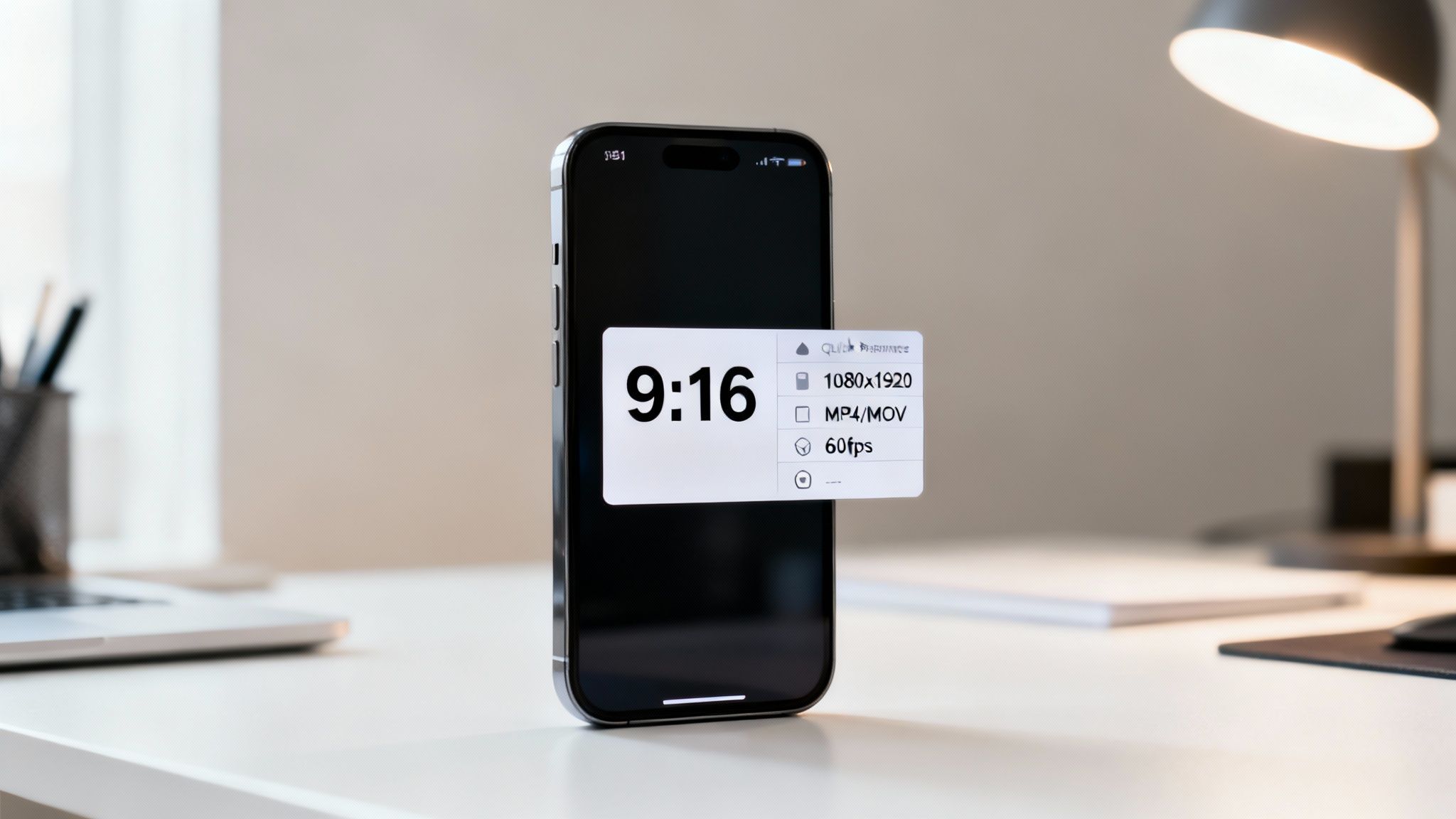
The 9:16 aspect ratio isn't just a technical spec; it's the very foundation of the modern short-form video experience. This portrait format was designed from the ground up to match how we naturally hold our phones, creating a seamless and immersive view that just works.
Since TikTok's massive rise, this vertical-first approach has completely reshaped how we think about video. It's perfectly tuned for the endless scrolling habits of its 1.5 billion global users. This format, which translates to a resolution of 1080x1920 pixels, is all about filling the screen from edge to edge to grab and hold attention.
TikTok Video Specifications at a Glance
To make sure every video you upload looks its best, it helps to have a quick cheat sheet. Here are the essential specs that TikTok’s algorithm and its audience prefer.
| Specification | Recommendation | Why It Matters |
|---|---|---|
| Aspect Ratio | 9:16 | Fills the entire mobile screen for maximum immersion, preventing black bars. |
| Resolution | 1080×1920 pixels | Delivers a crisp, high-definition viewing experience that looks professional. |
| File Type | MP4 or MOV | These are the most widely supported formats, ensuring smooth uploads and playback. |
Getting these settings right from the start is your ticket to a polished, professional look that can seriously boost your video's performance.
If you want to go deeper on this, we break down the nuances in our complete guide to vertical video dimensions. The good news? Modern tools like ClipShort are built to handle all this for you automatically. They export your videos in the perfect format every time, so you can stop worrying about the tech stuff and focus on being creative.
Why 9:16 Is the Secret to More Engagement
Let's be clear: choosing the 9:16 aspect ratio isn't just a technical box to tick. It’s a strategic move that fundamentally changes how people experience your content. Why? Because it’s built for the way we all hold our phones—vertically.
When your video fills the entire screen, it creates a powerful, immersive experience. There are no distracting black bars on the sides or other app interfaces peeking through. You command every single pixel of real estate, grabbing the viewer's undivided attention. In a world of endless scrolling, that total focus is everything. It makes your content feel personal and immediate, dramatically increasing the odds that someone will stick around and watch to the end.
Speaking the Algorithm's Language
Beyond just looking good, using the native format plays directly into TikTok's psychology. The platform is designed to keep users hooked, and videos that feel seamless and polished are the ones that do it best. When you upload a video in the proper 9:16 format, you're signaling to the algorithm that your content belongs there.
This simple alignment can give your videos a serious performance boost. The system is far more likely to promote content that offers a perfect viewing experience. Think of it this way: using the 9:16 ratio is like speaking the algorithm's native tongue.
The numbers don't lie. A massive Statista analysis of over one million clips confirmed that 9:16 videos don't just perform better—they dominate, pulling in 70% higher views on average. For creators who get this right, the results can be explosive. We've seen creators using tools like ClipShort double their engagement, with some faceless explainer videos smashing the one-million-view mark and hitting incredible 60% completion rates.
Key Takeaway: The 9:16 aspect ratio is more than just a size requirement. It builds a distraction-free bubble that holds attention, tells the TikTok algorithm your content is high-quality, and ultimately drives the views and completion rates that matter.
Mastering TikTok Safe Zones for Clear Visuals
Nailing the 9:16 aspect ratio is a great start, but it’s only half the battle. You can have a perfectly sized video that still flops because your most important visuals are hidden behind TikTok’s interface. This is where understanding safe zones becomes non-negotiable.
Think of your video screen as having invisible borders where TikTok slaps all its buttons and text. The right side is cluttered with the like, comment, and share icons. The bottom is taken up by your username, the caption, and the sound title. Any part of your video that falls into these areas is at serious risk of being completely covered up.
The Blueprint for Visibility
Your main safe zone is right in the center of the screen. This is prime real estate. It's where you absolutely must place your critical visual elements, whether that's key text, a product you're showing off, or just your face. Keeping everything important locked into this central area guarantees everyone sees it, no matter what device they're using.
This simple diagram shows why getting this right is so crucial for grabbing attention and keeping it.
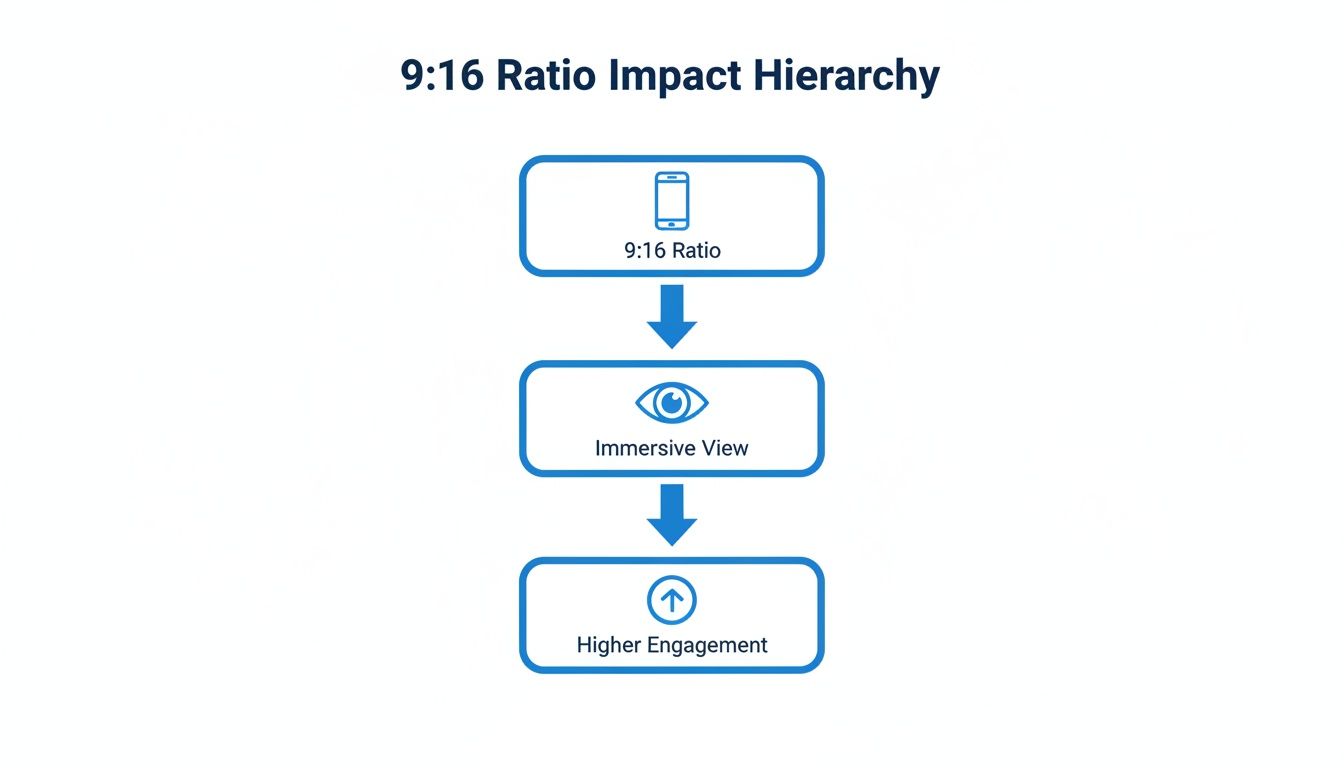
The flow is simple but powerful: a native 9:16 format creates an immersive experience for the viewer, and that immersion is what drives engagement through the roof.
By designing your videos with the UI in mind from the very beginning, you avoid those frustrating moments—like seeing your call-to-action buried under the share icon or a key subtitle blocked by your own username.
If you’re using a tool like ClipShort to add animated captions or text overlays, always preview your work with these zones in mind. It's a quick check that ensures your message comes across loud and clear.
For a deeper dive into making your vertical content pop, check out these pro TikTok video editing tips. At the end of the day, respecting TikTok's safe zones is what separates amateur content from polished, professional-looking videos that feel native to the platform.
The Problem with Using the Wrong Aspect Ratio
So, what actually happens when you upload a video that isn't in TikTok's native 9:16 format? The app tries to "fix" it for you, but its automatic adjustments can seriously tank your video's performance before anyone even sees it.
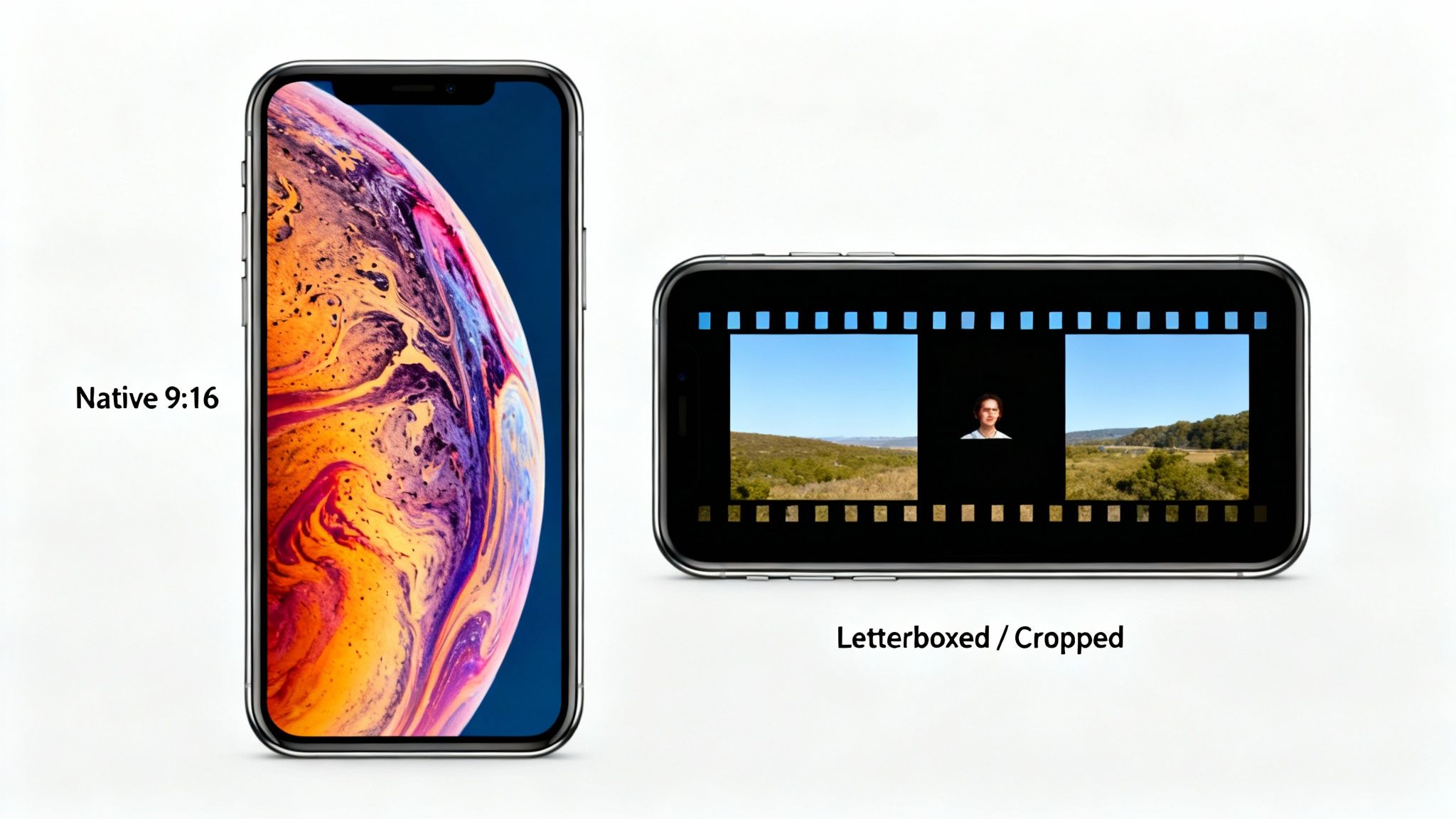
The most common penalty is letterboxing. If you upload a horizontal video, TikTok will slap big black bars on the top and bottom to force it into the vertical screen. This instantly makes your video look tiny and awkward in the immersive, full-screen "For You" feed.
For a viewer, those black bars are a dead giveaway. They scream, "This content was made for another platform, like YouTube, and just dumped here." It can feel lazy and might be all the reason someone needs to scroll right past your video.
Unwanted Cropping and Its Consequences
Another major headache is automatic cropping. If your video’s dimensions are just slightly off, TikTok might try to stretch it to fill the 9:16 frame by just chopping off the sides. This can be an absolute disaster.
Imagine the most important part of your shot—the main subject, a critical piece of text, or a key visual—getting completely cut out. All your hard work on composition is gone in an instant, and the video’s message can become confusing or just plain broken.
Key Takeaway: Using the wrong aspect ratio tells viewers your content isn't native to the platform. It either shrinks your video with distracting black bars or risks cropping out essential information, hurting engagement from the very first frame.
At the end of the day, understanding what is TikTok aspect ratio and actually using it is non-negotiable for success. If you're in a pinch, learning how to change the aspect ratio of a video can rescue your content from these common pitfalls and make sure it looks professional every time.
How to Create Perfect 9:16 Videos with ClipShort
Putting all this theory into practice should be simple, not a headache. This is where tools designed specifically for short-form content come in, automating the boring technical stuff so you can focus on being creative.
Let’s walk through how you can nail that perfect 9:16 format using ClipShort. The entire platform is built around vertical video, so you never have to guess if you’re using the correct TikTok aspect ratio. Every single project starts on a 9:16 canvas, which means your video is a native vertical from the very first click.
Step 1: Start with a Vertical Script
Everything begins with your script. Whether you write it yourself or use ClipShort’s AI to spin one up from a simple idea, the tool automatically structures the story for a fast-paced, vertical experience.
This script-first approach makes sure your narrative is optimized for the 9:16 format before a single visual is even created. It’s the foundation for a video that just feels right on a phone screen.
Step 2: Generate and Refine Your Visuals
Once your script is locked in, ClipShort generates corresponding visual scenes for you. The AI pulls in images and clips that are already formatted for the 9:16 aspect ratio, which completely gets rid of any need for manual cropping or resizing.
Of course, you have total control to swap out any scene with your own media or pick something else from the library. The important thing is that the platform holds onto the correct vertical dimensions the whole time, protecting your composition.
The real magic is how ClipShort handles on-screen elements. Things like animated captions are designed with TikTok’s interface in mind, automatically placing text within those safe zones we talked about earlier. This guarantees your message is seen and has maximum impact.
Step 3: Export with Perfect Settings
This is the final, most crucial step. After you’ve added a voiceover, picked some background music, and perfected your subtitles, it's time to export. You don’t need to mess around with confusing settings or memorize resolutions.
ClipShort has a one-click export that spits out a high-resolution 1080x1920 pixel video file. This is the gold standard for TikTok, making your content look crisp, professional, and ready for a perfect upload. By automating these steps, you can consistently pump out content that meets the ideal what is TikTok aspect ratio requirements without even thinking about it.
For creators looking to scale up their production, you can check out all the features on the ClipShort website and see just how simple it can be.
A Few Common Questions About TikTok Video Formats
Once you’ve got the basics down, a few specific questions always seem to come up right before hitting that export button. Getting these details right is often the difference between a seamless upload and a major headache, so let’s clear up a few common sticking points.
Can I Upload a Square or Landscape Video to TikTok?
Technically, yes. You can upload videos in formats like 1:1 (square) or 16:9 (landscape), but I’d strongly advise against it. When you do, TikTok automatically adds black bars—either on the top and bottom or the sides—to force your video into the vertical screen.
This immediately shatters the immersive, full-screen experience users come to TikTok for. Those black bars are a dead giveaway that the content was made for another platform, which can make your video feel out of place and less engaging. For a professional look and the best possible performance, stick with 9:16 every single time.
What Is the Best Resolution for a 9:16 TikTok Video?
The gold standard for TikTok is 1080x1920 pixels. This is your standard Full HD, and it ensures your video looks sharp and crisp on any modern smartphone.
While you can get away with lower resolutions like 720p (720x1280 pixels), you should really make 1080p your default export setting. It locks in the highest visual quality TikTok supports and helps you avoid nasty compression that can ruin all your hard work. Don't bother with 4K, as TikTok will just downscale it anyway.
Key Takeaway: The sweet spot is 1080x1920 pixels. It looks amazing, doesn't create an unnecessarily huge file, and strikes the perfect balance for the platform.
Is the TikTok Aspect Ratio the Same for Reels and Shorts?
It is! The 9:16 aspect ratio is the universal language of short-form video, spoken fluently across TikTok, Instagram Reels, and YouTube Shorts. This is great news because it means you can easily repurpose your content without having to re-edit everything from scratch.
But here’s the one catch you need to remember: the safe zones. While the screen size is the same, the spot where usernames, captions, and like/comment buttons live can be slightly different on each app. Always give your video a quick preview on every platform to make sure the user interface isn't covering up any of your important text or visuals.
Ready to stop worrying about aspect ratios and export settings? ClipShort automates the entire process, creating perfectly formatted 9:16 videos with AI. Generate scripts, add voiceovers, and export viral-ready content in minutes. Start creating smarter at https://www.clipshort.co.