
What Makes a Viral Video That Spreads Like Wildfire
A viral video acts like a finely tuned four-cylinder engine.
Each cylinder delivers a critical boost—emotional connection, narrative drive, editing rhythm, and algorithm signals. When all parts fire together, your clip picks up speed and spreads organically.
Core Drivers Of Viral Videos
Imagine building a car where every component must perform perfectly. In the world of short-form content, these four forces power your viral journey.
Essential Ingredients At A Glance
- Emotional Hooks tap into feelings like joy, surprise, or nostalgia to encourage shares.
- Storytelling Arcs provide a clear path—from setup to payoff—that keeps viewers invested.
- Pacing Edits control the tempo with well-timed cuts and transitions to prevent watch-time drop-off.
- Algorithm Cues use early likes, comments, and shares to signal platforms and amplify reach.
73% of viewers share content that triggers an emotional response.
This stat proves emotion often serves as the spark plug in your viral engine.
To see how these parts interact, take a look at the visual blueprint below.
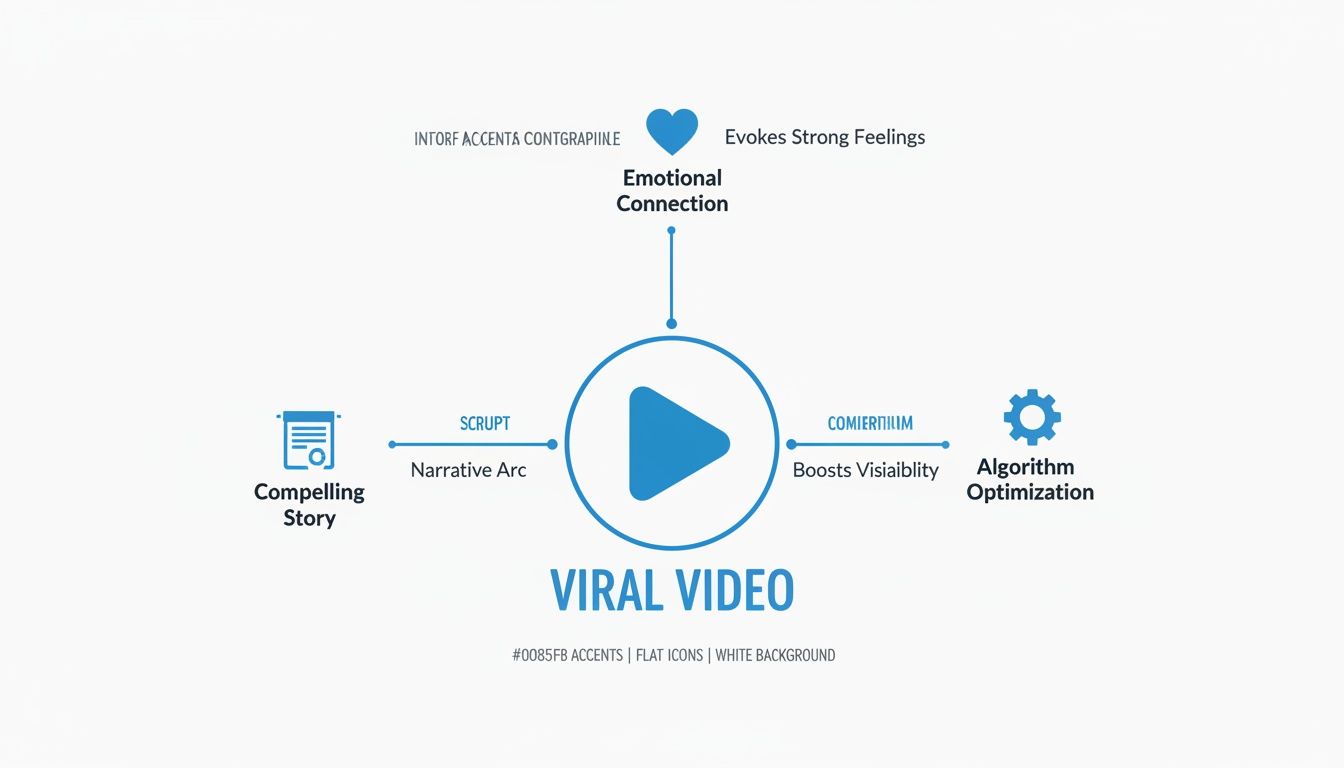
Think of emotion as the spark plug, story as the fuel, editing as the transmission, and algorithm signals as the turbocharger. Check each one before you hit record to catch gaps early.
Summary Of Viral Video Elements
Below is a quick breakdown of each element and the role it plays:
| Viral Element | Description | Why It Matters |
|---|---|---|
| Emotional Hooks | Triggers that tap into joy, surprise, or nostalgia | Sparks shares and builds early momentum |
| Storytelling Arcs | A clear beginning, middle, and end that guides viewers | Keeps people watching from first frame to last |
| Pacing Edits | Strategic cuts and pauses to maintain a brisk tempo | Reduces drop-off and sustains viewer engagement |
| Algorithm Cues | Early engagement signals (likes, comments, shares) | Boosts distribution and taps into platform trends |
Keep this table handy as a reference during scripting and editing. It turns theory into a practical checklist.
Checklist
- Emotional Hooks
- Storytelling Arcs
- Pacing Edits
- Algorithm Cues
Understanding Key Viral Concepts
Think of short-form mobile videos as digital amuse-bouches: quick hits that satisfy curiosity in seconds. Their compact design syncs perfectly with on-the-go scrolling and attention spans that seem to shrink by the day.
In practice, a 30-second clip can outshine a ten-minute deep dive simply by delivering instant rewards. That lightning-fast payoff often becomes the secret sauce behind anything that truly takes off.
Then loopable clips enter the scene like an irresistible jingle, inviting viewers to hit replay again and again. Each rewind sends a clear thumbs-up to the algorithm, helping your content climb higher in people’s feeds.
“Concise, repeatable formats spark rapid viewer engagement and algorithmic promotion.”
Mobile Video Dominance
By 2025, videos will account for roughly 82% of all internet traffic, with mobile short-form content leading the charge. Learn more about video marketing trends in these findings on Teleprompter.com.
That shift means creators need to think in 15–90-second bursts. Platforms reward clips that hook you immediately and loop like a well-crafted jingle.
High-performing videos share three key traits:
- Strong Hook in the first two seconds to grab eyeballs.
- Loop-Friendly Edits that hide seams and encourage rewatches.
- Visual Punctuation such as quick cuts or playful overlays to keep momentum high.
These building blocks satisfy both the viewer’s craving for novelty and the algorithm’s hunger for engagement.
Viewing Habits And Algorithm Rewards
Most of us check apps in short bursts—waiting for coffee, riding the subway, or during quick breaks. Platforms notice when your content keeps someone watching, even for an extra second or two.
Delivering snackable, loopable clips boosts completion rates and early engagement metrics, like shares and comments. This “watch-it-again” behavior directly translates into stronger recommendation signals.
Add in a catchy sound hook, and you’ve got a recipe for shares and remix-friendly clips that ripple across the platform.
Case Study Example
Consider a beauty creator who posted a 20-second makeup transition clip designed to loop flawlessly. Viewers returned to watch it 4 times on average, and TikTok’s recommendation engine rewarded that with 10M views in just 48 hours.
When you treat each second like a snack and every view as a nudge in the algorithm, your creative decisions become intentional. Suddenly, every cut, sound effect, and transition serves a purpose—no more guessing games.
That’s the power of understanding the viral formula: it turns wild experimentation into a strategic playbook.
Identifying Emotional Triggers
Getting viewers to stop scrolling starts with an emotional spark. Imagine triggering a moment of suspense or delight that makes someone hit share. That single second of connection can turn passive browsing into active engagement.
When something genuinely surprising pops up, it catches attention and sets the stage for deeper involvement. It’s like steering a conversation into an unexpected twist.
Powerful Emotional Triggers
- Surprise: An unexpected turn that snaps attention into place.
- Awe: A jaw-dropping moment or fact that leaves viewers wide-eyed and eager to share.
- Humor: A quick, relatable gag or joke that invites a laugh and a tag.
- Social Utility: A tip, hack, or challenge that feels worth spreading across communities.
Formats like challenges, duets, and user-generated spins transform viewers into collaborators. Authentic voices build trust and spark genuine reactions.
Emotion relatability and user participation drive shareability producing share rates several times higher than neutral content when formats invite participation. Read the full research about viral video trends in 2025
Using ClipShort To Amplify Triggers
ClipShort makes it easy to dial up the mood with ready-made scene styles. You can tweak pacing or swap music to sharpen that burst of surprise or awe.
Auto-script and caption templates let you churn out multiple versions in minutes. Then you can A/B test to see which phrasing hits hardest.
- Swap between upbeat and dramatic soundtracks
- Adjust clip length to match emotional peaks
- Use caption presets that highlight your key message
For more ideas, check out our guide on creating engaging social media content.
Step By Step Emotional Hook Sequence
1. Identify Core Emotion
Match the feeling to a visual or audio cue.
2. Craft a Concise Hook
Surprise or intrigue within the first 2 seconds.
3. Apply Scene Styles
Choose presets that reinforce your chosen emotion.
4. Generate and Test Captions
Use auto-caption tools to compare impact.
This loop of rapid creation and testing refines each emotional hook. ClipShort’s automation lets you iterate in minutes.
Finally, select a voiceover that mirrors the tone you need. ClipShort offers over 50 accents and pacing options to nail the perfect mood.
Crafting a Story That Hooks Viewers

You’ve got just a heartbeat before someone scrolls past. A hook that lands within 2 seconds acts like a magnet, stirring enough curiosity to stop thumbs in their tracks.
Once you’ve captured that fleeting interest, it’s time to layer in tension. Introduce a scenario or character with a simple visual metaphor—imagine a ticking clock to dial up the urgency.
Lock in your narrative with a clear outline:
- Hook with a striking action or question
- Introduce characters and context
- Raise stakes in the middle
- Deliver an emotional payoff
Structure Map
Mapping a four-part story keeps you focused. Start with an opening shot that poses a question or drops an unexpected twist.
“The first 10 seconds often decide if someone stops scrolling.”
That quote nails why framing matters. In just a few words, you can hint at a backstory. Relatable characters might be as simple as silhouettes or emojis in a 15-second clip.
As the story unfolds, tension builds toward an emotional peak. That’s your share trigger—whether it’s a surprise reveal or a heartfelt reaction.
Tactical Elements
A few pacing tricks can elevate your storyline. Consider:
- Quick cuts leading up to the peak to keep energy high
- A clear visual payoff that eases tension instantly
- A direct call to action, like an emoji reaction or a text prompt
Wrap things up with a payoff that loops back to your initial hook. This tight cycle invites rewatches and embeds your clip in viewers’ minds.
Implementing With ClipShort
ClipShort brings these narrative beats to life with built-in tools:
- Auto-scripts generate precise hooks in seconds
- Scene styles let you switch between cinematic drama or playful comic vibes
- Caption templates spotlight key lines and boost accessibility
- Voiceovers add warmth and personality when you’d rather stay off camera
Try this workflow:
- Use auto-script for a two-second hook
- Select a dramatic scene style for rising action
- Add a bold caption template at the emotional peak
- Apply a friendly voiceover to narrate your payoff
With analytics at your fingertips, swapping hooks or tweaking pacing takes minutes. ClipShort’s rapid editing loop ensures every frame counts toward making your video share-worthy.
Use the table below to align story beats with ClipShort tools.
| Story Beat | ClipShort Feature | Viewer Impact |
|---|---|---|
| Hook | Auto-script | Immediate curiosity |
| Tension | Scene styles | Visual immersion |
| Payoff | Caption templates | Memorable message |
This quick reference turns abstract ideas into clear action. Now you have a playbook for compact narratives that invite rewatches and shares.
Share this framework now.
Optimizing Video Format And Pacing
Finding the sweet spot for clip length is like tuning a guitar—too tight or too loose, and the melody falls flat. Short-form videos under 30 seconds often hit a 75% completion rate, while the 60–90 second window lets you dive deeper without losing interest. It all comes down to precision timing on every cut.
Loop points are your secret weapon. Think of them as gentle nudges that guide viewers right back to your opening shot. Drop in a matching frame or a quick visual wink at the end and you could see rewatch rates climb by 30%.
Editing is where the magic happens. Fast cuts that mirror the beat inject energy, while slow reveals tease fresh details. When you align scene changes with music peaks, anticipation stays sky-high.
Below, you’ll find a quick reference showing how duration impacts completion and rewatch trends.
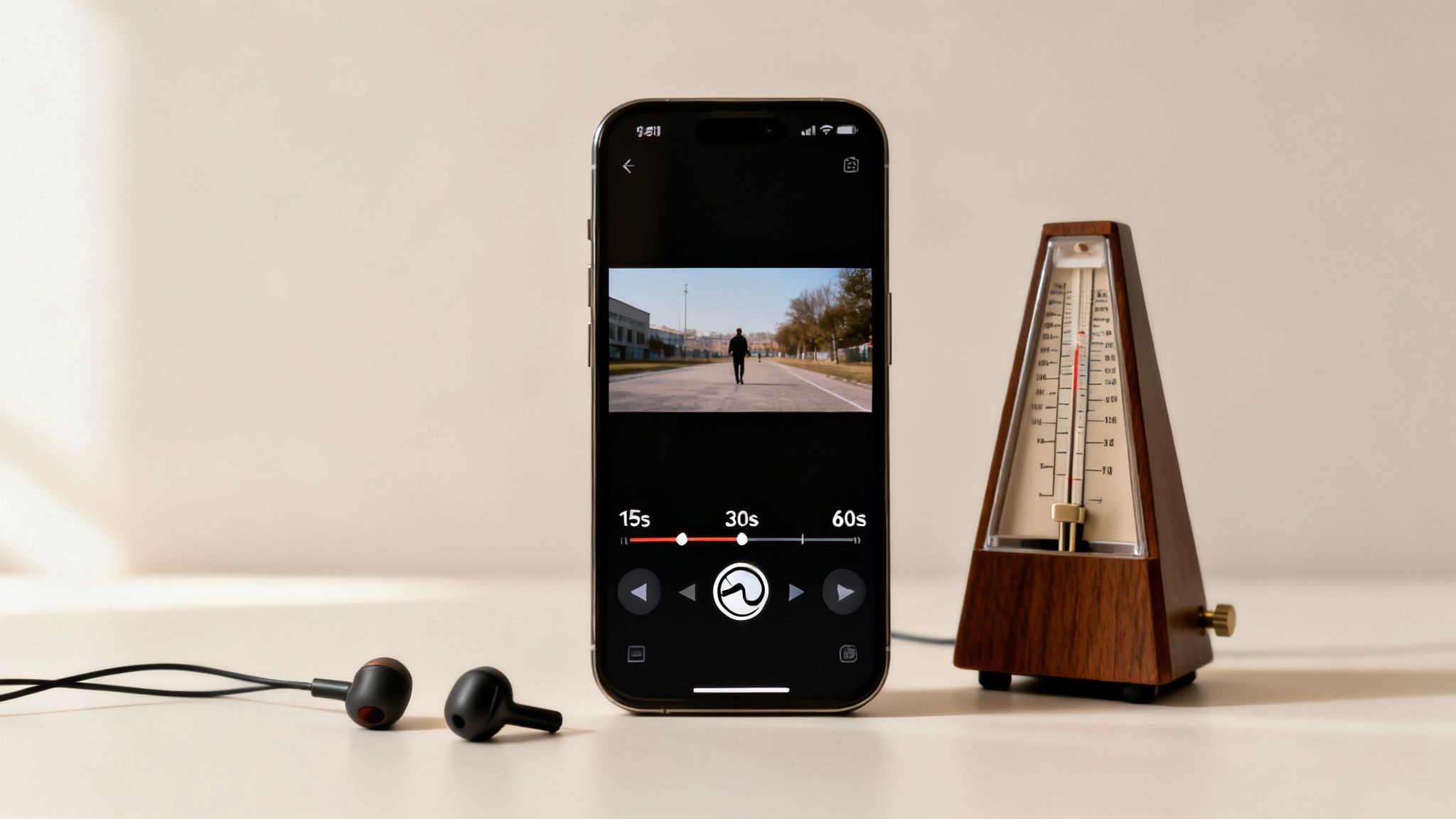
Comparison Of Video Lengths And Completion Rates
Here’s a snapshot of how different clip durations perform in the wild:
| Duration | Average Completion Rate | Average Rewatch Rate |
|---|---|---|
| 15 seconds | 90% | 35% |
| 30 seconds | 75% | 25% |
| 60 seconds | 60% | 20% |
| 90 seconds | 50% | 15% |
This table highlights when to hold a shot for impact—and when to cut away to keep curiosity burning.
Ideal Clip Lengths And Loop Points
Choosing the right length depends on your story. A quick how-to might thrive at 45 seconds, whereas a punchy joke often lands best under 20 seconds. To seal the deal on repeat views, pair your final frame with the first or drop a beat-matched audio cue.
ClipShort’s scene styles take the guesswork out of pacing. Pick an action, comedy, or drama template and watch your edits snap into rhythm. Meanwhile, the auto-script feature trims your dialogue so each line hits a natural loop point.
- Rapid-fire cuts lasting 0.5–1 second to lock in attention
- Beat-matched transitions that line up with your soundtrack
- Progressive reveals that reward viewers every time they hit replay
- Review audience data to pick your target duration
- Generate a concise script with Auto-Script
- Apply a Scene Style that fits your mood
- Fine-tune cuts in waveform view to sync with music
“Timing and pacing are the twin engines that keep viewers watching.”
Combine these tactics with ClipShort’s toolkit and you’ll convert casual scrollers into repeat viewers.
Check out our guide on vertical video dimensions to make sure your edits look great anywhere.
Automating Pacing With ClipShort
ClipShort’s timeline smoothly adapts each scene to your chosen length—trimming or extending by milliseconds. The built-in voiceover pacing tool then locks narration to your visuals so you don’t have to wrestle with manual tweaks.
By blending these format and pacing strategies, your videos will grab attention, drive rewatches, and spark shares—every single time. Start fine-tuning those cuts for maximum impact.
Leveraging Platform Signals And Distribution
Algorithmic boosts often hinge on early viewer actions. When a video lands with a flurry of engagement minutes after upload, platforms take notice. It’s like dropping a hot track at a party—if everyone rushes the dance floor, the DJ plays it on repeat.
Rapid engagement velocity—how quickly a video racks up views, likes, and shares—often predicts whether it catches fire. One study puts that first-hour interaction at around 80% of a clip’s ultimate viral power. Platforms zero in on metrics like watch-through rate and like/share ratio almost immediately. Read the full research about rapid engagement Find out more on Bluehost.com
Views, likes, comments and shares each whisper a different signal to the algorithm.
- Views map out your instant reach
- Likes signal positive sentiment
- Comments spark conversations
- Shares send your clip marching into new circles
“Early momentum can trigger algorithmic boosts within minutes.”
Tracking Early Engagement
Timing is everything. Posting when your audience is most active can light the fuse faster. For many creators, around 5 PM local time on weekdays lines up with the post-work scroll session.
Try this quick recipe to fire up interaction:
- Pick a caption template that asks viewers to chime in or tag friends
- Record a custom voiceover inviting people to share their thoughts
- Hit publish at peak hours for your community
Check out our guide on Instagram Reels best practices for more timing strategies.
Showing up consistently also builds trust. Platforms tend to favor creators who stick to a regular schedule by granting extra visibility to their new uploads.
Extending Reach With Repurposing
A single video can become multiple hits across different platforms. Think of it as baking a cake and sending each slice to a new party—every piece gets a fresh crowd.
- Turn your core script into a 15-second TikTok teaser
- Swap in new audio for Instagram Reels
- Add clickable end cards on YouTube Shorts
Community prompts—like asking followers to duet or stitch—can reignite interest days after launch.
ClipShort makes this easy with scene styles that automatically adjust visuals for each platform. Caption templates shift to the ideal reading speed in seconds.
By engineering that first burst of attention and layering on repurposing tactics, you’ll see exactly how the viral gears mesh. Use these steps to keep your momentum rolling.
Monitoring Performance
Tracking the right metrics is like reading the play-by-play of your video’s journey. ClipShort’s analytics dashboard lays out watch-through rates and comment growth in real time.
Focus on:
- Watch-through rate improvements over days
- Uplifts in comment-to-view ratios
- Share velocity within the first hour
Set aside time each week to revisit your data. Tweak upload slots, fine-tune captions, and experiment with different voiceover styles for a more predictable boost.
Real World Examples And ClipShort Integration
A 20-second cooking hack cracked through the noise when a simple cheese pull moment scored 15 million views. In just two seconds, that gooey stretch surprises and delights, sparking shares and comments before you know it.
Analyze its anatomy and you’ll see:
- Emotional Pivot: the reveal of molten mozzarella
- Pacing Trick: snap-to-focus on key melt points
- Story Arc: setup, reveal, payoff—all in under 20 seconds
- Algorithm Signal: early likes jumped 30% within ten minutes
That blend of emotion and momentum is the secret sauce behind a viral hit. With ClipShort’s Auto-Script, you can instantly whip up that tight setup and reveal—no writer’s block required. Then pick a Scene Style for polished, consistent visuals.
Prefer to stay off-camera? ClipShort’s voiceovers bring a warm, playful tone to your cheese pull, boosting watch-through rates by 25%.
Key Insight Emotional triggers can double your early retention.
Reverse Engineering A Comedy Clip
A fitness creator landed 1.2M likes on a 15-second gym prank by weaving humor and surprise. It kicked off with a twist—just as the prankster faked a weight drop, the camera cut away at the perfect moment, driving replays through the roof.
Key ingredients:
- Quick Hook: grabs attention in the first second
- Rising Tension: unexpected misdirection builds suspense
- Instant Payoff: reaction synced with a sound cue
- Caption Prompt: invites viewers to tag a friend
With ClipShort’s Scene Style Library, you can apply comedic-timing presets in a click. Use Auto-Captions to highlight punchlines and layer in a voiceover for that extra dash of personality.
Step By Step Replication With ClipShort
- Open Auto-Script and craft a crisp two-second hook.
- Choose a Scene Style that matches your chosen vibe.
- Add a Voiceover from over 50+ accents.
- Drop in a Caption Template to spotlight your payoff.
- Preview and export—all in under five minutes.
This workflow turns viral theory into real-world actions. As you iterate, you’ll dial in exactly what clicks with your audience. Ready to scale your short-form content? Give ClipShort a spin and watch your engagement soar.