
How to Scale Content Creation Without Sacrificing Quality
If you want to scale your content, you need a system. A repeatable, predictable process that combines sharp strategy with smart workflows, a bit of automation, and a solid distribution plan.
The whole idea is to stop making content one video at a time and start thinking like an assembly line. It’s how you get to a place where high-quality content comes out like clockwork. This is the only way to pump up your volume without letting the quality slip.
The Modern Playbook for Scaling Content
Let’s be honest—algorithms on platforms like TikTok and Instagram Reels reward you for showing up consistently. The old way of pouring your soul into one video a week just doesn't cut it anymore. The pressure to create more, and faster, is real.
A lot of creators and brands get nervous here. They think scaling up means watering down their content, but that’s a huge misconception. True scale comes from building a resilient ‘content engine.’ You're not working harder; you're just working smarter within a framework you’ve already built.
This whole playbook boils down to a single mindset shift: Stop treating content creation like an art project and start treating it like a manufacturing process. This doesn’t kill creativity. It actually frees it up by building a reliable structure around it, getting rid of all the bottlenecks and decision fatigue that slow you down.
The Four Pillars of a Content Engine
So, how do you actually build this engine? It all rests on four key pillars. If you can get a handle on each of these, you’ll have a system that churns out great content without burning you out.
To make this crystal clear, here’s a breakdown of what really matters when you're trying to scale your output without losing your mind.
Core Pillars of Scalable Content Creation
| Pillar | Objective | Key Actions |
|---|---|---|
| Systemize Your Strategy | Create a repeatable blueprint for all content. | Define content themes, create templates, identify audience pain points. |
| Batch Your Production | Maximize efficiency by grouping similar tasks. | Film multiple videos at once, write all scripts in one session, edit in blocks. |
| Automate with AI | Use technology to handle repetitive, time-consuming work. | Generate ideas with AI, create voiceovers, find B-roll, assemble clips. |
| Amplify Your Distribution | Ensure every piece of content reaches its full potential. | Repurpose clips for different platforms, schedule posts, track performance. |
Each of these pillars supports the others. A solid strategy makes batching easier, and AI automation makes both of those processes faster. Finally, a smart distribution plan ensures all that hard work actually gets seen.
Let’s dig a little deeper into what these pillars look like in practice.
Breaking Down The Pillars
-
Systemize Your Strategy: This is your North Star. It’s where you define your core content topics, figure out what your audience actually wants to see, and create repeatable formats you can lean on again and again.
-
Batch Your Production: Forget the daily grind. Batching means you do all similar tasks together. You’ll write all your scripts in one sitting, record all your raw footage in another, and then edit everything in a third session. It's a game-changer for focus and cuts down on the mental gymnastics of switching between different kinds of work.
-
Automate with AI: Tech is your best friend here. Use AI tools to do the heavy lifting—things like brainstorming script ideas, generating voiceovers with tools like ClipShort, finding the right stock footage, or even putting together rough cuts of your videos.
-
Amplify Your Distribution: Making the content is just step one. A scalable system also has a plan for getting it out there, repurposing it for different channels, and analyzing how it performs to make your next batch even better.
The goal isn't just to make more stuff. It's to build a machine that reliably spits out content that works, freeing you up to focus on the big-picture strategy and talking to your community.
This systematic approach is critical, especially when you look at the numbers. The global digital content creation market is on track to hit USD 69.8 billion by 2030, and that growth is fueled by the very tools that make this kind of high-volume production possible.
Of course, before you can scale anything, you have to master your content marketing strategy—that's the blueprint that all your scaling efforts will be built upon.
Building Your Content Assembly Line
Alright, let's get practical. To really scale your short-form video, you need to stop thinking post-by-post and start building a system. Think of it like a content assembly line—a repeatable process designed from the ground up to be ruthlessly efficient and consistent. This is how you kill the "what do I post today?" panic for good.
First things first, you need to define your core content pillars. These are the big-picture themes your brand is going to own. Forget one-off ideas. Pillars are the well you'll draw from over and over again.
Let's say you're a fitness brand. Your pillars might be:
- Nutrition Tips: Simple, actionable advice on healthy eating.
- Workout Routines: Quick, no-equipment-needed exercise guides.
- Mindset & Motivation: Inspiration and mental hacks for staying on track.
From Pillars to Sub-topics
Once you've got your pillars locked in, you break them down into specific sub-topics. This is the magic step where your content calendar practically writes itself. A single pillar can easily generate dozens of ideas, giving you a massive backlog to pull from anytime.
That "Nutrition Tips" pillar? It can branch into sub-topics like "High-Protein Breakfasts," "3-Ingredient Post-Workout Snacks," or "Debunking Diet Myths." Each one of those can fuel a whole series of videos.
The secret to scaling content isn't just having great ideas; it's building a machine that spits out great ideas for you. Pillars and sub-topics turn brainstorming from a creative struggle into a predictable, low-effort task.
This entire approach gives you a clear roadmap from broad strategy all the way down to a specific video, making sure every single thing you create actually supports your goals.
Here’s a simple look at how this process flows from one stage to the next.
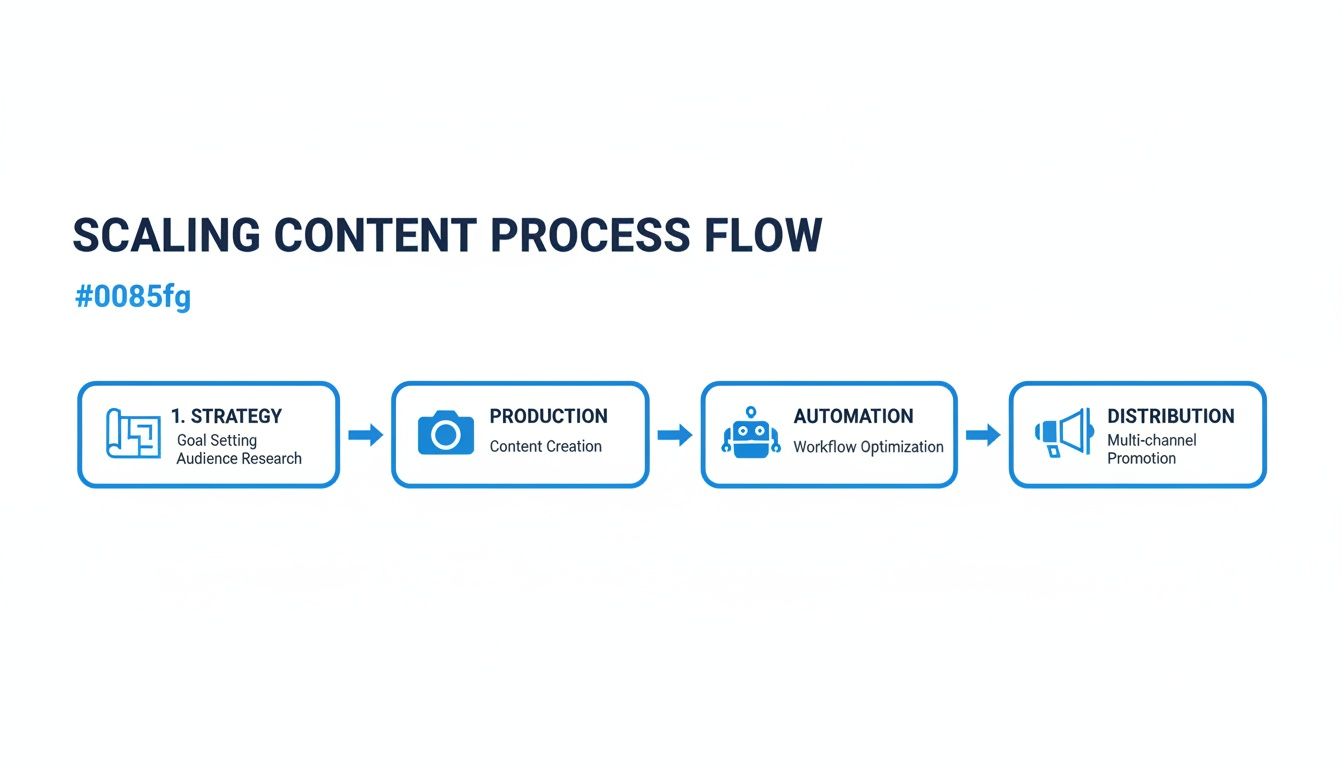
As you can see, a solid strategy is the foundation. It makes production efficient, which then allows automation to speed things up and distribution to amplify your reach.
The Power of Repeatable Formats and Templates
With your topics mapped out, the next layer of your assembly line is all about repeatable formats and templates. Honestly, this is probably the most important part of achieving real scale. By standardizing your creative, you slash the number of decisions you have to make for every piece of content.
Your templates should cover everything:
- Hook Formulas: A list of 5-10 proven opening lines to grab attention. Think "You're making this huge mistake..." or "Here's a secret that the pros don't tell you..."
- Script Structures: A simple, reusable outline. A classic is: Hook -> Problem -> Solution -> Call to Action.
- Visual Styles: Consistent fonts, color palettes, and graphic styles that make your content instantly recognizable.
- Caption Designs: Pre-made templates for your video text and social media post descriptions.
For this assembly line to run smoothly, it's absolutely critical that these processes are written down. That means documenting clear Standard Operating Procedures (SOPs) that anyone on your team can follow.
Real-World Example: A Faceless Finance Channel
Let's look at how this works for a "faceless" finance channel on YouTube Shorts that wants to post a new video every single day. Trying to create a totally unique video from scratch daily is a recipe for burnout. Instead, they build an assembly line.
1. Content Pillars Are Defined Their whole channel is built on just two pillars:
- Investing Myths: Busting common misconceptions about the stock market.
- Quick Financial Tips: Simple, actionable money advice.
2. Templates Are Created for Every Step They create a rigid set of templates that makes production a breeze:
- Script Template: Every single script follows the same 3-part structure: a controversial statement (the hook), a 30-second explanation with data, and a final tip.
- Voiceover Style: They use a consistent AI voice with a specific calm, authoritative tone. No guesswork.
- Visual Template: Videos always use a dark background, white and green text, and simple animated icons. It's their signature look.
- Caption Template: Every YouTube description has the same set of relevant hashtags and a link to their newsletter.
By building this system, the creator's job is no longer "think of a new video idea." It's "fill in the template." They can easily write 15 scripts in an afternoon because the structure is already decided. This system is the engine that makes a daily posting schedule not just possible, but manageable.
Planning this out in advance is key, which is why we built a complete guide on creating an Instagram content calendar template that you can easily adapt for any platform.
Mastering the Art of Batch Production
Once your content pillars and templates are locked in, the single biggest lever you can pull for scaling output is batch production. This isn't just a small tweak; it's a complete shift away from the chaotic, piece-by-piece daily grind. You'll focus your energy on one specific task for a dedicated block of time, letting you hit a state of flow that massively boosts both speed and quality.
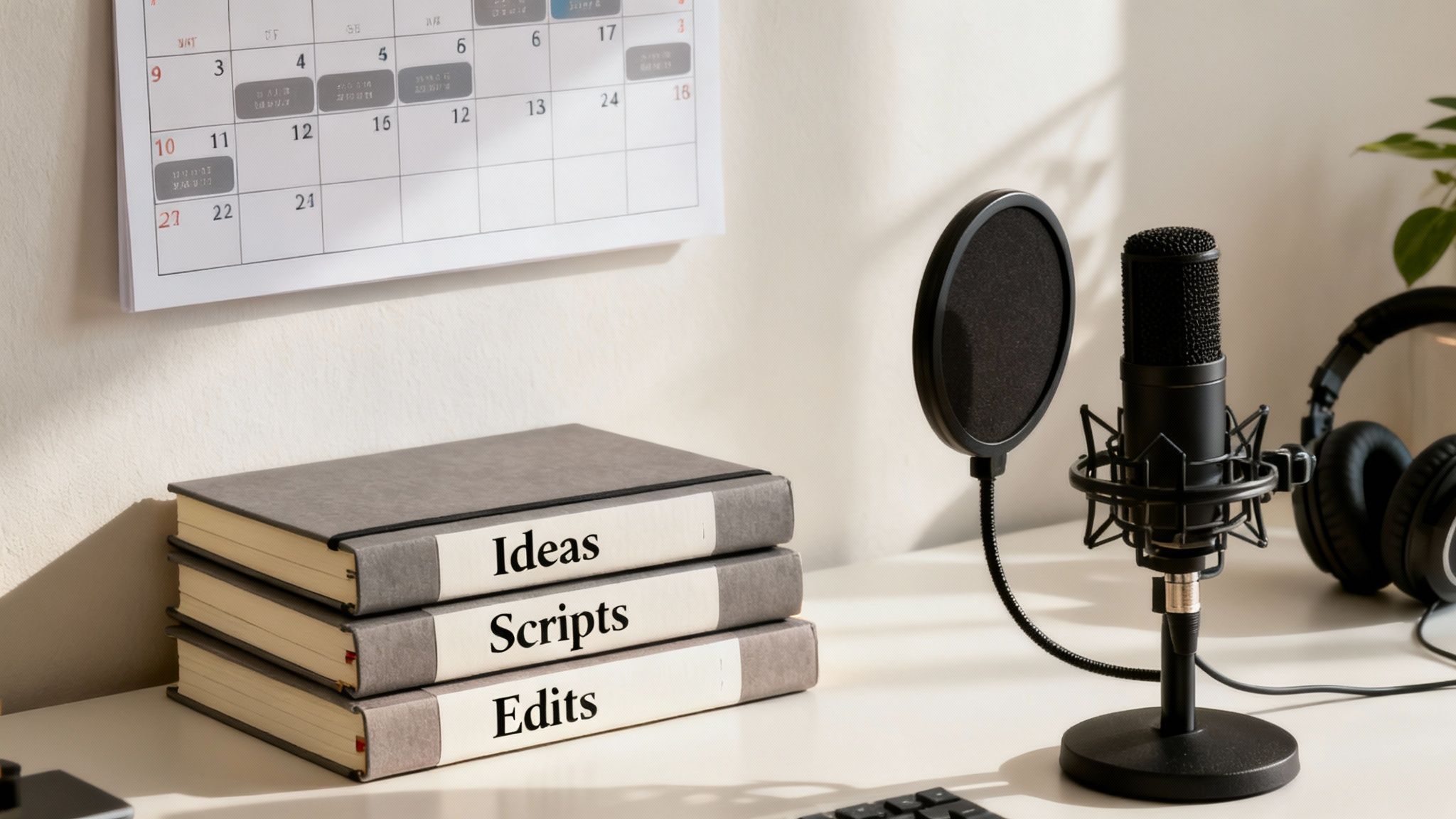
Think about it like this: an assembly line is infinitely more efficient than a single mechanic building a car from scratch. The mechanic is constantly switching tools, tasks, and mindsets—it's slow and draining. The assembly line, on the other hand, groups similar tasks together. That’s precisely what batching does for your content.
Breaking Down Your Batching Workflow
To really nail batch production, you have to break your entire process into distinct phases. Each phase gets its own dedicated work session. This lets you build momentum without the mental whiplash of context switching. It's how you go from struggling to make one video a day to cranking out a week's worth of content in the same amount of time.
I like to break the workflow into four core stages:
- Idea Generation & Research: This is your brainstorming block. Set a timer and do nothing but come up with ideas, research topics, and find interesting angles that fit your content pillars.
- Scriptwriting & Outlining: With a list of solid ideas, you move on to writing. In this session, your only job is to flesh out those ideas into scripts using your templates.
- Asset Creation: Now it's time to gather your media. For faceless creators, this is when you'd generate all your voiceovers, find B-roll footage, or create any graphics you need.
- Editing & Scheduling: The final assembly. You'll edit all your videos, add captions, and get them loaded into your content calendar for publishing.
Separating these tasks isn't just about organization; it's about optimizing your brain. The creative energy needed for writing is totally different from the focused, detail-oriented mindset needed for editing. Batching lets you live in one headspace at a time.
A Practical Batching Schedule in Action
So what does this look like in the real world? Let's say your goal is to produce 15 short-form videos for the next two weeks. Instead of a daily scramble, your week could be structured like this:
- Monday Morning (2 hours): Idea Batching. You dive into your "Investing Myths" pillar and hammer out 20 potential video ideas. A quick research pass helps you validate them and pick the top 15.
- Tuesday (4 hours): Scriptwriting Sprint. With your ideas finalized, you dedicate a solid block of time to writing. Since you're using a script template, you're just filling in the blanks. All 15 scripts, done.
- Wednesday (3 hours): Asset Creation. This is where you let technology do the heavy lifting. You can use an AI tool like ClipShort to generate all 15 voiceovers in your brand voice and even assemble the initial visual sequences for each script.
By the end of Wednesday, you're done with the hardest, most creative parts. You've just turned a two-week content marathon into a focused, three-day sprint. Now your time is freed up for strategy, community engagement, and actually analyzing what's working.
This is the system you need to stay competitive. Short-form video is king, and research shows that business videos under two minutes get 2.5× more engagement. That puts massive pressure on creators to produce a high volume of quality content. You can dig into more of these content creator statistics to see why scaling is no longer a choice.
Why Batching Unlocks True Scale
The real magic of batching is that it kills decision fatigue and slashes setup time. Think about it: every time you write a single script, you have to open your software, get into a creative headspace, write, and then shut it all down. When you write 15 scripts back-to-back, you only pay that "startup cost" once.
That efficiency multiplies at every single stage of the process. The result is a predictable, low-stress system that produces more content at a higher, more consistent quality. It’s the foundation for anyone serious about learning how to scale content creation.
Using AI and Automation to 10x Your Output
Once you've got a solid batching system down, it's time to pour some jet fuel on the fire. That's where AI and automation come in. This isn't just about shaving a few minutes off your workflow; it's about completely changing the game in terms of time and effort.
Think of AI as a powerful assistant, not a replacement for your creativity. Its job is to crush the repetitive, time-sucking tasks, freeing you up to focus on the big-picture strategy and coming up with killer ideas.
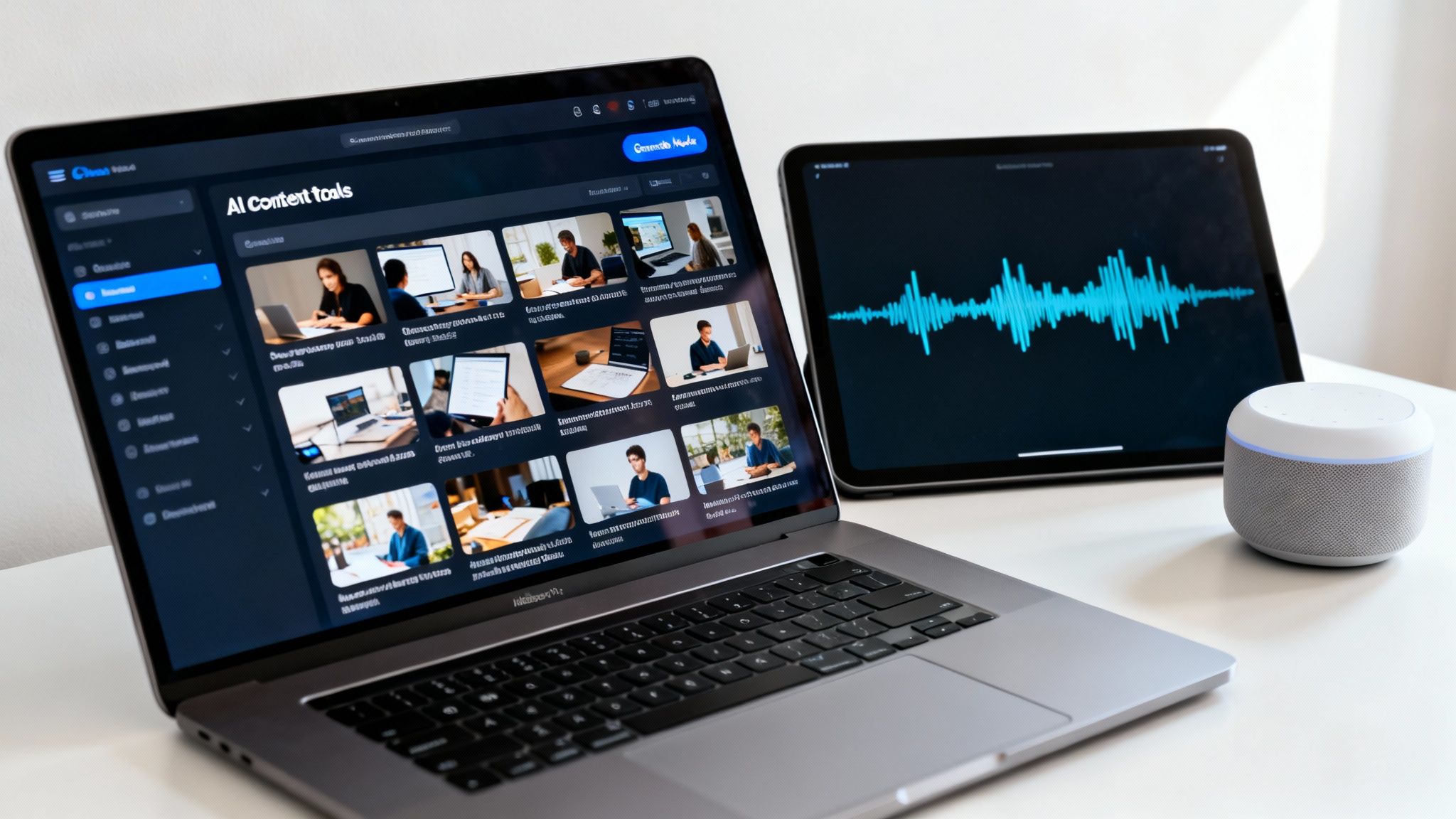
This kind of setup is what the pros use. Different AI tools work in concert, creating a powerful, automated suite that handles everything from audio to the final edit.
High-Leverage AI Use Cases
The real magic happens when you apply AI to the most painful, time-intensive parts of your process. We're talking about turning hours of manual grunt work into minutes of automated magic.
Here’s where you’ll see the biggest wins:
- Instant Script Generation: Got a blog post or a simple idea? An AI tool can instantly spin it into multiple short-form video scripts, complete with hooks and a structure that’s perfect for TikTok or Reels.
- A/B Testing Hooks: Stop guessing which opening line will actually stop the scroll. Use AI to generate ten different hooks for one video. You can test what works with your audience without any extra effort on your part.
- Automated Voiceovers: Need a consistent, high-quality voiceover? You can generate one in any style or language without ever setting up a mic. This is a massive shortcut, especially for faceless channels or creators batching tons of content.
The goal is to offload 80% of the production work to technology. That leaves you to focus on the 20% that requires human strategy and a creative spark. AI is a tool, not the artist.
This isn't some future trend; it's happening right now. A whopping 90% of professional marketers plan to use AI in their 2025 content strategies. Specifically for video, 41% of teams are already using AI, and another 19% are getting ready to jump in. It's quickly becoming essential for anyone trying to keep up with daily posting schedules. You can see more on this trend in this deep dive into content marketing statistics.
Case Study: Automating a Faceless Channel
Let's make this real. Imagine you run a faceless history channel on YouTube Shorts and want to make a video about the history of coffee.
The Old Way (3-4 hours of your life):
- Research the history of coffee (30-45 minutes).
- Write a punchy, 60-second script (30-60 minutes).
- Record and edit your voiceover until it’s perfect (30 minutes).
- Hunt for relevant stock footage and images (45-60 minutes).
- Piece it all together, sync the visuals, add captions (60+ minutes).
The ClipShort Workflow (5-10 minutes):
- Type a simple prompt: "Explain the history of coffee in a captivating 60-second video."
- The AI generates a script. You give it a quick review.
- Pick a realistic AI voiceover from a huge library.
- ClipShort automatically finds and stitches together relevant visuals based on the script.
- Dynamic, animated captions are added instantly. Make a few final tweaks, and you’re done.
That's not an exaggeration. The time saved is insane. A task that once ate up your entire afternoon is now done in less time than it takes to brew a pot of coffee.
This is exactly how top creators are scaling their output by 10x or more. They're going from one video a day to several, without sacrificing quality. To get a better sense of the tools making this happen, check out some of the best AI tools for content creators. When you embrace these tools, you're not just saving time—you're building a content machine that can truly scale.
Scaling Your Team from Solopreneur to Content Powerhouse
Automating with AI and mastering batch production can take you surprisingly far. But eventually, you'll hit a wall. There are only so many hours in the day, and you can't do it all yourself forever.
This is the turning point where you evolve from a creator into a leader. It's time to build a lean, efficient team to run the content machine you’ve so carefully designed. The goal isn’t to hire a massive agency, but to make smart, strategic hires that offload specific tasks. You’re not just adding people; you're buying back your most precious resource: your time.
Identifying Your First Key Hires
Don't just post a vague job ad for someone to "help with content." That's a recipe for chaos. Instead, be surgical. Find the single biggest bottleneck in your assembly line—that one task that drains your time or creative energy—and hire someone specifically for that role.
For most creators scaling short-form video, the first hires almost always fall into two buckets:
- The Scriptwriter: If staring at a blank page is your biggest hurdle, a freelance scriptwriter is a total game-changer. They can take your content pillars and templates and churn out a month's worth of scripts, all ready for you to film or produce.
- The Video Assembler: With tools like ClipShort handling the heavy lifting, this role isn't really a traditional "editor." Think of them more as a producer. Their job is to manage the AI, plug in the scripts, select the right voiceovers, make small visual tweaks, and get the final videos scheduled.
You can find some incredible talent for these roles on platforms like Upwork or Fiverr. The trick is to look for freelancers who already have a portfolio in your specific niche and understand your content style.
The biggest mistake I see creators make is hiring someone before they’ve defined the process. You have to build the assembly line before you hire people to work on it. This ensures new team members can slot right into a proven system, not an undefined mess.
The Power of Crystal-Clear SOPs
The real secret to making your team run itself? Painfully simple Standard Operating Procedures (SOPs). An SOP is just a step-by-step document that spells out exactly how to complete a task, from A to Z. It’s the instruction manual for your content machine.
Your SOPs need to be so clear that a new hire with zero context could follow them and produce content that's 80% as good as yours on their very first day. This is how you eliminate constant hand-holding and guarantee quality and consistency, no matter who is doing the work.
To keep everything flowing smoothly, use a project management tool like Trello, Asana, or Notion. These tools let you create task cards that move through the different stages of your workflow, from "Idea" all the way to "Published." Everyone knows exactly what they’re responsible for and when it's due.
A Simple Content Production SOP Template
Here’s a basic SOP you can adapt for a Video Assembler. Look at how specific and non-negotiable the steps are.
- Open the "Approved Scripts" list in our Notion database.
- Copy the script for the next video in the queue.
- Log into ClipShort and paste the script into a new project.
- Select the "Brand Voice - Alex" AI voiceover from the dropdown.
- Generate the video and give the AI-selected visuals a quick review.
- Replace any visuals that feel off-brand or don't match the script's intent.
- Apply our "Standard Captions - White/Green" template.
- Export the final video. Upload it to the "Ready for Review" folder in Google Drive.
- Drag the task card in Trello from "In Production" to "For Review."
This level of detail is what makes scaling possible. Building a system like this is how you can create a fully automated YouTube channel that operates with minimal daily input from you. By combining the right people with airtight processes, you'll finally have a content engine that doesn't just run—it scales.
Got Questions About Scaling Content?
Jumping into a scalable content system can feel a bit daunting. It's one thing to read about the theory, but actually putting it into practice without feeling like you're about to make a huge mistake is another story entirely.
This section tackles the most common worries and roadblocks we see creators and brands hit. Think of this as your final gut-check before you start building your own content engine. The goal is to give you the clarity and confidence to dive in headfirst.
How Can I Scale Content Without My Quality Dropping?
This is the biggest fear we hear, but honestly, it’s based on a false choice. Scaling doesn't have to mean lower quality. It means creating smart systems that uphold your quality standards at a much higher volume.
The secret is to do the strategic work upfront.
Start by creating ridiculously detailed brand guidelines and content templates. For your videos, this means nailing down everything:
- Your exact visual style and color palette.
- The specific fonts you use for captions.
- The animation style for your on-screen text.
For your scripts, build a library of repeatable formats and hook formulas you know work with your audience. When you use a tool like ClipShort, you can build a project template with your preferred voiceover style, pacing, and design elements already baked in.
The point is to make your baseline quality level totally non-negotiable. Every new video starts from this high-quality foundation, not from a blank page. You stop trying to create a unique masterpiece every single time and instead focus on producing a consistently professional product that always delivers.
I'm a Solo Creator. What Are the Very First Steps to Scaling?
If you're flying solo, your absolute first step is to stop creating content on the fly. Before you even think about new tools or hiring anyone, you have to change your workflow.
Your immediate priority is to start batching your work. Seriously, stop trying to do every single task for one video from start to finish each day. Instead, block out specific days or hours for specific tasks.
A simple batching week might look like this:
- Monday: Brainstorm and research 10-15 solid video ideas.
- Tuesday: Write all 10-15 scripts using your proven templates.
- Wednesday: Generate all the assets you need, like voiceovers and visuals.
This approach crushes the mental friction of constantly switching gears, making you way more efficient. Once you've got that down, your second step is to find your single biggest production bottleneck. Is it scriptwriting? Explore an AI script generator. Is editing eating up your entire week? A tool can automate that.
Start by automating just one major task, get comfortable with that new workflow, and then find the next bottleneck to solve.
How Much Content Should I Actually Make When I Start to Scale?
There's no magic number here—it really depends on your platform, your niche, and what your audience wants. That said, a great starting goal for short-form video is to go from posting randomly to a consistent schedule of at least one high-quality video per day.
Once that daily pace feels easy and systematized, a solid next target is 2-3 videos per day.
This isn't just about posting more for the sake of it. It’s about data. Posting more frequently lets you test topics, hooks, and formats much faster, giving you priceless feedback on what your audience actually loves.
The real key isn't raw quantity, but unwavering consistency. A system that can reliably pump out 15 professional videos a week is way more powerful than one that produces 25 one week and only 5 the next. Use the data from your increased output to double down on what works.
When Is the Right Time to Outsource or Hire Someone?
You should start thinking about outsourcing the second that repetitive, low-impact tasks are stopping you from focusing on high-level strategy and growth.
But here’s the golden rule: Hire after you’ve created and documented your workflows (SOPs).
Do not hire someone and then try to figure out the process together. That's a one-way ticket to frustration and inconsistent results. Instead, perfect your system of batching and using tools first. Once you have a clear, step-by-step process that anyone could follow, you can bring on a freelancer or VA to run a specific part of it.
This makes training a breeze and guarantees consistency from day one. Your first hire should take over the most time-consuming, least creative task in your workflow, whether that's assembling videos from your scripts and templates or managing the content calendar. This frees you up to do what only you can do: steer the ship.
Ready to build your content engine and finally stop the daily grind? With ClipShort, you can automate the most time-consuming parts of video production, from script to final edit. Turn a simple idea into a month's worth of high-quality, engaging videos in just a few hours. Start creating faster and smarter with ClipShort today!