
How to Make Music Videos for Instagram That Get Noticed
Making music videos for Instagram isn't what it used to be. Forget the massive budgets and month-long productions. Today's game is won with a totally different, four-part playbook: Concept, Creation, Editing, and Distribution. It's all about being agile, consistent, and creating visually sticky short-form content that grabs attention in a split second.
The Modern Playbook for Instagram Music Videos
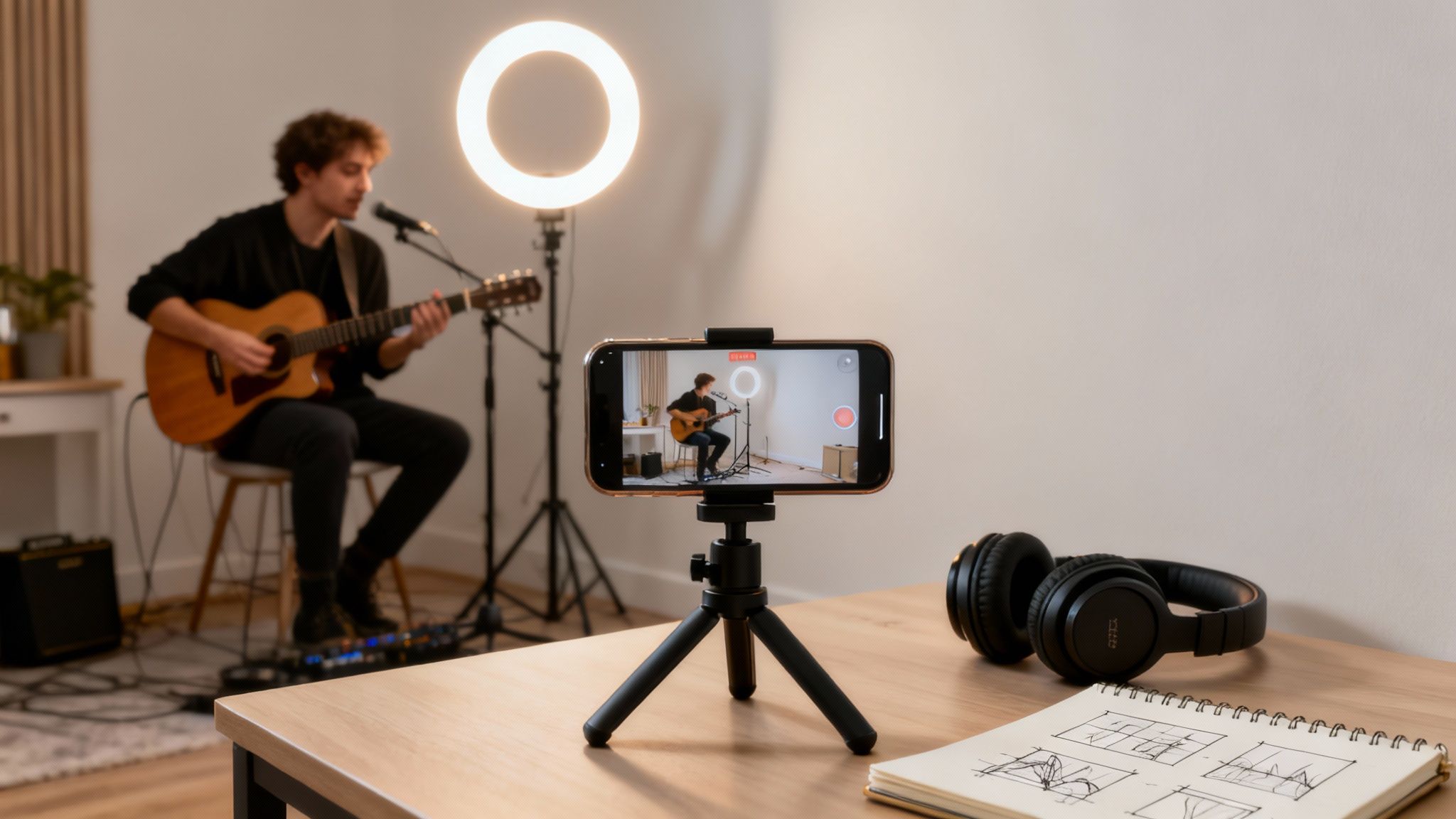
The traditional music video model—pouring all your time and money into one epic production every few months—is officially broken. Instagram's heavy pivot to short-form video demands a complete change in how you think. Your audience's attention isn't measured in minutes anymore; it's measured in swipes.
This means your strategy has to adapt. Instead of one blockbuster release, the new playbook is about creating a steady stream of content from a single song. Think of it as breaking down the old model into smaller, snackable pieces that are perfect for the feed. This keeps your audience hooked and gives you way more chances to see what actually connects with them.
Why Reels Dominate Everything
Let's be clear: Instagram Reels are the engine driving discovery on the platform right now. They make up roughly 50% of all time spent on Instagram, and people watch over 140 billion Reels every single day. That’s not a trend; it's a fundamental shift. Mastering short-form video is no longer optional for artists who want to grow.
The goal isn't just to make a beautiful video anymore. The goal is to make a video that performs inside the Instagram ecosystem. To do that, you have to understand the nuances of the Instagram platform and what makes its users tick.
To really nail this, you need to think more like a content creator and less like a film director. Here's a quick comparison of the old vs. new mindset:
Traditional vs. Instagram-First Video Production
| Attribute | Traditional Music Video | Instagram Music Video |
|---|---|---|
| Pacing | Slow, cinematic, tells a full story. | Fast-paced, designed to hook in 3 seconds. |
| Budget | High-cost, professional crew, significant investment. | Low-cost, often shot on a smartphone. |
| Frequency | Once every few months or per album cycle. | Multiple times per week, even daily. |
| Format | Horizontal (16:9), optimized for YouTube/TV. | Vertical (9:16), optimized for mobile screens. |
| Goal | Artistic statement, brand building. | Drive engagement, feed the algorithm, build community. |
| Content | One hero video. | Many micro-videos from a single song (performance, BTS, trends). |
This table really highlights the core difference: Traditional videos are a one-time event, while Instagram videos are an ongoing conversation.
Shifting from Production to Content Strategy
Adopting this modern approach means you need to operate on a few key principles that align with how people consume media today.
- Agility Over Perfection: Your ability to pump out content quickly is far more valuable than spending months polishing one video to perfection. Done is better than perfect.
- Volume and Consistency: Posting regularly keeps you top-of-mind and gives the algorithm more data to work with, helping it find your ideal audience.
- Audience-Centric Hooks: The first three seconds are everything. You have to immediately give people a reason to stop scrolling, whether it's through a bold visual, a question, or a surprising sound.
- Repurposing and Remixing: One song is a content goldmine. You can create performance clips, lyric videos, behind-the-scenes snippets, and even challenges for your fans to participate in—all from a single track.
By embracing this agile framework, you stop playing the high-stakes game of slow production and start building a sustainable content engine. This is how you stay relevant, build a real connection with your audience, and give the algorithm exactly what it wants. For a deeper dive, check out our guide on Instagram Reels best practices.
Developing Your Video Concept for Maximum Impact
A killer Instagram music video isn’t born from a fancy camera or a huge budget. It’s born from a strong concept. Before you even think about hitting record, your first job is to come up with an idea that actually works for the platform—something designed for a fast-paced, vertical world. Your goal isn't just to show off your music; it's to stop someone's thumb mid-scroll.
This all starts by matching the video's vibe to your song's emotional core. Got an upbeat, high-energy anthem? Your concept needs that same energy—think quick cuts, dynamic movement, and bright colors. If it's more of a moody, introspective ballad, lean into slower pacing, intimate close-ups, and an atmospheric setting. The visuals have to feel like a natural extension of the sound.
Nailing the First Three Seconds
On Instagram, you don't get a full minute to win someone over. You get three seconds. That initial moment, your hook, is the single most important part of your video. If the hook doesn't land, the rest of your masterpiece might as well not exist, because nobody will stick around to see it.
So, how do you craft a hook that works? You need to create immediate intrigue. Here are a few ways I’ve seen this done effectively:
- Start with Peak Action: Don't save the best for last. Put the most exciting, interesting, or dynamic part of your video right at the beginning.
- Pose a Question: Use on-screen text to ask something that sparks curiosity. Think along the lines of, "Ever wonder what this lyric really means?"
- Use an Unexpected Visual: A weird camera angle, a bizarre prop, or a totally out-of-place location can make people pause and ask, "What is going on here?"
Remember, the hook’s only job is to earn you another five seconds. From there, your content has to deliver on that initial promise to keep them watching until the end.
Choosing Your Audio Wisely
Your audio choice is a bigger strategic decision than you might think. The obvious route is to use your own original music, and you absolutely should. But don't sleep on the power of trending sounds. Jumping on a popular audio clip can plug your video directly into a massive, ongoing conversation on the platform, giving your visibility a serious boost.
A hybrid approach often works wonders. You could use a trending sound for the first few seconds as a hook before it transitions smoothly into your original song. This gives you the discoverability of a trend while still shining a spotlight on your own track. Whatever you choose, make sure you have the rights. If it's your music, you're good. For anything else, play it safe and stick to Instagram's official music library to avoid copyright strikes that can get your video muted or taken down.
Building Content Pillars from a Single Song
Thinking of a music video as a single, one-and-done project is an old-school mindset. To really make a dent on Instagram, you need to think in terms of content pillars. This just means using one song as a central theme to create a whole series of videos. It's a game-changer for maximizing your output and gives you way more chances for one of your videos to take off.
For instance, you can break down a single track into a ton of different video ideas:
- The Performance Clip: This is the classic. A straightforward video of you performing the catchiest 15-30 seconds of your song.
- The Lyric Breakdown: Use on-screen text to dissect a powerful line. Visually explore its meaning or the story behind it. If you want to make your words pop, you can learn more about how to creatively add lyrics to your video here.
- Behind-the-Scenes (BTS): People love seeing the process. Show a quick clip of you writing the song, messing around in the studio, or even designing the cover art.
- The "Faceless" Aesthetic Video: No need to be on camera for every video. Create a visually pleasing reel using stock footage or AI-generated clips that match the song's mood, with your music as the soundtrack.
This strategy turns one song into an entire content campaign. It keeps your feed active, offers different kinds of value to your audience, and gives the algorithm more fuel to push your music to new listeners.
Bringing Your Vision to Life with Production
This is where the magic happens—turning your concept from an idea into an actual video. Once your plan is solid, it's time to get into production. You've really got two main paths you can go down, and the right choice depends on your brand, your budget, and how much time you have on your hands.
First up is the classic approach: filming yourself. For many artists, this is non-negotiable. It’s how you build a real connection and put a face to the music. The best part? You don't need a Hollywood budget anymore. A modern smartphone is more than powerful enough to shoot high-quality, even cinematic, footage.
The other route is creating faceless content, powered by AI. This is a total game-changer for producers, lyricists, or anyone who just wants a faster, more scalable way to create. It lets you produce stunning visuals without ever stepping in front of the camera, which is perfect for keeping up with a demanding posting schedule.
This little infographic breaks down that initial choice based on the vibe of your music.
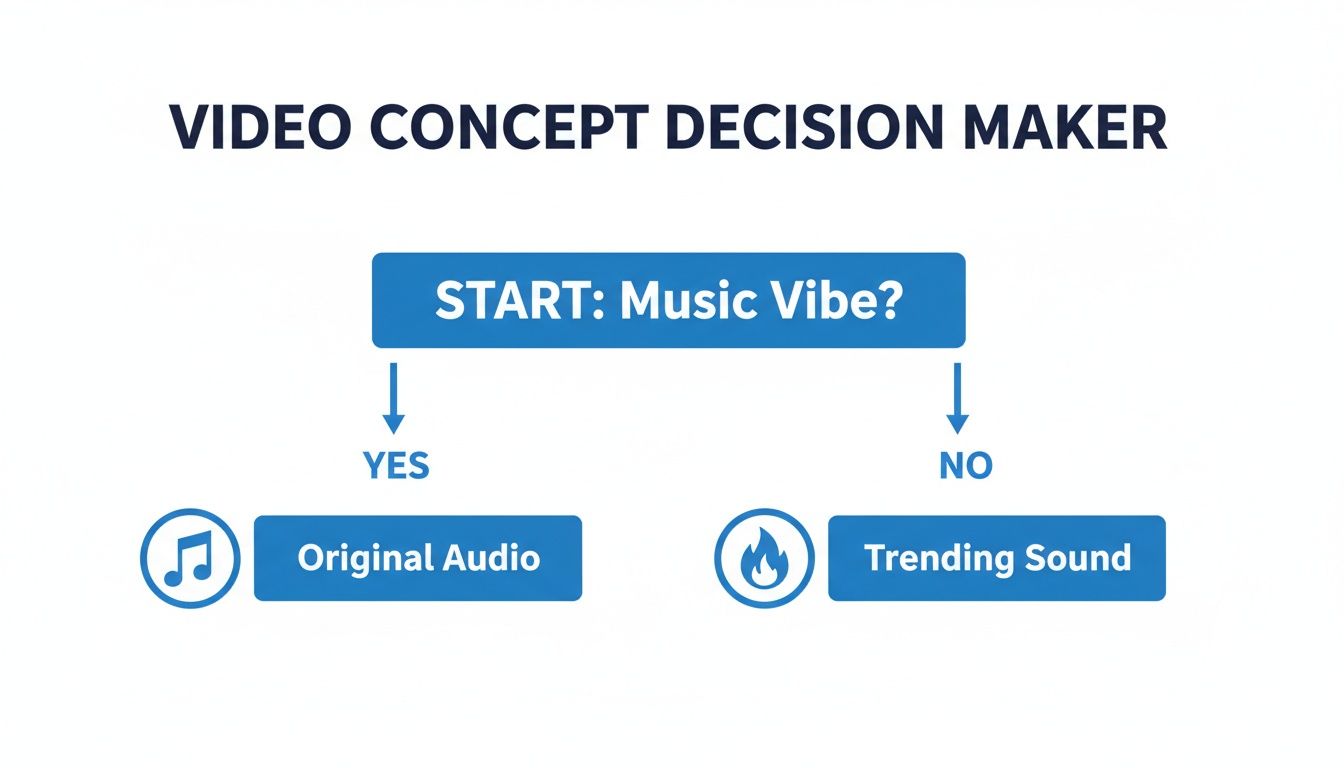
As you can see, the decision between using your own original audio versus jumping on a trend often sets the tone for the entire creative direction.
Traditional Filming with Your Smartphone
Shooting a pro-level music video on your phone is totally doable, but you have to nail the fundamentals. What separates amateur phone footage from something polished usually comes down to three things: lighting, stability, and composition.
Good lighting is everything. Seriously. Natural light is almost always your best bet because it’s dynamic and flattering. Try filming near a big window during the day or head outside during the "golden hour"—that sweet spot right after sunrise or before sunset when the light is soft and warm. Stay away from harsh overhead lights; they create nasty, unflattering shadows.
Next, stability is a must. Nothing screams "amateur" faster than shaky footage. One of the best investments you can make is a simple, affordable smartphone tripod. It keeps your shots perfectly steady and lets you play around with different angles without worrying about jittery hands.
Pro Tip: If you're filming a performance, record the entire song multiple times from different angles. Get a wide shot, a medium shot, and then punch in for close-ups on your face, your hands on the guitar, or the keys. This gives you a ton of options to cut between in the edit, making the final video way more dynamic.
Finally, think about your composition. An easy trick is the rule of thirds. Just imagine your screen has a 3x3 grid overlaid on it. Instead of sticking your subject dead center, place them along one of the lines or at an intersection point. It creates a much more balanced and visually interesting shot.
The Rise of AI and Faceless Content
But what if you don't want to be on camera? Or what if you need to pump out content way faster than filming allows? This is where AI video generation comes in, offering a powerful alternative for creating music videos for Instagram. It’s perfect for producers who want the beat to do the talking or for artists who want to build an entire visual world around their lyrics.
Using an AI tool, you can generate completely unique, high-quality video clips from a simple text prompt. For instance, if your track has a dreamy, ethereal vibe, you could feed the AI prompts like:
- "Anime-style celestial sky with swirling nebulae and shooting stars"
- "Cinematic shot of a lone figure walking through a misty, neon-lit forest at night"
- "Hyper-realistic time-lapse of surreal flowers blooming in a fantasy landscape"
The AI takes your words and creates original visuals to match. You can then piece these clips together to build a full music video. This workflow is incredibly fast and lets you experiment endlessly without the logistical nightmare of a physical shoot. Test out different visual styles, create multiple videos for one song, and easily stick to a consistent posting schedule.
This approach also removes the pressure of having to perform on camera. Your music stays the star of the show, backed by visuals that amplify its mood and message. Of course, getting the timing right is key, and you can learn more about how to sync sound and video to really nail that professional feel. This freedom allows you to focus purely on the art and scale your content output in a massive way.
Editing and Optimizing Your Video for the Algorithm
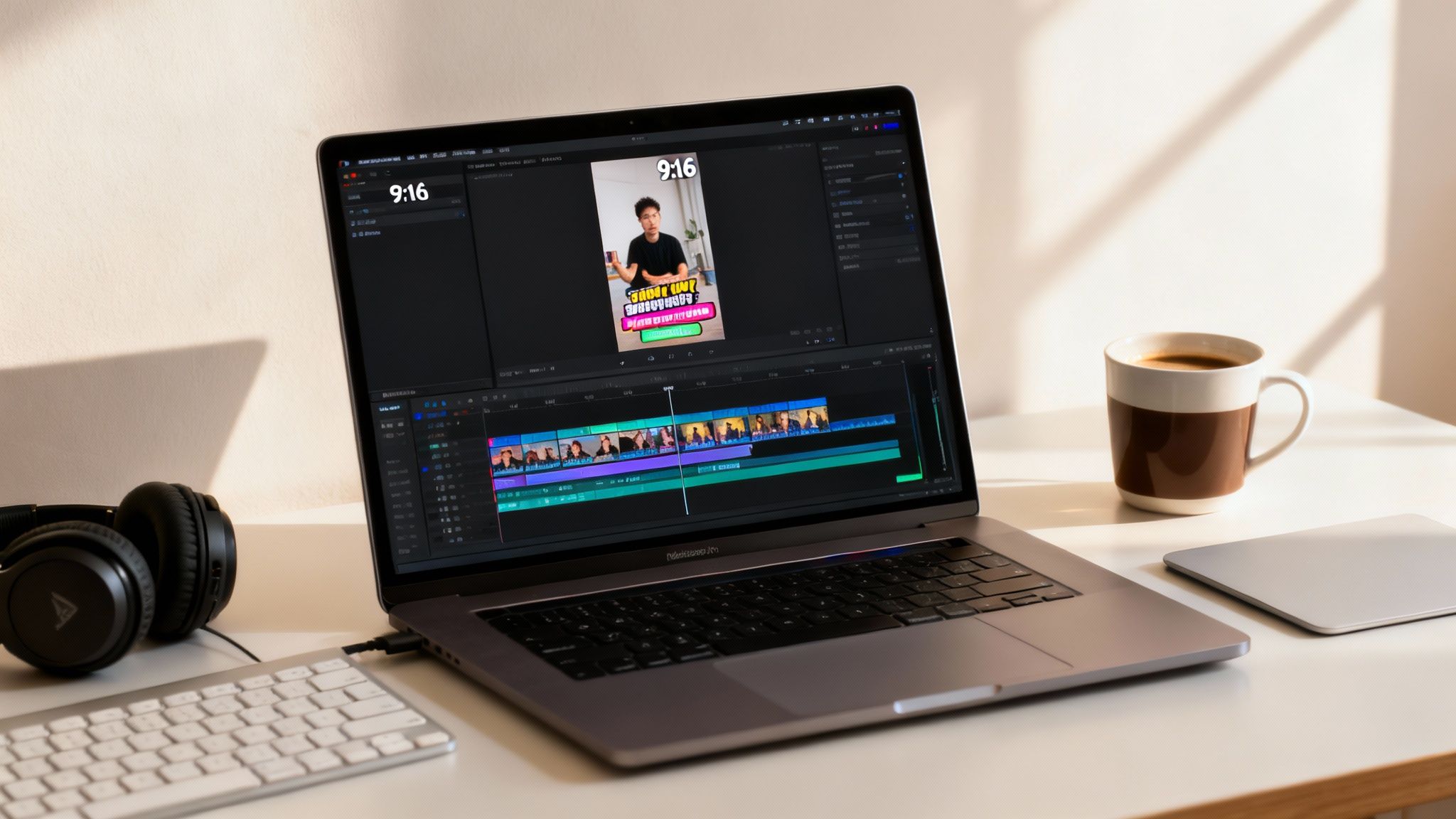
Alright, you've shot your video. Now for the fun part. The edit is where the real magic happens—it’s how you turn raw footage into a polished music video that the Instagram algorithm will actually want to push.
This isn't just about trimming clips. It's about making smart choices that get people to watch, rewatch, and engage. You’re building an experience that feels like it belongs on Instagram. A good edit holds attention, tells your story, and makes people want to hit that like button.
The Art of the Rhythmic Edit
If you take one thing away from this section, let it be this: master rhythmic editing. It’s the single most powerful technique for music videos. This means syncing your cuts and transitions to the beat, the snare, or a specific lyric.
When a scene changes right as the bass drops, it just feels right. It’s a subconscious thing for the viewer, but it instantly makes your video look more professional and keeps them hooked.
Don't just randomly string your best shots together. Listen to the track and find the key moments. Let the song guide your edits. A flurry of quick cuts during a high-energy chorus can amplify the excitement, while a slow, lingering shot during a verse can give it an emotional punch.
Pacing is everything. Your edit should mirror the song's energy. A video that feels musically in-sync has a much higher chance of being rewatched, which is a powerful signal to the Instagram algorithm.
Captions Are No Longer Optional
Here's a hard truth: a huge number of people scroll through their feeds with the sound off. Some studies have put that number as high as 85%. If your video needs audio to make sense, you're missing out on a massive audience right from the jump.
This is why animated captions and text overlays are absolutely essential. They’re not just an accessibility feature anymore; they’re a core part of the creative process.
- Dynamic Captions: Use an app that creates those animated, word-by-word subtitles that pop up in time with the music. The movement keeps people’s eyes glued to the screen.
- Contextual Overlays: Drop in short text phrases to add context or ask a question. For instance, if a lyric mentions a memory, you could flash "Remembering summer nights..." on the screen for a second.
- Keep it Legible: Pick a bold, clean font. Make sure it has a high-contrast outline or a background so it's easy to read against any scene.
These little text elements guarantee your message gets across, sound on or off. They also boost your watch time because people are actively reading along, making them way less likely to just scroll past.
Polishing Your Video for Upload
Before you hit that export button, let's talk tech specs. Instagram compresses everything you upload, and if your settings are off, it can turn your crisp video into a pixelated mess. A few quick checks will make sure it looks just as good on the app as it does on your computer.
For the best results, dial in these export settings:
- Format: MP4 (using the H.264 codec)
- Resolution: 1080x1920 (for that perfect 9:16 vertical look)
- Frame Rate: 30 frames per second (fps) is the standard and works great
- Bitrate: A variable bitrate around 5-10 Mbps is the sweet spot
And one more crucial thing: go into your Instagram app settings (Account > Data Usage) and flip the switch for "High-quality uploads." It’s a simple toggle that makes a huge difference.
Optimizing Your Post for Reach
The final piece of the puzzle happens right before you hit "Share." Your thumbnail, caption, and hashtags are what help the algorithm figure out who needs to see your video.
First, pick a killer thumbnail. It’s the first impression. Find a frame that’s eye-catching, clear, and makes people curious. Then, write a caption with a clear call-to-action (CTA). Ask a question about the song, or tell people to save the video for later.
To make sure your video travels beyond your own followers, learning how to increase Instagram engagement is key. Finally, nail your hashtag strategy. Use a mix of broad tags (#musicvideo), niche-specific ones (#indieartist), and your own branded tag (#YourArtistName). This helps people who are looking for new music find you.
Building a Fan Funnel Beyond a Single Post
So, your music video is live and the views are starting to climb. What now? Hitting "publish" isn't the finish line—it's the starting gun. A single viral Reel feels great, but a real, sustainable career is built by turning those fleeting views into a dedicated fanbase. This is where a smart distribution strategy comes in, one that guides casual listeners on a journey from discovery to true devotion.
Think of it as a fan funnel. Not every single person who sees your video will become a superfan, and that’s perfectly okay. Your job is to lay down clear, compelling pathways that invite them to take the next step. It’s a system designed to work for you long after the initial buzz of a new post has died down.
This approach uses each of Instagram's core features for a specific job, creating a cohesive ecosystem that nurtures your audience at every single stage.
Reels: The Discovery Engine
Reels are your top-of-funnel powerhouse. Their number one job is to get your music in front of as many new eyes and ears as possible. The Reels algorithm is built for discovery, so it actively pushes your content to people who don't follow you yet but might just love what you're doing.
This is where you want to deploy your most engaging, hook-driven video concepts. The goal here isn't a hard sell; it's all about sparking curiosity. You want a brand-new viewer to watch your video, dig the vibe, and think, "Okay, who is this?" Their next logical move is to tap over to your profile to see what else you've got.
Your call-to-action (CTA) on a Reel should be subtle and low-commitment. Forget "buy my merch" for now. Try something like, "Follow for more behind-the-scenes of this track" or just ask a simple question in the caption to get comments flowing.
Stories: The Relationship Builder
Once that new viewer lands on your profile and smashes the "follow" button, the dynamic shifts. They've moved down the funnel. Now you can use Instagram Stories to build a more personal, direct connection with this newly engaged audience. Stories are where you get to be more informal, interactive, and just plain human.
This is the perfect spot to nurture that initial spark of interest.
- Run Polls: Ask your followers which lyric from the new song is their favorite.
- Host Q&As: Let them ask you anything about the songwriting process or the video shoot.
- Share User-Generated Content: If fans are using your song in their own Reels, shout them out and feature them in your Stories.
This kind of consistent, two-way engagement builds a genuine community. It transforms your followers from passive listeners into active participants who feel like they're a real part of your journey.
Broadcast Channels: The Inner Circle
For your most dedicated supporters—the ones who are truly invested—you need a direct line of communication that cuts right through the algorithm. This is exactly what Instagram's Broadcast Channels are for. Think of it as your exclusive fan club, a place to share things you wouldn't just post on your public feed.
Broadcast Channels are quickly becoming a game-changer for music promotion. They offer 100% delivery rates to everyone who subscribes, a stark contrast to the main feed's unpredictable algorithmic reach. A powerful strategy is using Reels for mass discovery, Stories to funnel people toward your channel, and the channel itself to deliver exclusive goods. This creates a tiered system that carefully moves casual listeners into a loyal, core community. You can discover more insights about this modern music promotion reset and see how other artists are using these tools to win.
In your Broadcast Channel, you can share things like:
- Exclusive Demos: Give your top fans a first listen to unreleased tracks.
- Behind-the-Scenes Photos: Share raw, unfiltered content straight from the studio.
- Early Access: Announce new merch drops or tour dates here before anyone else knows.
This strategy completes the funnel. You use Reels to attract a wide audience, Stories to build a real relationship, and Broadcast Channels to cultivate a core group of superfans who will champion your music for the long haul.
Common Questions About Instagram Music Videos
Jumping into music videos for Instagram always kicks up a few questions. From the nitty-gritty tech specs to the legal stuff that can get your content taken down, getting the right answers upfront is the fastest way to build a workflow that actually works. Let's tackle the questions I hear most often from creators.
What Is the Best Length for an Instagram Music Video?
Keep it short and sweet. The sweet spot for Reels is somewhere between 15 and 30 seconds.
The Instagram algorithm is obsessed with completion rate—how many people watch your video all the way to the end. Shorter clips are just way more likely to hit that mark. This length is perfect for grabbing the hookiest, most unforgettable part of your song. Think of it as a teaser trailer that gets people curious enough to find the full track on Spotify or YouTube.
How Do I Legally Use Music in My Instagram Videos?
Navigating music rights is a big one. You don't want to spend hours on a video just to have it muted.
The absolute safest route? Use a track from Instagram’s own music library. Every song in there is pre-licensed for you to use in Reels and Stories, no questions asked.
If you're an artist promoting your own music and you own 100% of the rights—that means both the master recording and the songwriting—you're good to go. But if you want to use a popular song that isn't in the library, things get messy. You'd need a "sync license" from both the music publisher and the record label, which can be a slow, expensive nightmare for most of us.
Can I Really Make a Good Music Video with Just My Phone?
Yes. One hundred percent, yes. The old idea that you need a multi-thousand-dollar camera setup is dead.
Today’s smartphones shoot in beautiful 4K, which is more than enough for professional-looking Instagram content. Honestly, phone-shot videos often feel more authentic and raw, which can actually boost your engagement.
It’s not about the camera, it’s about how you use it.
- Find good light. This is non-negotiable. Natural light from a window is your best friend.
- Keep it steady. A cheap smartphone tripod will change your life. No more shaky-cam footage.
- Get clean audio. If you're recording any live sound, just try to cut down on background noise so your music can shine.
Combine quality phone footage with a simple editing app, and you’ve got a powerful production studio right in your pocket.
What Are the Best Export Settings for Instagram Reels?
Instagram loves to compress video, and it can absolutely crush the quality of your work if your settings aren't dialed in. To make sure your video stays sharp, here’s the formula.
Export your final video as an MP4 file with the H.264 codec. For the resolution, stick to 1080x1920 pixels to perfectly fit that vertical 9:16 screen. A frame rate of 30 fps (frames per second) is the standard and will give you super smooth motion.
But here’s the real secret: Before you upload anything, open your Instagram settings. Go to Account > Data Usage and make sure "High-quality uploads" is turned on. This one little toggle makes a huge difference.
Ready to create stunning, faceless music videos in minutes without ever touching a camera? ClipShort uses AI to turn your ideas into scroll-stopping Reels and Shorts. Generate unique visuals, add animated captions, and produce a steady stream of content that grows your audience. Try it today at https://www.clipshort.co.