
Learn how to add lyrics to video and go viral
If you want to add lyrics to a video, you'll need a tool like ClipShort that can automatically generate, style, and sync the text for you. The basic idea is to upload your video, let the software pull the words from your audio, and then get creative with fonts, colors, and animations to make it match your video's vibe.
Why Lyric Videos Dominate Social Media Feeds
Ever found yourself completely sucked into a TikTok or Reel, just watching the animated words dance across the screen in time with the music? You're definitely not alone. Adding lyrics to a video does so much more than just provide subtitles—it completely changes the game, turning a passive scroll into an active, can't-look-away experience.
When people can read along, they're not just watching anymore; they're participating. It’s a simple trick, but it's a powerful scroll-stopper in an endless feed of visual noise. Plus, it makes your content accessible to the huge number of people who watch videos with the sound off.
The Psychology of Engagement
The real magic is in how our brains are wired. When you combine what you hear (the song) with what you see (the lyrics), you create a multi-sensory experience that's way more memorable and sticky. This dual-channel processing is the exact reason you can still remember the words to a song you haven't heard in a decade.
By syncing the text perfectly, you tap into the viewer's natural rhythm, which makes the whole thing feel incredibly satisfying. This isn't just a cool creative touch; it's a smart move to boost your metrics.
A well-made lyric video can make your watch time and retention skyrocket. When someone is busy reading and singing along, they're not thinking about swiping away. That sends a powerful signal to the algorithm that your content is high-quality and worth showing to more people.
Turning Views into Community
A perfect example of this in the wild is the Genius 'Verified' series on YouTube. They had artists break down their own lyrics on camera, turning simple text into an event. The result? Over 3 billion views. They built a massive community around the shared experience of understanding music on a deeper level.
This infographic really drives home how much lyrics can boost engagement.
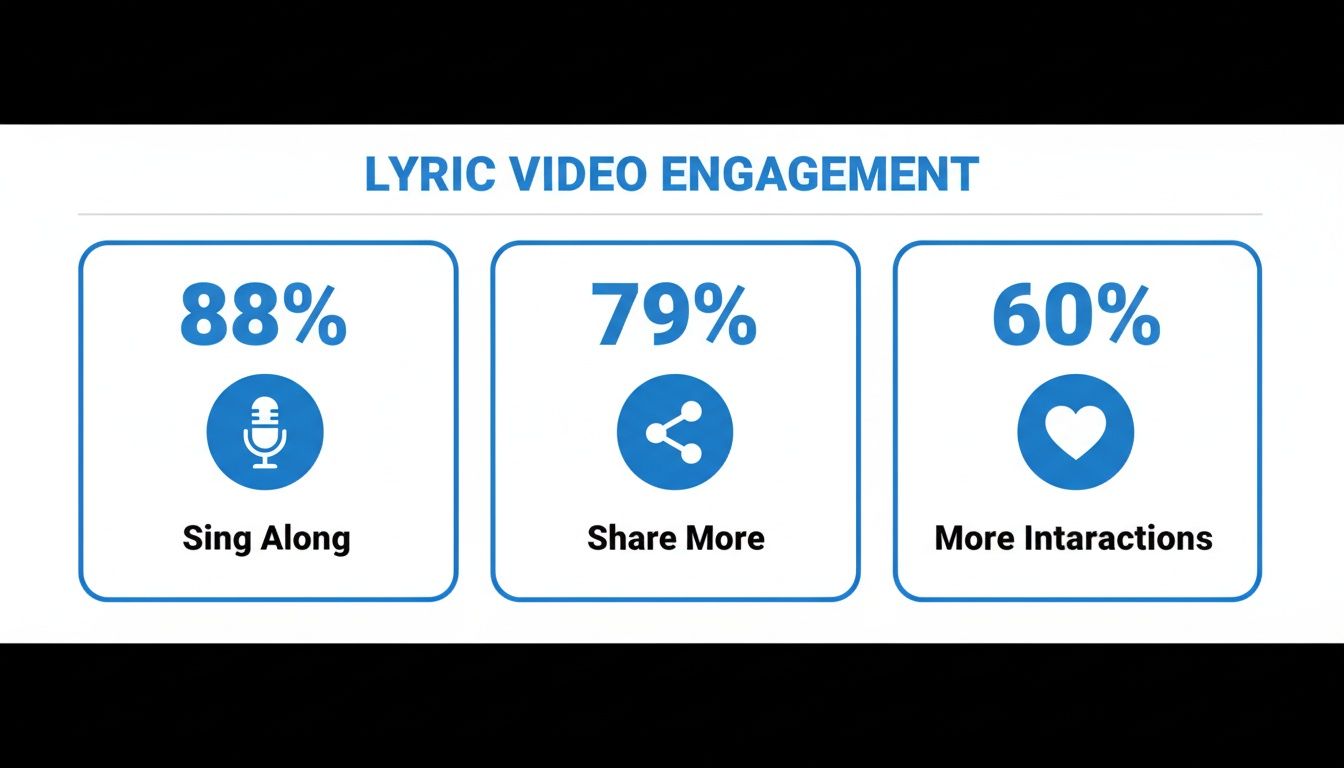
The numbers speak for themselves. Adding lyrics gets people involved, which naturally leads to more shares and interactions. Let's break down exactly what that looks like.
How Adding Lyrics Boosts Key Engagement Metrics
This table breaks down the tangible benefits of adding lyrics to your videos, offering a clear overview of the potential impact on your content's performance.
| Metric | Potential Uplift | Why It Works |
|---|---|---|
| Watch Time | 20-40% | Viewers stay longer to follow along with the lyrics, increasing retention. |
| Shares | Up to 79% | Content that's easy to sing along to feels more personal and shareable. |
| Interactions | Up to 60% | Lyrics encourage comments, saves, and searches as viewers engage with the song. |
| Sing-Alongs | Up to 88% | Makes the experience interactive and fun, creating a stronger connection. |
Ultimately, the data shows a clear pattern: when you make your content more interactive and accessible with lyrics, your audience rewards you with higher engagement across the board. If you're interested in the details, you can learn more about these music industry stats and see the impact for yourself.
A Simple Workflow to Add Lyrics to a Video
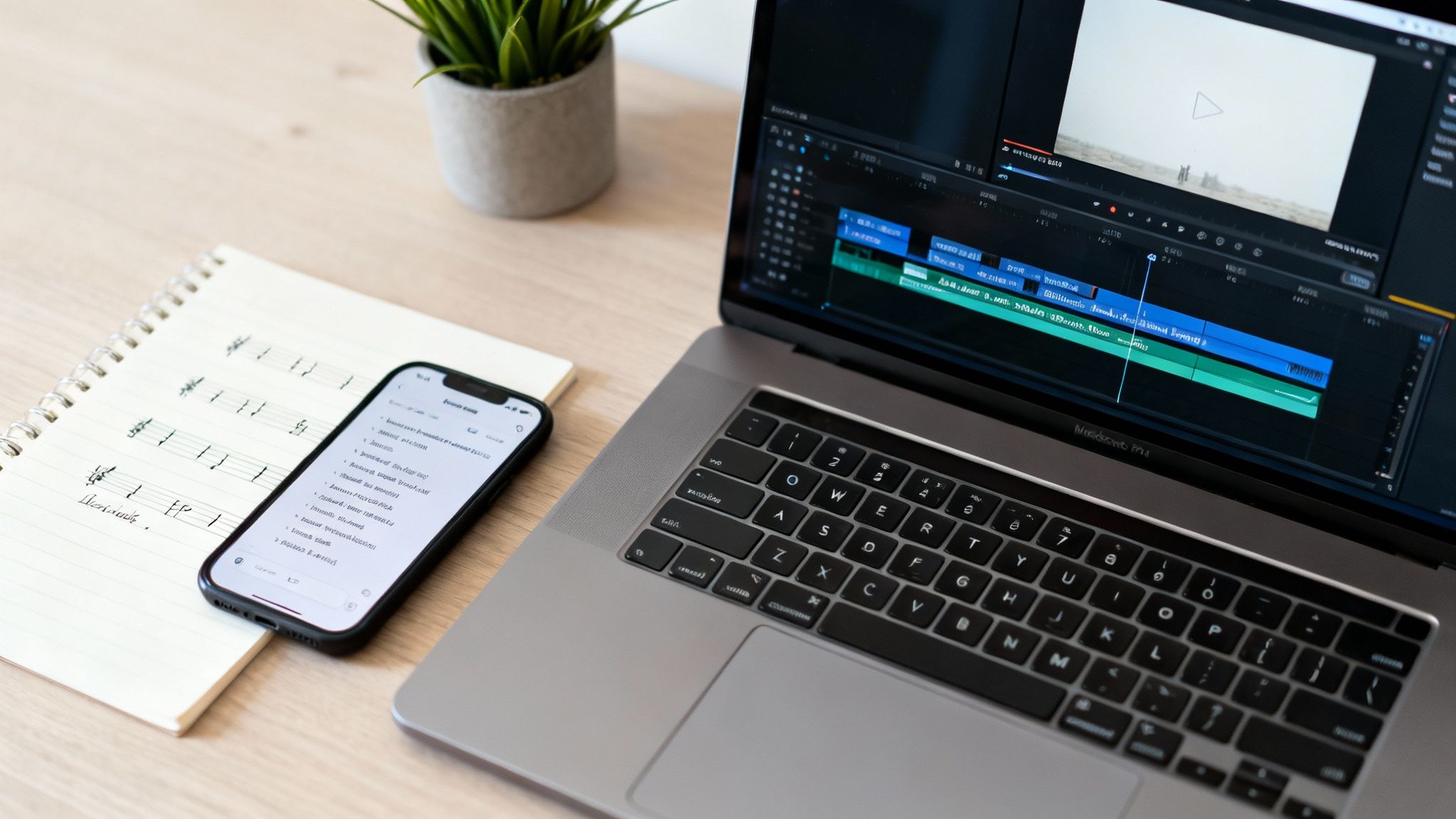
Alright, let's get our hands dirty and actually walk through how you can add lyrics to a video without getting lost in some overly complicated editor. The idea here is to get from a basic text file to a slick, shareable video in just a few minutes, not hours. With a tool like ClipShort, this whole process is surprisingly simple.
It all starts with your source material: the lyrics. You don’t need anything fancy. A plain text file with the words you want to show is literally all you need to kick things off.
From Text to Visuals
First things first, you'll need a video. You can either upload one you already have or use AI to whip up some visuals that match the vibe of your song. This is perfect for those "faceless" videos—just describe the scene you’re imagining, and AI will create a great-looking backdrop for your lyrics. Think of it as setting the stage.
Now for the sound. Upload your song file or, if you're working with something like spoken word poetry, you could even use an AI-generated voiceover. Once your audio is locked in, it’s time for the words.
Just copy and paste your lyrics straight into the editor. This is where the magic happens. ClipShort’s AI will automatically transcribe and line up the words with your audio, giving you a really solid starting point for timing. This step alone shaves off a massive amount of tedious work.
Animating and Styling Your Lyrics
With your lyrics loaded and roughly synced up, the fun part begins. This is where you turn that plain text into something that grabs people's attention. The whole goal is to make the words feel dynamic and, most importantly, easy to read.
Here’s a quick look at how the styling process breaks down:
- Pick a Template: Start with a pre-designed animated caption template. You'll find options for pop-ups, karaoke-style color reveals, or smooth cinematic fades.
- Customize Fonts & Colors: Choose a font that fits the genre. A big, bold font works great for a pop track, while something more elegant might be better for a ballad. Just make sure your colors have enough contrast to stand out against the video.
- Add Some Emphasis: Throw in a few emojis or change the color on specific words to make key phrases pop. It’s a small detail, but it does wonders for engagement by telling the viewer's eye exactly where to look.
The best lyric videos don't just display words; they make the words feel like they're part of the music. Animation and perfect timing are how you create that rhythmic connection that keeps people glued to their screens.
After you've styled everything, you'll want to fine-tune the timing. The AI gets you most of the way there, but you can drag and drop the caption blocks on the timeline to get that perfect, word-for-word sync. This is what makes a video feel truly professional. For anyone who'd rather skip the details or wants an expert touch, using a professional lyric video creation service can be a great addition to your workflow.
Final Touches and Exporting
Before you hit that export button, give it one last watch. Look for any timing glitches or animations that feel a bit off. Does the text flow with the song's rhythm? Can you actually read it on a small phone screen?
Making tiny tweaks here can make a world of difference. You might shorten a caption's duration just a fraction of a second to make it feel snappier or add a subtle background effect to keep the visuals interesting. If you want to dive deeper into this, our guide on how to add captions to videos has some extra tips.
Once you’re happy with it, export your video in the right format. For TikTok, Reels, and Shorts, a 9:16 aspect ratio is a must. Now you’ve got a finished video, ready to share and watch the engagement start rolling in.
Mastering Synchronization for a Professional Finish
The real magic behind a killer lyric video isn't just the flashy animations or slick fonts—it’s the timing. When the words pop up on screen the exact moment they’re sung, it creates a deeply satisfying rhythm that keeps people glued to their screens. This is what separates an amateur video from something that feels truly professional.
On the flip side, poor synchronization is the fastest way to lose a viewer. If your lyrics are even a split-second too early or too late, it completely shatters the illusion and feels clunky. Nailing this step is non-negotiable if you want to add lyrics to a video that people actually finish watching.
Achieving Word-by-Word Precision
While syncing line-by-line is a decent starting point, the pros go for word-by-word precision. This is where you make individual words appear exactly as they're sung, pulling the viewer’s eyes along with the beat. It sounds tedious, but modern tools like ClipShort have made this process surprisingly simple.
After the AI does its first pass at syncing, you can zoom right into the timeline. You’ll see every word as its own little block. From there, it's just a matter of dragging the edges of these blocks to fine-tune the start and end times with incredible accuracy.
Pro Tip: While you're adjusting the timing, put the audio on a loop and slow it down a bit. This little trick helps you catch every subtle vocal detail and ensures each word lands perfectly.
This level of control also opens up some creative doors. You could, for instance, have a powerful word appear a fraction of a second early to build anticipation, or let it linger on-screen to give it more emotional weight.
Alternative Workflows for Complex Projects
Sometimes, your project might need a different game plan, especially if you're working with long videos or incredibly fast-paced lyrics. In those cases, a couple of alternative methods can be a huge help.
- Importing SRT Files: A SubRip Subtitle (SRT) file is basically a text file with pre-timed captions. If you already have one, you can just import it straight into your project. The lyrics will instantly snap into place based on the existing timestamps—a massive time-saver.
- Manual Timestamp Adjustments: For those who need absolute, uncompromising control, you can manually enter the start and end times for every single word or line. It's definitely the most hands-on approach, but it’s perfect for artists aiming for unique rhythmic effects that an automated tool might not catch.
Common Timing Pitfalls and How to Fix Them
Even with the best software, you can still run into a few snags. The most common issue I see is "lyric drift," where the timing is perfect at the start but slowly gets out of sync by the end. This usually happens when there's a tiny mismatch between the video's frame rate and the audio file.
For a deeper dive into fixing this and other sync problems, our guide on how to sync sound and video is a great resource to have bookmarked.
Another tricky area is super-fast rap or spoken-word sections. Instead of trying to sync every single word (which can look cluttered), just focus on timing the key phrases or rhyming words. Remember, the goal is always a smooth, seamless experience for the viewer. Perfect synchronization is how you get there.
Designing Visually Stunning Lyric Animations
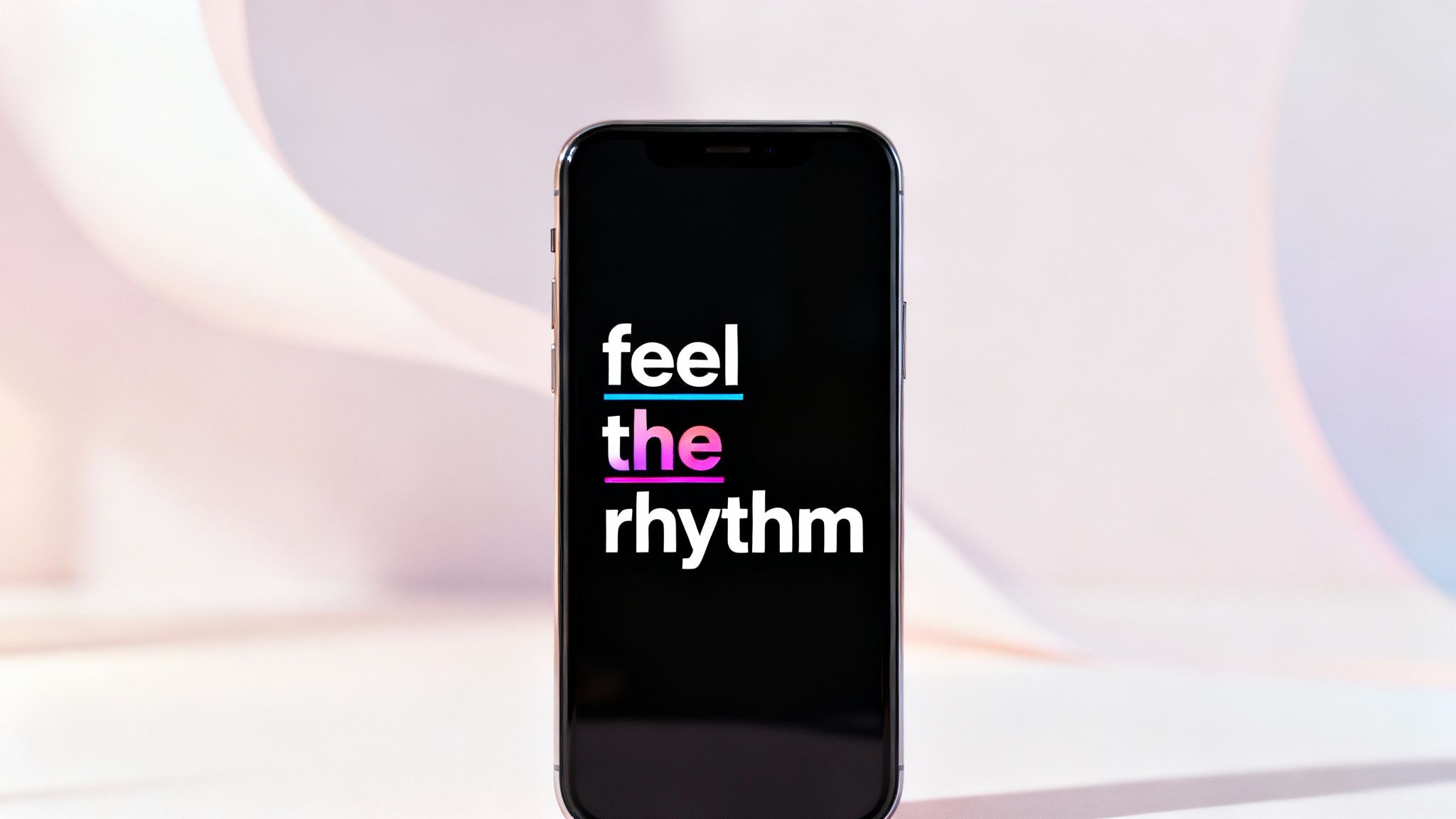
Perfect timing gets viewers hooked, but visuals are what make them stop scrolling, remember, and share. The design of your lyrics—the fonts, colors, and animations—is your chance to crank up the song's emotion and create something truly memorable. This is where you go from just showing words to telling a story with them.
A fantastic starting point is the classic karaoke-style animation. You know the one: words change color right as they're sung. It's incredibly effective because it naturally guides the viewer's eye, keeping them locked in. On fast-paced platforms like TikTok, that kind of focused attention is pure gold.
Matching Style to the Song's Mood
Your design choices have to serve the music. You wouldn't use a bubbly, playful font for a somber ballad, would you? The goal is to create a cohesive vibe that feels like a natural extension of the song itself.
Think about the song’s genre and energy when you're making these creative calls:
- Font Selection: For a high-energy pop track, a bold, sans-serif font like Montserrat or Bebas Neue just hits differently. For a more intimate, acoustic song, a serif font like Playfair Display can add a touch of class.
- Color Palette: Your colors need to pop, but they also need to fit the mood. A high-contrast combo like bright yellow on a black background is great for grabbing attention. For a chill lo-fi beat, you might lean into muted, softer colors.
- Motion Effects: Don't just have text appear—make it move with purpose. A subtle "fade in" can feel cinematic and smooth, while a "bounce" or "pop-up" effect injects a dose of fun and excitement into the video.
And make no mistake, this is big business. The lyric video industry hit a global size of USD 528.7 million in 2024 for production studios alone, all driven by the massive demand for engaging visuals on social media. As you add lyrics to a video, remember that your design choices directly fight viewer fatigue. You can discover more insights about this growing market on Dataintelo.com.
Creating a Cohesive Visual World
Your lyrics don't exist in a bubble; they need a world to live in. The background you choose is just as important as the text itself. Using an AI video generator like ClipShort, you can create custom visuals that perfectly match your song's theme without needing a film crew.
Your goal is to make the background and the lyrics feel like they belong together. Whether you use abstract AI art, cinematic footage, or a simple gradient, make sure it complements the text rather than competing with it.
Finally, don't be afraid to experiment. What works for one song might fall flat for another. Try creating a few different versions with different styles. Test them out on Reels or Shorts and then dive into the analytics. The data will often tell you exactly which visual style connects the most, helping you sharpen your creative instincts for the next video.
You’ve poured your heart into creating a stunning lyric video, but the work isn’t over just yet. Getting people to actually see it is the final, crucial step that separates a flop from a viral hit. It’s all about packaging your video in a way that the algorithm loves and viewers can’t scroll past.
This all starts with the technical nuts and bolts. Always, and I mean always, export your video in a 9:16 aspect ratio. This is the standard vertical format for mobile, and anything else will get awkwardly cropped, instantly signaling to viewers that your content wasn't made for them. Keep it short and sweet, too—aim for 15 to 60 seconds to keep those watch-through rates high.
Writing Captions and Hashtags that Work
With your video file ready to go, the next battle is fought in the caption and hashtag fields. Your caption needs to be short, punchy, and connect directly to the song's vibe or meaning. A simple trick that always works? Ask a question. It’s a dead-simple way to spark comments and tell the algorithm your content is engaging.
Hashtags are your secret weapon for discoverability. Don't just throw random tags on there; you need a smart mix:
- Broad Hashtags: Use 1-2 heavy hitters like
#lyricsvideoor#musiceditto cast a wide net. - Niche Hashtags: Add 3-5 specific tags that dial into your audience. Think artist names, song titles, or genres like
#indiepoplyricsor#drakequotes. - Trending Hashtags: See a relevant trend taking off? Jump on it. This can give your video a massive boost right out of the gate.
Leveraging Platform-Specific Features
Each platform has its own quirks and features you absolutely have to use. On TikTok, for example, a common mistake is uploading your song as a private audio file. Instead, search for the official audio clip within the app and layer your video on top. This links your creation directly to the song’s official page, opening it up to a huge audience of people exploring that sound.
And the on-screen text you've already mastered by adding lyrics? It's more powerful than you think. TikTok’s own data shows that videos with captions see a 95% boost in brand affinity. If you want a deeper dive on this, our guide on social media video specs has all the nitty-gritty details.
Key Takeaway: The final, and arguably most important, piece of the puzzle is a strong call-to-action (CTA). Don't just post and pray. Tell people exactly what you want them to do next. "Follow for more edits," "Comment your favorite line"—a clear CTA is what turns passive viewers into active fans.
This whole process taps into a massive trend: video is on track to account for a staggering 82% of all consumer internet traffic this year. To get the full picture of how dominant video has become, you can discover more video marketing statistics on HubSpot. Follow these steps, and you’ll give your hard work the visibility and engagement it truly deserves.
Got Questions About Making Lyric Videos?
Jumping into lyric videos for the first time usually brings up a few common questions, especially when you’re trying to get that polished, professional look. Let's clear the air on some of the most frequent hurdles so you can start creating with total confidence.
I often hear from creators who are worried they need a bunch of technical files just to get started. The big one? Pre-timed caption files. Do you really need one?
Can I Add Lyrics to a Video Without an SRT File?
You absolutely can. While using an SRT file is one way to go, modern editors are built so you don't have to. You can just paste your raw, untimed lyrics straight into the editor.
Tools like ClipShort use AI to get the initial timing pretty close, and from there, you can easily drag, nudge, and perfect each line on the timeline. This workflow gives you complete creative freedom without getting bogged down in technical file formats.
Another thing that trips people up is the creative side—especially for platforms like TikTok where visual trends change in the blink of an eye.
What’s the Best Animation Style for TikTok?
Honestly, the "best" style really comes down to the song's vibe and your personal brand. For high-energy, upbeat tracks, I’ve found that dynamic animations like pop-up or bounce effects are brilliant for keeping viewers hooked.
That said, you can never go wrong with the classic karaoke-style color change. It’s universally understood and does a great job of guiding the viewer's eye. My advice? Experiment. Try a few different animated templates and see what your audience responds to. Keep an eye on your watch time and engagement to see what works.
Beyond the creation process itself, it's also smart to think about the legal side of things. Many creators new to the space are rightfully concerned with protecting intellectual property rights. Making sure you have the right permissions for both the music and the lyrics is a non-negotiable step that protects you and respects the original artists.
How Long Should a Lyric Video Be for Reels or Shorts?
For Reels, Shorts, and TikTok, you want to keep it tight. Aim for 15 to 60 seconds. The algorithms on these platforms reward content that has a high completion rate, meaning people watch it all the way through.
Focus on the most memorable snippet of the song—usually the chorus or the bridge. A shorter, punchier video is far more likely to get rewatched, looped, and shared.
The golden rule for short-form video is simple: hook them in the first three seconds. A killer visual paired with a perfectly timed lyric is often all it takes to stop the scroll.
Thankfully, most editors make it incredibly easy to trim your audio and video clips down to that perfect length. You can focus your energy on making that short clip as magnetic as possible.
Ready to turn your song clips into something that gets noticed? With ClipShort, you can create stunning, perfectly synced lyric videos in just a few minutes. Give it a try and see just how easy it is to make content that connects. Start creating with ClipShort.