
Create YouTube Videos with AI and Scale Your Channel Faster
So, you want to create YouTube videos using AI? The idea is simple: use platforms that handle the heavy lifting, from writing the script to generating the visuals and voiceover. These tools let you crank out high-quality, engaging content—especially YouTube Shorts—in just a few minutes. It's a game-changer for scaling your channel without needing a fancy camera or years of editing experience.
Think of it as a much faster, more direct path from idea to published video.
The New Wave of YouTube Content Automation
The old way of making it on YouTube was a grind. Long hours filming, wrestling with complicated editing software, and sinking a ton of money into gear. It was enough to make anyone quit. A lot of great ideas never saw the light of day because creators were camera-shy, didn't have the tech skills, or just couldn't afford the production costs.
But that's all changing. AI isn't some far-off concept anymore; it's a real tool that solo creators, marketing teams, and anyone with an idea can use right now. It completely breaks down those old barriers.
This flowchart pretty much sums it up, showing how AI tackles the biggest headaches of traditional video creation.
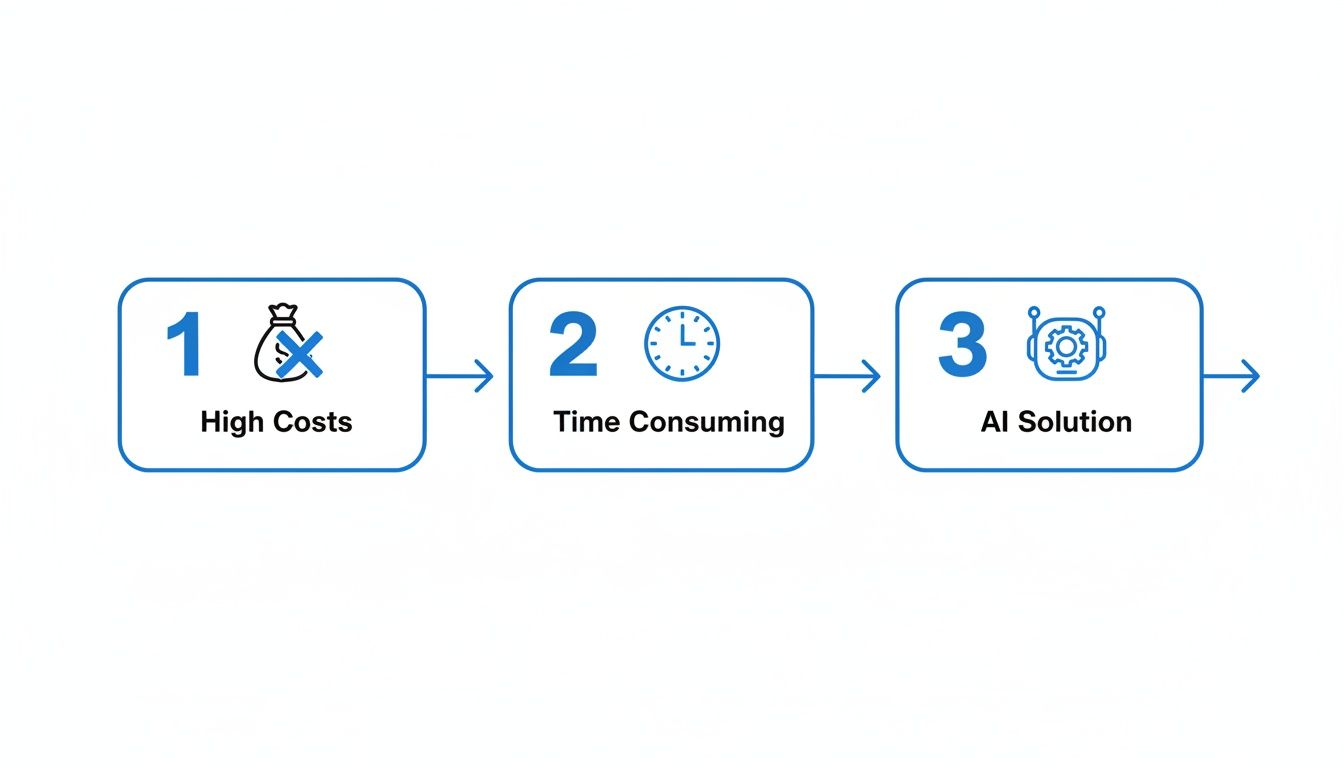
It’s a clear path from the slow, expensive old-school methods to a slick, efficient AI-powered workflow.
Solving The Creator's Dilemma
The real magic of using AI to make YouTube videos is that it solves three huge problems at once: cost, time, and complexity.
Let's just talk money for a second. The global AI video market is exploding and expected to hit $10.29 billion by 2025. Why? Because it's unbelievably efficient. A professionally produced video can easily cost $1,500 to $10,000 per minute. AI tools can slash that time and budget by up to 80%.
That's a massive advantage when you're trying to reach the 2.6 billion people who use YouTube every month. Especially since viewers remember 95% of a message from a video, compared to just 10% from text. You can dig into more stats about AI's impact over at TrueFan.ai.
To put it into perspective, here’s a quick breakdown of the difference.
Traditional vs AI Video Production: A Quick Comparison
This table really highlights the stark contrast between the old way and the new way of getting things done.
| Factor | Traditional Video Production | AI Video Creation |
|---|---|---|
| Time | Weeks or months per video | Minutes or hours per video |
| Cost | High (equipment, software, crew) | Low (affordable subscriptions) |
| Skills | Requires editing, filming, design | Minimal technical skills needed |
| Scalability | Difficult to scale; high burnout risk | Easy to produce content in bulk |
| Flexibility | Re-edits are time-consuming | Instant changes and variations |
AI platforms give you creative freedom by handling all the tedious work. This lets you zero in on what actually matters: your ideas.
The real power of AI in video creation isn't just automation; it's the democratization of content. Suddenly, anyone with a compelling idea can compete, regardless of their budget or technical background. It levels the playing field entirely.
A Practical Way to Scale Your Content
Instead of pouring weeks into one perfectly polished video, you can now test-drive a dozen different concepts in a single afternoon. This ability to iterate quickly is the secret sauce to figuring out what your audience actually wants to watch.
- Test Niches Rapidly: Got a wild idea for a channel about weird historical facts or daily Stoic quotes? You can pump out a week's worth of Shorts in an hour and let the analytics tell you if it’s a winner.
- Eliminate Burnout: We all know consistency is key on YouTube, but it's also the #1 cause of creator burnout. AI takes care of the repetitive grind so you can keep a steady upload schedule without the stress.
- Focus on Strategy: When production is automated, you can stop staring at editing timelines and start focusing on the bigger picture—analyzing your stats, engaging with your community, and planning your next big move.
By using these tools, you’re not just making videos anymore. You're building a sustainable content engine that can run without burning you out.
Turning Your Ideas into AI-Powered Scripts
The journey to an amazing AI-generated video always starts with one thing: the script. This is where your idea stops being a fuzzy concept and starts taking shape as a real, structured story that can actually hook a viewer.
For me, the best part is completely skipping the "blank page" phase. No more writer's block. Instead, I get to focus on the fun part—the creative direction—and let the AI handle the heavy lifting of building that first draft. It’s not about giving up control; it’s about being a smart director. You provide the vision, and the AI lays the foundation.
The goal is to get a script that feels tight, with a killer opening, a clear middle, and a strong finish, all built for the breakneck speed of short-form video.
Crafting Prompts That Deliver Viral Hooks
Here’s a hard truth: the quality of your AI script is a direct reflection of your prompt. A lazy prompt like "write a script about space" will get you a boring, generic result every single time. To get a script that grabs attention in the first 3 seconds, you have to be specific.
Think of your prompt as a creative brief for an assistant. The more detail you give, the better the final product. A great prompt is a blueprint—it tells the AI the tone, structure, target audience, and the main point you need to hit. If you want to go deeper, our guide on writing a powerful YouTube video script breaks down even more frameworks.
This is a practical prompt formula I use all the time:
Act as a viral YouTube Shorts scriptwriter. Write a 150-word script for a video about [Your Topic]. Start with a shocking or counter-intuitive hook. Follow with three surprising facts, each presented in a short, punchy sentence. End with an open-ended question to encourage comments. The tone should be [e.g., mysterious, upbeat, inspirational].
Real-World Prompt Examples Across Niches
Let's put that formula to work and see how it holds up for a few different content styles.
-
For a History Niche: "Act as a viral YouTube Shorts scriptwriter. Write a 150-word script about the real story of Cleopatra. Start with a hook that debunks a common myth about her beauty. Follow with three surprising facts about her intelligence, political skill, and fluency in multiple languages. End with the question: 'Which historical figure should we uncover next?' The tone should be intriguing and educational."
-
For a Product Explainer: "Act as a viral YouTube Shorts scriptwriter. Write a 150-word script for our new smart coffee mug. Start with the hook: 'Your coffee is getting cold the wrong way.' Follow with three key benefits: maintains a perfect temperature for hours, controlled by an app, and has a battery that lasts all day. End with the call-to-action: 'Ready to upgrade your morning?' The tone should be energetic and innovative."
-
For Motivational Content: "Act as a viral YouTube Shorts scriptwriter. Write a 150-word script about overcoming procrastination. Start with the hook: 'Stop waiting for motivation—it’s a myth.' Follow with three actionable tips: the 'two-minute rule,' breaking down tasks, and rewarding small wins. End with the question: 'What's one small task you'll accomplish today?' The tone should be empowering and direct."
See the difference? These prompts give the AI guardrails and a clear creative direction. The scripts you get back are immediately much closer to something that will actually perform.
Infusing Your Unique Brand Voice
The script the AI spits out is an awesome starting point, but it's not finished. This final step is crucial: you have to inject your personality into it.
Read the script out loud. Does it actually sound like something you would say? If not, tweak it. Swap out a generic word for that one phrase your audience always uses. Add a quick personal story or a reference that only your followers will get. This is how the content becomes yours. To make this even faster, an AI humanizer tool can help you quickly refine the text to sound less robotic.
Key Takeaway: The best AI-powered videos never sound like they were made by a robot. They use AI as a collaborator to get things done faster, but the final product is always polished with a distinctly human touch that reflects the creator's unique voice.
This last editing pass is what separates generic, forgettable AI content from a video that actually connects with a real person. It’s all about authenticity—the only currency that truly matters on social media.
Generating Voiceovers and Visuals That Connect
Once your script is locked in, it's time for the fun part: bringing it to life. This is where you turn words on a page into an experience that can stop someone mid-scroll. The first piece of this puzzle is the voiceover—it's the audio soul of your video.
The right AI voice can make or break your content. Think about the tone your video needs. Is it a historical docu-short that calls for a deep, narrative voice? Or maybe it's a motivational clip that needs something energetic and upbeat. Modern AI voice generators offer a massive library of options, from different genders and ages to a whole range of global accents.
This variety is a huge advantage. An American accent might be perfect for a tech tutorial aimed at a US audience, while a British accent could add a sense of authority to a documentary-style video. Don't just pick the first voice you hear. Take a minute to sample a few and see which one really clicks with your script's message.
Choosing Your Visual Aesthetic
With the voice picked out, it's time to build the visual world for your story. Just like with the voice, being specific here pays off big time. The best AI video platforms don’t just spit out random clips; they let you define a consistent visual style that becomes part of your channel's brand.
Think about what aesthetic actually fits your content. You've got a whole palette of styles to choose from, each creating a completely different vibe.
- Cinematic: This is your go-to for dramatic storytelling, historical deep dives, or anything that needs that high-production, movie-like quality.
- Photorealistic: Perfect for explainer videos, product showcases, or any content where a realistic look builds trust and credibility.
- Anime or Comic Book: A fantastic choice for stylized content that pops, especially for stories about fantasy, gaming, or pop culture.
Picking a style and sticking with it helps create brand recognition. Pretty soon, when a viewer sees your video in their feed, they'll instantly know it's yours before they even press play.
The goal is to move beyond just illustrating your script. You want to create a cohesive audio-visual experience where the voice, visuals, and story all work together to evoke a specific emotion in the viewer.
The demand for this kind of efficient, high-quality production is blowing up. In just one year, AI adoption in video creation more than doubled, jumping from 18% to 41% of companies, with another 19% planning to jump in soon. Why the surge? AI handles the heavy lifting, letting creators and companies produce more content, faster and better. You can find more insights on this trend over at https://www.clipshort.co/en/blog/best-ai-video-generators.
Taking Creative Control of AI-Generated Scenes
Here’s a pro tip that separates the amateurs from the pros in the AI video space: never settle for the AI's first attempt. The initial video the platform generates is just a starting point. It's a powerful one, for sure, but it's still just a draft. The real magic happens when you step in to refine the details.
If a specific scene doesn't quite match what you had in mind, just regenerate it. Most tools let you isolate a single clip and ask the AI to try again, maybe with a slightly different prompt. Perhaps you need a close-up instead of a wide shot, or a more dynamic action sequence.
This back-and-forth is key. The best AI video generators give you the flexibility to fine-tune your creation without needing to be an expert in complex editing software. For those looking to push the visual creativity even further, you might find it useful to learn how to create AI influencers who can act as recurring characters or hosts for your channel.
But the real power move is replacing AI-generated clips with your own footage.
- Add a Personal Touch: Have a great clip on your phone that perfectly illustrates a point? Upload it.
- Incorporate Branding: Insert your logo, a product shot, or a screen recording to make the video uniquely yours.
- Enhance Credibility: For tutorials or reviews, showing the actual product or software in use builds immense trust with your audience.
This hybrid approach—blending the speed of AI generation with the authenticity of your own content—is how you create videos that truly stand out. You get the efficiency of automation without ever sacrificing your creative vision.
Fine-Tuning Your Video to Maximize Viewer Retention
Once your AI has pieced together the script, voice, and visuals, you’ll have a pretty solid first draft. But "solid" doesn't get you views. To make AI-generated videos that actually stop the scroll, you need to get your hands dirty with the little details that make a huge difference in viewer retention.
Think of the initial AI video as your raw material. Now, it's time to add the polish that hooks people in. The YouTube algorithm is obsessed with one metric above all others: watch time. Your secret weapon to boost this is a series of small, strategic edits that make your video feel dynamic, professional, and impossible to swipe away from.
Making Captions a Core Visual Element
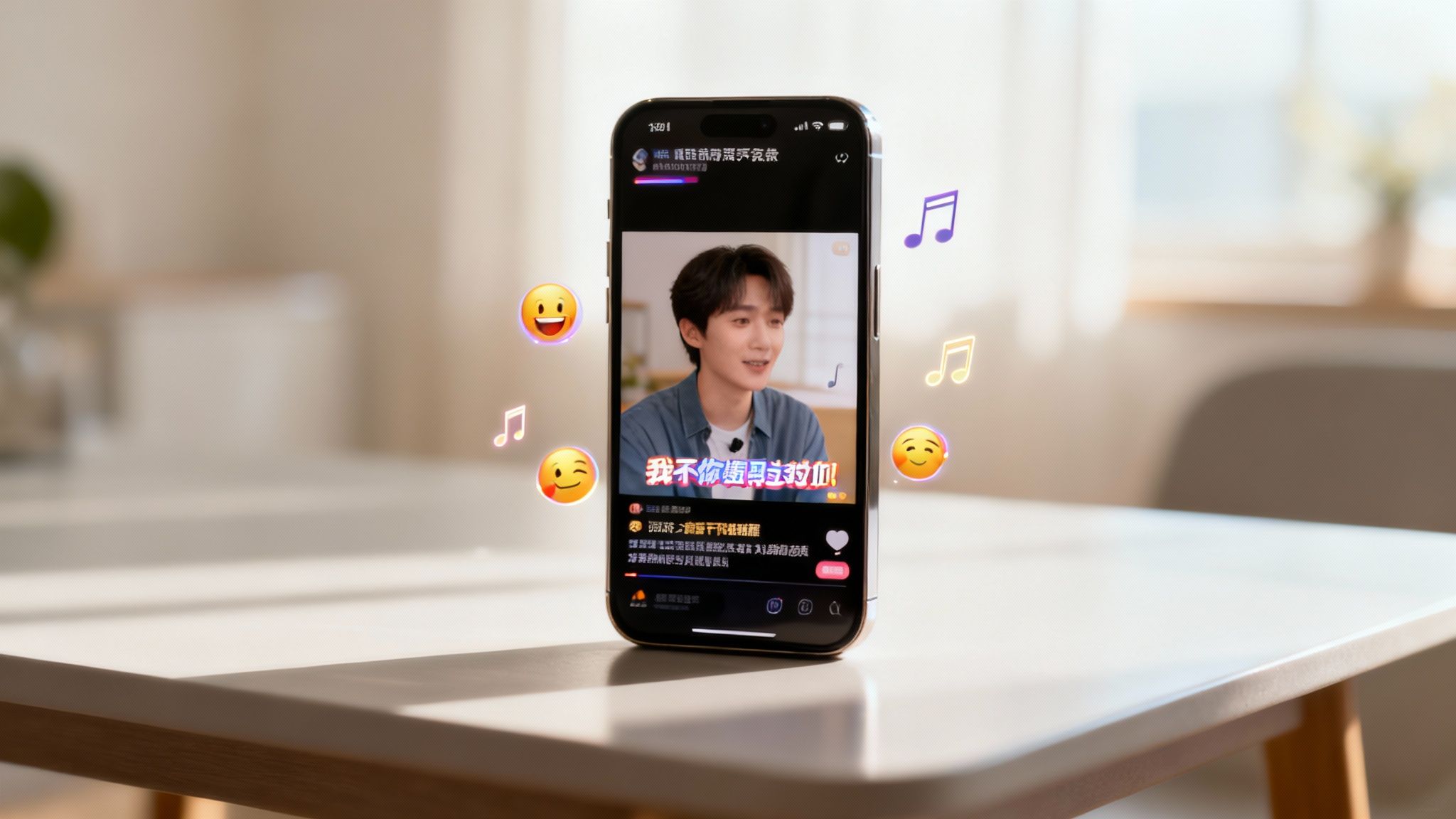
In the world of silent autoplay, captions are no longer just for accessibility—they're your primary visual hook. Most people watch short-form content with the sound off at first, so your text needs to do all the heavy lifting to grab their attention.
Modern AI video tools let you do so much more than just display text. You can make words pop, change color, or slide onto the screen to really drive your message home.
- Highlight Key Words: Animate or change the color of the most important word in a sentence. If your script says, "The secret is to never give up," you could make the word "never" flash or pop for a split second. It’s a simple trick, but incredibly effective.
- Control the Pace: Don't just show a full sentence at once. Adjust your subtitle timing so they appear word-by-word or phrase-by-phrase. This builds a rhythm and sense of anticipation, keeping viewers watching to see what you'll say next.
- Add Emotional Flair: Throw some emojis right into your captions. A well-placed 🔥 or 🤯 adds personality and emotion that plain text just can't deliver.
These aren't just cosmetic tweaks; they are deliberate choices designed to keep eyeballs glued to the screen.
The Power of Pacing and Audio
The rhythm of your video is absolutely critical for retention. If your video has a flat, monotonous pace, viewers are gone in seconds. You need to create "pattern interrupts"—small, unexpected changes that reset their attention span and keep them engaged.
This is where your background music and sound effects come in. Pick a music track that fits the vibe of your script. An upbeat track works great for motivational content, while a more ambient score is perfect for storytelling. Most tools let you dial the music volume down so it supports the voiceover without overpowering it.
A great video isn't just seen; it's felt. The right combination of music, sound effects, and visual pacing can evoke emotion, build tension, and make your message far more memorable. It’s the difference between content that informs and content that inspires action.
YouTube knows how important this is. The platform is baking advanced AI like Google DeepMind’s Veo directly into Shorts, giving creators free tools to generate custom backgrounds and motion effects. And the data backs this up: top-performing AI videos see a 68% viewer drop-off at 30 seconds. While that sounds high, it's a much better retention rate than the average, proving that a well-optimized AI video can hold its own. You can learn more about YouTube’s new AI tools for creators to see how they're leaning into viewer engagement.
Strategic Visual Enhancements
Finally, look closely at every second of your video. Are the transitions between scenes smooth, or are they jarring? Simple fades or slides can make your video flow like a professional production.
And don't be afraid to add subtle motion to static images. A slow zoom-in can build tension, while a gentle pan can bring a still photo to life. These tiny movements keep the screen from feeling static and boring. By weaving these fine-tuning techniques together, you’ll turn a basic AI-generated clip into a polished piece of content built to maximize every single second of watch time.
Building Your Publishing and Distribution Engine
Making a great video is only half the job—the other half is making sure people actually see it. Your AI-generated masterpiece deserves a smart, strategic launch. This final part is all about building a system that ensures your content doesn't just get uploaded, but gets discovered by the right viewers.
Think of it as building an engine for your channel. It’s a repeatable process that removes the guesswork from publishing and maximizes your reach every single time. Without a solid distribution plan, even the most amazing content can easily get lost in the noise.
Optimizing Your Video for YouTube Discovery
Before you even think about hitting that "publish" button, you need to learn to speak YouTube's language. And that language is all about SEO. Your video’s title, description, and tags are the critical signals that tell the algorithm what your content is about and who it’s for.
-
Craft SEO-Driven Titles: A good title has to be clickable for humans and searchable for the algorithm. A great formula is to blend a high-intent keyword with a hook that piques curiosity. Instead of a flat title like "History of Rome," try something like "3 Roman Empire Facts They Never Taught You in School." It’s specific, creates intrigue, and targets a clear search term.
-
Write Rich Descriptions: That description box is prime real estate, so don't waste it. Avoid just stuffing it with keywords. Write a couple of natural-sounding sentences summarizing the video, making sure to drop your main keyword in the very first line. Then, you can add relevant links, timestamps (for longer videos), and a few secondary keywords to give YouTube more context.
-
Use Strategic Tags: Tags are another way YouTube categorizes your video. You'll want to use a mix of broad terms (like "history facts") and more specific, long-tail keywords (like "ancient Rome daily life"). This simple trick helps your video show up in a much wider range of search results and suggested video feeds.
Taking a few minutes to do this properly dramatically increases the odds of your video getting picked up by the algorithm and served to brand new viewers.
Key Insight: YouTube is a search engine first and a social media platform second. Optimizing your metadata isn't just a best practice; it's the absolute foundation of organic growth. Every video you post is a new opportunity to rank for keywords in your niche.
Scheduling and Repurposing Content
Consistency is everything on YouTube, but that doesn't mean you have to be chained to your desk 24/7. This is where the scheduling feature becomes your best friend. Dive into your YouTube Studio analytics to pinpoint when your audience is most active, then schedule your Shorts to go live during those peak hours. It's a simple way to give your video an initial burst of engagement, which signals to the algorithm that it's worth showing to more people.
And remember, your AI-generated content is incredibly versatile. Don't just let it sit on YouTube.
Your Repurposing Checklist:
- TikTok & Instagram Reels: The vertical format is a perfect fit. Just download your finished video and upload it directly. You can often use the same title and a slightly tweaked set of hashtags.
- Pinterest Idea Pins: Video content absolutely crushes it on Pinterest. Uploading your Short as an Idea Pin can expose your work to a completely different audience that might not even be on YouTube.
- LinkedIn Posts: If you're creating business or educational content, a short, punchy video can be a fantastic way to share insights and pull traffic back to your channel.
This cross-platform strategy creates a powerful flywheel effect. You build a presence across multiple channels with a single piece of content, driving new audiences back to your main YouTube hub. This is how you truly create YouTube videos with AI that work for you, not the other way around. It's a core principle behind creating a fully automated YouTube channel that grows over time without burning you out.
Common Questions About AI Video Creation
As you start exploring AI video creation for YouTube, it's totally normal for questions to pop up. This tech is moving at lightning speed, so it's smart to get a handle on the practical side of things before you jump in.
Let's clear up some of the most common concerns creators have when thinking about building a channel with AI.
Can I Really Monetize a YouTube Channel with AI-Generated Videos?
Yes, absolutely. The biggest misconception is that YouTube penalizes AI content, but that's not how it works. Their monetization policies don't care how a video was made; they care about the value it delivers to the viewer.
What YouTube is really trying to stop is low-effort, repetitive, and spammy content.
As long as your AI-generated videos are transformative—meaning you’ve added your own creative layer—they are 100% eligible for the YouTube Partner Program. This means bringing your own spark to the table.
- Your unique ideas for the script and overall concept.
- Strategic edits, like swapping out a generic scene for your own screen recording or b-roll.
- A distinct brand voice that shines through in the script, pacing, and visual style.
Think of it this way: if you're using AI as a super-powered tool to bring your creative vision to life, you're playing by the rules. The focus is on originality, not the method.
How Do I Make My AI Videos Look Unique and Not Generic?
This is a great question. The secret is to treat the AI's first draft as just that—a starting point. Your job is to inject your personality and establish a signature style that makes your channel instantly recognizable.
It all starts with the script. Tweak the wording, adjust the tone, and punch up the language until it sounds like you. This is the soul of your content.
Then, you get hands-on with the visuals.
- Play around with different aesthetic styles until you land on one that feels right for your niche.
- Regenerate scenes that don't quite hit the mark. Don't be afraid to click that button a few times to get the perfect shot.
- Upload your own media. This is the ultimate power move. Replacing a generic AI clip with your own screen recording, a product shot, or a quick phone video is the fastest way to make your content unique.
By layering your creative decisions—a consistent voice, a signature visual style, custom captions, and your own media—you're not just making a video; you're building a brand that stands out.
Is It Difficult to Get Started with AI Video Creation?
Not at all. In fact, one of the best things about modern AI video platforms is how beginner-friendly they are. These tools were built to completely demolish the steep learning curve of traditional editing software like Adobe Premiere Pro or Final Cut Pro.
Instead of getting lost in complex timelines, keyframes, and endless effects panels, the whole process is much more intuitive. You're mostly working with simple text prompts, dropdown menus, and easy drag-and-drop interfaces. It feels more like creating a presentation than editing a film.
You can genuinely go from a simple idea to a fully polished YouTube Short in just a few minutes. It's the perfect launchpad for anyone who has great ideas but zero video editing experience.
What Kind of YouTube Channels Work Best for AI Faceless Content?
AI-powered faceless content is incredibly versatile and works wonders across a huge range of niches. It's especially powerful for channels where the information is the hero, not necessarily the creator's face.
Some of the niches where this approach is absolutely crushing it right now include:
- Educational Content: Breaking down complex topics in science, history, finance, or tech.
- Historical Storytelling: Bringing fascinating past events to life with compelling narratives.
- Motivational and Self-Help: Sharing inspirational quotes, stoic wisdom, and powerful life advice.
- Tech Tutorials: Creating simple, visual guides for software or gadgets.
This strategy lets you scale your content production at a wild pace and test out new channel ideas without the time, cost, or pressure of being on camera.
Ready to turn your ideas into scroll-stopping videos in minutes? With ClipShort, you can automate your content creation with powerful AI scripting, lifelike voiceovers, and customizable visuals.
Start creating for free at https://www.clipshort.co.