
How to Add Music to Video Online for Viral Content
Adding music to a video online is actually pretty straightforward these days. All you really need is a browser-based video editor. These tools let you upload your video, drop in an audio track from their library (or one of your own), and sync everything up on a simple timeline. No software downloads required.
Why the Right Music Is a Growth Hack for Your Videos
Look, adding music to your video isn't just about filling dead air. It’s a strategic move. It's how you grab your viewer's attention and, more importantly, their emotions. The right soundtrack basically tells your audience how they should feel without you having to say a word.
Imagine you're watching a product demo for a cool new gadget. An upbeat, punchy track makes the product feel innovative and exciting. Now, picture that same demo with dead silence. It just falls flat, right? The energy is gone.
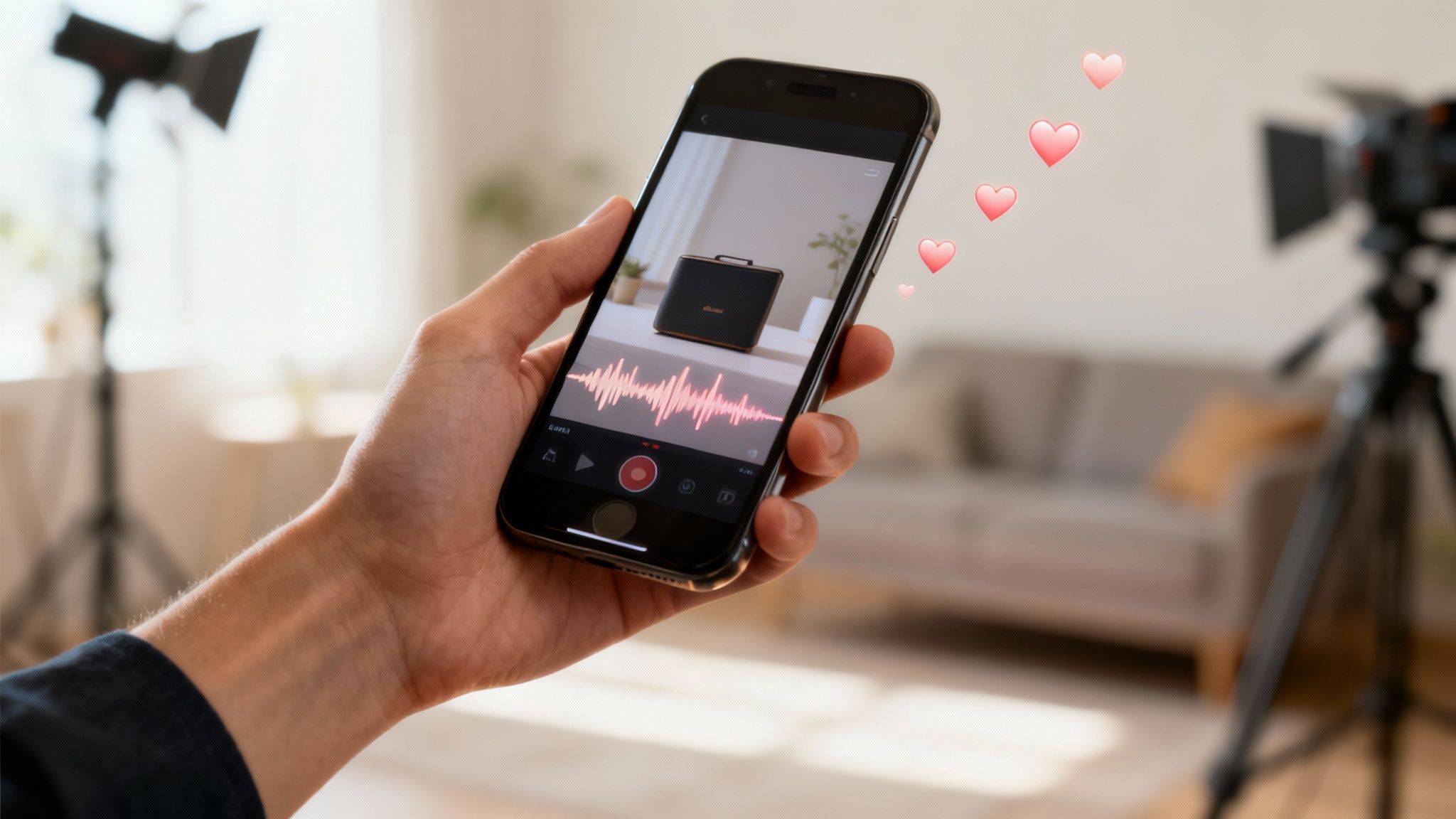
This psychological effect is what fuels success on platforms like TikTok, Instagram Reels, and YouTube Shorts. These places are built on sound. A trending audio clip can launch a video into the stratosphere, even if the visuals are just okay.
The Sound-On Culture of Social Media
Let's be real: modern social media is a "sound-on" experience. People expect audio, and if they don't get it, they're gone in seconds. That’s why creators who really get audio editing have such a massive edge.
- Emotional Connection: Think of a travel vlogger. A chill, ambient melody in the background makes you feel like you're right there with them, creating a relaxing vibe that keeps you watching.
- Pacing and Vibe: Fast cuts perfectly synced to a heavy beat can turn a boring tutorial into something that feels dynamic and super professional.
- Brand Identity: If you always use a certain kind of music—say, lo-fi beats or epic cinematic scores—people start to associate that sound with you. That's how you build a recognizable brand.
The numbers don't lie. A 2023 analysis found that a whopping 85% of all videos on TikTok include music, which is the highest of any platform out there. That’s a 15% jump from 2019, showing just how critical sound has become.
The right audio isn’t just an accessory; it’s a force multiplier. It dials up your message, glues viewers to the screen, and basically tells the algorithm, "Hey, this content is worth pushing."
Making Professional Audio Accessible
Not too long ago, getting pro-level sound design meant shelling out for expensive software and having some serious technical chops. That's all changed.
Modern online tools have completely leveled the playing field. Now, anyone can easily add high-quality music to their content. You can see just how powerful the right audio can be in creating a premium feel by looking into the role of music in cinematic wedding videography. Grasping these concepts is a huge piece of the puzzle when you're figuring out what makes a video go viral.
Finding the Perfect Soundtrack for Your Content
The right track can completely transform your video, but let's be honest—staring at millions of options is overwhelming. Where do you even begin?
The trick is to match the music source to your video's purpose. Think of it like this: you wouldn’t use the same soundtrack for a viral TikTok dance and a polished corporate promo.
For a quick, trendy TikTok or Reel, your best bet is almost always the platform’s built-in library. These sounds are already gaining traction, which gives your video an immediate algorithmic boost. Hopping on a trending sound is like catching a wave—it helps carry your content to a much wider audience with less effort.
But when you're crafting something more permanent, like a YouTube tutorial or a branded ad, that approach backfires. A trending TikTok sound will make your corporate video feel dated in a matter of weeks. This is where dedicated music libraries come in.
Royalty-Free and Subscription Libraries
When you need to add music to video online for more serious projects, royalty-free libraries are a lifesaver. These platforms are packed with high-quality tracks you can license without the constant fear of future copyright strikes.
You'll generally find two models:
- Pay-per-track: You buy a license for one specific song. This is perfect if you only need music every once in a while.
- Subscription services: You pay a monthly or annual fee for unlimited downloads from the entire library. This is the standard for anyone creating content consistently.
These libraries let you filter by mood, genre, tempo, and even specific instruments, making it surprisingly easy to find a track that nails the vibe you're going for. A little bit of digging can uncover a track that feels like it was made just for your video. You can even find guides on syncing everything perfectly, like if you need to add lyrics to a video.
To help you decide, here's a quick breakdown of the most common music sources available online.
Comparison of Online Music Sources for Videos
This table breaks down the pros and cons of different music libraries to help you choose the right one for your next project.
| Source Type | Best For | Typical Cost | Copyright Risk |
|---|---|---|---|
| Platform-Native Libraries (TikTok, IG) | Short, trendy social media clips and catching viral waves. | Free (within the app) | Low (within the app), High (if used elsewhere) |
| Subscription-Based Stock Music | Consistent creators, YouTubers, marketers, and freelancers. | $15-$50/month | Very Low (with active subscription) |
| Pay-Per-Track Stock Music | One-off projects, small businesses, or infrequent creators. | $20-$100 per track | Very Low (license is perpetual) |
| Free Creative Commons (CC) Music | Hobbyists and non-commercial projects on a tight budget. | Free | Medium (requires careful attribution) |
| Commercial Music | Big-budget ads and films (requires expensive, complex licensing). | $1,000s - $100,000s+ | Extremely High (without a proper license) |
Ultimately, investing in a good subscription library is often the safest and most efficient choice for serious creators.
The Risk of Using Commercial Music
I get it—it's incredibly tempting to just grab the latest pop hit for your video. But it's a game you'll eventually lose. Using commercial music without securing a proper (and very, very expensive) license is asking for trouble.
Your video could be muted, taken down completely, or your channel could get hit with a copyright strike. If you're monetized, you can kiss any ad revenue from that video goodbye. It's just not worth it.
Besides, the sheer volume of new music being created offers endless amazing—and safe—alternatives. A Q1 2023 report from Luminate revealed that an average of 120,000 new tracks are uploaded to streaming platforms every single day. This explosion of new music means there are more high-quality, royalty-free options available than ever before.
Matching Music to Your Message
Finding a track you can legally use is only half the battle. The music has to actually help your story, not distract from it. Before you commit to a track, run through this quick mental checklist:
- What’s the mood? Is your video supposed to be inspirational, funny, serious, or educational? The music needs to match that energy.
- What’s the pace? A fast-paced tutorial video needs something energetic and upbeat. A cinematic travel vlog, on the other hand, calls for something slower and more atmospheric.
- Who is my audience? Think about the musical tastes of the people you're trying to reach. A track that resonates with Gen Z might fall flat with an older demographic.
By making sure the source, legality, and style of your music all line up with your video's goals, you create a far more powerful and professional piece of content that truly connects with viewers.
Adding and Syncing Audio Like a Pro
Alright, this is where the magic really happens—bringing your video and your chosen music track together. Forget the theory; this is all about practical skill. It’s not just a matter of slapping a song onto your footage. The goal is to make the audio and video feel like they were created for each other from the start.
First things first, get your assets into the editor. Most online tools have a media library or bin where you can upload your video clips and the audio file you picked out. It's usually a simple drag-and-drop from your computer. Once they're uploaded, pull both the video and the music onto their own tracks in the timeline. The timeline is your canvas, and this is where you’ll start painting.
Placing and Trimming Your Audio
Let's be real: your audio track will almost never be the perfect length for your video. And that's totally fine. Your first job is to trim it down so it fits.
On the timeline, find the end of the audio clip. You should be able to click and drag the edge of it to shorten it until it lines up perfectly with the end of your video. Don't stress about getting it perfect on the first try; this is just about getting the basic length right.
Pro Tip: If the song has a clear ending—like a final chord, a cymbal crash, or a note that fades out—try to trim your audio to that point. A hard, sudden cut in the music is jarring for the viewer. A natural ending, on the other hand, makes the whole video feel incredibly polished.
Creating Impact with Beat Syncing
Want to know one of the simplest tricks that makes a video look professionally edited? Beat syncing. This is the art of timing your visual cuts and actions to the beat of the music. Think of a big reveal happening right on the beat drop, or a scene change that hits at the same time as a change in the song’s melody.
To pull this off, you need to actually listen to your music while watching the timeline. You'll see peaks in the audio waveform—those are your beats. Nudge your video clips around so that an important action, like someone jumping or a product appearing on screen, lands exactly on one of those peaks. It's a small tweak, but it creates this deeply satisfying rhythm that keeps people glued to the screen.
Before you dive deep into syncing, it helps to have a solid workflow for finding your music in the first place. This is how most creators approach it.
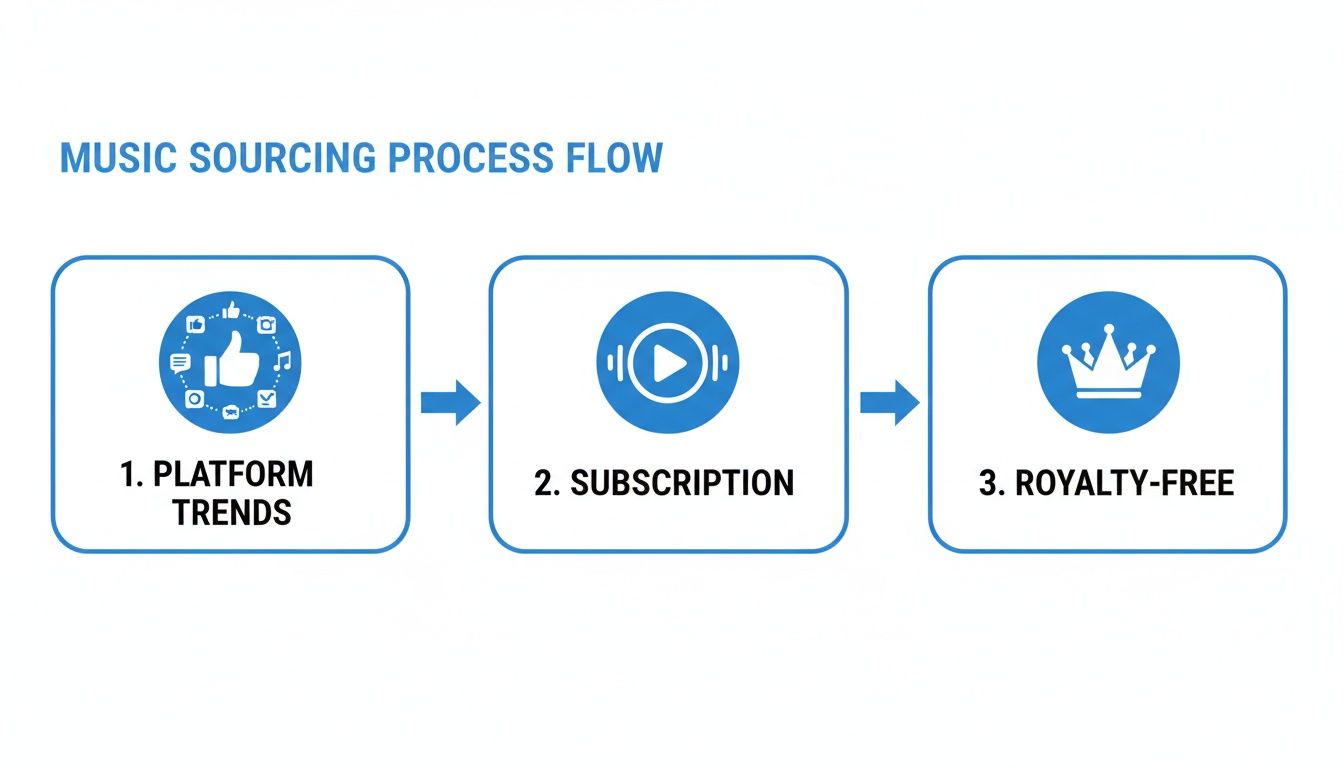
As you can see, the path you take really depends on your goal—whether you're chasing a viral trend on TikTok or securing a high-quality, legally safe track from a dedicated service.
Balancing Volume Levels and Fades
Your music should be a supporting actor, not the star of the show—especially if your video has dialogue. If your audio track is blasting over someone speaking, you’ve lost your audience.
The technique to fix this is called audio ducking. It’s simple: when someone starts talking, you lower the music volume. When they stop, you bring it back up. Most modern video editors let you add keyframes to the audio track, which are little markers that tell the volume when to dip and when to rise.
Finally, give your audio a smooth entrance and exit with fades. A fade-in at the start gradually introduces the music instead of having it start abruptly. A fade-out at the end provides a clean, professional finish. These are often one-click effects you can apply to the beginning and end of your audio clip.
Here are the key moves to master:
- Timeline Placement: Drag your video and audio onto separate tracks to get started.
- Trimming: Snip the start and end of your music to match your video's duration.
- Volume Adjustment: Dip the music's volume during dialogue so every word is heard clearly.
- Beat Matching: Align key visual moments—a transition, a text reveal, or an action—with the strongest beats in the song.
Nailing these fundamentals will give you the confidence to turn any simple video into a piece of content that looks and sounds amazing.
Navigating Music Copyright to Protect Your Content
Nothing kills a video's momentum faster than a copyright strike. One minute you're riding a wave of new views, and the next, your content is muted, demonetized, or just gone. Trust me, dealing with music rights seems like a headache, but ignoring them is a mistake you can't afford to make.
At its heart, copyright is the legal protection for original works, and that absolutely includes music. The moment you use a popular song without getting the rights, you're stepping on the creator's copyright. Platforms like YouTube and TikTok have incredibly sophisticated automated systems that are constantly scanning for this stuff. It's why so many videos get flagged, even for using just a few seconds of a track.
The consequences are real, and they can pile up fast. A single copyright claim can get your monetization pulled. A few strikes could lead to your account being suspended or even permanently shut down. It's a painful lesson a lot of us have learned the hard way.
Staying Safe with Royalty-Free and Creative Commons
So, how do you add great music to your videos without constantly looking over your shoulder? It all comes down to understanding your licensing options.
-
Royalty-Free Music: This is the gold standard for most creators. You either pay a one-time fee for a track or subscribe to a library, which gives you the legal green light to use their music in your videos. Getting a handle on what royalty-free music really means is a crucial step for anyone serious about protecting their content. It's simply the safest, most professional route.
-
Creative Commons (CC): This is a specific type of license where artists let people use their work for free, but usually with some strings attached. You might have to credit the artist (attribution), or you might be blocked from using the song in any video you plan to monetize (non-commercial). Always, always check the specific CC license terms before you download anything.
Honestly, the simplest path is often to use music from an integrated library within an online editor like ClipShort. These platforms have already done the legal legwork for you, offering a curated collection of tracks that are totally cleared for use. This lets you focus on being creative instead of playing amateur lawyer.
The Creator's Pre-Flight Music Checklist
Before you drag any audio file into your timeline, just run through this quick mental checklist. It takes less than a minute and can save you from a world of trouble later on.
-
Where did I get this track? Was it from a legit royalty-free site? My video editor’s built-in library? Or did I just rip it from someone else's video? If it's the last one, hit the brakes immediately.
-
What does the license actually say? Am I clear to use this on YouTube? Can I monetize a video that includes it? Do I need to pop a credit in my video description? The fine print really matters here.
-
Does the platform itself have rules? This is a big one. A sound that's trending and safe to use in a TikTok clip might not be cleared for a monetized YouTube video. Every platform has its own unique deals with music labels.
When you're proactive about sourcing your music, you're not just avoiding strikes—you're protecting your content, your channel, and all the hard work you've put into it.
How AI Tools Can Automate Your Video and Audio Workflow
Let's be honest: manual video editing can be a total grind. We've all been there—spending hours digging for the right music track, painstakingly trimming clips, and trying to nail that perfect sync between a visual cue and a beat drop. That old-school process is slow, frustrating, and a huge bottleneck when you’re trying to create content consistently.
But what if there was a smarter way to work? Modern AI tools are built to take the most tedious parts of video editing off your plate, freeing you up to focus on what you do best: telling a great story.
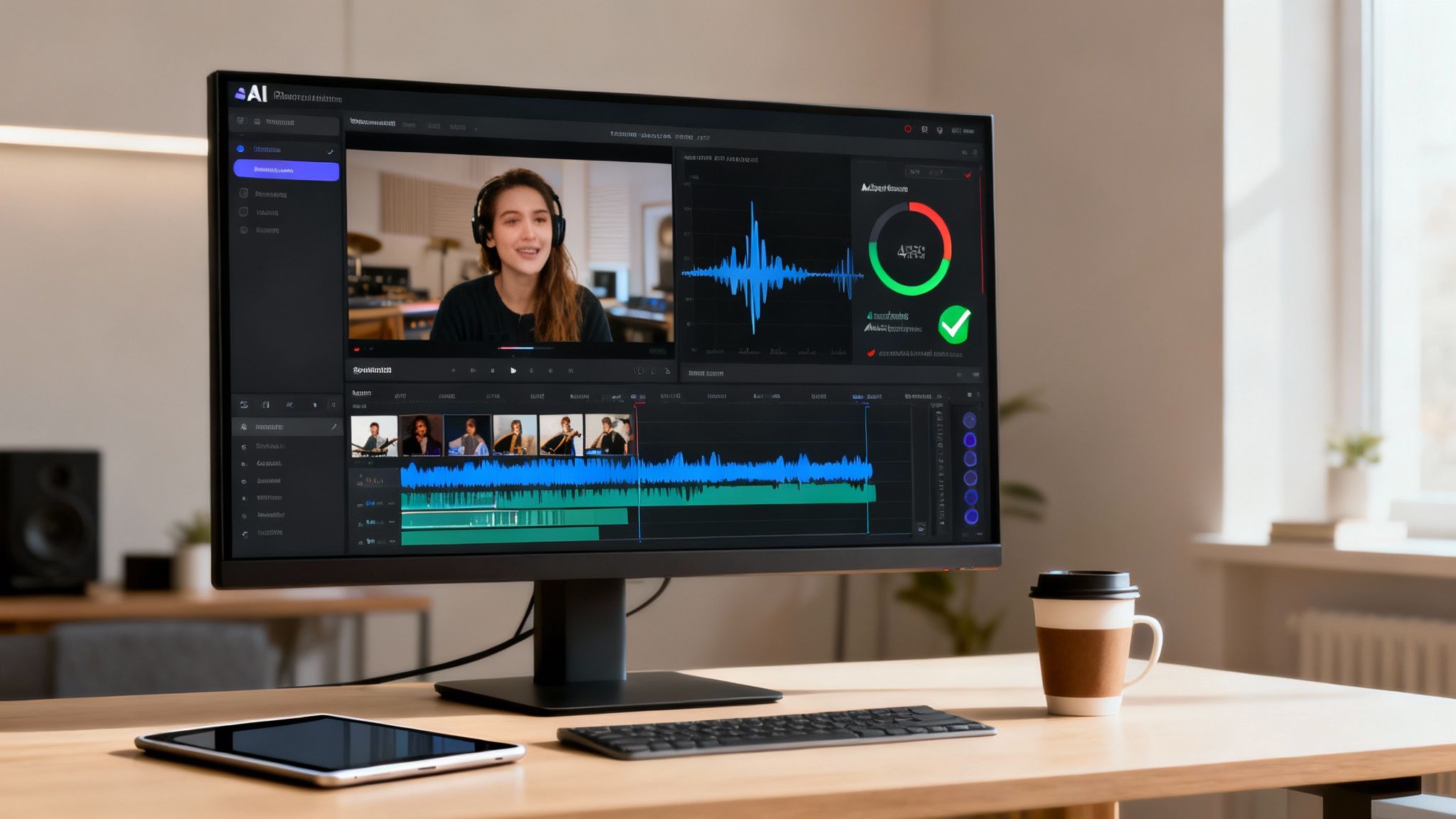
This isn't just about moving faster. It's about being able to scale your output and jump on trends the moment they happen. Imagine an e-commerce brand that can generate ten unique, soundtrack-matched product videos in the time it used to take to edit just one. That kind of efficiency is a genuine game-changer.
Let AI Handle the Heavy Lifting
The real magic of AI in video editing is its ability to understand your footage and find the perfect audio to match. Instead of you sifting through endless stock music libraries, these tools can analyze your video's content and instantly suggest royalty-free music that fits the mood and pacing.
Here's where the AI really shines:
- AI Music Curation: It automatically finds trending or thematically perfect tracks, saving you hours of searching.
- Automatic Beat Syncing: It can pinpoint key moments in the music—like a big beat drop—and sync them to your video's transitions for a high-impact, professional feel.
- Intelligent Audio Balancing: Ever tried to manually lower music during dialogue? AI does it for you seamlessly (a process called audio ducking) without you needing to touch a single keyframe.
This kind of automation helps you get pro-level results without needing a degree in complex editing software. It’s the perfect way to add music to video online when you need to be quick and effective.
When you let AI handle the technical chores, you free up your mental energy to focus on what actually matters: your story, your message, and connecting with your audience.
Capitalizing on Music-Driven Trends
The link between music and viral video is impossible to ignore. Think about it: by the end of 2023, a staggering 92% of the global digital population was watching online videos, and music-heavy content was leading the pack. This is especially true on TikTok, where 85% of videos feature music—and that music is driving 89% of all views from just 5% of the clips. As DataReportal points out, younger audiences like Gen Z and Gen Alpha now discover new music almost exclusively on platforms like TikTok and YouTube Shorts.
This data tells a crystal-clear story for creators: choosing the right audio isn't just a nice-to-have, it's a core part of your growth strategy. Tools like ClipShort are designed specifically to tap into this reality, automating edits that are already trend-aware and built to resonate with how people actually consume content. To see how this tech fits into the bigger picture, check out our guide on the best AI tools for content creators.
Common Questions You'll Run Into
Even after you get the hang of the basics, a few specific questions always seem to pop up. Think of this as your quick-reference guide for those nagging problems that can throw a wrench in your creative flow. I’ve pulled together the most common hurdles I see creators face when adding music to a video online.
My goal here is to give you fast, practical answers so you can get back to what matters: creating. Nailing these little details is often what separates a good video from a great one.
Can I Add Multiple Audio Tracks?
You bet. In fact, it’s a standard practice for professional-sounding videos and a core feature in most decent online editors. You might have one track for your background music, a second for sound effects that punch up the on-screen action, and a third for your voiceover.
To pull this off, you’ll need to place each audio file on its own dedicated track in the timeline. This is key because it lets you control the volume and timing of each element all on its own. For example, you can duck your music volume down during dialogue or make a "whoosh" sound effect really stand out.
How Do I Get Rid of the Original Audio From My Video?
This is a big one. More often than not, the video clip you upload has distracting background noise, unwanted chatter, or just plain silence. Getting rid of it is usually a simple one or two-click job.
In your editor’s timeline, look for an option on the video clip itself called "detach audio," "un-link audio," or sometimes just a simple volume icon. Once you find it, you can either mute that original track by dragging its volume down to 0% or just delete the audio track completely. This gives you a clean slate for your new music, free of any weird audio clashes.
Pro Tip: Always detach and mute or delete the original audio before adding your new soundtrack. This is a non-negotiable first step for clean, professional sound. You don't want your carefully chosen music competing with the wind noise from your camera's mic.
What if My Music Is Too Short for My Video?
Ah, the classic problem. You’ve found the perfect track, but it ends halfway through your video. Don't just let it cut off awkwardly! You’ve got a couple of solid options here:
- Loop the Audio: The quickest fix is to simply loop the track. Just copy and paste the audio clip on the timeline so it starts over right as it ends. The secret to making this sound natural is to add a subtle crossfade where the two clips meet. This smooths out the transition so most viewers will never even notice.
- Find a Longer Track: If a loop feels too repetitive for your video, the better move is to head back to your music source. Filter your search for tracks that are longer than your video’s total runtime. It saves a lot of editing headaches.
How Do I Download Just the Audio from a Video?
Sometimes the audio itself is the asset you want. Maybe you recorded a great voiceover in one project and want to reuse it, or you captured a unique sound effect. Many online editors, including ClipShort, let you export your project as an audio-only file, usually an MP3. This is incredibly handy for creating podcast episodes from video interviews or just building your own library of sound assets. Just look for an "audio-only" or "MP3" option in your export settings.
Ready to stop wrestling with timelines and start creating content that actually gets seen? ClipShort uses AI to automate everything—from finding the perfect trending track to syncing it flawlessly with your video. You can pump out high-quality Shorts, Reels, and TikToks in minutes, not hours. Try ClipShort for free and see for yourself!