
Post YouTube Videos to Facebook The Right Way
Let's be honest. Just dropping a YouTube link on your Facebook page is the easiest way to share your video, but it's also the laziest—and the least effective. If you're serious about getting eyeballs on your content and sparking actual conversation, you need to upload your videos natively right to Facebook.
This one change can completely transform your results.
Why Native Facebook Video is a Non-Negotiable
Pasting a YouTube link on Facebook is basically asking the platform to advertise its biggest rival. And, no surprise, it’s not a fan of that.
The algorithm sees that link and pushes your post way down in the feed. It wants to keep people on Facebook, not send them over to YouTube. So, when you play by its rules and upload your video directly, you’re rewarded. Big time.
Native videos just feel right in the feed. They autoplay silently as people scroll, grabbing attention instantly without needing a single click. In a world of short attention spans, that immediate, frictionless experience is everything. Plus, you unlock a ton of Facebook-only perks like custom thumbnails, premiere scheduling, and deep audience analytics that you just don't get with a link.
Playing the Algorithm's Game
Facebook has one primary goal: keep users on its platform for as long as possible. When someone clicks your YouTube link, they leave. That’s a bad signal to the algorithm.
By uploading natively, you're working with Facebook's goal, not against it.
And for that, the platform gives your content a major boost. Native videos are shown to more of your followers, ranked higher in the News Feed, and are much more likely to be suggested to new people. It’s a simple trade-off that pays off in massive organic reach.
How Native Uploads Skyrocket Engagement
The data doesn't lie. The difference in performance is staggering.
A natively uploaded video on Facebook gets, on average, 10 times more reach than a shared YouTube link. That's not a small bump; it's a game-changer. It’s why you see major creators, those with over 100,000 followers, making sure that 71% of their posts are video. They know where the engagement is. You can dig into more eye-opening video marketing stats on Wix.com.
Here's a quick breakdown that makes the choice crystal clear.
YouTube Link vs Native Facebook Video Performance at a Glance
This quick comparison reveals why uploading videos directly to Facebook is the superior strategy for engagement and reach.
| Metric | Sharing a YouTube Link | Uploading Native Video |
|---|---|---|
| Autoplay in Feed | No (shows a static thumbnail) | Yes (silent autoplay) |
| Algorithm Reach | Heavily restricted | Significantly boosted |
| User Experience | Requires a click, leaves Facebook | Seamless, in-feed viewing |
| Analytics | Basic link clicks only | In-depth views, watch time, demographics |
| Customization | Limited to YouTube thumbnail | Custom thumbnail, captions, CTA |
| Shares | Low, as it's an external link | High, easy to share within Facebook |
The takeaway is simple: Native video wins on every front.
Ultimately, uploading directly to Facebook tells your audience you're creating content specifically for them on that platform. You're not just an echo chamber for your YouTube channel. That simple shift in perception helps you build a much stronger, more dedicated community around your brand.
Choosing Your Method for Sharing Videos
Getting your YouTube video onto Facebook isn't just a simple copy-paste job. The way you share it has a massive impact on your reach, engagement, and how your audience actually sees your content. Each method has its purpose, but for creators who are serious about growth, one approach is the clear winner.
Let's walk through the main ways you can get your YouTube videos on Facebook, starting with the easiest (and least effective) and working our way up to the best.
The Quick and Dirty: Sharing a Direct YouTube Link
This is the fastest way, for sure. You just grab the YouTube URL, paste it into a new Facebook post, and hit publish. Simple, right?
The problem is, you're asking Facebook's algorithm to promote its biggest rival. That's a big no-no. As a result, your organic reach gets absolutely crushed. Your video won't autoplay in the feed, and it shows up as a boring, static link that yanks people off the Facebook app—something the platform is designed to prevent at all costs.
A Small Step Up: Embedding the YouTube Player
Embedding is a little better than just dropping a link, but it's still far from ideal. It lets the video play inside the Facebook post, which feels a bit more seamless for the user.
However, it comes with a lot of the same baggage. The player is still clearly branded as YouTube, it won't autoplay, and you miss out on all the powerful tools Facebook gives to native videos. Even worse, it can get glitchy on mobile devices and still tells the algorithm you’re prioritizing content from another platform.
The Gold Standard: Native Uploading
This is it. This is the strategy you need to be using. Native uploading means you download your finished video file from your computer (or from YouTube itself) and then upload it directly to Facebook. You're treating Facebook as its own platform, not just a dumping ground for your YouTube links.
The difference is night and day.
The algorithm rewards you with a huge boost in reach. Your video will autoplay silently as people scroll, grabbing their attention instantly. This method also unlocks a whole suite of features you can't get otherwise:
- Custom Thumbnails: Upload a unique, eye-catching image to make people stop and click.
- Engaging Descriptions: Write a proper Facebook post with hashtags and a clear call-to-action.
- Scheduling and Premieres: Build hype by scheduling your video for a specific time or turning it into a live premiere event.
This simple flowchart breaks down the choice perfectly.
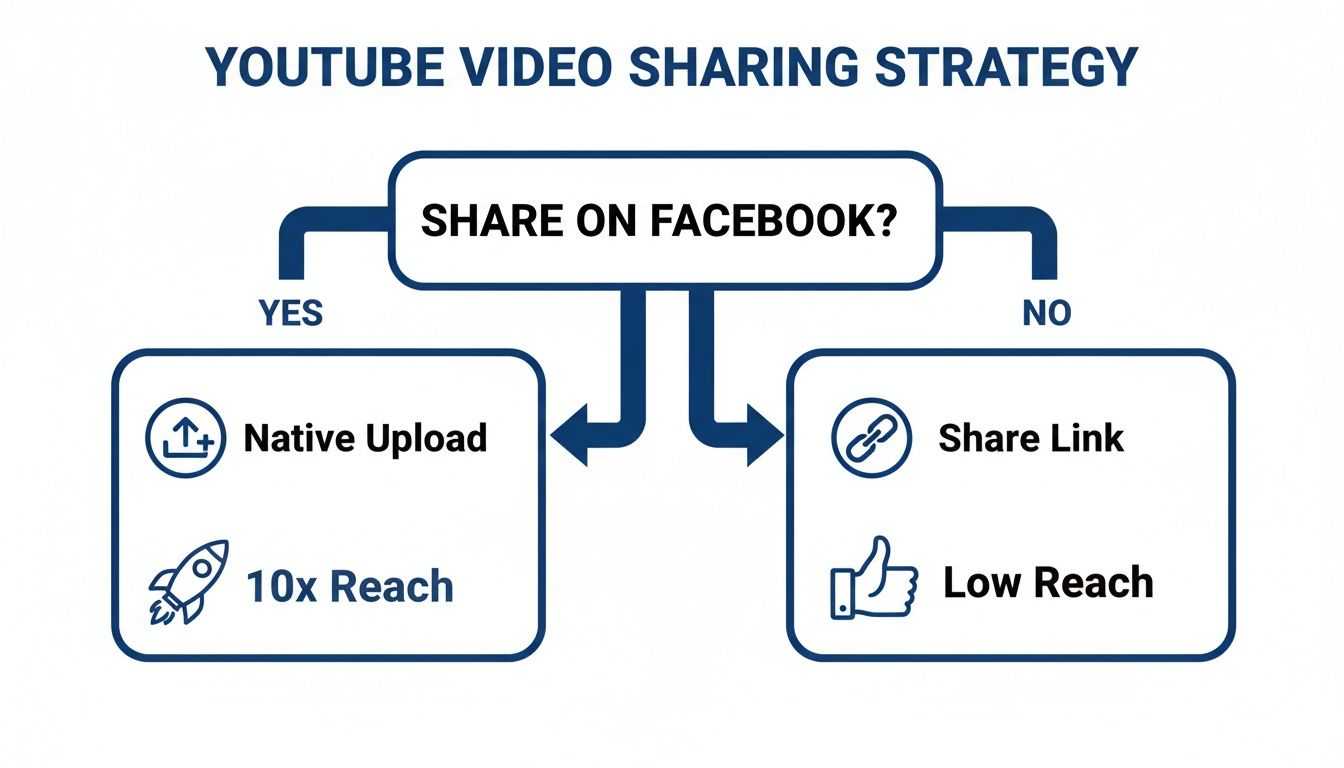
The visual makes it obvious: if you want results, you have to upload natively. While sharing a link is easy, you're sacrificing almost all potential for real growth and engagement.
When your goal is to build an engaged community, native uploads are non-negotiable. They demonstrate that you're creating content for your Facebook audience, not just sending them elsewhere. This builds loyalty and encourages interaction.
Of course, choosing the right platform is just as important as choosing the right upload method. If you're weighing your options, this Facebook vs Instagram comparison can help you understand where your audience spends their time. The principles of native content apply everywhere, including on Instagram. For a deeper dive, check out our guide on how to https://www.clipshort.co/en/blog/post-videos-on-instagram-from-youtube. Mastering this concept is key to winning on any platform.
How to Optimize Your YouTube Videos for Facebook
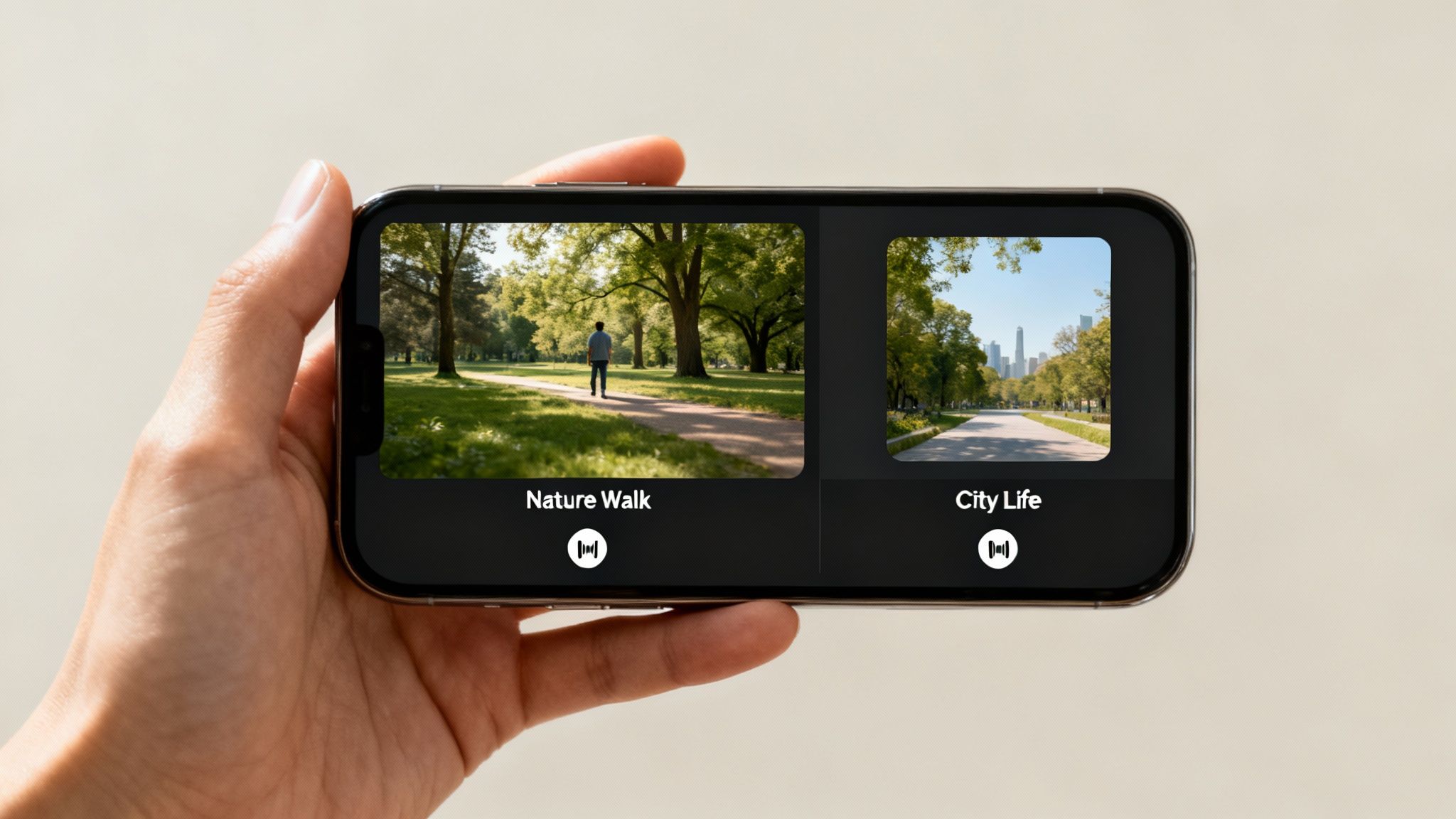
Simply grabbing your video file and dropping it onto Facebook is a recipe for low engagement. You have to remember you're adapting it for a totally different viewing environment. Facebook users are passive scrollers, usually on their phones, and your job is to create something that stops that scroll cold.
The single biggest mistake I see creators make is sticking with the widescreen (16:9) format. That layout is perfect for a desktop YouTube experience, but on a vertical mobile screen, it shrinks into a tiny, forgettable sliver.
To really own the Facebook feed, you absolutely must reformat your video to a square (1:1) or vertical (4:5) aspect ratio. These formats physically take up more screen real estate, making your content far more immersive and much harder to just scroll past.
Reformatting your video from widescreen to square or vertical isn't just a technical tweak—it's a fundamental shift in the user experience. Your video goes from being a small part of their feed to becoming the main event, instantly grabbing their attention.
Adjust for Silent Viewing and Short Attention Spans
Here's a reality check: on Facebook, sound is optional. A staggering 85% of videos are watched with the sound off. If your video depends on a voiceover to make any sense, you've just lost most of your audience. Adding burned-in captions isn't a suggestion; it's a requirement.
This silent-by-default behavior means you need to edit your videos differently for Facebook.
- Add Animated Captions: Use dynamic, easy-to-read text overlays that pull the viewer through the video without needing sound.
- Tell a Visual Story: Lean heavily on B-roll, graphics, and text slides to get your message across visually. Show, don't just tell.
- Keep It Short and Punchy: A YouTube audience might stick around for a 20-minute deep dive, but Facebook viewers have a much shorter attention span. Aim for videos between 1-3 minutes for the main feed.
The goal is simple: make your video fully understandable and engaging, even on mute. For more detailed specs, you can check out our complete guide on social media video specs.
Crafting the Perfect Facebook-First Post
The video itself is only half the battle. The post copy you write to go with it is crucial for hooking viewers. Forget what you know about YouTube's search-focused titles and keyword-stuffed descriptions. A Facebook post needs to feel conversational and compelling from the very first word.
Start with a powerful hook. Ask a question, make a surprising statement, or drop a bold claim that sparks immediate curiosity. Keep your description concise and toss in a few relevant hashtags to help people find you. With over 500 million people watching videos on Facebook every single day, you have about three seconds to earn their attention.
A strong hook doesn't just get views; it can drive up to 23% better brand recall.
Finally, always wrap up with a clear call-to-action (CTA). Don't say "subscribe to my channel"—that makes no sense on Facebook. Instead, ask a question to get a conversation going in the comments or point them to a link in your bio. Nailing these small, platform-specific details shows you understand the culture, which is key to building a real connection with your audience.
Turning One YouTube Video into a Content Goldmine
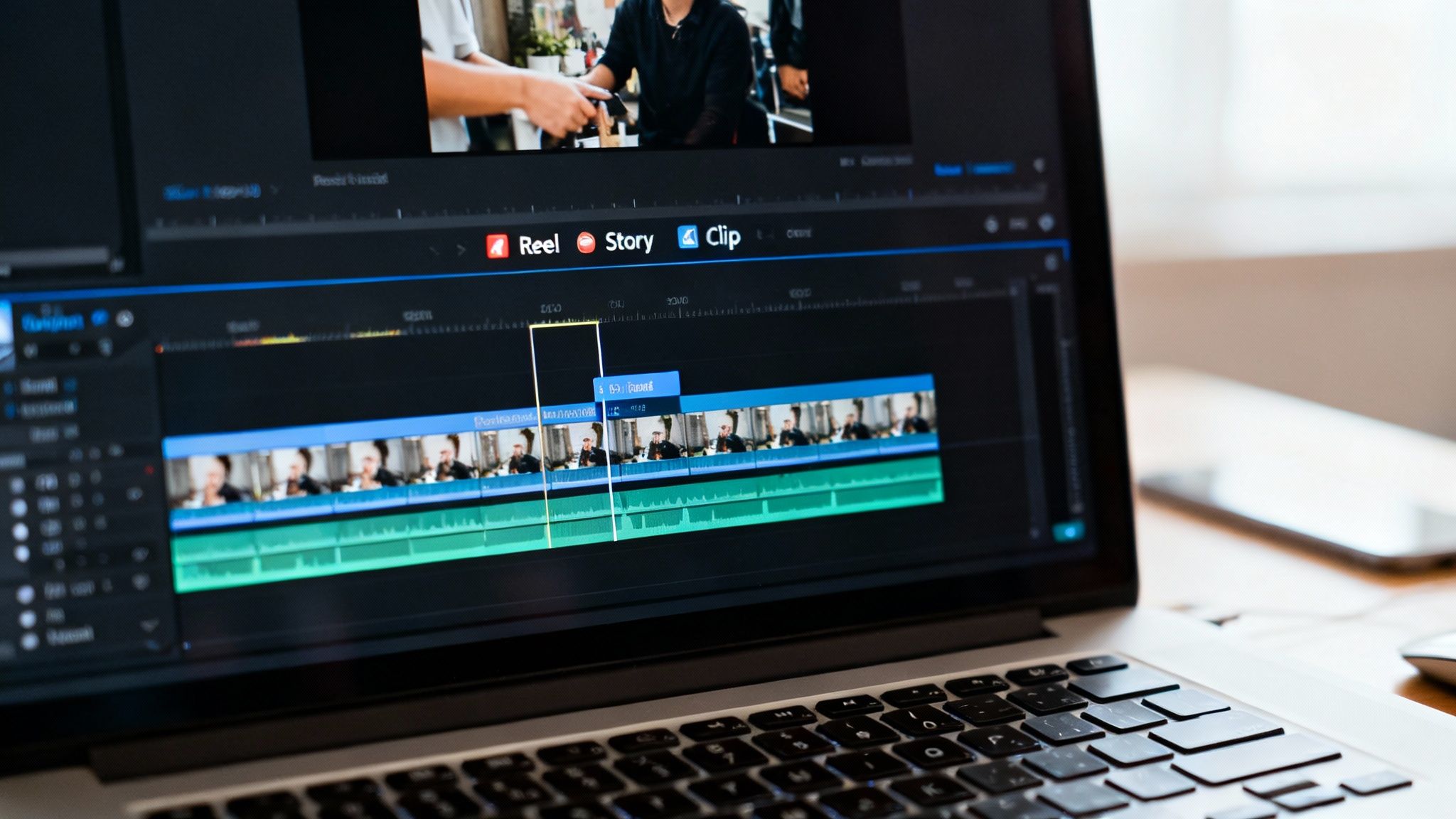 Getting your YouTube videos onto Facebook isn’t just about ticking a box on your content calendar. It’s a chance to seriously multiply your impact. Don't think of it as a simple transfer. Instead, see your long-form YouTube video as a block of raw material you can carve an entire ecosystem of Facebook posts from.
This is the very core of smart content repurposing. That 15-minute product review you poured days into isn't a single asset. It's a goldmine. Inside, you'll find dozens of potential micro-videos, each one perfectly shaped for a different part of the Facebook experience.
From One Video to an Entire Campaign
The workflow is actually pretty straightforward. You just need to re-watch your original YouTube video with fresh eyes, hunting for those high-impact moments. What are you looking for? The most compelling quotes, surprising stats, actionable tips, or even the funniest outtakes. These are your raw ingredients.
Once you have them, you can start extracting these key segments and reshaping them into formats that absolutely crush it on Facebook.
- Bite-Sized Feed Videos: Pull out short, 1-2 minute clips that nail down a key concept. These are perfect for the main feed, especially when formatted in a square aspect ratio.
- Engaging Reels: Turn a powerful tip or a quick "how-to" moment into a 60-second vertical Reel. Seriously, add some trending audio and animated captions to really stop the scroll.
- Informative Stories: Extract a single, powerful statistic or quote and make it a static image or a super-short video for your Facebook Story. Then, use interactive stickers like polls or quizzes to get people clicking.
This whole approach is about working smarter, not harder. You filmed the content once, but you get to publish it over and over, hitting new audiences every single time. For a deeper dive, check out these powerful content repurposing strategies.
The beauty of this method is its efficiency. Instead of brainstorming a dozen new ideas for Facebook, you're systematically deconstructing something you've already created, ensuring every piece of content is high-value and on-brand.
Leveraging AI for Rapid Repurposing
Let's be real: manually chopping up a long video into dozens of clips is a massive time sink. This is exactly where AI-powered tools like ClipShort come into play. These platforms can automatically scan your long-form video, pinpoint the most engaging moments, and spit out a whole collection of ready-to-go short-form clips in minutes.
The results speak for themselves. The data is clear: posting YouTube videos natively to Facebook can generate 12 times more shares than text and images combined. And for businesses who really lean into this cross-platform approach? Industry reports show they grow revenue 49% faster than those who don't.
To truly turn that one YouTube video into a content goldmine, you have to think about how you can repurpose content with AI to create a non-stop flow of social media posts. By atomizing your core content, you create a steady drumbeat of value that keeps your audience hooked and your brand top-of-mind.
Navigating Copyrights and Common Pitfalls
Moving your content from YouTube to Facebook seems simple enough, but it can be a minefield of little mistakes that tank your video's performance. The biggest and most common headache? Music licensing. It’s a classic trap that even seasoned creators stumble into.
You might assume that because you paid for a license to use a song on YouTube, you’re covered everywhere else. That's rarely the case. Most stock music licenses are platform-specific, meaning that track from Epidemic Sound or Artlist that’s perfectly fine on your YouTube channel could get your video muted or taken down on Facebook almost instantly.
This happens because Facebook and YouTube have entirely separate licensing deals with music publishers. To stay in the clear, you need to either buy a multi-platform license that explicitly names Facebook or just stick to the royalty-free tracks in Facebook's own Sound Collection.
Avoid Platform-Specific Cues
Another dead giveaway of a lazy repost is leaving in YouTube-specific calls to action. The moment a Facebook viewer hears "smash that subscribe button and ring the bell," they know this video wasn't made for them. It shatters the connection.
This tiny detail instantly signals that your Facebook page is just an afterthought, which can seriously damage your audience's trust and kill your engagement. It’s a simple mistake, but one that costs you a ton of credibility.
Before you upload any YouTube video to Facebook, scrub it clean of platform-specific language. Swap "subscribe" for "follow our page" and trade "check the description below" for "find the link in the comments" or "tap the link in our bio."
Sidestep These Common Mistakes
Beyond the big issues, a few smaller pitfalls can trip you up and hurt your video's reach. Paying attention to these details will make your repurposed content feel polished, professional, and genuinely native to the Facebook experience.
- Forgetting End Screens: Those end screens promoting other videos on your YouTube channel? They’re completely useless on Facebook. Just cut them off.
- Ignoring the Pinned Comment: Don't tell people to "check the pinned comment" for a link if you haven't actually pinned one on your Facebook post. It makes you look sloppy.
- Using YouTube Thumbnails: Create a fresh, vertical or square thumbnail for Facebook. A widescreen thumbnail with YouTube's branding looks out of place and unprofessional in the feed.
Each platform has its own culture and unspoken rules. Taking a few extra minutes to adapt your YouTube video ensures it not only follows Facebook's guidelines but actually resonates with the people scrolling through their feed.
Got Questions? We’ve Got Answers
Even with a solid game plan, you're going to bump into a few questions as you start moving your YouTube videos over to Facebook. Let's tackle some of the most common ones we hear from creators to help you sidestep the usual headaches.
Should I Post My YouTube Link or Upload the Video Directly to Facebook?
Hands down, you should always upload your video natively to Facebook. It's not even a close call.
Facebook’s algorithm is designed to keep people on Facebook, so it heavily favors its own native content. When you upload a video directly, it autoplays in the feed, gets way more organic reach, and unlocks Facebook-specific features.
A YouTube link, on the other hand, is basically an ad for another platform. Facebook’s algorithm throttles its reach right out of the gate, so you're kneecapping your video's potential before anyone even sees it.
Can I Get a Copyright Strike for Posting My Own Video?
You won’t get a strike for uploading a video you created yourself. The real landmine here is usually the background music.
Just because you licensed a track for YouTube doesn't mean you're cleared to use it on Facebook. A lot of licenses are platform-specific. To keep your video from getting muted or taken down, double-check that your music license covers multi-platform distribution.
The safest bet? Just use royalty-free music from Facebook's own Sound Collection.
What’s the Best Video Format for the Facebook Feed?
For the main feed, square (1:1) and vertical (4:5) formats are king. These formats take up the most screen real estate on a phone, which makes them far more effective at stopping someone from scrolling past.
Your standard widescreen (16:9) YouTube video just looks tiny and gets lost in the feed.
If you’re creating content specifically for Reels or Stories, then you'll want to go with a full-screen vertical 9:16 aspect ratio.
The name of the game on Facebook is maximizing screen real estate on a mobile device. Nailing the aspect ratio is one of the simplest—and most powerful—optimizations you can make.
How Can I Quickly Chop Up My Long Videos for Reels and Stories?
The most efficient way to turn one long YouTube video into a month's worth of short clips is to use an AI repurposing tool.
Platforms like these are built to scan your long-form content, automatically find the most interesting parts, and spit out dozens of ready-to-post short videos. Many even add the trendy animated captions you see everywhere, letting you pump out high-quality content for Reels and Stories in a tiny fraction of the time it would take to do it all by hand.
Ready to turn your long-form videos into a content machine? ClipShort uses AI to automatically find the best moments in your videos and creates dozens of viral shorts in minutes. Stop editing and start growing. Try it now at https://www.clipshort.co.