
Video YouTube Script Mastery: Craft the video youtube script that captivates
A good video script is the secret weapon behind content that actually gets watched. It’s your blueprint, the guide that lays out the dialogue, visuals, and timing before you even think about hitting record. This is what separates a rambling, hard-to-follow video from a sharp, punchy piece that people stick around for.
The Framework for a High-Performing YouTube Script
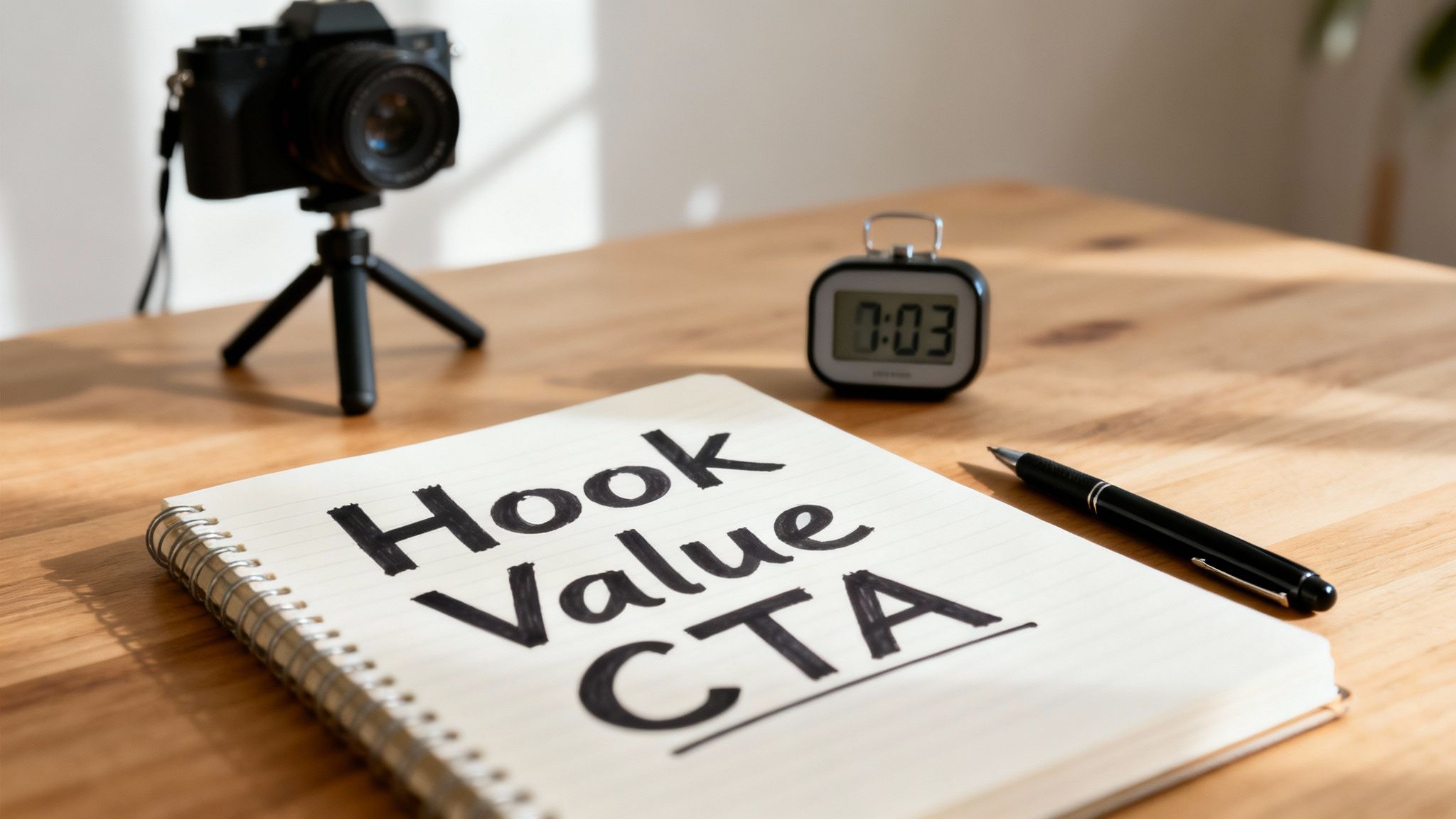
Before you even type a single word, you need to get the core components right. This isn't about following a rigid formula, but more of a flexible framework built to keep eyeballs on your video from the first second to the very last. This is especially crucial for short-form content like YouTube Shorts, where a viewer’s attention span is practically non-existent.
The most successful scripts I’ve seen all follow a simple but powerful model: Hook, Value, CTA. It’s not just a cute acronym; it’s a psychological journey that matches how people watch videos. You grab their curiosity, deliver on the promise, and then tell them what to do next.
Let's quickly break down what a high-retention script really needs. These are the non-negotiables.
Essential Components of a High-Retention YouTube Script
| Component | Purpose | Key Action |
|---|---|---|
| The Hook | Stop the scroll and grab immediate attention within the first 3 seconds. | Use a bold claim, a relatable problem, or a visually jarring opener. |
| The Value | Deliver on the hook's promise by providing the core information, solution, or entertainment. | Get straight to the point. Break down your content into easy, digestible steps or scenes. |
| The Pacing | Maintain viewer momentum with quick cuts, sound effects, and visual changes. | Keep scenes short (3-5 seconds max) and vary camera angles or use B-roll. |
| The CTA | Guide the viewer to take a specific, desired action. | Make it a clear, simple command like "Follow for more" or "Comment your thoughts." |
Each of these pieces builds on the last, creating a seamless viewing experience that keeps people from swiping away.
The Hook: Win or Lose in the First 3 Seconds
Your hook is everything. It's the one thing that stops someone from endlessly scrolling past your video. Think of it as a pattern interrupt—a question, a bold statement, or a visual that’s so intriguing they just have to see what happens next.
The data doesn't lie. Research shows that a staggering 85% of videos lose half their audience within the first 30 seconds. That’s an insane drop-off rate, and it puts a ton of pressure on your opening line to deliver.
The Value: Get to the Good Stuff
Once you’ve earned their attention, you have to pay it off. Fast. This is the body of your script where you solve the problem you promised to solve, answer a burning question, or just deliver pure entertainment. The goal here is clarity and momentum.
A DIY tutorial script, for example, shouldn't just be a boring list of steps. A great one anticipates where the viewer might get confused, points out common mistakes to avoid, and uses visual cues to keep the energy up.
A great script anticipates the viewer's next question and answers it before they can even think to ask. This proactive approach builds trust and keeps them locked in, transforming a passive viewer into an engaged follower.
The CTA: Give Them a Clear Next Step
Every video needs a purpose, a reason for existing beyond just getting views. Your Call to Action (CTA) is where you channel all that viewer energy you’ve built up.
Whether you want them to subscribe, drop a comment, or click a link, your CTA needs to be crystal clear and feel like a natural end to the video. Don’t just slap it on; weave it into your conclusion. For a deeper dive into the entire process, mastering your video production workflow is a great place to start, as it puts scripting into the bigger picture of pre-production. This whole framework gives you a repeatable system for any video idea that comes your way.
How to Craft a Hook That Stops the Scroll
You've got less than three seconds. That's it.
Your hook is the single most important part of your video youtube script. If it doesn't land, nothing else you've created matters. A great hook shatters the viewer's passive scrolling trance—it’s a pattern interrupt that makes them stop, look up, and lean in.
Think about the last viral video you got sucked into. I bet it started with a bold claim, a cliffhanger question, or a visually jarring scene that made you pause. The point isn't just to be shocking; it's to instantly create an information gap or an emotional itch that the viewer desperately needs to scratch. That initial promise is what earns you their attention.
Master These Powerful Hook Formulas
If you want to consistently stop the scroll, you can't just wing it. You need a handful of reliable hook strategies in your back pocket. These aren’t just fill-in-the-blank templates; they’re psychological triggers that tap into human curiosity, and they work in any niche.
- The Unanswered Question: Kick things off with a question your ideal viewer is dying to have answered. Something like, "Are you still making this one mistake with your finances?" immediately positions your video as the solution they've been looking for.
- The Bold Declaration: Make a strong, maybe even slightly controversial, statement that challenges what everyone thinks they know. A hook like, "Everything you know about productivity is wrong," forces people to stick around just to hear your reasoning.
- The 'In Medias Res' Opening: This is a fancy way of saying "start in the middle of the action." Don't waste time on a slow intro. Drop the viewer right into the most intense, confusing, or exciting part of the story, and then circle back to explain how you got there.
The best hooks create an immediate sense of urgency and curiosity. They promise to reveal a hidden truth or a specific outcome, making it almost impossible for the right person to swipe away.
With attention spans shrinking, shorter content is king. The average traditional YouTube video might be around 11.7 minutes, but a massive 55% of US viewers now mostly watch videos that are only a few minutes long. This is a huge shift, and it’s exactly why your hook for YouTube Shorts has to be brutally effective. You can actually dig into more of this data over at Descript.com.
Real-World Examples That Work
Let's make this practical. Here’s how those formulas translate into actual video scripts.
- For a Fitness Channel: (Bold Declaration) "Stop doing crunches. They're actually the worst exercise for building visible abs."
- For a Tech Reviewer: (Unanswered Question) "Does this new gadget really live up to the hype, or is it just another expensive paperweight?"
- For a DIY Creator: ('In Medias Res' Opening) Flash a quick shot of a stunning, finished project, then immediately say, "I made this for under $20, and I'm going to show you how."
Each of these hooks makes a crystal-clear promise in the opening seconds, setting the stage for the value you're about to deliver. When you master these techniques, you’re not just making videos; you're creating the foundation for truly engaging social media content that grabs and holds attention.
Structuring Your Script to Maximize Watch Time
A killer hook gets them to stop scrolling, but a solid structure is what makes them actually watch. The body of your video youtube script is where you make good on the promise from your hook. If you get this part wrong, you'll see a massive drop-off, no matter how clever your opening was.
The trick is to think in "micro-stories"—short, digestible segments that build on each other. You have to keep the momentum going that you created in the first three seconds. This means your script can't just be a wall of information; it needs to be a series of quick, satisfying payoffs. Every single sentence should push the story forward, getting the viewer one step closer to the solution or insight they came for. Pacing is everything.
This flow shows exactly how to connect your hook to the rest of the video, creating a seamless journey for the viewer.
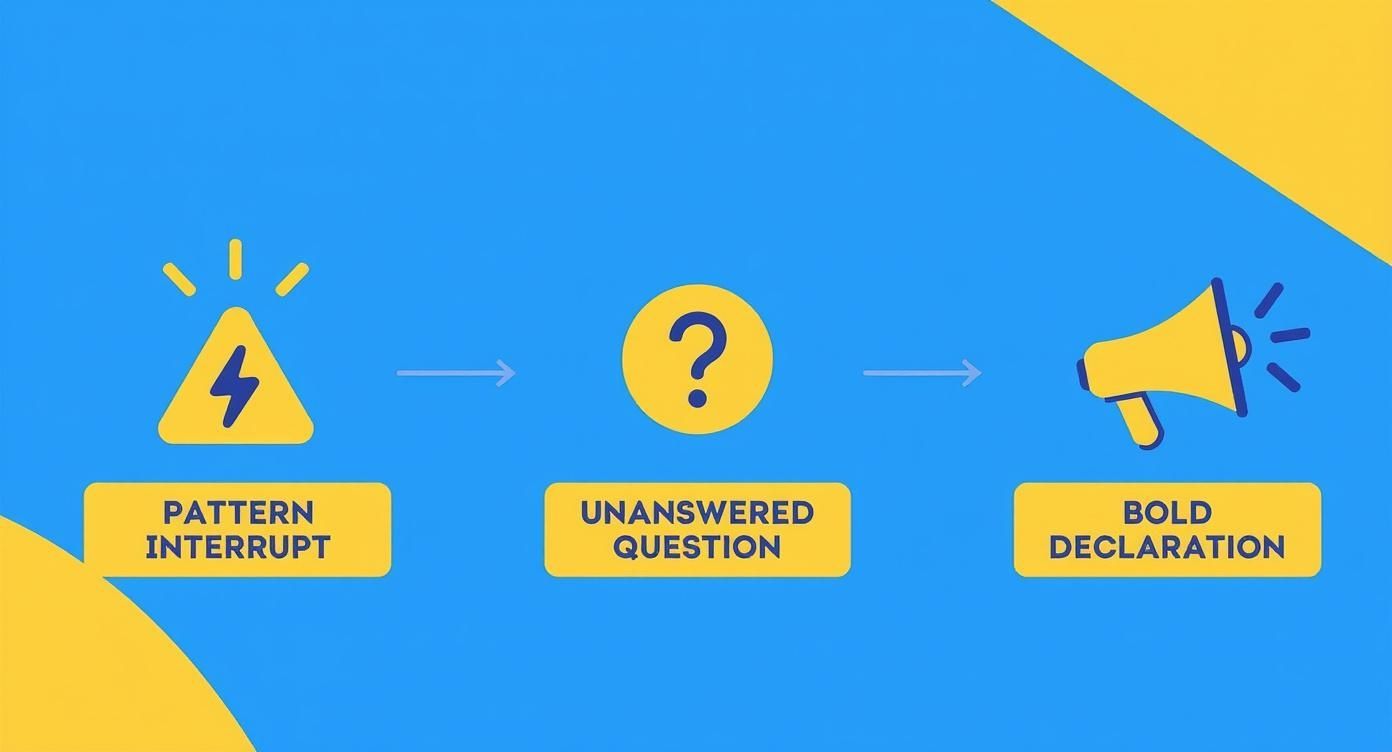
As you can see, each type of hook creates an "information gap" that the body of your script absolutely must fill to keep people hooked.
Building Momentum Scene by Scene
Stop thinking of your script's body as one long monologue. Instead, see it as a collection of short, interconnected scenes. Each scene should last no more than 5-7 seconds and have one clear purpose. This approach keeps the visuals dynamic and prevents your audience from getting bored and swiping away.
Your script should actually guide this structure with simple visual cues. I like to use brackets to map out the action.
- [B-roll of someone typing quickly]: This is classic "show, don't tell." Instead of saying "work faster," you show it.
- [Text on screen: "Mistake #1"]: Use text overlays to hammer home key points and break up the visual flow.
- [Quick zoom on speaker's face for emphasis]: A simple camera move can inject a burst of energy and spotlight a critical piece of information.
Writing this way forces you to think visually. It turns a simple document into a real production blueprint, making sure every word is backed up by an action that keeps the story moving.
A well-paced script feels like a satisfying conversation. It anticipates the viewer's next thought, answers their unspoken questions, and delivers value at a rhythm that feels both natural and exciting.
The Problem-Agitate-Solve Framework
A classic, and for good reason—the Problem-Agitate-Solve (PAS) framework is a psychological powerhouse that taps directly into your audience's pain points.
- Problem: Start by clearly stating the problem your viewer is dealing with. You probably hinted at this in your hook.
- Agitate: Don't just state the problem; make them feel it. Use vivid language to dig into the frustrations and annoying consequences. This is how you get emotional buy-in.
- Solve: Finally, you swoop in with your solution. Present it as the clear, simple, and effective answer they've been looking for. This is the payoff.
This structure works so well because it creates a complete narrative arc, even in a tiny 30-second video. It takes the viewer on a mini-journey from frustration to relief, which makes your content far more memorable and impactful.
For creators really trying to level up, understanding how to make videos viral often boils down to mastering these core storytelling frameworks. When you combine a powerful hook with a perfectly paced body, you create an experience that people will actually watch to the end.
Using AI to Write Better Scripts Faster
There's nothing that kills creative momentum faster than staring at a blank page. We’ve all been there. Writer's block is a real hurdle for creators, but AI can be the perfect collaborator to help you jump right over it.
Think of AI less as a replacement for your creativity and more as a super-powered assistant. It's there to handle the heavy lifting—the brainstorming, the outlining, the tedious parts—which frees you up to focus on the details that make your content uniquely yours. The goal isn't to have AI write your entire video youtube script. It's about making your process faster and more efficient.
You can brainstorm a dozen video ideas in minutes. Or generate five different hooks for one topic to see which one hits hardest. AI can even build a solid outline that you can then flesh out with your own personality and expertise. This alone can save you hours of work.
Actionable AI Prompts for Scriptwriting
The secret to getting great results from any AI tool is learning how to ask the right questions. Vague prompts give you generic, unusable content. You have to be specific and give it context.
To get you started, here are a few practical AI prompt formulas you can copy, paste, and adapt for your own videos.
This table provides practical AI prompt examples designed to generate specific parts of a YouTube video script, from ideation to final call to action.
| Scripting Stage | Prompt Formula Example | Expected Output |
|---|---|---|
| Idea Generation | Act as a YouTube Shorts scriptwriter. Generate 5 video ideas for a channel about 'sustainable living for beginners'. Each idea should target a common pain point for 'people trying to reduce plastic waste'. | A list of 5 distinct video concepts, like "3 Kitchen Swaps to Cut Plastic Waste" or "The One Thing You're Recycling Wrong." |
| Hook Crafting | I'm making a YouTube Short about 'three common houseplant mistakes'. Write 3 scroll-stopping hooks. Make one a bold declaration, one an unanswered question, and one start in the middle of the action. | Three unique hooks, such as "Stop killing your houseplants," "Are you making this one watering mistake?" and "I just drowned my fiddle leaf fig, and here's why." |
| Video Outlining | Create a scene-by-scene outline for a 60-second YouTube Short titled 'The 5-Minute Productivity Hack'. Follow the 'Problem-Agitate-Solve' framework and include visual cues in brackets. | A structured outline detailing each scene, from the initial problem setup to the final solution reveal, with suggested visuals for each part. |
| CTA Creation | Write a clear and compelling call to action for the end of a YouTube video about 'beginner photography tips'. The goal is to get viewers to subscribe for more tutorials. | A concise and engaging CTA like, "If you found these tips helpful, hit that subscribe button! I post new photography tutorials every week." |
These prompts give the AI the guardrails it needs to produce relevant, structured content you can immediately start working with. For creators looking to streamline their entire workflow, you can learn how to make videos with AI, starting from scripting to master the whole process.
Refining AI Content to Match Your Voice
An AI-generated script is a fantastic first draft, but it’s rarely the finished product. The most crucial step is injecting you back into it.
Read the script out loud. Does it sound like something you would actually say? If not, start tweaking. Rewrite sentences, swap out formal words for ones you use in conversation, and add your own personal anecdotes or examples. This human touch is what separates memorable content from the generic stuff anyone can produce.
Interestingly, audiences are pretty open to this. Recent stats show that 60% of users are receptive to AI-generated videos, which helps explain the explosion of virtual YouTubers and automated content.
AI is a tool, not a creator. Its job is to give you a well-structured block of marble; your job is to be the sculptor who carves it into a work of art that reflects your unique style and perspective.
By combining the speed of AI with your own creativity, you can build a more efficient and powerful content creation workflow. You’ll be able to produce a better video youtube script in less time, letting you focus on what really matters: connecting with your audience. For a closer look at the tools that can help, check out our guide on the best AI tools for content creators.
Writing a Call to Action That Actually Works
Those last few seconds of your video? That’s prime real estate. You’ve hooked them, delivered value, and built up all this energy. But without a clear Call to Action (CTA), that energy just fizzles out. A solid CTA is the final, non-negotiable piece of your video youtube script that turns a passive viewer into part of your community.
Skipping the CTA or making it weak is one of the biggest mistakes you can make. You did the hard work of earning their attention—now you have to tell them exactly what to do next. Just letting the video end abruptly leaves people hanging and kills your chance of getting that subscribe, comment, or click.
Choosing the Right CTA for Your Goal
Not all CTAs are the same, and a generic "check out my stuff" just doesn't cut it anymore. You need to be laser-focused on the one thing you want the viewer to do.
What's the goal for this specific video?
- Want to Build Community? Go with a question. Ask, "What's the biggest challenge you're facing with [your topic]? Let me know in the comments." This gets a conversation started and turns your comment section into a goldmine.
- Need to Increase Subscribers? Be direct about the value. Instead of a bland "Subscribe," try, "If you want more tips on [your topic] every week, hit that subscribe button so you don't miss out."
- Trying to Drive Traffic? Tell them exactly where to go and why. Something like, "I put together a free checklist with all these steps. You can grab it right now using the first link in the description."
The trick is to give a single, clear command. Asking people to like, comment, subscribe, and click the link all at once just causes decision fatigue. Pick one primary goal and build your CTA around it.
A great CTA feels less like a demand and more like a helpful next step. It's the natural conclusion to the value you've already provided.
The Psychology of an Effective CTA
A powerful CTA doesn't just tell people what to do; it taps into a bit of human psychology to make them want to do it.
One of the best ways to do this is by creating a sense of urgency or exclusivity. Phrases like "Grab this template before it's gone" or "Join the live Q&A this Friday" make the opportunity feel time-sensitive. It pushes people to act now instead of putting it off.
Another key is to offer undeniable value. The viewer should always know what’s in it for them. A simple ask for a subscription can feel a little one-sided. But framing it as, "Subscribe so you don't miss next week's video where I reveal [an exciting secret]" gives them a selfish reason to click. Your CTA is the final payoff of your script's promise.
Common Questions About Writing a YouTube Video Script
Even with the best framework, questions always pop up. Scriptwriting is a fluid process, and what works for a ten-minute deep dive just won't fly for a thirty-second Short. Let's tackle some of the most frequent hurdles creators face when trying to nail down a script.
Getting these details right can be the difference between a video that truly connects and one that just falls flat. The goal here is to make your workflow painless and your final video as punchy as possible.
How Long Should My Video Script Be?
This is a big one, and the answer depends entirely on your format. A classic mistake is trying to cram a long-form idea into a short-form container—it just leaves your viewer feeling rushed and totally confused.
- For a YouTube Short (under 60 seconds): Keep it tight. You’re aiming for roughly 130-160 words. This gives you a natural speaking pace of about 150 words per minute, which leaves crucial breathing room for dramatic pauses and those quick, engaging visual cuts.
- For a 10-minute long-form video: Now you have more space to play with. You're looking at a script of around 1,300-1,600 words. The absolute best way to check is to read it aloud at a comfortable pace and actually time yourself.
Always, always read your script out loud before you even think about hitting record. What looks brilliant on the page can sound incredibly clunky when spoken. This one simple step will save you from a world of hurt in the edit by catching awkward phrasing and pacing issues early.
Should I Include SEO Keywords in My Script?
Yes, but you have to be clever about it. Weaving your target keywords and related phrases directly into what you're saying is a seriously powerful way to signal your video's topic to the YouTube algorithm. This is what helps you show up in search results and get recommended.
The trick is to make it sound completely natural. For example, if your keyword is "beginner photography tips," you might say, "These beginner photography tips will help you avoid the most common mistakes I see." Just don't stuff them in where they don't belong; the language has to feel conversational above all else.
What Is the Best Way to Write for Voiceover?
Writing for a voiceover is its own unique skill. Your words need to complement the visuals, not just describe what's happening on screen.
Stick to shorter sentences that are easy for the viewer to follow. As you write, read every single line aloud to make sure it flows smoothly off the tongue. A pro tip is to include visual cues directly in your script using brackets—it makes syncing up the audio and video a breeze.
Here’s an example: "This simple trick completely changed my workflow. [Show B-roll of a busy city street] Before, I felt like I was stuck in traffic, but now… [Transition to a shot of a clear, open road] …the path forward is obvious."
How Can I Repurpose One Script for Multiple Platforms?
This is where you can get incredibly efficient with your time. The smartest way to do this is to start by writing your core script for the shortest format, which is usually a YouTube Short. Since platforms like TikTok and Instagram Reels have similar time constraints, this core script can often be used with only minor tweaks.
The main change you'll need to make is the call to action (CTA). On Instagram, you might point people to your "link in bio," while on YouTube, you could direct them to a related long-form video. The hook and the core value of the video can almost always stay the same, letting you maximize your content's reach with very little extra work.
Ready to turn your ideas into scroll-stopping videos faster than ever? ClipShort uses AI to help you generate scripts, add lifelike voiceovers, and create visually stunning Shorts in minutes. Stop staring at a blank page and start creating. Try ClipShort for free today!