
The Complete Guide to Social Media Video Specs
Navigating the world of social media video specs can feel like a minefield, but it really boils down to one simple rule: match the platform's native format if you want the best results. For almost all short-form content, that means creating a 9:16 vertical video at 1080x1920 pixels. This ensures your video perfectly fills the screen on TikTok, Instagram Reels, and YouTube Shorts.
Getting these technical details right is your first step to avoiding blurry uploads and tanking your engagement before you even start.
Your Instant Guide to Social Media Video Specs
When you're creating content, you need immediate, accurate answers, not a manual to dig through. This guide is your quick-reference for getting those specs right every time. Following the rules isn't just about looking professional—it signals quality to the algorithms, which directly impacts your video's visibility and reach. Nail this from the start, and you'll sidestep all the common formatting errors that sabotage performance.
Of course, the right specs are just one piece of the puzzle. To really make an impact, you need a solid plan. Check out these social media video strategy examples to help build your foundation.
Quick-View Specs for Top Short-Form Video Platforms
To save you time, here's a quick look at the most important specs for the big three short-form video players.
| Platform | Aspect Ratio | Resolution (Pixels) | Recommended Format | Max Length | Max File Size |
|---|---|---|---|---|---|
| TikTok | 9:16 | 1080x1920 | MP4 | 10 min | 287.6 MB |
| Instagram Reels | 9:16 | 1080x1920 | MP4 | 90 sec | 4 GB |
| YouTube Shorts | 9:16 | 1080x1920 | MP4 | 60 sec | 256 GB |
As you can see, the core requirements are nearly identical, which makes creating content for all three platforms much more efficient.
Key Specs for Vertical Video Platforms
The 9:16 vertical format, typically at 1080 × 1920 pixels, is the undisputed king across TikTok, Instagram Reels, and YouTube Shorts. It’s designed to create that immersive, full-screen experience that viewers expect. For a tool like ClipShort that generates content, standardizing to 9:16 at 1080p means a single video can be repurposed across these major platforms without awkward cropping or black bars. It just simplifies the entire workflow.
This infographic gives you a quick visual comparison of what really matters for today's top platforms.
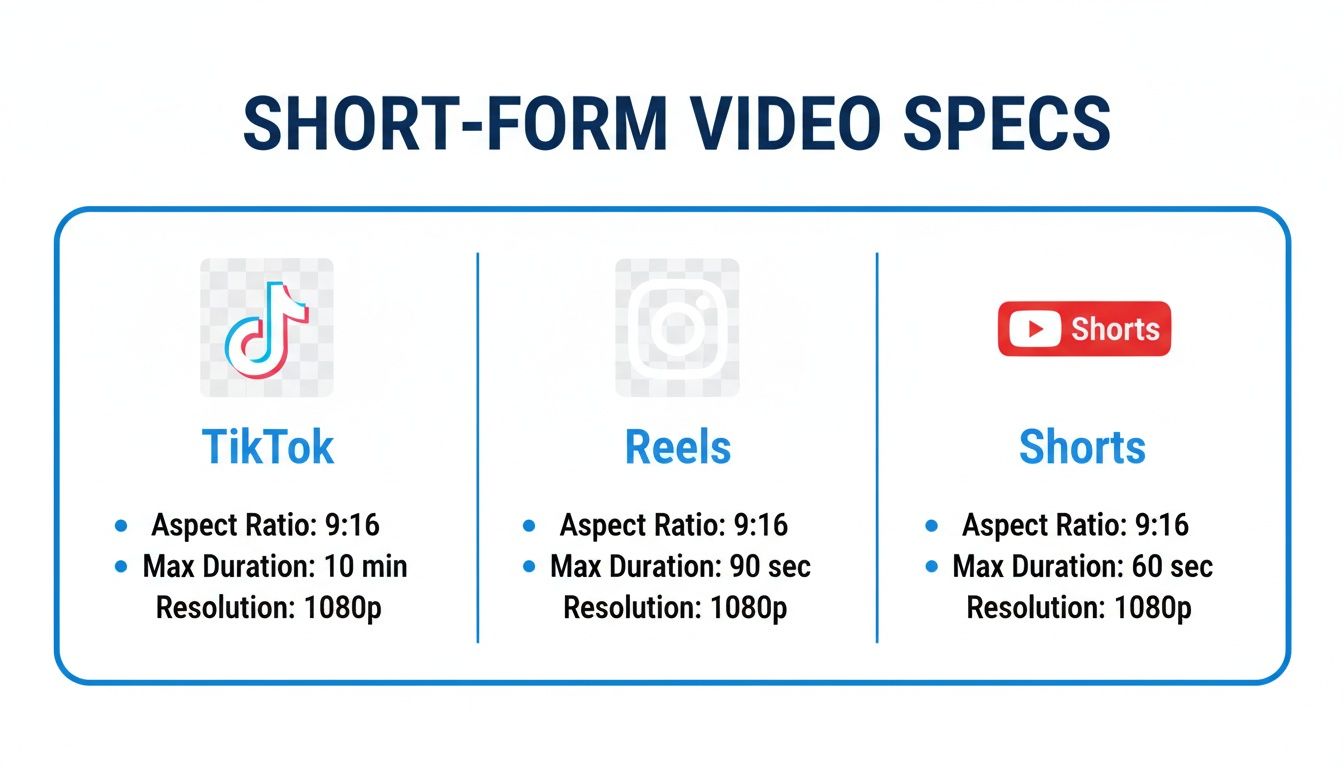
What stands out is just how consistent the aspect ratio and resolution are, confirming that the 9:16 vertical format is the universal standard. While you'll see minor differences in things like file size and maximum length, a single, well-optimized video can perform beautifully across all three.
For an even deeper dive, be sure to check out our complete guide on https://www.clipshort.co/en/blog/social-media-video-sizes.
Why Optimized Video Specs Are Your Secret Weapon for Algorithmic Success
Thinking about social media video specs as just a technical checklist is a huge mistake. It’s not about preventing black bars or a fuzzy upload; it's about speaking the algorithm's native language. Platforms like TikTok and Instagram are built to pull users into a seamless, addictive, full-screen experience. When your video slots perfectly into that 9:16 format, you’re playing by their rules.
This technical fit is a massive quality signal to the platform. The algorithm sees a correctly formatted video and thinks, "This looks professional, it won't interrupt the user's flow." But a video with ugly letterboxing or obvious compression artifacts? That’s a jarring experience that makes people scroll right past, and the algorithm takes note.
The First Few Seconds Are Everything
You have a sliver of time to make an impression. Marketing studies show you get about 2.7 seconds to hook someone before their thumb keeps moving. If your video is still buffering or looks pixelated in that tiny window, you've already lost. It’s no surprise that up to 80% of viewers will ditch a video if it's slow to load or looks unprofessional, telling the algorithm your content isn't worth showing.
This is exactly why nailing the right resolution, bitrate, and frame rate for each platform isn't just for perfectionists—it's a direct lever you can pull for better performance. The data backs this up. A recent video marketing report revealed that 69% of video marketers are now focused on creating social media videos, making it the most common format out there. To even have a chance of standing out, technical excellence is the price of entry. You can dig deeper into these numbers in the latest video marketing statistics.
Key Takeaway: Optimized video specs get rid of friction for the viewer. Less friction leads to longer watch times and more engagement, which are the exact signals algorithms need to push your content to a much wider audience.
How Algorithms Reward Native-Looking Content
At the end of the day, social media platforms want one thing: to keep users on their app for as long as possible. When your videos are technically on point, you help them achieve that goal. Here’s how:
- Lightning-Fast Loading: A properly compressed video with the right file size loads almost instantly, even on a spotty mobile connection. That immediate playback is make-or-break for keeping eyeballs in those critical first few seconds.
- A Better Viewing Experience: A video that fills the whole screen just feels right. It’s professional and immersive. No one has to tilt their phone or squint at a tiny, boxed-in video, which means they’re happier to stick around and watch.
- Stronger Engagement Signals: When people watch longer, drop a like, or leave a comment, they're sending powerful positive signals. The algorithm eats this up and becomes far more likely to serve your video on the "For You" page or in the Explore feed.
Getting your video specs right is the foundation of any serious content strategy. But perfect formatting only gets you in the door; to truly win, you need to combine that technical polish with potent social media engagement strategies that grab and hold audience attention. That’s how you turn an algorithmic boost into real growth.
Mastering TikTok Video Requirements
If you want your content to pop off on TikTok, you have to think like the algorithm. And the first thing the algorithm looks for is content that feels like it belongs there. That means embracing the vertical format to create that immersive, full-screen experience that keeps users glued to their phones. The entire platform is built around a mobile-first world, making the right dimensions a non-negotiable first step.
The absolute most important spec is the 9:16 aspect ratio, which means your video should be 1080x1920 pixels. This guarantees your content fills the whole screen on just about any smartphone, without any of those ugly black bars or weird cropping. Sure, you can upload other aspect ratios, but they just don't perform. They break the seamless, endless scroll that makes TikTok so addictive.
Core Technical Specifications
Beyond the aspect ratio, there are a few other key numbers you'll want to get right for a smooth upload and the best possible playback quality. Sticking to these specs helps you avoid nasty compression issues that can make your hard work look grainy and unprofessional.
- File Formats: TikTok plays nice with MP4 and MOV files. Stick to those two.
- Video Length: While you can record up to 3 minutes right in the app, you can upload videos as long as 10 minutes.
- File Size: This one depends on your device. The cap is 287.6 MB on iOS and a much smaller 72 MB on Android. If you upload from your desktop, you get a much more generous 500 MB limit.
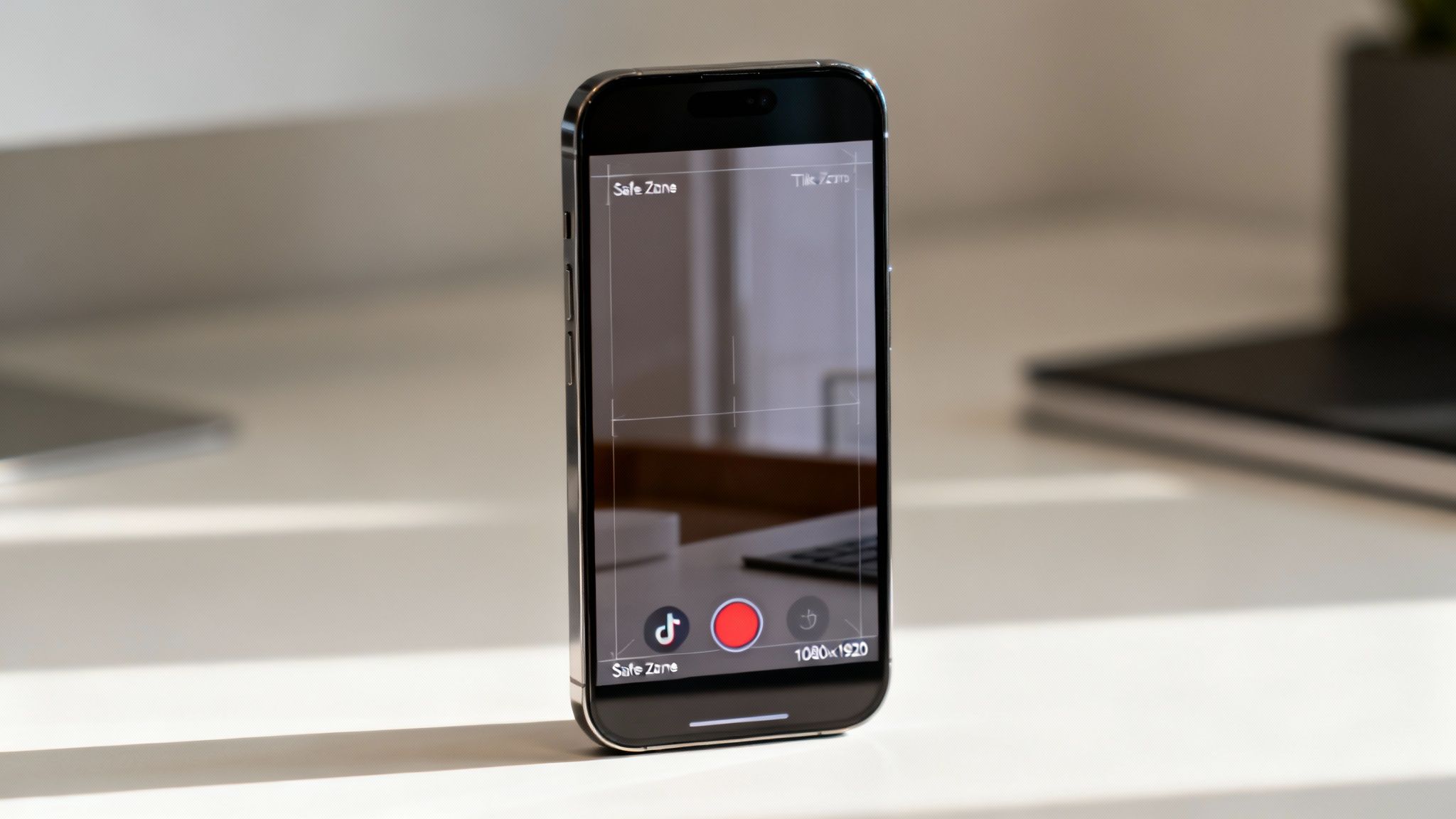
Take a look at the TikTok interface. It’s a perfect example of how the platform is designed to put vertical video front and center.
This layout makes it obvious that 9:16 is king. All the UI elements are layered right on top, which brings us to our next critical point.
Designing for the TikTok UI Safe Zones
One of the biggest rookie mistakes is forgetting about TikTok’s user interface. All those buttons—the caption, username, like, comment, and share icons—take up a surprising amount of screen space, mostly at the bottom and down the right side. If you put crucial text or visuals there, they're going to get covered up.
The fix is simple: keep your most important elements centered. This means key text, people's faces, or product shots should live in the middle of the frame. This "safe zone" ensures your message is always clear and easy to see, regardless of the UI elements on screen.
For a deeper dive, check out our dedicated guide to learn more about the TikTok aspect ratio and how to master it. When you combine the right technical specs with smart visual placement, your videos won’t just look more professional—they'll be set up to perform way better in the TikTok algorithm.
A Creator's Guide to Instagram and Facebook Reels Specs
Meta's video world, which includes Instagram Reels, Stories, and Facebook Reels, is all built for that seamless, vertical scroll. If you want to win here, you need to get the specs right. It’s all about making your content look like it belongs, grabbing attention the second it appears on screen.
The absolute foundation for any short-form video on Meta's platforms is the 9:16 aspect ratio, with a resolution of 1080x1920 pixels. This isn't just a suggestion; it's the key to an immersive, full-screen experience. Get this wrong, and you'll end up with ugly black bars or awkward cropping that screams "amateur."
Core Technical Requirements for Reels
Beyond just the dimensions, the technical details of your file matter a ton. Meta officially recommends sticking to MP4 or MOV file formats for the best performance. These give you a great balance of sharp visuals and a file size that won’t take forever to load on a shaky mobile connection.
For your audio, the standard is the AAC codec. This ensures your sound comes through crisp and clear, avoiding that tinny or distorted mess that happens when audio gets compressed badly. Bad audio is one of the fastest ways to get someone to scroll past your video.
Video Length and File Size Limits
While Instagram and Facebook are basically twins when it comes to specs, there are a few small but important differences in their limits. Knowing these will save you headaches when you’re exporting content to post on both.
- Instagram Reels Length: You get up to 90 seconds to tell your story.
- Facebook Reels Length: Facebook also gives you a 90-second limit for Reels.
- Instagram Stories Length: Individual Story clips are capped at 60 seconds.
- Maximum File Size: Both platforms are pretty generous, allowing up to 4 GB.
Pro Tip: Just because you can upload a 4 GB file doesn’t mean you should. Always aim to compress your video effectively without killing the quality. A smaller file loads faster, and in a world of short attention spans, every millisecond counts. Try to keep it under 1 GB for the best results.
The demand for high-quality video isn't just a trend; it's a new standard. By 2026, 84% of consumers expect to see more video from brands, and nearly nine out of ten say video quality directly impacts how much they trust a company. For creators, hitting these specs—9:16, 1080 × 1920, under 4 GB, and under 90 seconds for Reels—isn't optional anymore. It’s your ticket into the recommendation algorithms where brands are dumping up to 50% of their marketing budgets. You can dig deeper into the numbers with this comprehensive social media video specs guide.
Optimizing for YouTube Shorts and Standard Videos
Think of YouTube as two completely different worlds living under one roof. You've got your classic, long-form videos on one side and the super-fast, vertical universe of YouTube Shorts on the other. Getting the social media video specs right for each is non-negotiable if you want to unlock your channel's full potential, because they're built for entirely different viewers with totally different expectations.
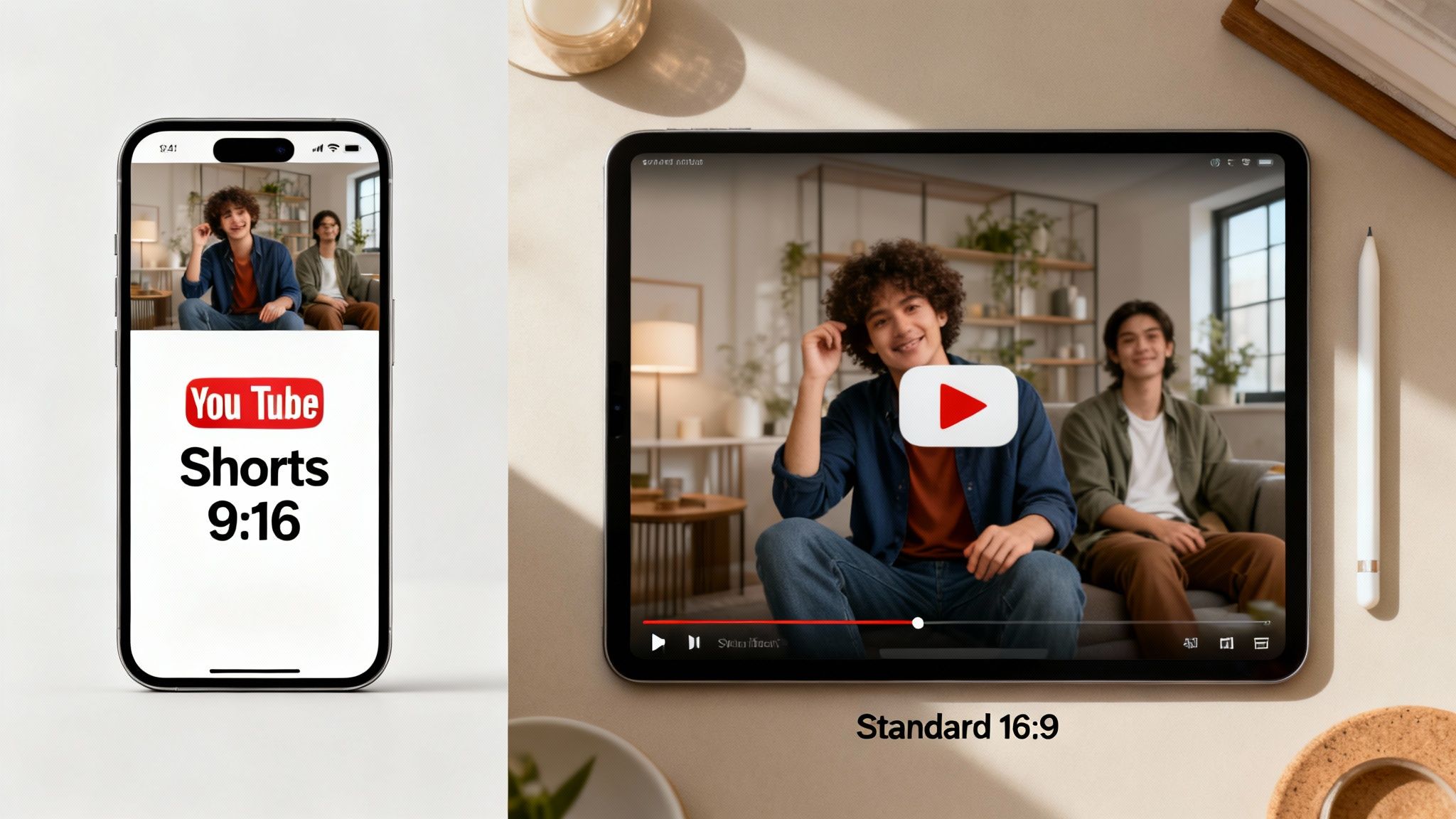
For Shorts, your one and only goal is to fit perfectly into that endless vertical, mobile-first feed. That means a strict 9:16 aspect ratio is a must, with a resolution of 1080x1920 pixels. If you stray from this, you'll get those ugly black bars on the sides, which is a dead giveaway that your video wasn't made for Shorts. The time limit is just as crucial: your clip has to be 60 seconds or less to even be considered a Short. For a deeper dive, our guide on how to post a Short on YouTube breaks it all down.
Standard YouTube videos, on the other hand, are all about that lean-back, cinematic experience. People are watching them on desktops, TVs, or turning their phones sideways. Here, the undefeated champion is the 16:9 landscape aspect ratio.
Core Technical Settings for Standard Videos
To make sure your longer videos look sharp and professional, YouTube gives us a clear set of encoding settings to follow. These aren't just suggestions—following them stops the platform from over-compressing your file and tanking its quality.
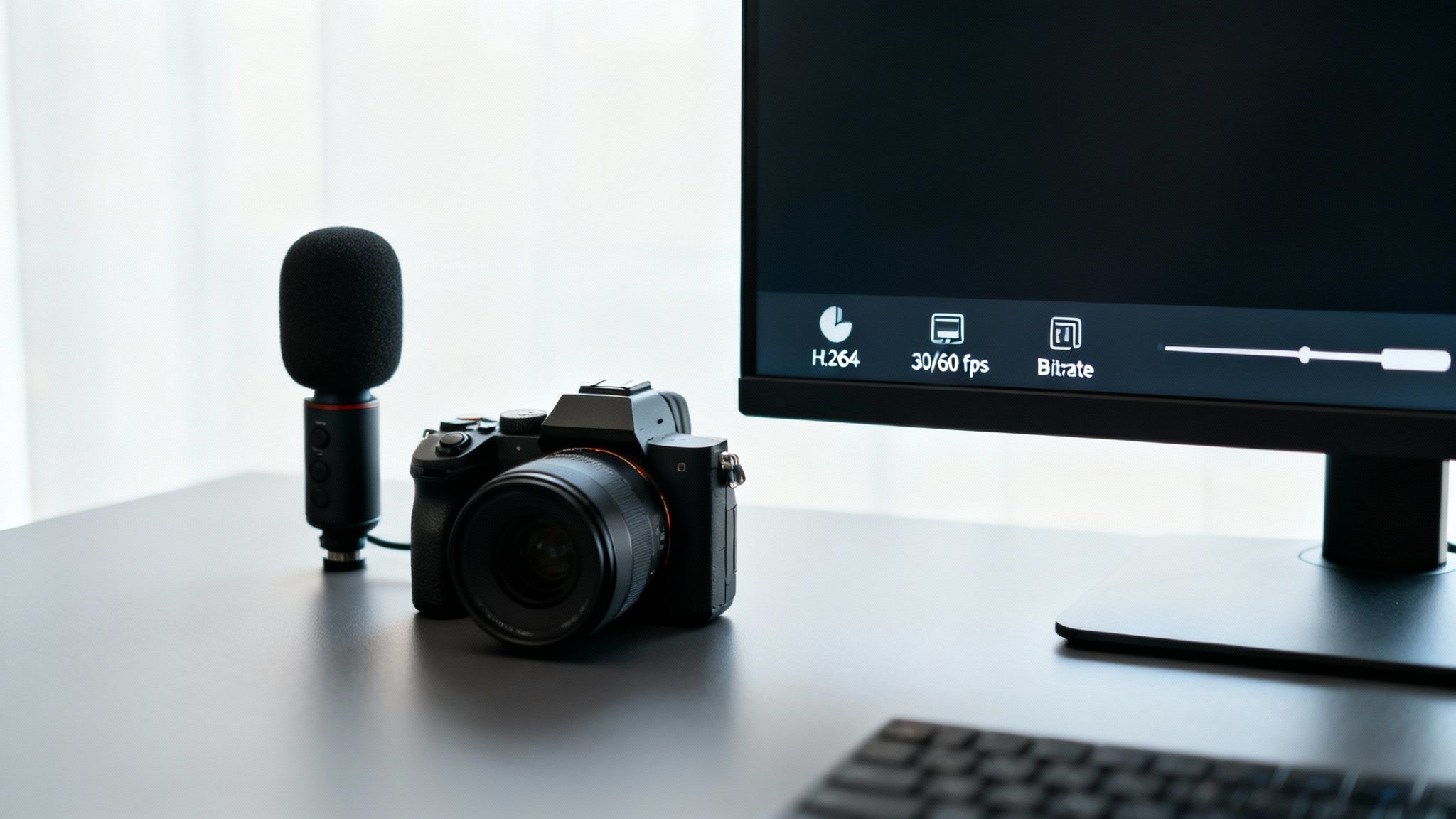
- Video Codec: The go-to standard is H.264. It strikes the perfect balance between great quality and a file size that won't take forever to upload.
- Frame Rate: You can use a few different frame rates, but sticking to 24, 30, or 60 frames per second (fps) is your best bet. 30 fps is the everyday standard, while 60 fps delivers that buttery-smooth motion perfect for gaming or sports.
- Bitrate: For a 1080p video at 30 fps, you'll want a bitrate of about 8-10 Mbps. If you're shooting at 60 fps, bump that up to 12-15 Mbps to keep things looking crisp.
Honestly, the biggest mistake I see creators make is just uploading a gigantic, raw file. When you follow YouTube's encoding recommendations, you're taking back control over how your video looks after their servers are done with it.
YouTube Shorts vs. Standard YouTube Video Specs
Knowing the key differences helps you plan your content. A quick tutorial can kill it as a Short, but a deep-dive review needs the breathing room of a standard video. This table lays it all out.
| Specification | YouTube Shorts | Standard YouTube Video |
|---|---|---|
| Primary Aspect Ratio | 9:16 (Vertical) | 16:9 (Landscape) |
| Typical Resolution | 1080 x 1920 px | 1920 x 1080 px (or higher) |
| Maximum Length | 60 seconds | Up to 12 hours (or 256 GB) |
| Recommended Codec | H.264 | H.264 |
| Primary Use Case | Quick engagement, trends, discovery | In-depth content, tutorials, storytelling |
| Viewing Context | Mobile-first, vertical scrolling | Multi-device, horizontal viewing |
At the end of the day, the most successful YouTube strategies use both. Shorts are fantastic for discovery, pulling new eyeballs to your channel. Then, your long-form videos deliver the real value that builds a loyal community and brings in the cash. By nailing the social media video specs for both, you're building a complete content ecosystem that grabs and holds attention across the entire platform.
Video Specs for LinkedIn, Pinterest, and X
If you're serious about your video strategy, you need to look beyond the usual suspects. Platforms like LinkedIn, Pinterest, and X (what we all used to call Twitter) have their own unique audiences, and—you guessed it—their own distinct video specs. Getting these right is the secret to adapting your content for professional, inspirational, and conversational spaces.
Each network's main purpose directly shapes its preferred video dimensions. For instance, LinkedIn users are often scrolling on a desktop during work hours, which makes landscape video a totally viable option. Pinterest, on the other hand, is almost entirely a mobile, vertical-first world. Understanding these little differences is what separates amateur content from a pro-level multichannel strategy.
LinkedIn Video Requirements
On LinkedIn, video has become a go-to for professional storytelling. It's no surprise that users are 20 times more likely to share a video than any other type of post. While you can throw different formats at it, native uploads always perform best.
- Aspect Ratios: LinkedIn is pretty flexible, supporting anything from 1:2.4 to 2.4:1. The most common choices are 16:9 (landscape), 1:1 (square), and 9:16 (vertical).
- Video Length: Your video can be anywhere from 3 seconds up to 10 minutes long.
- File Size: You've got a lot of room to play with here, with a generous 5 GB maximum file size.
- Recommended Format: For the smoothest experience, stick with MP4.
Keep in mind that for video ads, the rules are a bit stricter. The file size limit drops to 200 MB, though the maximum length extends up to 30 minutes.
Mastering Pinterest Video Pins
Pinterest is all about visual discovery—people are actively searching for ideas and inspiration. Your Video Pins need to be absolute thumb-stoppers, designed for a vertical, mobile-first feed.
The platform heavily favors vertical formats to take up as much screen space as possible.
- Aspect Ratios: The sweet spot is either 2:3 or 9:16. A square 1:1 ratio will also work.
- Video Length: Videos can be between 4 seconds and 15 minutes, but the real engagement magic happens in that 6-15 second window.
- File Size: Make sure your file is under 2 GB.
- Recommended Format: MP4, MOV, or M4V files are your best bet.
A crucial tip: Pinterest is a silent-first environment. Your videos absolutely must make sense without sound. Use bold visuals and clear text overlays to get your message across.
Best Practices for X Videos
Video on X thrives on being timely and conversational. While the platform handles different orientations, square and landscape videos have historically done well in the feed.
To make sure your video looks crisp and clean, stick to these guidelines.
- Aspect Ratios: You can go with either 16:9 (landscape) or 1:1 (square).
- Resolution: For landscape videos, a resolution of 1280 x 720 is recommended.
- Video Length: For regular uploads, you're capped at 140 seconds.
- File Size: Your file needs to be 512 MB or smaller.
- Recommended Format: When uploading from the web, use MP4 with an H.264 codec.
By tailoring your video exports for each of these platforms, you guarantee a polished, professional look that respects how users interact with each network. This small step can make a huge difference in your content's performance.
Universal Best Practices for High-Quality Video
While every platform has its own quirks, there are some universal truths to making your videos look great everywhere. Getting these core technical settings right is the foundation for a professional, smooth viewing experience that keeps people watching and signals quality to the algorithms.
Nailing these fundamentals ensures your video looks sharp, loads fast, and plays back without a hitch, no matter where it's being viewed. Think of it as the non-negotiable first step for anyone serious about creating consistently high-level content.
Understanding Video Codecs and Bitrate
Think of a video codec as the language used to package your video file. The most widely spoken and understood language online is H.264. It hits the sweet spot between great visual quality and a manageable file size, which is why it's the gold standard recommended by pretty much every social platform out there.
Video bitrate is all about data—specifically, how much data is used to create one second of your video. It's measured in megabits per second (Mbps), and a higher bitrate usually means better quality, but also a bigger file.
- For a standard 1080p HD video, a bitrate between 8-12 Mbps is a great target for social media.
- If your clip has a lot of fast motion or you're using 60 fps, bumping that up to 12-15 Mbps will help keep things looking crisp and avoid ugly motion blur.
A word of caution: uploading a video with a bitrate that’s way too high can backfire. The platform will often aggressively re-compress it on its own, which can make the final result look worse than if you’d just exported it at a more reasonable setting to begin with.
Choosing the Right Frame Rate
Frame rate, measured in frames per second (fps), is what makes your video look smooth. Movies are often shot at 24 fps for that "cinematic" feel, but social media plays by different rules.
Most online content looks fantastic at 30 fps. It's the standard for a reason—it provides a clean, professional look that viewers are completely used to. But, if you’re creating content with a lot of fast action, like sports highlights, gaming clips, or snappy transitions, exporting at 60 fps can deliver a hyper-smooth, almost lifelike experience that really pops in the feed.
Key Takeaway: For most creators, you can't go wrong with this combo: an H.264 codec at 1080p, 30 fps, and a bitrate of around 10 Mbps. It’s the safest and most effective formula for cross-platform success.
Creating Compelling Custom Thumbnails
Your thumbnail is your video's first impression, and it's often the single factor that determines whether someone clicks "play" or keeps scrolling. A great custom thumbnail needs to be clear, compelling, and give an honest preview of what the video is about.
For platforms like YouTube or Facebook that let you upload one, the standard thumbnail size is 1280x720 pixels, which is a 16:9 aspect ratio. Always save your thumbnails as a JPG or PNG file, and try to keep the file size under 2 MB to make sure it loads instantly.
Frequently Asked Questions About Video Specs
Getting into the weeds of social media video specs always brings up a ton of practical questions. This section is all about giving you quick, clear answers to the most common headaches that creators and marketers run into every day. Think of it as your go-to reference for troubleshooting on the fly and making your video workflow feel a lot less complicated.
I've designed this FAQ to reinforce the key ideas from the guide, helping you solve those specific little problems that pop up and totally nail your video strategy.
What Is the Best All-Around Video Format for Social Media?
If you're looking for one format to rule them all, the MP4 format is the undisputed champion for social media. For the best results, you'll want to pair that container with an H.264 video codec and an AAC audio codec.
Why this combo? It hits the sweet spot between high quality and a file size that won't take forever to upload. This means your videos load fast and play smoothly, whether someone's watching on their phone or a desktop. Pretty much every platform, from TikTok to LinkedIn, is built to handle this setup, making it the safest and most efficient bet for all your video exports.
Can I Use the Same 9:16 Video on All Platforms?
Absolutely. For any kind of short-form video, a 9:16 aspect ratio (that's 1080x1920 pixels) is your best friend. It’s the native, full-screen format for TikTok, Instagram Reels, and YouTube Shorts, so you’re guaranteed a perfect fit there.
But here’s the catch: when you post that same video on a platform like X or LinkedIn, you have to be mindful of how their interface might crop it. Always keep your "safe zones" in mind so that critical text or visuals don't get chopped off by the platform's UI. When you use a tool like ClipShort, you can export a master 9:16 video and push it out to all the major vertical channels without any extra hassle.
Does Video Bitrate and Frame Rate Really Matter?
They matter a lot. Bitrate is what determines the amount of data packed into your video, and it has a direct impact on visual quality. A higher bitrate looks better, but it also creates a much larger file.
Frame rate, measured in frames per second (fps), controls how smooth the motion in your video looks. While 30 fps is the standard for most social media content, bumping it up to 60 fps can create a super smooth, almost lifelike effect that works great for anything fast-paced. Just be careful—if you upload a video with a bitrate or frame rate that’s too high, the platform will crush it with compression, which can actually make it look worse. It's always best to stick to the recommended settings to keep control over the final product.
How Do I Handle Platform Safe Zones in My Videos?
Safe zones are simply the parts of the screen where you know your content won't be covered by the platform's own interface—things like buttons, usernames, and the caption text they overlay on your video.
For vertical 9:16 videos, the rule of thumb is to keep all the important stuff in the center of the frame. You'll want to avoid putting key text or logos at the very top, bottom, or far right edge, since those are the spots most likely to get blocked.
Lots of video editors and creation tools offer templates or overlays that show you exactly where these safe zones are, making it way easier to design your content without any guesswork.
Ready to create perfectly optimized, scroll-stopping videos in minutes? ClipShort uses AI to generate faceless short-form content with lifelike voiceovers, animated captions, and trend-aware visuals, all tailored to the exact social media video specs you need. Stop worrying about the technical details and start scaling your content creation at https://www.clipshort.co.