
Instagram Stories Video Length: How Long Should Your Clips Be?
The maximum Instagram Stories video length is 60 seconds for a single, seamless clip. This was a game-changing update, finally getting rid of the old system that chopped longer videos into clunky 15-second bits. Now, you can upload a full minute of video without any awkward breaks.
Cracking The Code On Instagram Story Length
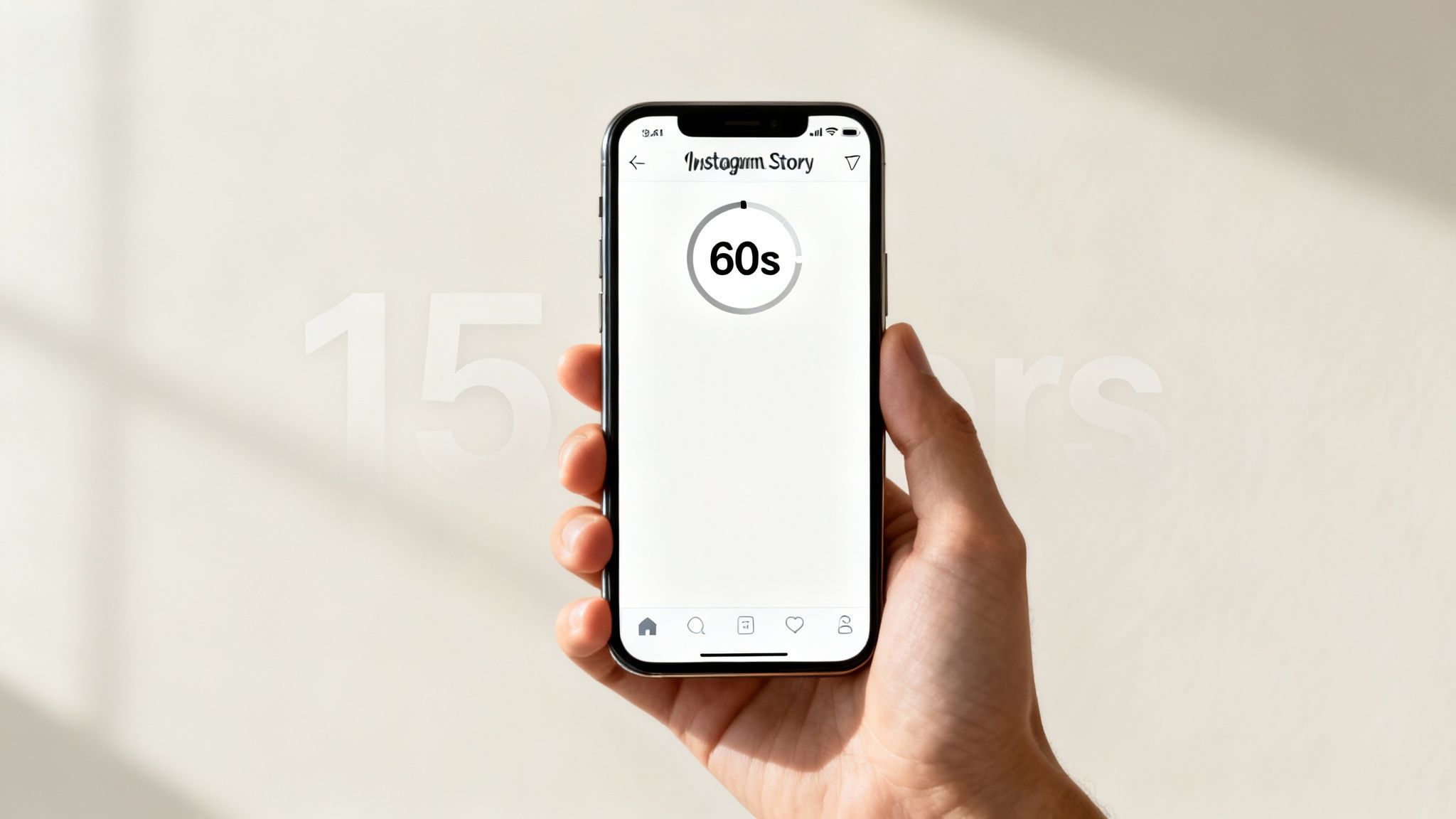
But just knowing the 60-second rule is only half the battle. Think of it like a conversation—you have a full minute to make your point, but those first few seconds are what decide if anyone sticks around to listen. The real question isn't how long your video can be, but how long it should be to actually keep people watching.
This big shift away from the 15-second segment model happened around 2023, giving creators way more room to tell a proper story. Before that, a 60-second video would show up as four separate clips that felt disjointed and required viewers to tap through. You can find more details on this transition over at Outfy.com.
This seamless format is a massive improvement, but it also puts more pressure on us to create content that’s compelling from the first second to the last.
Understanding the technical limit is step one. Step two is learning how to use it strategically. Your goal is to find that sweet spot between the generous time limit and the reality of a viewer’s short attention span.
Instagram Story Video Length At A Glance
To put this all into perspective, let's break down the essential numbers you need to know. This quick-reference table covers both the platform’s hard limits and the practical realities of how users actually watch Stories. It's the perfect setup for diving deeper into how to craft perfectly timed content that grabs your audience instead of making them tap away.
| Metric | Duration or Behavior |
|---|---|
| Maximum Video Length | 60 seconds per seamless clip |
| Old Segment Limit | 15 seconds (now obsolete) |
| Critical Attention Window | The first 3-5 seconds |
| Common Drop-off Point | Around 15 seconds |
| Ideal for Quick Updates | 7-10 seconds |
| Ideal for Storytelling | 20-30 seconds |
Having these numbers in your back pocket helps you move from just knowing the rules to making smart, effective content choices that drive engagement.
Why Your 60-Second Story Is Losing Viewers
So, Instagram gives you a full minute to work with for your Stories. That’s great, right? Well, yes and no. While it's a technical limit, it's definitely not an engagement target. The key to making Stories that people actually finish watching is understanding that critical difference.
The way people consume Stories is brutal. You have a tiny window—maybe 3-5 seconds—to convince someone to keep watching. If you haven't given them a compelling reason to stick around by then, they’re already gone with a simple tap. Think of it like a digital storefront on a packed street; you have a split second to make someone stop and look closer before they just walk on by.
This means a huge chunk of your audience will never even see the end of a full 60-second video. Viewer drop-off is always steepest right at the beginning and keeps falling the longer the video goes on.
The Attention Economy in Action
Instagram Stories are the perfect example of the "attention economy." Your content is in a constant battle for a very limited resource: your follower's focus. This is exactly why front-loading your video with the best stuff is completely non-negotiable.
You have to hit them with the most exciting, valuable, or intriguing part of your message immediately. Don't save the big reveal for the 45-second mark, because most of your viewers will have bounced long before that.
The big mindset shift every creator needs to make is from asking, "How long can my Instagram Stories video be?" to "How do I make every single second count?"
When Instagram updated the instagram stories video length to a continuous 60 seconds back in 2023, it was a massive improvement over the choppy 15-second segments. It got rid of those awkward loading breaks and opened the door for smoother, more creative campaigns—a feature now used by over 500 million people every day. For a deeper dive, check out the latest Instagram Stories statistics at A&E.
But here’s the thing: that update didn’t change human nature. The longer format just gave creators more rope—enough to either tell a great story or, well, lose their audience's interest more slowly.
Earning Every Second of Watch Time
To really win at Stories, you have to treat every second of watch time as something you earn from your viewer. If you just try to fill the time, you'll end up with terrible completion rates.
Here’s a simple way to start thinking more strategically about your timing:
- The Hook (Seconds 1-3): Kick things off with a question, a surprising visual, or a bold statement. This is your one shot to stop the tap-through.
- The Value (Seconds 4-15): Now, deliver on the promise you made in the hook. This is where you share the core info, show off the product, or get to the best part of your story.
- The Follow-Through (Seconds 16+): If you’ve held their attention this long (congrats!), you can add extra details, more context, or a clear call to action.
Getting this structure right is a game-changer for your watch time. If you want to explore more tactics like this, our guide on how to increase Instagram engagement is a great next step. By respecting your audience’s time and delivering value right away, you turn a potential drop-off into a dedicated view.
Finding Your Sweet Spot For Maximum Impact
Alright, we've covered the technical limits and the hard truth about viewer drop-off. Now, let's get practical. Knowing the maximum Instagram Stories video length is one thing, but knowing the right length for your specific goal is how you actually make content that connects.
This isn't about just filling the 60-second container. Think of it like a conversation—you wouldn't use the same amount of time to tell a quick joke as you would to share a meaningful story. The same exact principle applies to your Instagram Stories.
A punchy product reveal or a flash sale, for instance, thrives on being short and sweet. Your goal is to spark urgency and excitement, not deliver a detailed presentation. Aiming for a crisp 7-10 seconds is usually perfect. It’s just long enough to show what matters but so quick that viewers absorb it before they can even think about tapping away.
Matching Length To Your Content Goal
On the flip side, if you're putting together a mini-tutorial, sharing a behind-the-scenes look at your process, or featuring a customer's experience, you'll need a bit more breathing room. For this kind of value-packed content, you can comfortably stretch your video to 20-30 seconds. This gives you enough time to build a small narrative, demonstrate a few steps, and forge a deeper connection without overstaying your welcome.
And trust me, every single second counts. This chart shows just how fast that attention span disappears.
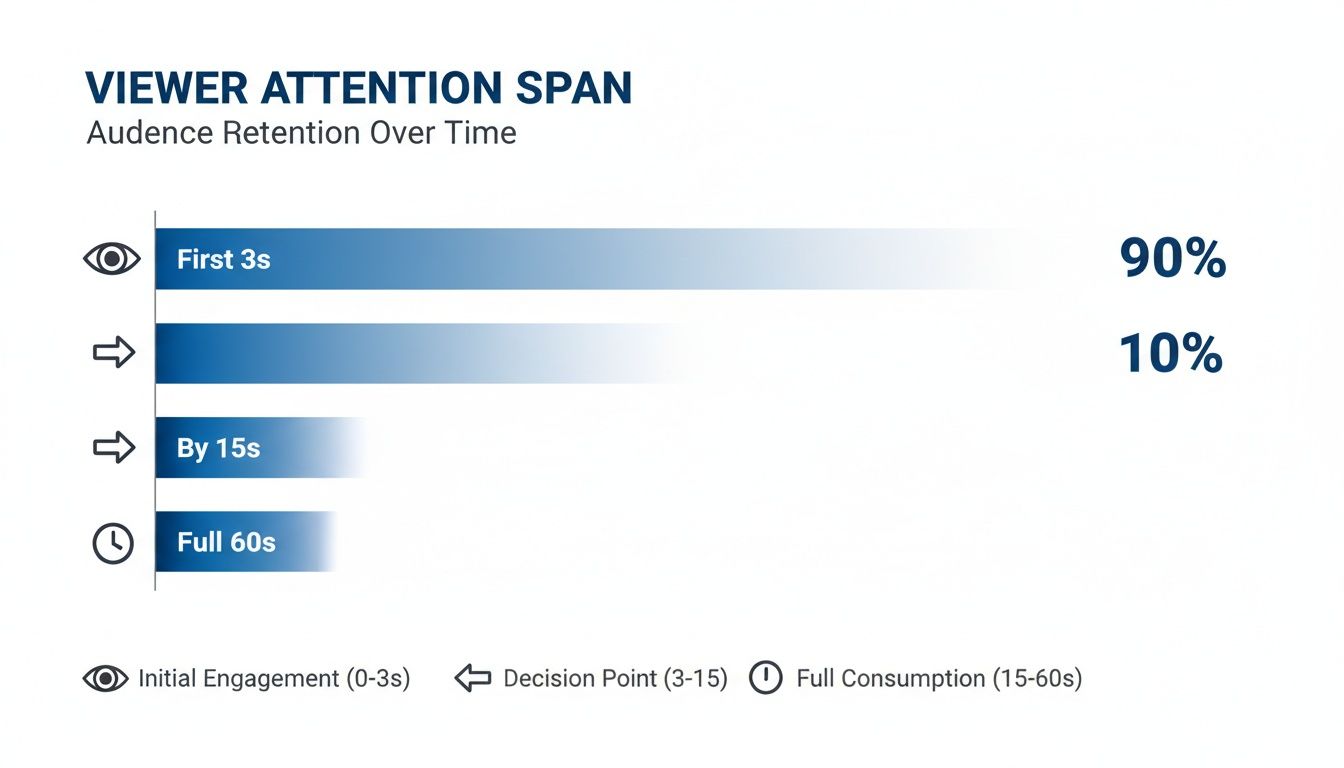
The data is crystal clear: your most critical window is right at the beginning, with a massive drop-off happening well before the 15-second mark.
To help you nail the timing every time, I've put together a quick guide that maps common goals to their ideal video lengths.
Recommended Story Lengths By Content Type
Here’s a quick-reference table to help you align your video's length with its purpose.
| Content Goal | Ideal Video Length | Key Elements |
|---|---|---|
| Quick Announcement or Sale | 7-10 Seconds | A strong visual hook, clear text overlay, and a sense of urgency. |
| Product Showcase or Reveal | 10-15 Seconds | High-quality visuals of the product in use, key benefits highlighted, and a simple call to action. |
| Mini-Tutorial or How-To | 20-30 Seconds | Step-by-step visuals, concise captions for each step, and a final shot showing the result. |
| Behind-the-Scenes Glimpse | 25-40 Seconds | Authentic footage, personal narration or voiceover, and an element of storytelling. |
| User-Generated Content Feature | 15-25 Seconds | Tag the original creator, showcase the content clearly, and add your brand’s reaction or commentary. |
The goal isn't just to post a video; it's to create a moment. By being intentional with your timing, you show respect for your audience's attention and drastically increase the odds they'll watch, engage, and remember what you had to say.
Ultimately, this is your starting point. The real magic happens when you start testing these timings with your own audience and diving into your Story insights. Pay close attention to your completion rates and where people are dropping off—that data will help you find the perfect rhythm that resonates with your community.
Optimizing Your Video Beyond The Clock
Getting your video’s timing right is a great start, but it won’t matter much if the video itself is a technical mess. Think of this as your pre-flight checklist—the essential steps to create professional, platform-native Stories that just feel right. Nail these specs, and you’ll make sure both Instagram’s algorithm and your audience love what you upload.
The first and most important piece of the puzzle is the aspect ratio. Your video has to be formatted for a 9:16 vertical screen. This isn't just a friendly suggestion; it’s the only way to deliver that immersive, full-screen experience that viewers expect. Get this wrong, and you’ll end up with ugly black bars that scream “I don’t belong here.” For a deeper dive, check out our complete guide on vertical video dimensions.
Setting The Stage For Quality
Once you've got the shape right, it's all about clarity. You should always be aiming for a resolution of 1080x1920 pixels. This is the sweet spot that keeps your video looking crisp and professional, even after Instagram applies its own compression.
As for file types, keep it simple and stick to the industry standards:
- MP4: This is the universal go-to. It offers a fantastic balance between high quality and manageable file size.
- MOV: Another solid choice, especially if you’re doing your editing on Apple devices.
Using these recommended formats helps you dodge frustrating upload errors and ensures your video looks just as good live as it did in your editor. It’s a small detail that makes a huge difference in how people perceive your content.
Designing For How People Actually Watch
Now, let's get into the human side of things. A huge chunk of your audience is scrolling through Stories with their sound completely off. If your video needs audio to make any sense, you're pretty much talking to a wall.
The real optimization happens when you design for both sound-on and sound-off viewers simultaneously. Your content should deliver its core message visually, with audio acting as an enhancement, not a requirement.
This is exactly why captions have become non-negotiable. Adding clear, bold, and easy-to-read subtitles guarantees your message lands, no matter how someone is watching. Making your content more accessible is key, and you can learn how to transcribe video to text online to create captions, boost your SEO, and make your videos work harder for you.
And for those who do have their sound on? Make sure the audio is clean and clear. Cut out distracting background noise, check that your music isn't drowning out the speaker, and keep the volume consistent. This kind of attention to detail is what separates a good Story from a great one, ensuring you’ve covered all your bases before you even think about hitting "post."
Alright, knowing the rules for Instagram Stories video length is step one. But actually making a video that fits perfectly is a whole different ball game. Let’s get our hands dirty and talk about how to turn your raw footage into a sharp, polished Story that grabs attention without wasting a second of your audience's time.
The real art is in finding the gold within your longer videos. If you’re starting with a two-minute clip, you're not trying to force the whole thing in. Instead, you're on a mission to find that killer 15 to 30-second segment—the part where the action hits its peak, the key takeaway is delivered, or the most stunning visual appears. That’s the heart of your Story.
Trimming Your Video to the Sweet Spot
Once you’ve identified that key moment, it’s time to trim the fat. Thankfully, most modern video editors, especially simple tools like ClipShort, make this a breeze. You’re not just lopping off the beginning and end; you're isolating the core message that will make someone stop scrolling.
Tools like this are designed to help you quickly upload your footage and make those precise cuts, turning a long, meandering recording into a tight, effective clip.
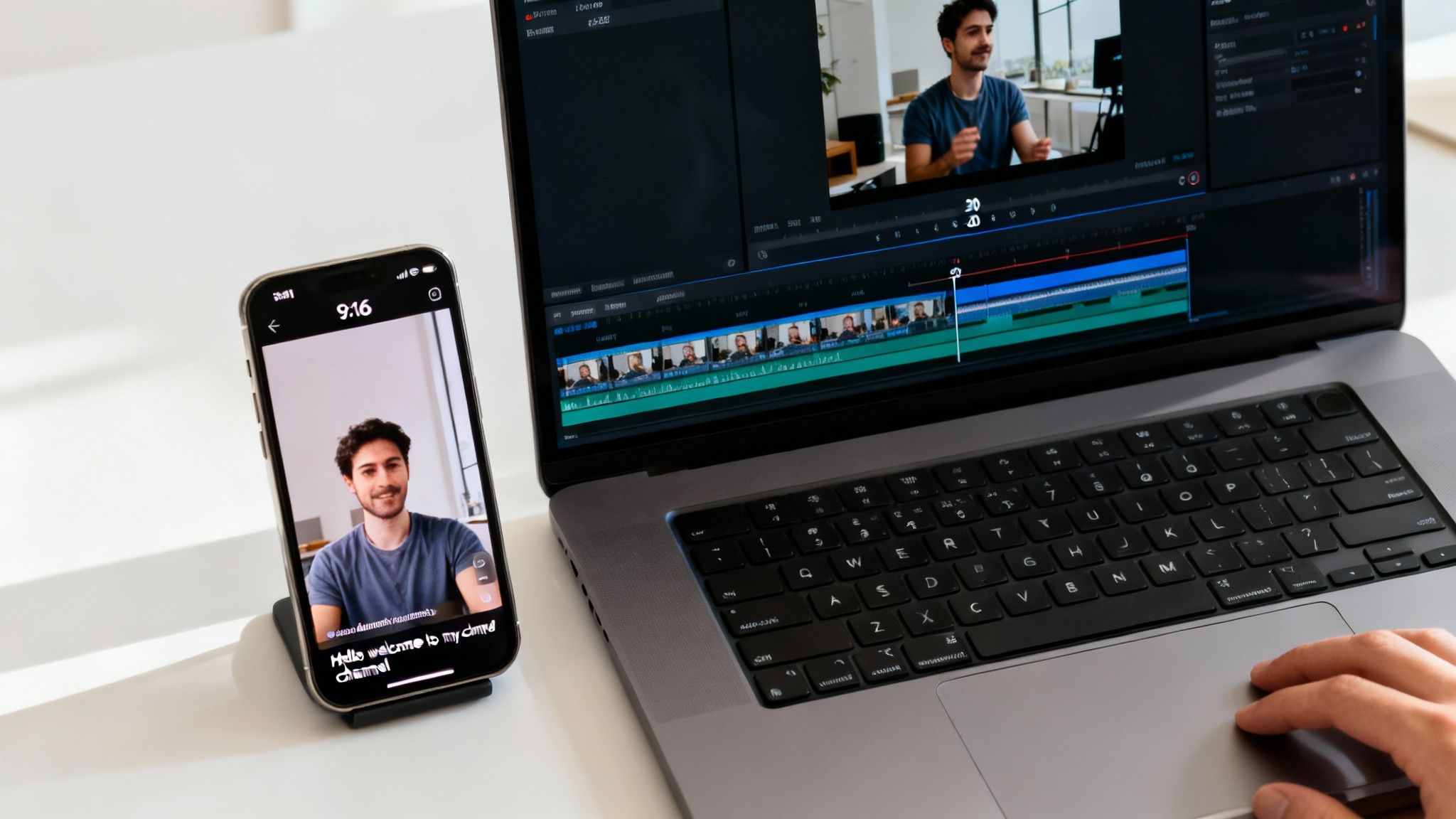
The whole point of a good editor is to let you nail the exact start and end points, so your final video is all killer, no filler.
Adding Essential Engagement Layers
A tightly trimmed video is a solid start, but a few extra touches can make a world of difference in how it performs. Let’s be real: tons of people watch Stories with the sound off. That makes captions an absolute must-have. They make your content accessible to everyone and ensure your message lands, even in a silent thumb-scroll.
A perfectly timed video can still fail if its message is lost. Captions, clear visuals, and the correct format are the finishing touches that guarantee your content connects with the widest possible audience.
Before you hit "post," make sure you’ve added these key elements:
- Automatic Captions: Use a tool that generates subtitles for you. This is a massive time-saver and is non-negotiable for sound-off viewing. You can learn more in our deep dive on how to add captions to videos.
- A Punchy Headline: Slap a simple text overlay on the screen within the first three seconds. A good question or a bold statement gives instant context and hooks viewers right away.
- The Right Aspect Ratio: Always, always double-check that your video is formatted to the vertical 9:16 aspect ratio. This is what makes it fill the entire phone screen for that immersive, made-for-mobile feel.
Maximizing Your Creative Effort
Here's the best part about creating that perfect Story clip: you've already done most of the work for other platforms. That polished, captioned, 15-30 second video is practically begging to be cross-posted. It's already optimized for Instagram Reels, TikTok, and YouTube Shorts.
This simple workflow turns one editing session into multiple pieces of content. By focusing on creating one stellar short clip, you start building a library of ready-to-go assets you can deploy anywhere, boosting your reach and saving you a ton of time.
Building Your Data-Driven Story Strategy
Alright, let's put all the pieces together. We've established that the 60-second Instagram Stories video length is a hard limit, not a goal you should always aim for. We also know that the first three seconds are everything, and that crisp, high-quality video isn't just nice—it's essential.
But a real strategy is born the moment you stop guessing and start listening to your data.
Your own Instagram Insights are the ultimate source of truth. It's time to put on your detective hat and figure out what actually grabs your specific audience. Instead of just chasing view counts, you need to dig into the metrics that show you exactly how people are behaving.
Key Metrics to Track
Start paying close attention to these data points on every video Story you post. They give you direct, unfiltered feedback on what’s hitting the mark and what’s causing people to swipe away.
- Tap-Forwards: A lot of these usually means your content is dragging, a bit boring, or just not what your audience expected.
- Back-Taps: Now this is a great sign! It means someone saw something so interesting they had to go back and watch it again.
- Exit Rate: This metric is brutally honest. It shows you the exact percentage of viewers who left your Stories altogether, pinpointing the precise moment you lost their attention.
By tracking these metrics consistently, you're no longer just throwing content at the wall. You're building a powerful feedback loop where your audience tells you exactly what they want to see more of. All you have to do is listen.
This whole process lets you build a system for getting better over time. For a deeper dive into planning your content and measuring success across all your channels, check out this practical guide on content strategy for social media.
Ultimately, the goal is to stay flexible. Let real data shape your next move, and you'll start turning good Stories into unforgettable ones.
Frequently Asked Questions
Even with a solid game plan, you're bound to run into specific questions about Instagram Story video lengths. Let's tackle some of the most common ones we hear all the time.
How Long Can An Instagram Story Video Be In 2024?
The hard-and-fast rule is that a single, uninterrupted Instagram Story clip can be a maximum of 60 seconds long. If you try to upload a video that runs longer, Instagram will just chop it off right at the one-minute mark. That’s why it's so important to get your edits done before you hit upload.
What Is The Ideal Length For A Story To Get Views?
Just because you can use all 60 seconds doesn't mean you should. For most content, shorter is almost always better.
- Quick Updates & Sales: For a punchy announcement or promo, aim for 7-10 seconds. Get in, get your message across, and get out.
- Storytelling & Tutorials: If you're explaining something or telling a more involved story, you can stretch it out. The sweet spot is often around 20-30 seconds.
Always remember, those first 3-5 seconds are everything. That's your window to hook someone before they tap away.
The best strategy is to make your video exactly as long as it needs to be to deliver its value—and not one second longer. Brevity wins on Stories.
Can I Post A Video Longer Than 60 Seconds To My Story?
Nope, not as one continuous clip. The platform will automatically cut any single video file at 60 seconds.
If you have a longer story to tell, your best bet is to chop it up yourself. Edit the video into a series of 60-second (or shorter) segments and then upload them one after another. This creates that classic multi-part Story that viewers can tap through.
Ready to create perfectly timed, scroll-stopping videos in minutes? ClipShort uses AI to help you generate engaging, captioned short-form content without ever needing a camera. Turn your ideas into viral videos today at https://www.clipshort.co.