
Create a Captivating AI Explainer Video From Start to Finish
An AI explainer video is a short, animated video built with artificial intelligence to make complex ideas, products, or services easy to understand. Think of it as your personal digital storyteller—one that automates everything from the script to the visuals and voiceover, putting high-quality video production within anyone's reach.
What Is an AI Explainer Video and Why Do You Need One
At its core, an AI explainer video takes a big idea and chops it down into bite-sized, visually engaging content. But here’s the game-changer: unlike traditional video production that drains your time, budget, and energy, AI-powered tools do all the heavy lifting. You just feed it a script or a simple prompt, and the AI spits out a finished video in minutes.
In a world overflowing with digital noise, this kind of content is essential for grabbing and holding attention. People are just way more likely to watch and remember information from a video than from plain text. In fact, marketers have found that explainer videos boost a user's understanding of a product or service by over 96%, which is huge for both education and sales.
The Shift From Manual to Automated Production
Not too long ago, creating even a basic animated explainer video was a whole production. You needed a scriptwriter, a voice actor, an animator, and a video editor. The process was painfully slow, incredibly expensive, and revisions were a complete nightmare that added even more time and cost to the project.
AI video generators have flipped the script entirely. Here's a peek under the hood at how they work:
- It Reads Your Script: The AI analyzes your text to grasp the key points and how the story flows.
- It Finds the Right Visuals: Next, it automatically generates or sources relevant images, animations, and video clips that perfectly match what your script is saying.
- It Creates the Voiceover: Using advanced text-to-speech tech, it produces a natural-sounding narration in whatever language and accent you need.
- It Puts It All Together: Finally, the system syncs the visuals with the audio, adds background music, and can even generate animated captions to keep viewers hooked.
The real magic of an AI explainer video is that it makes professional content creation accessible to everyone. It puts the power of a full production studio right into the hands of a solo creator, small business owner, or marketing team.
This isn't just about making things easier; it's about being fast and flexible. Social media trends can change in the blink of an eye. The ability to pump out high-quality video content on the fly gives you a massive advantage. You can A/B test different ideas, create content for super-specific audiences, and react to market shifts without a huge investment.
Traditional Video Production vs AI Explainer Videos
When you put the old way and the new way side-by-side, the benefits of AI become incredibly clear.
While traditional video gives you a ton of creative control, AI delivers speed and scale that were just not possible before. This makes it the perfect tool for churning out content for platforms like TikTok, YouTube Shorts, and Instagram Reels, where posting consistently and frequently is the key to winning.
Traditional Video Production vs AI Explainer Videos
| Feature | Traditional Video Production | AI-Powered Video Generation |
|---|---|---|
| Cost | High (equipment, crew, actors) | Low (subscription-based) |
| Time | Weeks or months | Minutes or hours |
| Scalability | Difficult and expensive | Effortless and cost-effective |
| Revisions | Complex and costly | Simple and instant |
Ultimately, AI-powered tools have opened up a world where anyone can create compelling explainer videos without the traditional barriers of cost, time, or technical skill.
The Undeniable Benefits of AI-Powered Explainer Videos
Let's be honest: for years, creating a professional video felt like trying to get into an exclusive club. You needed a big budget, a whole team of specialists, and a ton of time. It was a game only big companies could afford to play.
AI has completely flipped that script. It’s torn down the walls and opened up high-quality video creation to everyone. Small businesses, solo creators, and bootstrappers can now produce videos that look just as good as something from a major brand. Your biggest limit is no longer your bank account—it's your imagination.
Drive Massive Cost and Time Savings
The first thing you'll notice is the incredible impact on your budget. A standard 60-second animated explainer video, produced the old-fashioned way, could easily set you back anywhere from $5,000 to over $20,000. That's after paying for scriptwriters, voice actors, animators, and editors. AI tools like ClipShort essentially bundle that entire team into one simple, affordable subscription.
And it’s not just about the money. Think about the time saved. A project that used to take weeks, or even months, of back-and-forth emails and revisions can now be wrapped up in minutes. This speed is a huge advantage, letting you jump on trends, launch campaigns quickly, and keep a steady stream of content flowing without hitting those classic production roadblocks.
Achieve Unprecedented Scale and Flexibility
Beyond the savings, an AI explainer video generator gives you the ability to scale up your content production in a way that was previously impossible. Instead of spending a month creating one video, you can now generate dozens in a day. This is a game-changer for staying relevant on fast-paced platforms like TikTok and YouTube Shorts, where consistency is everything.
You also get an incredible amount of creative freedom. Want to test out a cinematic style? Or maybe anime? How about something photorealistic? You can switch between them with just a few clicks. This makes it super easy to create tailored content for different audiences and platforms without having to start over from scratch each time.
The ability to instantly generate multiple video versions unlocks a new level of strategic marketing. A/B testing different scripts, voiceovers, or visual hooks becomes not just possible, but easy—giving you hard data on what truly resonates with your viewers.
Boost Engagement and Conversion Rates
At the end of the day, marketing is about getting results, and this is where AI-powered videos really shine. They're amazing at breaking down complex ideas into simple, visually engaging stories that grab and hold people's attention. That high level of engagement leads directly to real business growth.
The numbers don't lie. Explainer videos are a hit with consumers. A huge 96% of people watch them to learn about products, and an incredible 85% are convinced to buy something after watching. This is exactly why faceless AI generators like ClipShort are becoming so essential for TikTok creators and e-commerce brands who need to scale without being on camera. Even more, a shocking 80% of viewers have bought or downloaded an app right after watching a video, proving just how powerful these explainers are for driving conversions, especially in short-form formats under 90 seconds. You can dig into more video marketing statistics to see the full picture.
This incredible performance comes from a few key ingredients:
- Stronger Brand Recall: Combining visuals and audio makes your message stick in the viewer's mind way better than text ever could.
- Hyper-Personalization: AI allows you to create slightly different video versions for specific customer groups, making your content feel more relevant and personal.
- Clearer Communication: You can break down complicated features into simple, animated steps, getting rid of confusion and helping customers see your value right away.
By letting AI handle the technical stuff, you can finally put all your energy into what really matters: telling a great story that connects with your audience and inspires them to act.
How to Create Your First AI Explainer Video Step-By-Step
Jumping into AI video creation might sound like you need a degree in computer science, but the latest tools have made the process surprisingly simple. You really don't need any background in animation or video editing to get a professional-looking result.
The whole process is less about technical skills and more about having a clear idea. You guide the AI, and it does the heavy lifting. We can break the entire journey, from a rough concept to a finished AI explainer video, into four main stages. Each one builds on the last, making the workflow smooth and intuitive.
Step 1: Script Your Narrative
Your script is everything. It's the blueprint for your entire video. A sharp, clear script results in a powerful video, but a weak one will just confuse the AI and your audience. The good news? You don't have to be a professional screenwriter.
Just start with a simple prompt that lays out your topic, the main takeaway, and who you're talking to. For example: "Create a 30-second script for a video explaining our new productivity app to busy professionals, focusing on its time-saving features."
Most AI video generators, including ClipShort, can take that prompt and spit out a solid first draft. From there, you just need to polish it. For short-form video, the best scripts are punchy and get straight to the point within the first three seconds. Keep your sentences short and the language simple. For a deeper dive on this, check out our guide on how to create videos with AI.
Step 2: Select the Perfect Voiceover
Once you've got the script locked in, it's time to give it a voice. This is a huge decision because the voiceover sets the entire mood. Are you a serious, authoritative brand? Or are you more friendly and laid-back? The voice needs to match that vibe.
Modern AI platforms give you a massive library of voices to choose from, covering dozens of languages and accents.
Here’s what to think about when picking your AI narrator:
- Language and Accent: Match the voice to your target audience. It just feels more natural and builds a better connection.
- Pacing and Tone: A fast, energetic voice is great for a new product launch. A calmer, more measured tone is perfect for how-to guides.
- Gender and Pitch: There's no right answer here. Just test a few different voices and see which one feels right for your brand.
This isn't just about an AI reading words off a page; it’s about injecting real personality and building trust. The right AI voice makes your faceless video feel surprisingly personal.
Step 3: Generate Compelling Visuals
With the audio ready, it's time for the fun part: the visuals. The AI will go through your script, scene by scene, and automatically create images and video clips to match. Your job is to play the role of creative director.
You can tell the AI what kind of aesthetic you're going for. Want something sleek and cinematic? Or maybe a fun, animated comic book style fits your brand better? By setting a specific style—like "Anime," "Photorealistic," or "3D" on platforms like ClipShort—you keep the look and feel consistent from start to finish.
This is what a typical workflow looks like in a modern AI video generator. The goal is to simplify the whole process.
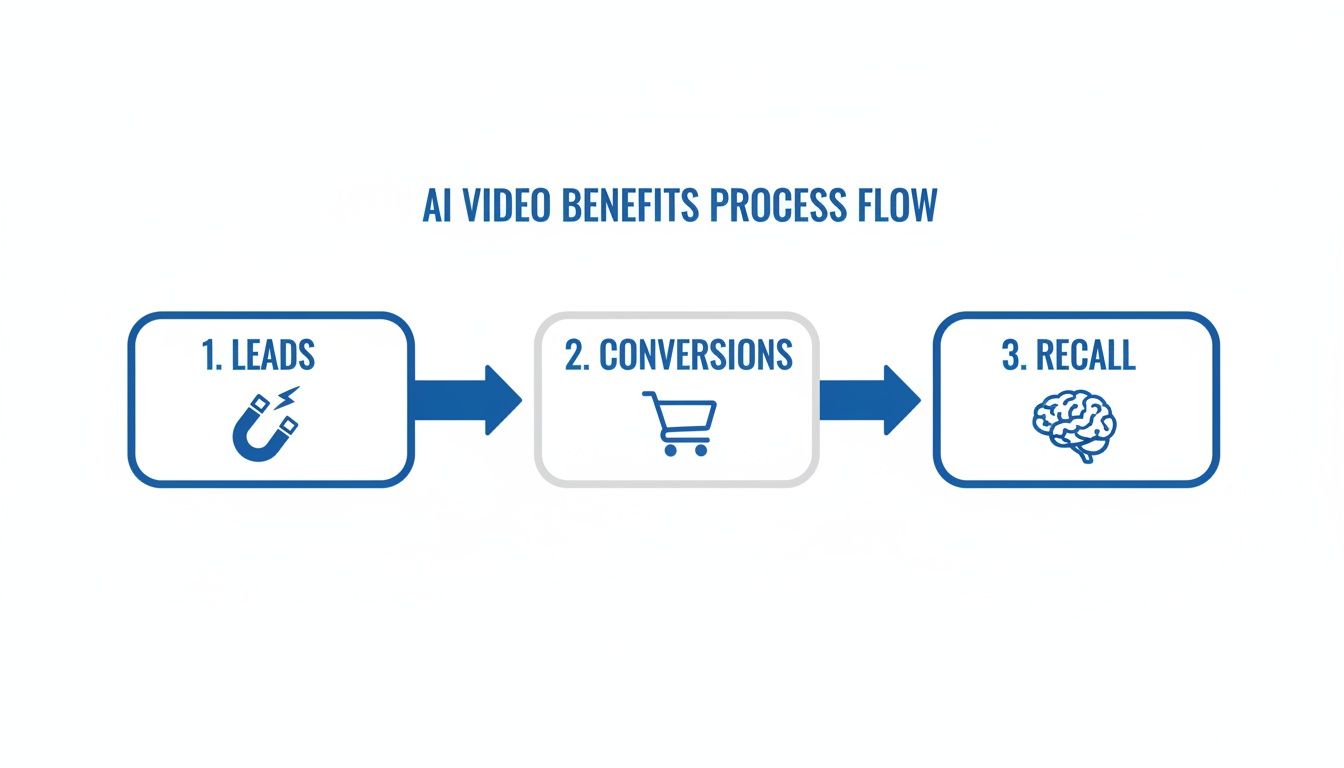
The best tools are designed to be intuitive, letting you move from script to final video without any headaches. Don't be afraid to regenerate a scene if it's not quite right or even upload your own media to get the perfect shot.
Step 4: Add Retention-Boosting Elements
The final stage is adding all the little details that make your video impossible to scroll past. For short-form content, things like captions, background music, and emojis aren't just nice-to-haves; they're critical for keeping people watching.
On platforms like TikTok and YouTube Shorts, retention is the name of the game. Animated captions and engaging sound are proven to keep viewers watching longer, which signals to the algorithm that your content is valuable.
AI video tools make this part a breeze. You can add dynamic, word-by-word animated captions to make key points pop. You can browse a library of royalty-free music to set the mood, and you can toss in some emojis to add a bit of personality. These small touches make a huge difference in engagement and give your video that polished, professional feel. To get the most out of your efforts, exploring the best AI tools for small business can give you an edge and streamline your entire production.
Mastering Faceless Content Creation With AI
One of the biggest forces behind the AI video boom is the "faceless" content trend. It's a game-changer. Creators are building huge, successful channels without ever stepping in front of a camera, and the AI explainer video is their secret weapon.
Why the sudden explosion? For starters, many creators want to keep their privacy and build a brand around a topic, not their personality. Others just want to skip the hassle of setting up cameras, lights, and makeup. This approach lets them get straight to the good stuff: telling a fantastic story.
Faceless content is proof that you don't need to be on-screen to build a powerful connection with your audience. When you take the creator out of the frame, the content itself gets to be the star.
Why Faceless Content Works So Well
The real magic of a faceless channel lies in its focus and scalability. When you're not performing for the camera, you can pump out high-quality content faster and more consistently. This model absolutely thrives in niches where information is the main event.
You'll see successful faceless channels crushing it in a few key areas:
- Educational Narratives: Think deep dives into history, clear explanations of complex science, or breakdowns of financial news. The visuals and narration do all the heavy lifting.
- Tech and Product Reviews: Channels that unpack the latest gadgets or software often rely on slick animations and screen recordings instead of a talking head.
- Motivational Content: A powerful voiceover paired with symbolic, cinematic stock footage can create incredibly shareable and inspiring videos.
- Guided Meditations: Soothing narration over calm, atmospheric visuals creates an immersive experience where a human face would just be a distraction.
If you're looking to jump into this space, it helps to start with the basics of creating a faceless YouTube channel. The core idea is simple: let your information's value speak for itself, backed up by top-notch audio and visuals.
Building a Strong Brand Without a Face
When your face isn't the brand, everything else has to be. Consistency is non-negotiable. Your audience needs to recognize your content in a split second, even without seeing you.
Think of it as developing a signature style. Your brand becomes a unique cocktail of visual and audio cues that your followers learn to recognize and trust. This is where AI tools give you a massive leg up, helping you lock in a consistent aesthetic across all your videos without a ton of manual work.
A strong faceless brand is built on a foundation of consistency. Every video should feel like it comes from the same creator, reinforcing your identity through a unified voice, visual style, and editing rhythm.
That consistency is what builds a loyal community that keeps coming back for your unique take on things.
The AI video market is growing at a staggering pace, and it’s a total game-changer for creators focused on shorts for TikTok, Reels, and YouTube. The global AI video market is set to explode, driven by an incredible 36.2% CAGR. This isn't just a trend; it's a fundamental shift powered by tools that automate everything from script generation to editing, perfectly designed for platforms where speed is everything. You can find more data on the growing AI video market on Market.us.
Key Elements of a Successful Faceless Video
To build a faceless channel that people actually want to watch, you need to nail a few core components. The good news is that AI tools like ClipShort are built to automate and improve each one, making professional-grade content more accessible than ever.
Here’s a breakdown of the essential components that make faceless AI videos engaging and effective, along with tips for implementation.
Key Elements of a Successful Faceless Video
| Element | Why It's Important | How to Optimize with AI |
|---|---|---|
| Compelling Voiceover | The voice becomes your "face," setting the tone and building trust with your audience. | Select a consistent, high-quality AI voice that matches your brand's personality (e.g., authoritative, friendly, calm). |
| Consistent Visuals | A unified aesthetic makes your content instantly recognizable in a crowded feed. | Use a specific visual style prompt (e.g., "cinematic," "anime") for all videos to create a signature look. |
| Engaging Scripting | Since there's no on-screen personality, the story must be captivating on its own. | Leverage AI script generation to create tight, impactful narratives with strong hooks that grab attention immediately. |
| Dynamic Captions | With many viewers watching without sound, captions are crucial for engagement and retention. | Use AI-powered animated caption templates to make your videos more accessible and visually interesting. |
By mastering these elements, you can create a faceless channel that not only attracts viewers but also builds a loyal community around your content.
Optimizing Your AI Explainer Video for Social Media
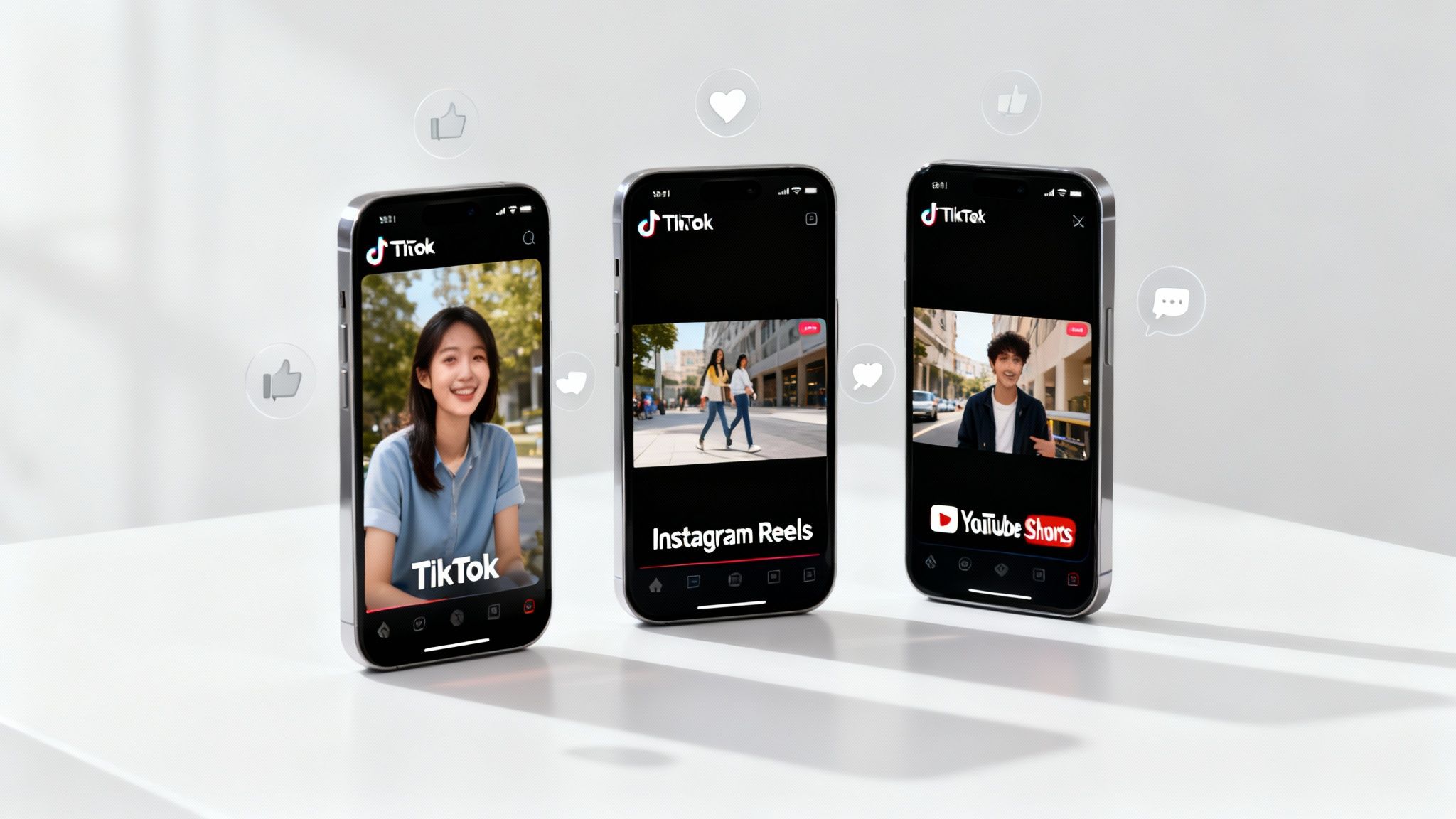
Putting the final touches on your AI explainer video is a great feeling, but that's just the starting line. To get real results, you have to get it in front of the right eyeballs, and that means tweaking it for the unique battlefield of each social media platform. A video that crushes it on TikTok won't necessarily land the same way on YouTube Shorts.
The secret is realizing that every platform has its own algorithm, its own audience habits, and its own unspoken rules. Optimizing your video means adapting its shape, style, and packaging to blend right into each feed. This is how you make sure all your hard work doesn't just get seen—it gets engagement.
Tailoring Content for Each Platform
Think of TikTok, Instagram Reels, and YouTube Shorts as different rooms at a party. You wouldn't act the same way in each one, right? Your content needs to adjust its vibe to fit in, and that takes more than just tapping the upload button.
Here are the essential adjustments you'll need to make:
- Aspect Ratio and Length: All three platforms are built for vertical video, so stick to a 9:16 aspect ratio. When it comes to length, TikTok and Reels are all about quick, punchy clips (15-60 seconds). YouTube Shorts can handle slightly longer content, giving you up to 60 seconds to tell your story.
- Caption Style: On TikTok, captions are often bold, fast, and witty. Instagram Reels tend to favor cleaner, more aesthetic text. YouTube Shorts is different—it lets you add more detailed descriptions and even pinned comments, giving you extra space for context or a call-to-action.
- Audio and Trends: Using trending sounds is a massive cheat code for visibility on TikTok and Reels. A great trick is to layer a popular track quietly underneath your AI voiceover. You get the best of both worlds: the algorithm boost and your clear message.
To really make sure your video hits home, it's crucial to improve social media engagement with strategies that build a lasting connection. And for a full technical cheat sheet, check out our guide on social media video specs.
The First Three Seconds Are Everything
In the world of short-form video, you don't get the luxury of a slow buildup. You have about three seconds to stop someone from swiping away. This is where your hook comes in, and it has to be a knockout punch.
Kick off your video with a bold claim, a challenging question, or a visual that instantly makes people curious. Your AI script needs to be front-loaded with the most interesting part of your entire message. Forget traditional story arcs; just get straight to the good stuff.
Your opening hook is your video's single most important element. It's an audition for the viewer's attention. If you fail the audition, the rest of your video—no matter how great—goes unseen.
AI is completely changing the video marketing game. The AI video generator market is set to explode from $534.4 million to an incredible $2,562.9 million by 2032. This boom is fueled by creators automating their TikTok and Shorts channels, where nearly 57% of online ads now use AI-generated visuals and 58% rely on near-human AI voiceovers. It's made faceless production the fastest route to viral success.
Common Questions About AI Explainer Videos
Jumping into any new technology brings up questions. It's totally normal to wonder if the tools are too complex, if the final product will look authentic, or if it's really as affordable as everyone says. Let's tackle some of the most common questions people have before they create their first ai explainer video.
Getting these answers straight will give you the confidence to dive in and start making incredible content. The goal here is to clear up any doubts so you can move forward and start creating.
How Difficult Is It to Learn AI Video Generator Tools?
This is probably the biggest question on everyone's mind. The phrase "video generation" might bring up nightmares of complicated software like Adobe After Effects or Premiere Pro, known for their steep learning curves. But modern AI video tools were designed to be the complete opposite.
Most of these platforms are built for total beginners. You'll find clean, intuitive interfaces that revolve around simple text commands or easy drag-and-drop features. You don't need any background in video editing, animation, or graphic design. Seriously, if you can write a sentence, you can make a video.
The learning curve is incredibly short. You can go from signing up to exporting your first slick-looking video in less than an hour, not weeks. That's the real magic here—AI puts high-quality production power into the hands of anyone with a good idea.
Will My AI-Generated Videos Look Generic or Robotic?
It's a valid concern. Nobody wants their content to look like a cookie-cutter robot made it. But the tech has come a long way from the clunky, generic visuals of the early days. Today's best AI tools give you a ton of customization options to make sure your videos are unique and perfectly match your brand.
You get to call the shots on almost every creative detail:
- Visual Styles: Pick from a huge library of aesthetics. Want something cinematic and photorealistic? You got it. Prefer anime, 3D renders, or a comic book vibe? No problem.
- Voiceovers: Forget the single robotic voice. You can now choose from hundreds of natural-sounding narrators with different languages, accents, and emotional tones.
- Scene Control: If a scene the AI generates isn't quite right, you can simply ask it to try again with a new prompt. Or, you can upload your own images and clips to get the exact look you're after.
The key to standing out is to lock in a clear and consistent brand identity. When you use the same visual style, voice, and caption format in all your videos, you create a signature look that your audience will instantly recognize as yours.
What Is the Cost of an AI Explainer Video?
The price difference between AI and traditional video production is staggering, and it's one of the biggest reasons people are switching.
Let's put it in perspective. A single, professionally produced one-minute animated explainer video can easily set you back $5,000 to $20,000. That price tag covers a scriptwriter, voice actor, animator, and editor. It adds up fast.
AI video generators, on the other hand, run on simple subscription models. For a low monthly fee—often less than what you’d pay for a single hour of a professional animator's time—you can create dozens, or even hundreds, of videos.
This completely changes the economics of creating content. It means small businesses, solo creators, and startups can pump out a high volume of quality video without needing a huge budget. The return on investment is almost immediate, both in money saved and content created.
How Can I Ensure Brand Consistency Across My AI Videos?
Keeping a consistent brand image is everything for building trust and recognition. When your face isn't on camera, your brand's voice and visual style are your identity. Luckily, AI tools make it incredibly simple to keep everything consistent.
Before you start churning out videos, just take a minute to define your brand guidelines. This doesn't have to be some formal, 50-page document. A few simple rules will make a massive difference.
Think about these elements for your mini style guide:
- The Voice: Choose one primary AI narrator that perfectly fits your brand’s personality and stick with them.
- The Look: Pick a specific visual style prompt (like "flat 2D illustration" or "dark cinematic realism") and use it every single time.
- The Colors: If you have brand colors, make sure to work them into your prompts or visual assets.
- The Captions: Decide on a font, color, and animation style for your captions and use it consistently.
By setting these ground rules from the start, every ai explainer video you make will feel like part of a cohesive, professional series that reinforces your brand with every single post.
Ready to stop wondering and start creating? With ClipShort, you can turn a simple idea into a viral-ready short video in minutes. Automate your entire workflow—from script to voiceover to scroll-stopping visuals—and build your faceless content empire today. Start creating for free on clipshort.co.