
A Creator's Guide to Text to Speech TikTok Voiceovers
That robotic voice you hear all over your TikTok feed? That’s the platform’s built-in text-to-speech feature, and it’s become the secret sauce for countless viral videos. It’s a super simple tool that reads your on-screen text aloud, making content more dynamic and accessible without you ever having to say a word.
Why AI Voices Are Taking Over TikTok
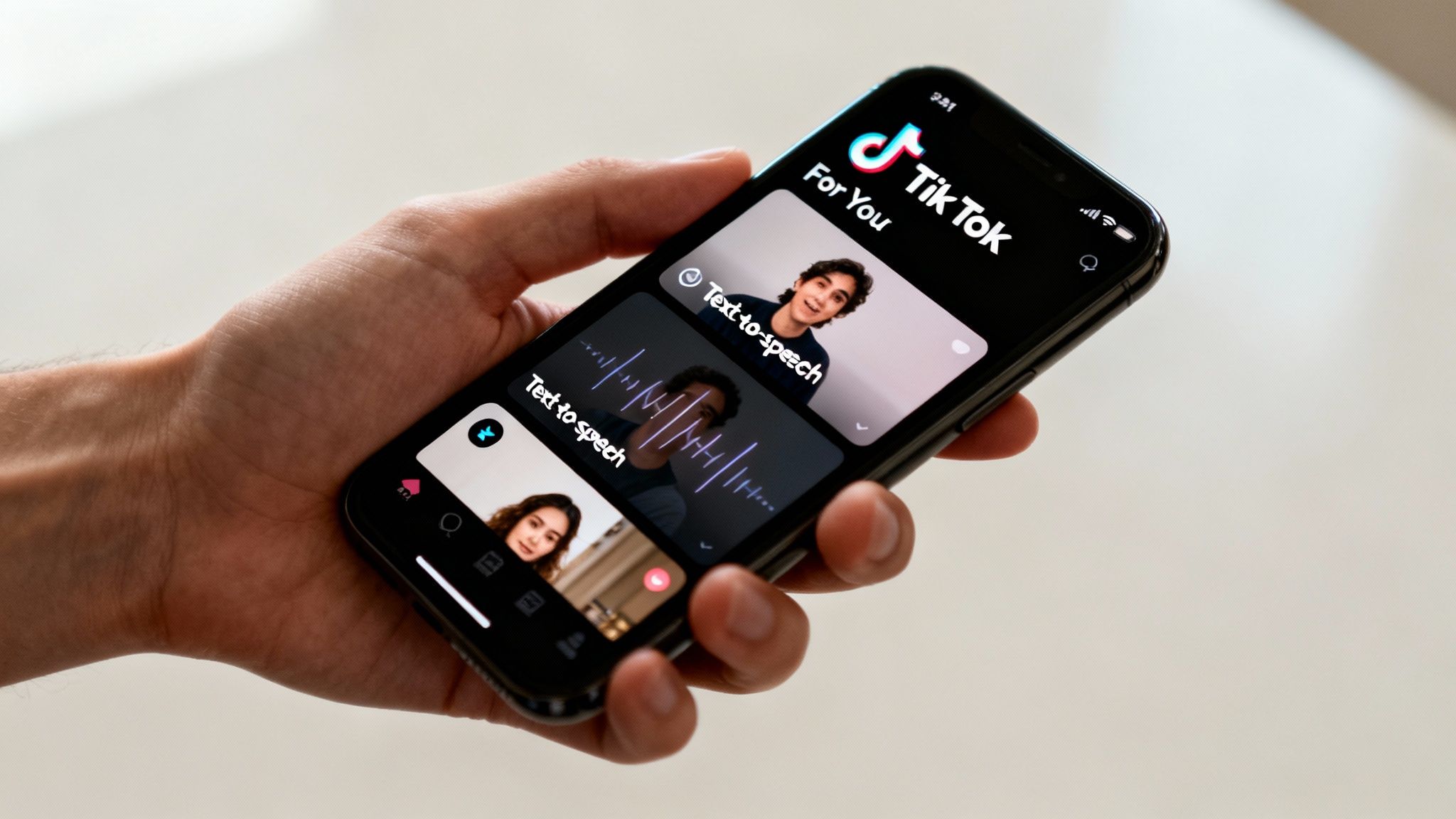
Ever notice how that same, slightly monotone narration is practically unavoidable on your For You Page? It’s not just some random trend. It’s a smart creative choice that hooks viewers in a really specific way. The explosion of AI voices on TikTok is all about psychology, accessibility, and just plain entertainment.
There’s an instant familiarity to these voices. When you hear that distinct cadence, your brain immediately recognizes the format, which is often enough to stop your scroll cold. It’s like a shared language on the app, signaling that you're about to see a story, a quick tutorial, or a relatable observation.
Boosting Accessibility and Reach
One of the biggest wins for text-to-speech is how it opens up your content to more people. Let's be real—not everyone scrolls with their sound on. By pairing an AI voice with on-screen text, you're catering to different viewing habits all at once.
This dual approach is a game-changer for:
- People in public spaces scrolling without headphones.
- Individuals who are deaf or hard of hearing, making your content far more inclusive.
- Users who just prefer to read along while they listen to better absorb the information.
By making your videos easy to consume in multiple ways, you naturally expand your potential reach.
Driving Viewer Engagement with Audio
Audio is a massive driver of interaction on TikTok. According to data from Narration Box, narrated TikToks get 32% more comments than silent ones. That audio layer really gets the conversation going.
Even better, videos that mix AI voiceovers with captions see a huge 49% higher watch time. That means you're keeping people hooked past those crucial first few seconds.
For faceless accounts, text-to-speech isn't just a feature; it's the entire foundation. It lets creators build a powerful brand and tell amazing stories using only visuals and AI narration. You never have to show your face or record your voice. This is exactly how so many niche accounts—from history explainers to daily affirmation channels—find their audience and thrive.
How to Add Text-to-Speech to Your TikTok Videos
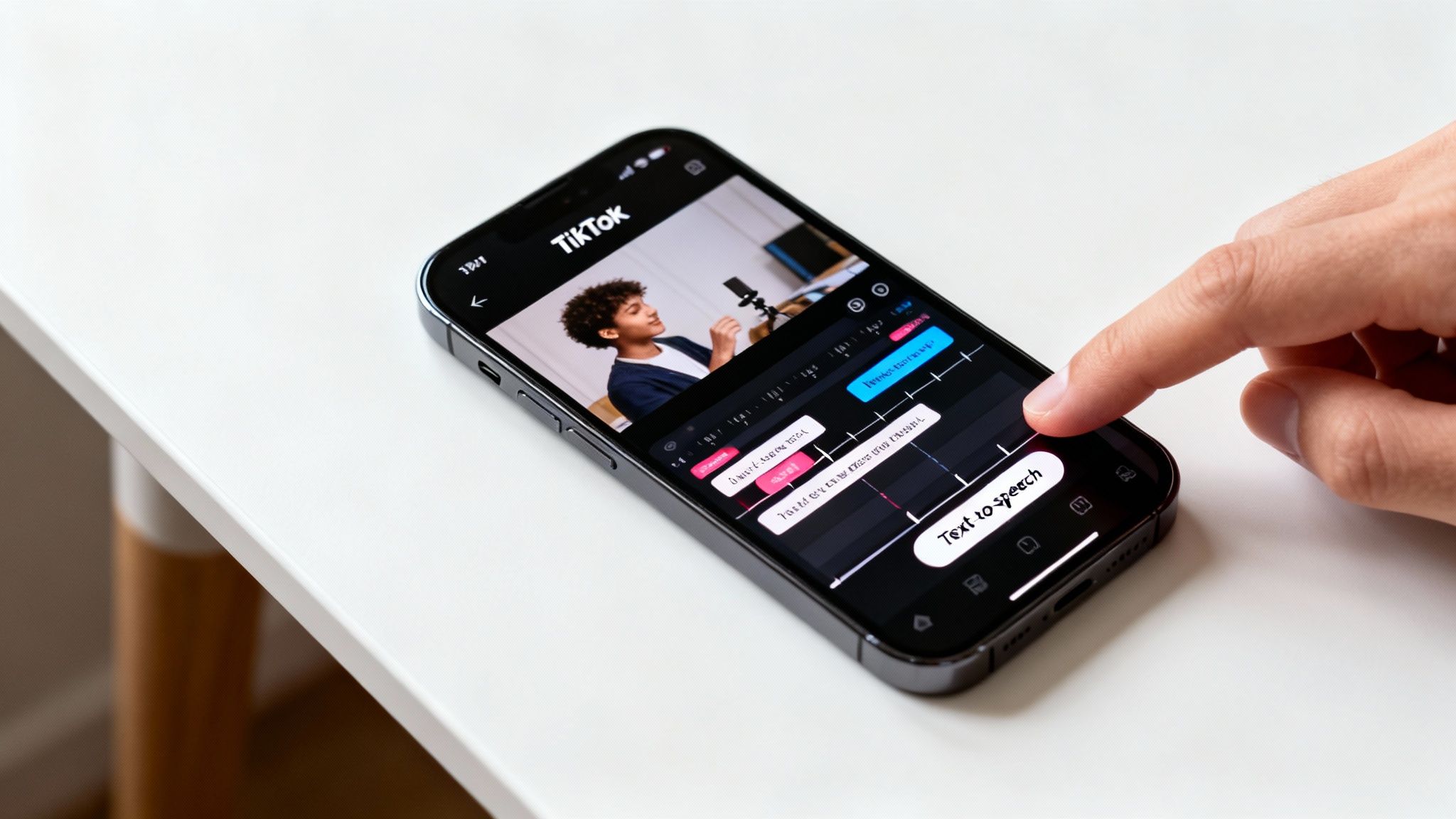
Ready to let TikTok’s robotic voices narrate your next viral hit? Getting the text-to-speech feature up and running is actually pretty simple once you know where to tap. Let's walk through adding, timing, and tweaking these AI narrations so they land perfectly with your video’s vibe.
First things first, get your video into the TikTok editor. You can either record a new clip right in the app or upload one from your camera roll. With your footage on the timeline, your next move is to tap the "Text" icon, which looks like "Aa" on the editing screen. This is where the magic begins.
Go ahead and type out the phrase you want the voice to say. A pro tip? Don't write a novel in one text box. Break up longer sentences into several shorter, punchier text elements. It gives you way more control over the timing later.
Once your text is on the screen, just tap the text box to select it.
Activating the Voice
Tapping the text box brings up a little pop-up menu. You're looking for an icon that looks like a person's head with sound waves coming out—that's the "Text-to-speech" button. Give it a tap.
You'll immediately see a list of different voices. Depending on your region and how updated your app is, you'll find a mix of male, female, and sometimes quirky character voices. Play around with them! Tap each one to hear a preview and see which one fits the mood of your video.
Found the one? Just tap "Done," and you'll hear the AI voice reading your text over the clip.
Timing Your Captions and Voiceover
Here's what separates the rookies from the pros: timing. A perfectly timed voiceover makes your video feel slick and professional, while a poorly timed one just feels chaotic.
To get the timing just right:
- Tap on your text box again.
- This time, choose the "Set duration" option.
- A little timeline will pop up at the bottom. Simply drag the sliders to set the exact start and end points for when the text (and its voiceover) appears.
Imagine you're doing a product reveal. You'd want the phrase "And here it is!" to play at the exact moment the product comes into view. This kind of synchronization is key to keeping viewers hooked.
If you're building a more complex story and need more advanced voiceover techniques, our guide on how to add a voiceover on TikTok has you covered.
Popular Native TikTok TTS Voices
To help you get started, here's a quick look at some of the most common built-in voices and where they tend to work best.
| Voice Name | Common Nickname | Vocal Style | Best Used For |
|---|---|---|---|
| en_us_001 | Jessie (Female) | Cheerful, upbeat, standard | Explainer videos, tutorials, positive announcements |
| en_us_006 | Male Narrator 1 | Deep, authoritative, calm | Storytelling, dramatic reveals, informational content |
| en_us_ghostface | Ghostface | Raspy, menacing, iconic | Halloween content, horror themes, jump scares |
| en_us_chewbacca | Chewbacca | Growls, Wookiee language | Star Wars parodies, meme videos, funny reactions |
| en_au_001 | Aussie Female | Friendly, casual, bright | Travel vlogs, lifestyle content, daily updates |
| en_uk_001 | British Male | Eloquent, proper, clear | Educational content, luxury themes, sophisticated humor |
This is just a small sample, of course. The best way to find the perfect match is to experiment and see what resonates with your audience.
Editing or Removing Text-to-Speech
Made a mistake or just changed your mind? No problem. To fix a typo or pick a different voice, simply tap the text box and select "Edit."
If you want to get rid of the narration completely, you have two options. You can either delete the text box itself, or you can tap the text-to-speech icon again and choose the "None" or "Cancel" option to silence it.
The real power of this feature lies in its flexibility. By breaking your script into multiple, precisely timed text boxes, you can control the pacing of your video's story. This technique is especially effective for building suspense or landing a joke with perfect timing. Don't be afraid to use short, punchy phrases for maximum impact.
Solving Common Text to Speech Problems
Nothing kills creative momentum like a random technical glitch. You’ve got the perfect idea for a TikTok, you go to add the narration, and… the text to speech TikTok button is gone. Or maybe your go-to voice has vanished. Sound familiar?
It’s incredibly frustrating, but don’t worry. Let's walk through the most common reasons this happens and get you back to creating.
Sometimes the best fix is the simplest one. Before you get too deep into troubleshooting, try the basics. A quick restart of the TikTok app—or even your whole phone—can often clear out temporary bugs and solve the problem right away. If that doesn't work, it's time to dig a little deeper.
Why Is the Text to Speech Button Missing?
This is easily the number one issue creators run into. You type out your text, tap on it, and the little icon you're looking for is nowhere to be found. It’s almost always caused by one of two things.
First, your app might be out of date. TikTok is constantly pushing out updates, and an older version can sometimes cause features to break or disappear. Head over to your phone's app store and check if there’s a new version waiting for you. This is a super common and easy fix.
The other likely culprit is a bogged-down cache. Your app saves temporary data to help it run faster, but over time this cache can get cluttered and cause weird issues.
Pro Tip: Fixing this is easy. Go to your TikTok profile, tap the three-line menu icon, and navigate to "Settings and privacy." Scroll down until you see "Clear cache" and give it a tap. This won't delete any of your drafts or important data, but it’s amazing how often it brings missing features back to life.
Troubleshooting Unavailable Voices and Audio Glitches
So the button is there, but your favorite voice is gone? Or maybe the audio just won't play correctly or sync up. This almost always points to a language or regional setting mismatch.
The specific voices available in TikTok can actually change based on your phone's language settings and even where you are geographically.
Dive into your phone's main settings and make sure your primary language is set to one that fully supports all of TikTok's features, like English (US). Having a less common language or region set as your default can sometimes limit your voice options or even disable the feature completely.
If you’re still wrestling with persistent audio sync issues where the voice just doesn’t line up with your video, you’ll find some great solutions in our detailed guide on how to sync sound and video.
If you’ve tried all these steps and things still aren’t working, the problem might be on TikTok’s side. They occasionally remove certain voices during app updates, sometimes due to licensing changes. While that’s a pain, it can be a great excuse to explore newer, higher-quality AI voice options that sound way more human anyway.
For short clips under 20 seconds, using a high-quality AI voice can actually boost completion rates by 15-25%. People are more likely to watch the whole thing if the voice is clear and engaging.
Creative Voiceover Tricks to Boost Engagement
Once you’ve got the basics of TikTok's text-to-speech down, the real fun begins. Just using the feature for simple narration is fine, but turning it into a creative tool is what makes your content genuinely memorable and shareable. It’s all about moving past just reading text and starting to build a signature audio style.
One of the simplest yet most effective techniques is to stage a conversation between two different AI voices. Think about it: a quick skit, a funny back-and-forth between two "characters," or even a fake argument. All you have to do is create separate text boxes for each line of dialogue and assign a different voice to each one. This little trick instantly gives your video a dynamic, story-like feel that hooks viewers right from the start.
Crafting Unique Audio Personalities
Another playful trick is to intentionally misspell words to get a funny or quirky pronunciation. The TTS engine is literal—it reads exactly what you type. So, writing "pleez" instead of "please" or "enuff" instead of "enough" can create a totally unique vocal delivery that adds a layer of humor. This works perfectly for meme-style content or for developing a distinct personality for a faceless account.
Think of yourself as a voice director. You have total control over the rhythm and emotional punch of the narration just by how you break up your script.
- Build suspense: Use short text boxes with long pauses in between. A single word, a moment of silence, then another word… it builds anticipation for what’s next.
- Emphasize a point: Let a key phrase hang in the air for a beat before the next line starts. This gives your audience a second to really let it sink in.
- Control the pace: Rapid-fire text boxes create a sense of urgency and excitement. Slower, more deliberate pacing feels calm and authoritative.
By mastering the timing of your text boxes, you're not just adding a voice; you're controlling the entire narrative rhythm. This level of detail makes your content feel so much more polished and intentional, encouraging viewers to stick around until the very end.
Driving Action with Your Voice
A consistent and creative audio style doesn't just entertain—it gets real results. A killer voiceover can be the final push that turns a passive viewer into a loyal follower or even a customer. When you use a consistent AI voice, you start building brand recognition, making your content instantly familiar in a sea of videos.
This familiarity builds trust and, ultimately, encourages action. And the impact is huge; compelling video content drives nearly 92% of users to take action after watching a TikTok, whether that’s sharing it or making a purchase. You can dive deeper into how TikTok engagement statistics influence user behavior on SocialChamp.com.
Of course, a great voiceover is only part of the puzzle. Knowing the optimal posting times on TikTok can dramatically amplify your reach. Combining a unique audio style with a smart posting strategy is a proven formula for growth.
Look, TikTok’s built-in voices are great. They're perfect for jumping on a trend or knocking out a quick, funny video. But if you're serious about growing your account, building a brand, or launching a faceless channel, you'll hit a wall with the native features pretty fast.
That's the point where you need to start looking at more powerful, third-party AI voice tools.
The standard TikTok voices are iconic, sure, but they're also everywhere. You’re working with a tiny handful of options that millions of other creators are using, making it nearly impossible to carve out a unique audio brand. Plus, you get zero control over the emotional delivery. The tone is the tone, and sometimes it just doesn't fit the vibe you're going for.
This is exactly why dedicated AI voice generators like ClipShort are the next logical step for anyone aiming for a more professional, polished sound.
Gaining Creative Control and Uniqueness
The biggest reason to make the switch? The insane amount of variety and customization you get. Instead of a dozen generic voices, you suddenly have access to hundreds of options across different ages, accents, and languages.
Imagine you're building a faceless channel dedicated to deep-diving into historical events. The default TikTok voice just feels wrong, right? But with a third-party tool, you could pick a deep, thoughtful narrator with a British accent that perfectly matches the aesthetic of your content. That level of specificity is something the native tool just can't offer.
Even better, these advanced platforms let you direct the performance. You can fine-tune things like:
- Pacing: Speed up the delivery for high-energy moments or slow it down to let a point sink in.
- Pitch: Tweak the vocal tone to sound more excited, serious, or even sarcastic.
- Pauses: Intentionally add silence to build suspense or give viewers a moment to process information.
For faceless creators, a unique voice isn't just a nice-to-have—it's the core of your brand. When your audience hears that voice, they should immediately know it's you. Third-party tools are what make that signature sound possible.
Building a Professional Audio Brand
A consistent audio identity is a game-changer for growth. The explosion of text-to-speech on TikTok has leveled the playing field, and with 1.59 billion monthly users, the algorithm is all about relevance. In fact, videos with engaging AI voices can see 78% more engagement than silent ones.
A professional-grade voiceover instantly elevates how people perceive your content. It builds trust and authority, which is crucial if you're making educational, storytelling, or product-focused videos.
Deciding which voice effects to use can be a challenge, but advanced tools give you the control to nail the mood every time.

This kind of strategic audio manipulation is so much easier with external tools. For creators really looking to streamline their process, an AI TikTok video generator can even integrate these custom voiceovers directly into the video creation workflow.
So, when should you stick with TikTok's tool, and when is it time to upgrade? Here's a quick breakdown.
TikTok TTS vs Dedicated AI Voice Tools
| Feature | TikTok Native TTS | ClipShort AI Voiceovers |
|---|---|---|
| Best For | Quick trends, memes, casual daily content | Branding, faceless channels, high-quality narration |
| Voice Variety | Very limited (around a dozen options) | Hundreds of voices, accents, and languages |
| Customization | Almost none | Full control over pitch, speed, and pauses |
| Uniqueness | Low (same voices used by millions) | High (create a signature, recognizable sound) |
| Workflow | Simple, but confined within the TikTok app | Separate generation, but offers more creative freedom |
Ultimately, the choice comes down to your goals. For simple, in-the-moment videos, TikTok's tool is fine. But for building a brand that stands out, a dedicated AI voice platform is essential.
When Is It Time to Make the Switch?
Here's the bottom line: you should start looking at third-party tools the moment you feel creatively boxed in by TikTok's options.
Have you ever wished for a different accent? A more emotional read? Or just a voice that isn't already in a hundred other videos on your For You Page? If so, it’s time to upgrade your audio toolkit.
These platforms give faceless accounts the professional polish they need to compete with on-camera creators. By investing in a high-quality, unique voice, you’re really investing in your brand’s long-term recognition and authority. To see what's out there, take a look at our guide to the best AI tools for content creators, which breaks down a bunch of great options for leveling up your videos.
Answering Your Top Questions About TikTok's Text-to-Speech
Let's dig into some of the most common questions people have about using the text-to-speech TikTok feature. Think of this as your go-to cheat sheet to help you use the tool with more confidence and a lot less guesswork.
How Much Text Can I Use?
One of the biggest questions is about character limits. TikTok doesn't give an official number, but the real limit is practical: how much text can you actually fit in the text box? If you try to cram a novel in there, the text shrinks until it's completely unreadable on a phone screen.
My advice? Stick to multiple, shorter text boxes for any narration that's more than a few sentences long. It keeps things clean and easy for your viewers to follow.
Does Using TTS Hurt My Video's Reach?
This is a common worry, but the short answer is no. In fact, it often helps.
AI voices make your content more accessible to a wider audience, and anything that boosts engagement is a good signal to the TikTok algorithm. The trick is to use it to actually enhance your story or add humor, not just as a throwaway gimmick.
Can I Use My Own Custom Voices on TikTok?
Right now, you’re stuck with the voices TikTok gives you directly in the app. There’s no way to upload a custom AI voice or clone your own using the built-in TTS feature.
This is exactly why so many creators, especially those running faceless accounts, turn to third-party tools like ClipShort. You can generate a voiceover using a unique AI voice on their platform and then just import that audio file into your TikTok project as a background sound. It's a simple workaround that gives you total creative control.
Why Do Some of the Best Voices Disappear?
Ever find a voice you love, only for it to vanish a week later? It’s frustrating, and it happens for a few reasons:
- Licensing Deals: Some of the most popular voices, especially ones based on characters from movies or shows, are part of temporary promotional deals. Once the license expires, the voice is gone.
- App Updates: TikTok is constantly refreshing its features. They'll often retire older, less popular voices to make room for new ones.
- Location, Location, Location: The voice options you see can change a lot depending on your country and language settings.
Honestly, the constantly changing voice library is one of the best arguments for using an external AI voice generator. When you use a tool like ClipShort, your chosen voice is yours. It stays consistent, so your brand's signature sound won’t just disappear overnight.
It's no secret that TikTok is addictive—users spend an average of 58 to 95 minutes scrolling every single day. The platform's quirky AI voices are a huge part of what makes the content so sticky. You can read more about these wild TikTok engagement statistics on SocialChamp.com. To capture a piece of that attention, having a consistent and engaging audio strategy isn't just nice to have; it's essential.
Ready to stand out from the crowd and move beyond TikTok's basic voices? ClipShort lets you generate incredibly lifelike AI voiceovers in dozens of languages and accents. Stop sounding like everyone else and start building your signature audio brand today at https://www.clipshort.co.