
How to Schedule a TikTok Post and Maximize Your Reach
Of course you can schedule a TikTok post. You can do it right from your desktop or grab a third-party tool if you want more bells and whistles. Scheduling lets you post consistently at peak times, which is key to keeping your presence strong without the daily grind of creating and uploading on the spot. It's a simple shift that takes your content strategy from reactive to proactive.
Why Scheduling TikTok Posts Is a Strategic Advantage
Let's be real—the pressure to constantly create and publish on TikTok is intense. What if you could keep your feed active and consistent without that last-minute scramble? For top creators and brands, scheduling isn't just a nice-to-have; it's a core part of their growth strategy.
By planning ahead, you can knock out an entire week's worth of content in one sitting. This frees you up to focus on the stuff that actually moves the needle: digging into your analytics, engaging with your community, and dreaming up your next viral hit. Think of it as your secret weapon for avoiding burnout while keeping the algorithm happy.
The Power of Automation and Timing
This gets even better when you're using AI video generators like ClipShort to produce videos at scale. Instead of drowning in dozens of finished files, you can build a smooth workflow that takes you right from creation to publication. It’s just a smarter, more sustainable way to handle your content.
Scheduling is about more than just saving time—it's about precision. Hitting that exact moment when your audience is most active gives your content the initial push it needs to gain traction on the For You page.
Automating your posts based on your analytics can be a game-changer. Some studies even suggest that posting when your audience is most active can boost your reach by up to 32%. By keeping an eye on metrics like comments, shares, and watch time in your TikTok analytics, you can find your "golden hours" and make your success repeatable.
To dig deeper into the basics of how to schedule TikTok videos and the benefits it offers, we'll walk you through everything you need to know. In the next sections, we'll explore both TikTok's native scheduler and some powerful third-party tools to help you build the perfect workflow.
Using TikTok's Native Desktop Scheduler
If you're just dipping your toes into scheduling content, you can't go wrong starting with TikTok's own built-in tool. It’s the perfect entry point.
The best part? It's completely free and baked right into the desktop browser version. There’s no friction, no extra software to download—just a straightforward way to get your videos queued up and ready to go.
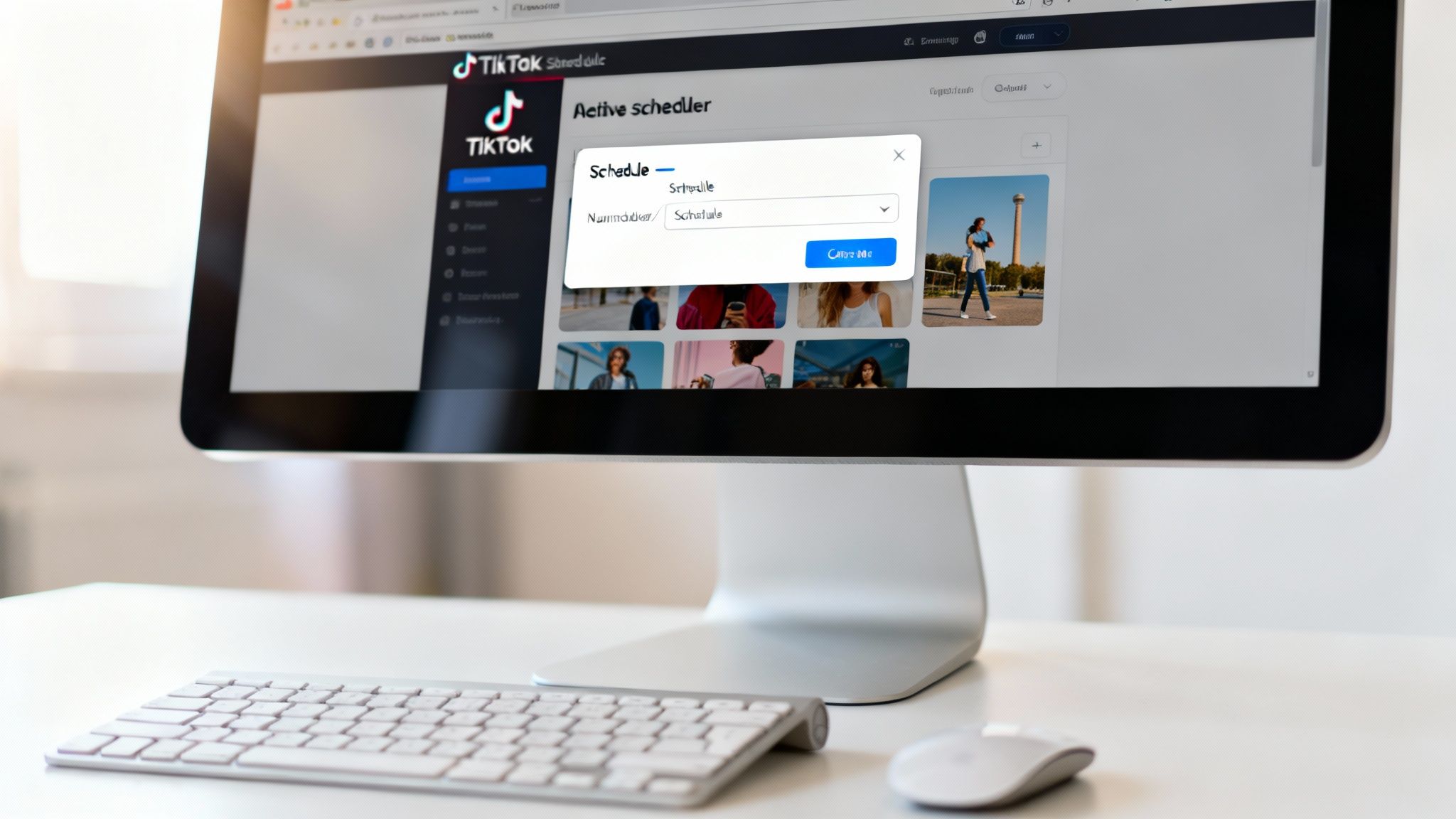
There is one small hoop to jump through first. To unlock the scheduler, you’ll need either a Business Account or a Creator Account. Personal accounts don’t have this feature, but making the switch is painless and can be done right in your account settings.
Getting to the Scheduler
First thing's first: you need to be on a computer. The native scheduling feature isn't available on the mobile app, so head over to TikTok.com on your desktop or laptop and get logged in.
Once you’re in, look to the top right corner for the "Upload" button. Clicking it takes you straight to the upload page, which is your command center for both scheduling and posting immediately. This is where you'll drop in your finished video file and get everything prepped for your audience.
Prepping Your Post for Prime Time
With your video uploaded, it's time to add the crucial details that help it connect with viewers. This is where you really set your content up for success.
- Nail the Caption: Write a caption that stops the scroll. Don't forget to include your target hashtags and any relevant @mentions.
- Pick a Killer Cover: Your cover photo is the first thing people see on your profile grid. Make it count by selecting a clear, intriguing frame from your video.
- Set Your Privacy: You can choose between Public, Friends, or Private. If growth is your goal, you'll almost always want to stick with Public.
- Run the Copyright Check: TikTok has a handy built-in tool that scans your video for potential copyright issues with the audio. It's a smart last step to avoid takedowns.
When all that's done, you'll see a "Schedule video" toggle at the bottom of the page. Just flip that switch on.
A calendar and time selector will pop right up. Pick your date and time, and you're almost there.
One Major Catch: Keep in mind, TikTok’s native tool only lets you schedule content up to 10 days in advance. If you're a serious batch-creator planning weeks or a month ahead, you'll outgrow this pretty quickly.
Hit the "Schedule" button, and you’re done! Your video is officially in the queue, waiting to go live. You can see all your scheduled posts in your profile's "Posts" section. If you need to make a change, though, you’ll have to delete the post and re-upload it—editing scheduled content isn't an option.
Unlocking Advanced Features with Third-Party Tools
TikTok's built-in scheduler is a great place to start, but you'll quickly discover its limits once you get serious about your content. When you're ready to manage your TikTok like a real business, third-party scheduling tools are the way to go. These platforms are built for creators and brands who need more firepower, deeper analytics, and better efficiency.
Think of the native scheduler as a basic calendar app. It gets the job done for simple reminders. A third-party tool, on the other hand, is a full-blown project management suite for your content. The difference is massive.
With a dedicated tool, you’re no longer stuck in TikTok's 10-day scheduling window. You can map out your content for weeks, even months, in advance. This is a complete game-changer for planning marketing campaigns, aligning with product launches, or just batch-producing a whole quarter's worth of videos at once.
Why a Dedicated Scheduler Is Worth It
The single biggest win is centralization. Most creators aren't just on TikTok; they're also pushing content to Instagram Reels, YouTube Shorts, and other platforms. A good third-party tool pulls everything into one clean, organized dashboard.
Forget about constantly logging in and out of different accounts. You can run your entire short-form video empire from a single screen, which is a lifesaver for keeping your branding consistent and your workflow sane.
The real value isn't just about scheduling—it's the data. These tools offer analytics that dig much deeper than TikTok's native stats, giving you a crystal-clear picture of what’s performing and why. This is how you make smarter decisions that actually fuel your growth.
Plus, if you work with a team, these platforms are essential for collaboration. You can set up approval queues, leave comments on video drafts, and share assets without getting lost in a mess of emails or Slack messages.
Comparing TikTok Scheduling Methods
To make it clearer, let's break down how the two approaches stack up. Choosing the right one depends entirely on your workflow and goals.
| Feature | Native TikTok Scheduler (Desktop) | Third-Party Scheduling Tools |
|---|---|---|
| Scheduling Window | Limited to 10 days in advance | Weeks or months in advance |
| Platform Support | TikTok only | Multiple platforms (Instagram, YouTube, etc.) |
| Analytics | Basic performance metrics | In-depth, comparative, and historical data |
| Team Collaboration | Not supported | Features for approvals, comments, and roles |
| Content Planning | Simple list view | Visual, drag-and-drop content calendars |
| Best For | Beginners, individual creators | Agencies, brands, serious creators |
As you can see, third-party tools are built for scale. They provide the professional-grade features needed to turn content creation from a hobby into a well-oiled machine.
Popular Tools and What They Offer
When you start looking for a more powerful way to schedule a TikTok post, you’ll see a few names pop up again and again. Platforms like Later and Buffer are popular for a reason—they have clean interfaces and a ton of useful features.
Here’s a quick rundown of what makes them stand out:
- Advanced Scheduling: You can plan your content way beyond the 10-day native limit. Some tools even recommend the best times to post based on your audience's activity patterns.
- Visual Content Calendars: See your entire month laid out visually. Drag-and-drop functionality makes it easy to rearrange posts, spot content gaps, and ensure you have a good mix of themes.
- In-Depth Analytics: Go beyond simple views and likes. Track performance over time, compare different videos, and pull reports to fine-tune your strategy for maximum reach.
- Multi-Account Management: This is a must-have for social media managers. Handle multiple TikTok profiles from one login without the headache of switching accounts.
These features become incredibly powerful when you pair them with an efficient creation process. For example, if you're using an AI tool to create TikTok videos, you can churn out a high volume of quality content fast. A scheduler lets you feed all those new videos into a long-term content pipeline, creating a seamless system from production to posting.
Ultimately, investing in a third-party tool is about building a more professional and sustainable content operation. It helps you work smarter, not harder, by automating the boring stuff so you can focus on what really matters: creativity and strategy.
How to Find Your Unique Best Time to Post
You’ve probably seen those infographics floating around, the ones claiming they’ve cracked the code on the "best" time to post on TikTok. While they can be a decent starting point, treating them like gospel is a huge mistake.
Real growth comes from understanding your audience, not a global average.
Timing is everything, especially in that first hour. A strong initial wave of engagement—likes, comments, shares, and watch time—is a massive signal to the algorithm that you've got a winner. It tells TikTok to push your content to a much wider audience. If you're just guessing your posting time, you're leaving that crucial first impression entirely to chance.
Moving Beyond Generic Advice
General data can give you a baseline, sure. Some comprehensive studies suggest that posting on a Thursday at 7 PM can work wonders. Others break it down even further, pointing to peak slots like 10 PM on Mondays or 8 PM on Saturdays. It's not a bad idea to get a feel for the general user activity patterns.
But your real goal is to find your personal sweet spot.
What works for a creator targeting US college students is going to be wildly different from a brand aiming for young professionals in Europe. The only way to really know what works for you is to dive into your own data.
Digging into Your TikTok Analytics
Luckily, the best source of truth is sitting right inside your account: TikTok Analytics. You'll need a Creator or Business account to access this goldmine, so make that switch if you haven't already.
Once you're in, head over to the "Followers" tab. This is where you’ll find the Follower activity section, and it’s broken down into two incredibly useful parts:
- Hours: This graph shows the specific times of day your followers were most active over the past week. Look for the highest peaks in the chart—those are your golden hours.
- Days: This chart reveals which days of the week your audience is most likely to be scrolling. You might be surprised to find your followers are way more active on weekends than on weekdays.
By combining these two pieces of data, you can start building a posting schedule that's actually based on evidence. If your analytics show a huge spike in activity on Saturdays around 8 PM, you now have a precise target for your best weekend content.
This data-driven approach is always going to beat generic advice. And this principle isn't just for TikTok; understanding your audience's habits is also the key to figuring out the best times to post Reels on Instagram, making sure your strategy is tight across all platforms.
Test, Measure, and Refine Your Schedule
Your analytics give you a powerful starting point, but don't just set it and forget it. Use that information to form a hypothesis, and then start testing it out in the real world.
For the next couple of weeks, schedule your posts for the peak times your analytics suggest. Keep a close eye on the engagement for each video. Are the posts scheduled during those "golden hours" consistently doing better than the others? If they are, you've found a winning formula.
If not, it's time to experiment with different slots. While your own data is king, you can always consult guides on the general best times to post on social media for broader inspiration if you need to shake things up.
Mastering this process turns your posting strategy from a game of luck into a repeatable, data-backed system that gives every single video the best possible chance to take off.
Building a Sustainable Content Creation Workflow
Look, scheduling is just one piece of the puzzle. The real magic happens when you build an efficient, repeatable system around it. This is how you stop scrambling to pump out a video every single day and start confidently mapping out a week—or even a month's worth—of content at once.
Imagine this: one single session where you brainstorm a ton of ideas, use an AI tool to knock out the scripts, create all the visuals, and then schedule every last post. This batching method is your best defense against creative burnout. It frees you up from the daily content treadmill and guarantees a steady stream of quality posts hitting your followers' feeds.
From Idea to Scheduled Post
The goal here is to think like a factory, not a freelancer. Instead of agonizing over one video at a time, you start thinking in batches of five, ten, or even twenty. The amount of time and mental energy this saves is huge.
- Batch Ideation: Set aside a specific block of time just for brainstorming topics and concepts. No editing, no creating—just ideas.
- Batch Creation: Use another dedicated time block to produce all the videos for the week. This is where tools like ClipShort really shine, letting you generate dozens of faceless videos in a ridiculously short amount of time.
- Batch Scheduling: Finally, upload and schedule everything in one go. You'll want to use your analytics to pinpoint the absolute best times to post.
This graphic breaks down the core loop you'll be following to find and hit your peak engagement windows.
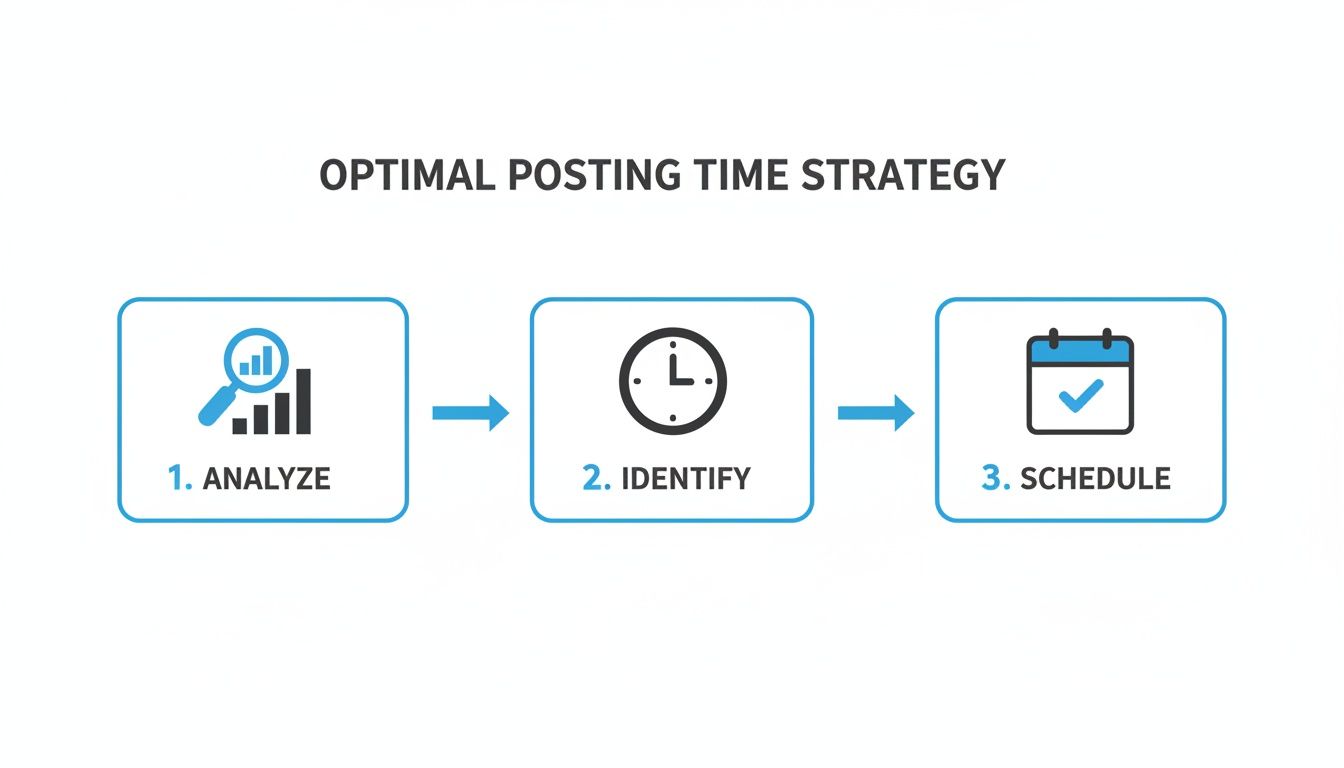
It's a simple but powerful process: analyze your data, identify when your followers are most active, and schedule your posts to drop at those exact times.
Consistency Is Your Greatest Ally
This workflow isn't just about being more efficient; it's about feeding the algorithm the one thing it craves most: consistency. Even TikTok recommends posting one to four times daily to maximize your chances of catching audiences when they're scrolling.
The data backs this up. Regular posters can see up to a 32% lift in engagement just by lining up their posts with peak activity times, and a batching system makes that completely achievable.
Building a workflow transforms scheduling from a simple task into a strategic asset. You’re not just planning posts; you’re engineering a system for sustained growth and audience engagement, even when life gets busy.
By batching your work, the question of "how to schedule a TikTok post" becomes a predictable, manageable part of your week. This frees you up to focus on the bigger picture—strategy, community interaction, and the creative ideas that will fuel your next batch of content.
For creators aiming to produce content at a really high volume, check out our guide on how to scale content creation for more advanced strategies. A sustainable approach is what keeps your channel thriving and prevents you from burning out.
Common Questions About Scheduling TikTok Posts
Once you start scheduling a TikTok post or two, a few practical questions are bound to pop up. It happens to everyone. From making last-minute changes to debunking common myths, let’s clear the air so you can get back to creating.
Can I Edit a Scheduled TikTok Post?
This is probably the biggest headache creators run into. Once a video is scheduled with TikTok's own tool, it’s basically set in stone. You can't just hop back in to fix a typo in the caption, swap out the cover image, or change the privacy settings.
The only way around it is to delete the scheduled post entirely and re-upload the corrected version from scratch. It’s a clunky workaround, and frankly, it's a huge reason why so many serious creators opt for third-party tools. Many of them give you the flexibility to make edits right up until the moment it goes live.
Do I Need a Business Account to Schedule TikToks?
Yes, you do. To get access to the native scheduler on your desktop, your account needs to be switched to either a Business or a Creator profile. If you’re still on a personal account, it only takes a few taps in your settings to make the change.
Honestly, you should make the switch anyway. It’s not just about scheduling. It unlocks the entire analytics suite, which is absolutely critical for figuring out your best times to post and understanding what content is actually connecting with your audience.
Myth vs. Reality: There's a persistent rumor that scheduling your content hurts your reach. This is completely false. The TikTok algorithm doesn't penalize scheduled videos. What really matters is the quality of your video and posting it when your audience is scrolling.
In fact, scheduling can actually help your reach by making sure you consistently hit those prime engagement windows. The algorithm loves consistency and timely content, and it couldn't care less how that video got published. It's a tool to work smarter, not a penalty box.
How Far in Advance Can I Schedule a TikTok?
This really depends on the tool you're using. If you're sticking with TikTok’s built-in desktop scheduler, your planning window is pretty tight.
- TikTok Native Scheduler: You can schedule posts up to 10 days out. This is perfectly fine for planning your content week-to-week, but it’s not going to cut it for long-term campaigns or if you like to batch create a month's worth of content at once.
- Third-Party Tools: This is where you get some real breathing room. Many dedicated scheduling platforms let you plan out your content weeks, or even months, ahead of time. This is a game-changer for agencies managing multiple clients, brands lining up posts with product launches, or solo creators who love to get way ahead of schedule.
Knowing the answers to these questions helps you build a workflow that actually works for you, removing all that friction from your content strategy.
Ready to stop scrambling and start scheduling? ClipShort lets you create and prepare a month's worth of viral faceless videos in a single afternoon. Get started today and build a sustainable content machine.