
How to Make Viral Videos on YouTube That Get Noticed
Forget everything you thought you knew about "making it" on YouTube. The days of needing a fancy camera, a cinematic vlog, and 15-minute deep dives to grow are over. The real opportunity for explosive growth today lies in short, punchy, and incredibly addictive content.
Virality is no longer about polish; it's about speed, scale, and feeding the algorithm exactly what it wants. This means mastering YouTube Shorts.
The Modern Blueprint for YouTube Virality

The entire game has shifted. The new gatekeepers of YouTube success aren't production value—they're retention and consistency.
And the undeniable force driving this shift is YouTube Shorts. We're talking about a platform feature that's pulling in over 70 billion daily views. With two billion people watching this stuff every month, the algorithm is starving for creators who can consistently pump out engaging, fast-paced videos. If you want to dig deeper into the numbers, these YouTube Shorts statistics on AdamConnell.me paint a clear picture.
This creates a massive opening for anyone, especially creators using faceless or automated workflows to scale their production.
Understanding the Core Pillars of Virality
To win in this fast-paced world, you need a system. It's not about getting lucky with one video; it's about building an efficient machine that produces algorithm-friendly content over and over again. This guide is your playbook for turning simple ideas into Shorts that grab attention, earn subscribers, and build a channel from scratch.
Let's break down the essential components that give a YouTube Short the highest chance of going viral.
Core Pillars of a Viral YouTube Short
| Pillar | Why It Matters for Virality | Real-World Example |
|---|---|---|
| Instantaneous Hook | You have less than 3 seconds to stop the scroll. The algorithm measures this initial engagement heavily. | A creator starts with, "Here are 3 mistakes you're making at the gym that are killing your gains..." instead of a slow intro. |
| High-Retention Editing | Quick cuts, zoom effects, and dynamic captions keep eyes glued to the screen, boosting watch time. | A cooking Short uses a new cut every 1-2 seconds, showing ingredients, chopping, and sizzling with punchy sound effects. |
| A Satisfying Loop | The video ends in a way that feels complete but makes you want to immediately watch it again to catch details. | A "life hack" video demonstrates a clever trick, and the ending seamlessly loops back to the beginning problem. |
| Scalable Production | The algorithm rewards consistency. You need a workflow that lets you produce multiple Shorts per day or week. | A faceless channel uses an AI tool like InVideo or Pictory to turn scripts into videos with stock footage and AI voiceovers. |
This table really just scratches the surface, but it highlights the foundational thinking you need for every single Short you create. Each pillar works together to signal to the YouTube algorithm that your content is worth pushing to a wider audience.
The key takeaway is simple: Treat every Short like a rapid-fire experiment. Your goal is to build a workflow that lets you test ideas quickly, analyze what the data tells you, and double down on what works without burning yourself out.
Finding Ideas With Built-In Viral Potential

A video that goes viral is almost never a happy accident. It's the result of an idea that was engineered to spread right from the start. Before you even touch a script or open an editor, you need a concept with built-in viral potential. This is about more than just jumping on trends; it's about validating ideas that are primed to connect with a huge audience.
The game isn't just about copying what's hot. It's about finding a popular conversation and injecting your own unique angle. This technique, what I call ‘trend-hacking,’ lets you intercept existing interest and add a fresh perspective that makes your Short impossible to ignore.
Tapping into Proven Viral Formats
Some video structures just work. They're psychologically wired to go viral because they hit on powerful human emotions like curiosity, surprise, or that feeling of belonging. Instead of reinventing the wheel, you can frame your ideas within these proven blueprints.
Here are a few formats that consistently crush it:
- Uncommon Solutions to Common Problems: We all have those little daily frustrations. A video that offers a bizarre or counterintuitive fix—like a weird trick to fall asleep in two minutes or an odd way to get a tough stain out—delivers instant value and is incredibly shareable.
- Surprising Historical Facts or Origins: People love having their minds blown by something they thought they knew. A Short revealing the strange origin of a common saying or a shocking fact about a famous historical figure gives viewers an "aha!" moment they can't wait to pass on.
- "Us vs. Them" Narratives: This format is all about group identity. Think "Things Only 90s Kids Will Understand" or "Mistakes All Beginner Gardeners Make." It makes a specific group feel seen and understood, which drives a ton of comments and shares.
These formats are effective because they give a quick, satisfying emotional payoff. They either solve a problem, deliver a surprise, or validate a viewer's identity—all in under 60 seconds. Before you commit to an idea, ask if it fits into one of these psychological frames. And if you're hitting a wall, there are plenty of great YouTube ideas for your channel you can adapt.
How to Find and Validate Your Ideas
Once you have a format, it’s time to hunt for the perfect topic. This is where you become a bit of a digital detective, figuring out what people are genuinely curious about. You're searching for a content gap—a question that isn't being answered well, especially in the Shorts format.
Start by lurking in your niche's digital water coolers. What questions are popping up constantly in Reddit communities, Facebook groups, or the comments of big-time creators in your space? This is where you find the raw, unfiltered curiosities of your audience.
Next, use some simple tools to see if the interest is big enough.
- Google Trends: This tool is your best friend. Plug in a few keywords related to your idea and see if search volume is on the rise. You can even filter by the "Past 30 days" to catch trends just as they're taking off.
- YouTube Search Autocomplete: Just start typing a phrase like "how to..." or "why do..." related to your niche into YouTube's search bar. The suggestions it gives you are the exact things people are looking for.
The secret to making viral videos on YouTube isn't about having a completely original idea. It's about finding a topic with proven demand and executing it with a unique angle that offers more value or entertainment than the existing content.
Performing Competitor Analysis for Content Gaps
Finally, scope out the competition. You need to see what they're doing, but more importantly, what they aren't doing. Search your topic on YouTube and filter specifically for Shorts. Binge-watch the top-performing ones.
As you watch, ask yourself these crucial questions:
- What's the Common Angle? Is everyone taking the same approach? That's your opening to come in with a fresh take.
- What Are They Missing? Dive into the comments of those popular Shorts. Viewers will tell you exactly what the video failed to cover or what follow-up questions they have. Those comments are a goldmine for your next idea.
- Can I Make It Better? Could you explain it more clearly? Make it more visually interesting? Add a hook that grabs attention faster? Sometimes, just executing a proven idea better is enough to win.
When you combine a proven viral format with a validated topic and a unique angle, you're stacking the deck in your favor. This methodical approach stops you from guessing and turns content creation into a strategic process, giving your Shorts the best possible shot at going big.
Editing Techniques That Maximize Viewer Retention
On YouTube Shorts, a great idea only gets you so far. The algorithm’s one true goal is to keep people on the platform, and its favorite metric for that is viewer retention. A Short that holds someone’s attention from start to finish sends a massive signal to YouTube that the content is worth pushing. This is where your editing becomes the most critical part of your viral strategy.
Forget slow, cinematic cuts. The editing style that absolutely crushes it on Shorts is what many call ‘dopamine editing’. Think fast-paced, high-stimulation, and a constant stream of new information for the viewer's brain. This style prevents boredom and stops the dreaded "swipe away." Every single second of your video has to earn its place with a visual change, a sound effect, or a caption that pulls the eye.
This relentless pace is how you make things go viral today. It's not about being flashy just for the sake of it; it's a cold, calculated strategy to build and maintain momentum from the first frame to the very last.
The Power of Dynamic Captions
In a world where over 85% of social media videos are watched on mute, captions aren't just an option—they're essential. But just slapping some plain, static text on the screen is a huge missed opportunity. Dynamic, animated captions are one of the most powerful tools you have for boosting retention, turning passive reading into an active part of the viewing experience.
- Color and Emoji Highlights: Make your key words pop. Change their color or stick a relevant emoji right after them. This is a simple trick to draw the eye and emphasize the most important bits of your message. For example, if you say "shocking," make that word bold red and throw in a 🤯 emoji.
- Word-by-Word Animation: Use caption styles that appear one word at a time, perfectly synced with your voiceover. This forces the viewer to follow along, locking them into the rhythm of your video.
- Motion and Bounces: Give your captions some life with subtle animations. A slight bounce or a quick zoom-in effect as they appear adds a layer of energy that keeps the screen from feeling flat.
These techniques do more than just make your video accessible; they add visual entertainment that makes your content stickier and more re-watchable. If you're looking to speed this up, our guide to YouTube Shorts editing dives into tools that can automate these killer effects.
Building an Auditory World with Sound Design
Sound is a powerful, and often overlooked, emotional trigger. While many people watch on mute, plenty of others have their sound on, and for them, great audio design can be the difference between a view and a subscriber. We're talking about more than just background music; this is about creating a full auditory experience.
Think of sound effects as your auditory punctuation. A simple "whoosh" can make a transition feel snappier, a subtle "click" can emphasize a point, and a light "ding" can signal a fresh idea. These tiny sounds add a layer of polish and stimulation that keeps the viewer’s brain firing on all cylinders.
Don't just let your video be heard—make it felt. Strategically placed sound effects can turn a flat voiceover into a compelling narrative, making key moments more impactful and memorable.
Master the Art of Pacing and Visual Storytelling
The visual rhythm of your Short is everything. You need a new cut, a zoom, or some kind of visual element to hit the screen every 2-3 seconds. This constant change is the heart and soul of dopamine editing. You can even use techniques like J-cuts (where the audio from the next clip starts a beat before the video changes) to create a seamless, forward-driving flow that just feels professional and keeps people glued to the screen.
This is especially true for faceless videos, where you have to rely completely on visuals to carry the story. The stock footage or AI-generated clips you choose aren't just filler; they need to amplify every word of your script.
Let's imagine a faceless video about a weird historical fact:
- Script Line: "In ancient Rome..."
- Bad Visual: A boring, static picture of the Colosseum.
- Good Visual: A dynamic, AI-generated clip of a bustling Roman market, filled with people moving and interacting.
- Script Line: "...they used a surprising ingredient in their toothpaste."
- Bad Visual: A stock photo of a modern tube of toothpaste.
- Good Visual: A quick zoom-in on an ancient Roman bust, immediately followed by a shot of a mysterious-looking vial to build curiosity.
Every single visual choice has to add context, emotion, or a bit of intrigue. When you combine this rapid editing pace with purposeful visuals and stimulating audio, you create a viewing experience that's almost impossible to scroll past. This is the technical bedrock of a viral video.
The AI-Powered Faceless Channel Workflow
Let's be honest: the biggest thing holding back most creators from a high-frequency posting schedule is... themselves. Filming, getting comfortable on camera, and the hours spent manually editing are massive time sinks. This is exactly where an AI-powered faceless channel workflow changes the entire game. It's how you unlock the speed and scale needed to make viral videos on YouTube.
This isn't about replacing creativity with robots. It’s about automating the grunt work—the repetitive, technical junk—so you can pour all your energy into the idea and the story. When you remove the need to show your face, you open up a scalable content engine that the YouTube algorithm absolutely loves.
From Idea to AI Script in Minutes
It all starts with your validated idea. But instead of staring at a blank page for hours, you feed a simple prompt into an AI script generator. The trick is getting specific with your instructions. That’s how you get gold instead of garbage.
For example, a lazy prompt is: "Write a script about Roman history."
A much better prompt is: "Write a 60-second YouTube Short script about the most surprising fact about Roman daily life. Start with a shocking hook, keep the pace lightning-fast, and end with a question for the audience. The tone needs to be curious and exciting."
See the difference? That level of detail forces the AI to spit out a script that’s already built for virality—hook, story, and a call-to-action included.
Selecting the Perfect AI Voiceover
Script in hand, it’s time to pick an AI voice that fits your channel's vibe. This is way more important than people think. The voice is the personality of your video.
Think about these things when you're choosing:
- Pacing and Tone: Does your video need a fast-talking, high-energy narrator? Or a calm, deep, authoritative storyteller? Most good AI voice tools let you tweak the speed and pitch.
- Accent and Demographics: The right accent can instantly build trust. A British accent might feel more credible for a history channel, while a standard American one is a safe bet for broad tech topics.
- Emotional Range: The best new AI voices can inject real emotion—excitement, curiosity, suspense. Always test a few key lines from your script to hear how the AI delivers those crucial emotional moments.
The right AI voice turns a text file into a performance. It becomes the "face" of your faceless channel, so give this step the attention it deserves.
Automating Visuals with AI Generation
This is the heart of the faceless workflow. Forget about spending hours digging through stock footage libraries. AI video generators can create or find all your visuals for you, just by reading your script. This is where you find true production speed. For anyone serious about building a high-output channel, learning how to create a faceless YouTube channel with these tools is a non-negotiable skill.
The real magic is how these tools interpret your script. A line like "Ancient Rome was a bustling metropolis" will instantly trigger the AI to find a clip of a chaotic Roman street, perfectly matching the visuals to your words.
You generally have two paths for visuals:
- AI-Sourced Stock Footage: The AI scans massive libraries of premium stock video and images to pull the most relevant clips for every line of your script.
- AI-Generated Imagery: The tool creates completely original visuals in a style you define—cinematic, anime, photorealistic, you name it. This is perfect for building a unique brand look that no one can copy.
When you're running a faceless channel, tech is your best friend. For instance, many creators use tools like AI-powered transcription software to get their captions perfect, which speeds up the whole process from script to final video.
The Assembly Line for Viral Content
Okay, you've got all the pieces: script, voice, and visuals. The final step is putting it all together. This is where you apply all those high-retention editing techniques we've been talking about. AI-native platforms like ClipShort are built for this, turning the most painful parts of editing into a few simple clicks.
This flowchart breaks down the editing stages that are critical for viewer retention and virality.
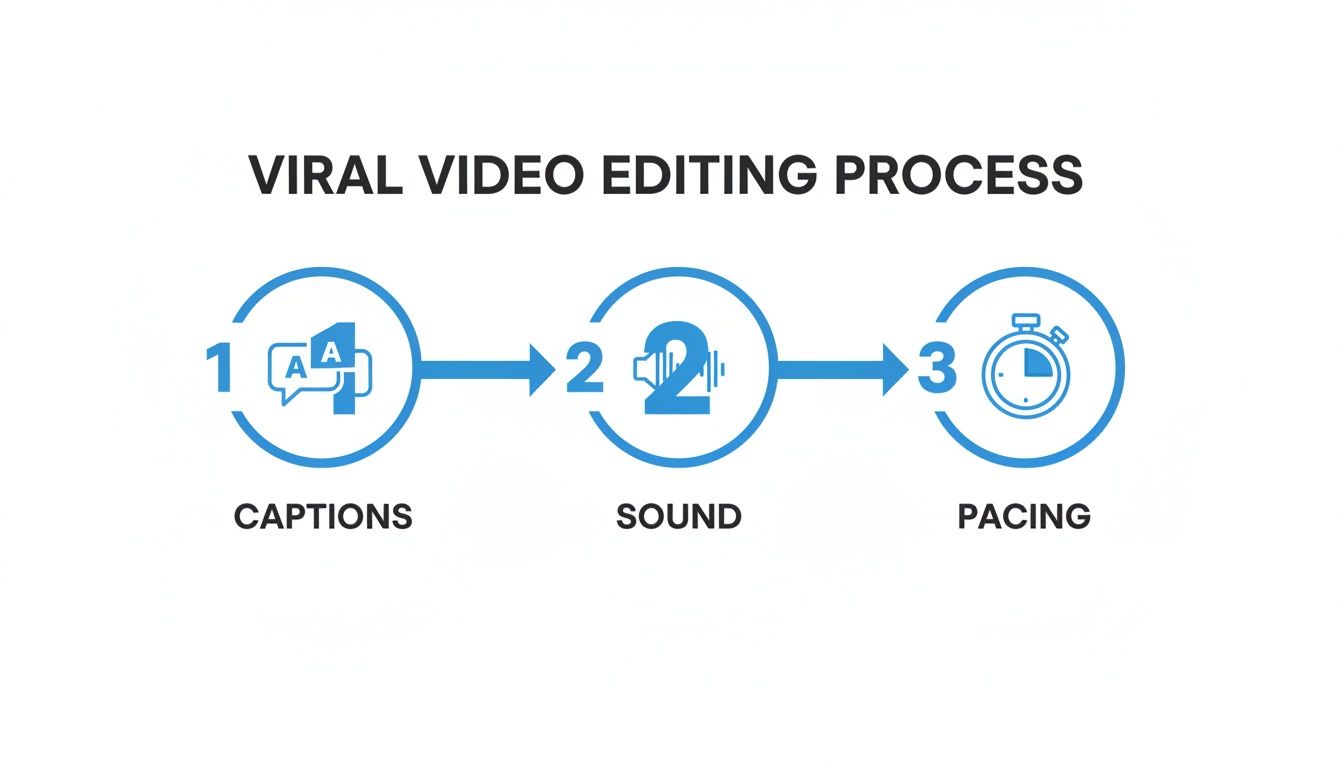
As the graphic shows, it boils down to three pillars: captions that grab attention, sound that builds a world, and pacing that never lets the viewer get bored.
Inside a system like this, you can:
- Apply awesome, animated caption templates with one click.
- Drag and drop background music and sound effects to create an immersive feel.
- Tweak the timing of scenes and pop in emojis or overlays to emphasize key points.
This AI workflow turns content creation from a slow, artistic grind into a high-speed manufacturing process. It lets you test dozens of video ideas, see what works based on cold hard data, and keep up with the insane posting frequency the YouTube algorithm rewards.
Optimizing Your Upload for the YouTube Algorithm
Making a video with viral potential is only half the job. If you just hit “upload” without thinking through your optimization strategy, all that brilliant work might just sit there, unseen.
Think of this part as building a bridge between your Short and the exact viewers the YouTube algorithm needs to find. It's all about sending clear, powerful signals that tell YouTube what your video is about and, more importantly, who is going to love it. Your work isn’t over once the edit is locked; it’s just moving into its most critical phase.
Crafting Titles That Create Curiosity
The title is your video's first handshake. It's your single best shot at earning the click. A great title promises something valuable and sparks just enough curiosity to be irresistible, all without resorting to cheap clickbait that kills trust.
Your goal is to create a gap between what the viewer already knows and what your video is about to reveal.
So, instead of a boring, descriptive title like "Cool Historical Fact," you go for intrigue: "The One Mistake That Wiped Out an Entire Roman Legion." See the difference? It frames the content around a specific, high-stakes event, making it almost impossible to ignore for anyone even slightly interested in history.
A viral title doesn't just describe the content; it sells the story within the content. Frame it as a solution, a secret, or a surprise to make people feel like they need to know more.
Designing Thumbnails That Stop the Scroll
In the chaos of the YouTube Shorts feed, your thumbnail is a tiny billboard fighting for a split-second of attention. It needs to be bold, simple, and instantly understandable.
Here's what works:
- High-Contrast Colors: Use bright, opposing colors that pop against the YouTube UI. We're talking bold yellows, reds, and electric blues.
- Minimal Text: If you use text, keep it to three or four powerful words. "You Won't Believe This" is way more effective than a long, descriptive sentence.
- Clear Focal Point: A single, compelling image should be the hero. A shocked facial expression, a weird-looking object from the video—anything that draws the eye. Avoid cluttered, busy designs that are impossible to decipher at a tiny size.
The thumbnail and title have to work as a team. If your title asks a question, your thumbnail should visually hint at the answer. It’s a one-two punch that drives clicks.
Writing Descriptions and Hashtags for Discovery
While the description isn't as front-and-center for Shorts as it is for long-form videos, it's still valuable real estate. Don't waste it. The algorithm still scans this text to figure out your content's context.
Start by rephrasing your title in a conversational sentence, then add a quick summary of the video's main takeaway.
Hashtags are your friend here—they help categorize your video and stick it next to similar content. Use a strategic mix:
- Broad Hashtags (1-2): Go for high-volume tags that cast a wide net, like #history or #facts.
- Niche Hashtags (3-5): Now get specific with tags like #ancientrome or #militaryhistory. This is how you help YouTube find your perfect starting audience.
- Branded Hashtag (1): Always include your channel's unique hashtag, like #YourChannelName, to group all your content together.
Once your video is ready, optimizing the upload is non-negotiable for visibility and growth. For more strategies on building your channel's audience, check out these tips for increasing YouTube subscribers.
Finally, post when your analytics tell you your audience is most active. Then, for the first hour after publishing, engage with every single comment. This early interaction sends a huge positive signal to the algorithm, telling it your video is sparking conversation and is worth pushing out to a much wider audience.
How to Analyze Your Data to Replicate Success
A single viral Short can feel like winning the lottery, but building a real channel is about turning that one-off hit into a repeatable science. You have to get comfortable with your YouTube Analytics dashboard and learn to read the story your data is telling you.
Don't get overwhelmed by all the charts and numbers. For Shorts, you really only need to master two key metrics.
Your most important metric, hands down, is Audience Retention. This graph is pure gold. It shows you the exact second-by-second drop-off of your viewers. See a steep plunge within the first 3 seconds? That’s a crystal-clear sign your hook completely failed. If you see a major dip halfway through, it means your story’s pacing fell flat or the payoff just wasn't worth the wait.
The second metric to obsess over is your Viewed vs. Swiped Away percentage. Think of this as a direct up-or-down vote from your audience. A high swipe-away rate (anything over 40% is a red flag) usually points to a mismatch between your title/thumbnail and the actual video content. It means viewers felt tricked or disappointed.
Turning Data into Actionable Experiments
Your analytics are basically a roadmap for your next video. You need to treat every single upload as an A/B test to refine your strategy and figure out what actually works.
I use a simple framework to diagnose what went wrong and figure out what to test next.
- Low Retention in the First 3 Seconds? The hook is the problem. It's not working. For your next video, try a completely different opening. If you asked a question this time, start with a bold, controversial statement next time.
- High Swipe-Away Rate? Your packaging is misleading people. The fix here is to change the title to be more direct about the video's core value. Make sure your thumbnail genuinely reflects the most interesting part of the video.
- Mid-Video Drop-Off? This is a pacing issue. Your next edit needs to be way more aggressive. Add more sound effects, cut faster, or throw in a surprising visual element right before the point where people bailed last time.
By systematically testing one variable at a time—the hook, the title, the visual style—you transform random guessing into a data-driven process. This analytical approach is the real secret to replicating success and building consistent growth, not just hoping for another lucky break.
Your Questions About Going Viral, Answered
Getting a video to take off isn't just luck; it's about understanding the platform. Here are some of the most common questions I hear from creators trying to crack the YouTube code.
How Many YouTube Shorts Should I Post Every Day?
Honestly, consistency is king. It's far more important than hitting some magic number.
While you'll see a lot of top channels pushing out 1-3 Shorts per day, the real goal is finding a pace you can stick to without your quality nose-diving. The algorithm rewards a predictable pattern. It's much better to post one fantastic Short every single day than to drop three mediocre ones and then vanish for a week because you're burned out.
Can a Faceless YouTube Channel Actually Go Viral?
Absolutely. Virality is all about viewer engagement and watch time—it couldn't care less if you show your face. Channels built around amazing storytelling, sharp educational content, or unique commentary do incredibly well without ever showing a person on screen.
As long as your content is original and plays by the rules of the YouTube Partner Program, it's 100% eligible for monetization. This even includes videos made with unique AI-generated visuals paired with a compelling AI voiceover, because you're creating a brand new piece of media.
The key is always value. If your faceless video entertains, solves a problem, or just sparks curiosity better than the next one, it has every bit as much viral potential as anything else out there.
How Long Does It Take for a Short to Go Viral?
There's no set timeline. I've seen some Shorts blow up within a few hours of hitting publish, while others have a "slow burn," picking up steam over days or even weeks.
Here's what happens behind the scenes: the algorithm first shows your video to a small, hand-picked audience. If that initial group eats it up—watching it all the way through, sharing it, commenting—YouTube takes that as a great sign and starts pushing it out to a much, much bigger audience. So, don't be discouraged and delete a video if it gets off to a slow start. Its big moment could still be right around the corner.
Ready to stop guessing and start creating? ClipShort handles the entire faceless video workflow, from AI scripts and lifelike voiceovers to retention-focused editing with dynamic captions. Build your next viral Short in minutes with ClipShort.