
Top 12 AI TikTok Video Maker Tools for Viral Content in 2025
TikTok's algorithm rewards speed, consistency, and trend-awareness, a demanding pace for any creator or marketer. The pressure to produce high-quality, engaging content daily is immense, often leading to burnout and creative blocks. This is where an ai tiktok video maker transforms the game. These powerful platforms automate everything from scripting and voiceovers to visual creation and captioning, allowing you to go from a simple idea to a polished, scroll-stopping video in minutes, not hours.
Whether you're a faceless creator scaling a niche channel, a brand looking to produce on-trend ads, or a social media manager repurposing long-form content, leveraging AI is no longer a luxury; it's a strategic necessity for staying relevant and achieving growth. While an AI video maker provides powerful tools for creation, truly mastering proven strategies to go viral on TikTok requires understanding the broader content and algorithm dynamics. Combining smart tools with a solid strategy is the key to unlocking consistent performance.
This comprehensive guide breaks down the top 12 AI-powered video tools, analyzing their unique strengths, practical limitations, and ideal use cases to help you find the perfect partner for your content strategy. We'll explore which platforms excel at end-to-end automation, which are best for repurposing, and which offer the highest-quality visuals. Each review includes screenshots and direct links, so you can make an informed choice and start creating more efficiently today.
1. ClipShort
ClipShort establishes itself as a powerful, end-to-end ai tiktok video maker designed for creators and brands focused on scaling faceless short-form video content. Its core strength lies in its highly automated workflow, which transforms a simple text prompt or script into a polished, platform-native video complete with voiceover, visuals, animated captions, and music in minutes. This makes it an exceptional choice for those who need to maintain a consistent publishing schedule without the overhead of filming and complex editing.
The platform is engineered to produce content optimized for audience retention, a critical metric on platforms like TikTok. Features such as dynamic caption templates, customizable subtitle timing, and strategically placed emoji overlays are designed to mimic the high-energy editing style that performs well in short-form feeds. This focus on platform aesthetics sets it apart from more generic video generators.
Key Features and Strengths
ClipShort offers a robust feature set that streamlines the entire content creation process. The platform provides significant creative flexibility while maintaining a high degree of automation, allowing for both speed and customization.
- End-to-End Automation: The workflow is remarkably efficient. Users can start with a script idea, which the AI can generate or refine. From there, the platform automatically assembles scenes by generating visuals, adding a lifelike voiceover (available in over 50 languages and accents), and layering dynamic captions and background music.
- Retention-Focused Editing: Unlike basic video makers, ClipShort includes tools specifically built to boost watch time. Animated captions, adjustable subtitle motion, and emoji overlays are not just cosmetic; they are strategic elements that help hold viewer attention.
- Creative Customization: While the AI handles the heavy lifting, users retain granular control. You can choose from multiple AI image styles (like anime, cinematic, or realistic) or upload your own branded assets. The ability to replace or refine individual AI-generated scenes ensures the final video aligns perfectly with your brand or channel's aesthetic.
Use Case: Scaling a Niche TikTok Channel
A creator focused on a niche like "historical facts" or "financial tips" can use ClipShort to produce several high-quality, engaging TikToks daily. They can input a list of facts, let the AI generate scripts and visuals for each, select a consistent voice and caption style for branding, and schedule a week's worth of content in just a few hours. This rapid experimentation allows them to quickly identify which topics resonate most with their audience.
Pros and Cons
| Pros | Cons |
|---|---|
| Complete Automation: Generates script, voice, visuals, and captions in minutes, ideal for rapid content production. | Vague Pricing: Plan details are not listed publicly on the main site and may require signing up to view costs. |
| Retention-Optimized Features: Built-in tools like animated captions and emoji overlays are designed to increase engagement. | Generic AI Visuals: While versatile, the AI-generated images can sometimes lack uniqueness and may need refinement. |
| Flexible Creative Control: Users can easily upload their own visuals or customize AI-generated scenes for a branded look. | |
| Strong Social Proof: Trusted by over 86,000 creators with testimonials citing significant follower and engagement growth. |
Website: https://www.clipshort.co
2. CapCut
As TikTok’s official sister editor, CapCut offers an unparalleled native advantage for creating viral short-form content. Its suite of tools is specifically engineered for the vertical video format, making it an exceptional ai tiktok video maker for creators who want a seamless workflow from ideation to upload. The platform integrates powerful AI features directly into a user-friendly editor available on web, desktop, and mobile.
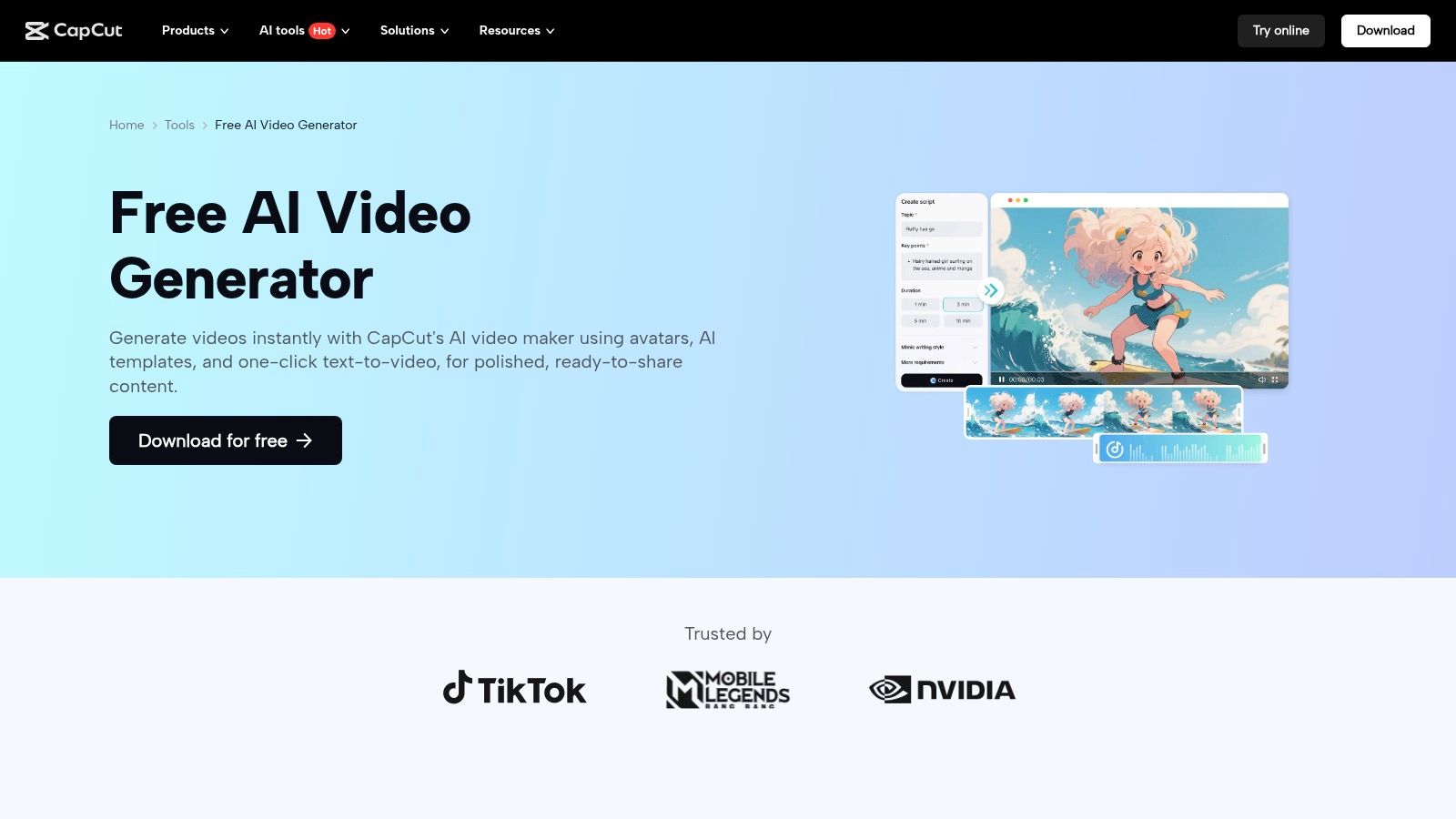
The AI text-to-video generator is a standout feature, allowing you to turn a simple script or prompt into a dynamic video complete with stock footage, music, and auto-captions. This is ideal for quickly producing faceless content or B-roll sequences. Beyond generation, CapCut provides a full editing timeline, AI avatars, trending templates, and effects that align perfectly with TikTok’s algorithm.
Key Features & User Experience
The interface is intuitive, mirroring the simplicity of mobile video editors while packing advanced capabilities. The direct-to-TikTok sharing function is a significant time-saver, streamlining the entire content creation process.
- Best For: Creators and marketers seeking a free, all-in-one solution with deep TikTok integration.
- Pricing: A very generous free tier is available. CapCut Pro unlocks premium features, effects, and cloud storage, starting at $7.99/month.
- Pros: Deep native alignment with TikTok, robust free version, multi-platform availability (web, desktop, mobile).
- Cons: Mobile app availability can be inconsistent in some regions, and certain AI features may be geographically restricted.
- Website: CapCut AI Video Generator
3. TikTok Symphony Assistant (Creative Center)
Direct from the source, TikTok’s Symphony Assistant is a native AI copilot designed to guide the ideation phase of your content strategy. Housed within the TikTok Creative Center, it focuses less on video editing and more on providing the strategic insights needed to create ads and organic content that resonates. This makes it an invaluable pre-production ai tiktok video maker tool for advertisers and creators who want to align their ideas with proven, data-backed trends.
Its primary strength lies in creative intelligence. Symphony can analyze top-performing ads in your niche, break down their creative elements, and help you brainstorm video scripts that feel native to the platform. It helps answer the crucial question of "what should I make?" by providing trend insights and conceptual frameworks, which you can then take to a video editor like CapCut or Adobe Express, with which it integrates.
Key Features & User Experience
The interface is integrated directly into the TikTok Ads and Creative Center ecosystem, which can feel complex for newcomers but is powerful for marketers. It operates as a strategic partner, offering AI-driven suggestions to de-risk your creative investments and improve campaign performance from the very beginning.
- Best For: Advertisers, brands, and marketers who need data-driven ideation and script generation before production begins.
- Pricing: Free to use within the TikTok Creative Center and Ads Manager.
- Pros: Official first-party data and insights, excellent for competitive analysis and trend-based scriptwriting, seamless integration with the ad platform.
- Cons: Not a video editor; it's a pre-production tool for ideation and planning. The UI can be overwhelming for casual creators.
- Website: TikTok Symphony Assistant
4. InVideo AI
InVideo AI excels as an end-to-end video generation engine, designed to transform a simple prompt into a polished, TikTok-ready video in minutes. This platform is a powerful ai tiktok video maker for creators focused on speed and efficiency, automating everything from scriptwriting and asset selection to voiceover and subtitle creation. Its workflow is engineered to produce high-quality, engaging vertical videos with minimal manual input.
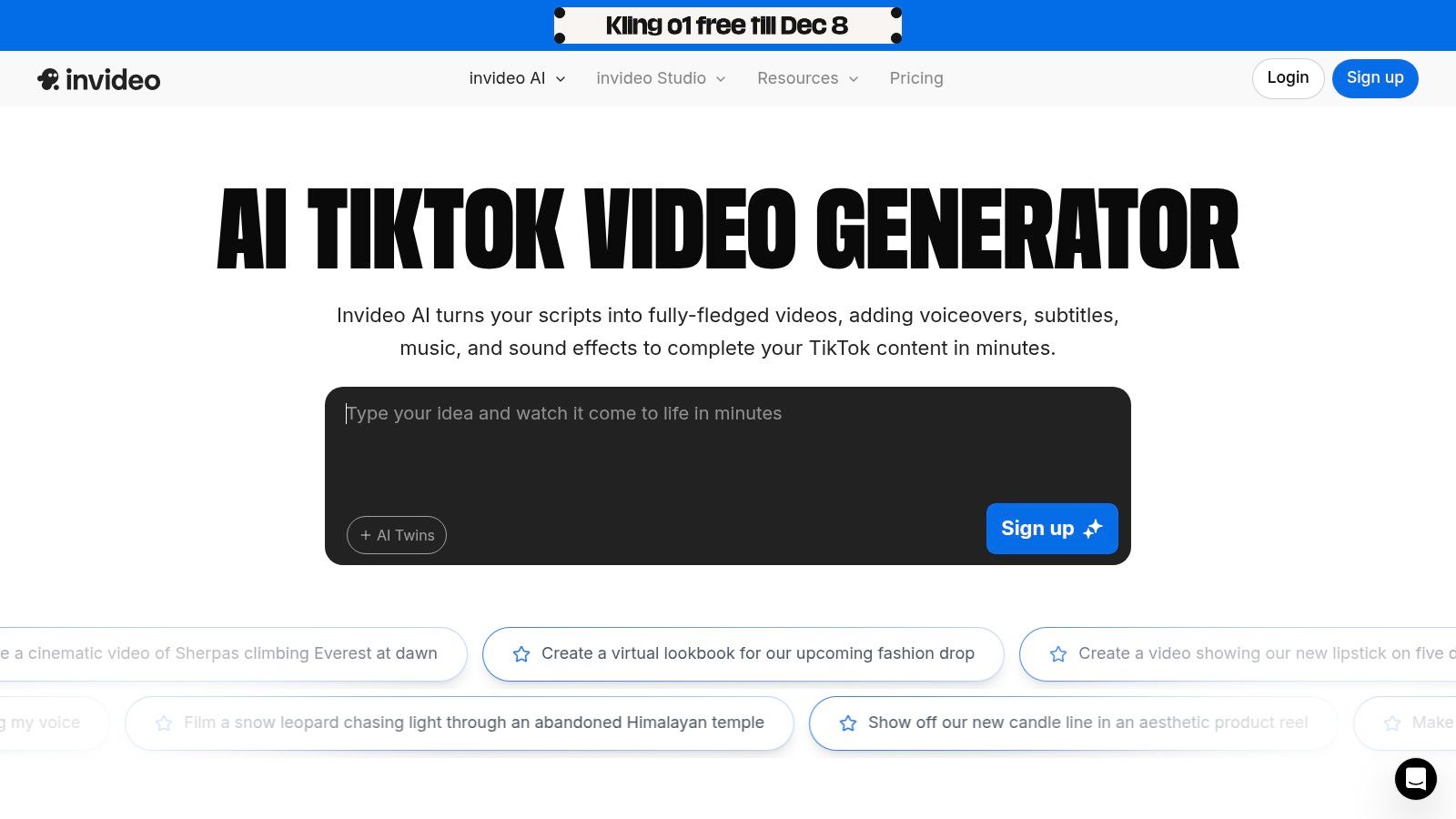
The platform’s core strength lies in its ability to quickly generate complete videos from a single instruction. You provide the topic, and InVideo AI generates the script, finds relevant stock footage from its extensive library, adds a human-sounding AI voiceover, and applies perfectly synced subtitles. This makes it an ideal tool for producing faceless content, UGC-style ads, or informational shorts at scale. For a deeper dive into its capabilities, you can explore more about InVideo AI and its script-to-video features.
Key Features & User Experience
The user experience is highly streamlined; you are guided through a prompt-based creation process that feels more like a conversation than editing. The platform offers extensive customization options post-generation, allowing you to tweak the script, change media, and adjust the voiceover using simple text commands.
- Best For: Marketers and content creators who need to produce high volumes of faceless or ad-style short-form videos quickly.
- Pricing: A free plan with watermarked exports is available. Paid plans start at $20/month (billed annually) and offer more AI generation minutes, stock media usage, and export credits.
- Pros: Extremely fast generation of complete UGC-style videos, extensive stock media library reduces asset sourcing time, and conversational AI editor is very intuitive.
- Cons: The credit-based system and generative tiers can be confusing, and the availability of specific advanced features can sometimes change.
- Website: InVideo AI TikTok Video Editor
5. VEED.IO
VEED.IO positions itself as a powerful, browser-based video editing suite designed for speed and collaboration. It excels at repurposing existing content, offering a suite of AI tools that make it an efficient ai tiktok video maker for teams and creators who need to produce high-quality short-form videos without downloading complex software. Its workflow is centered around smart automation, from generating clips to adding polished, accessible final touches.
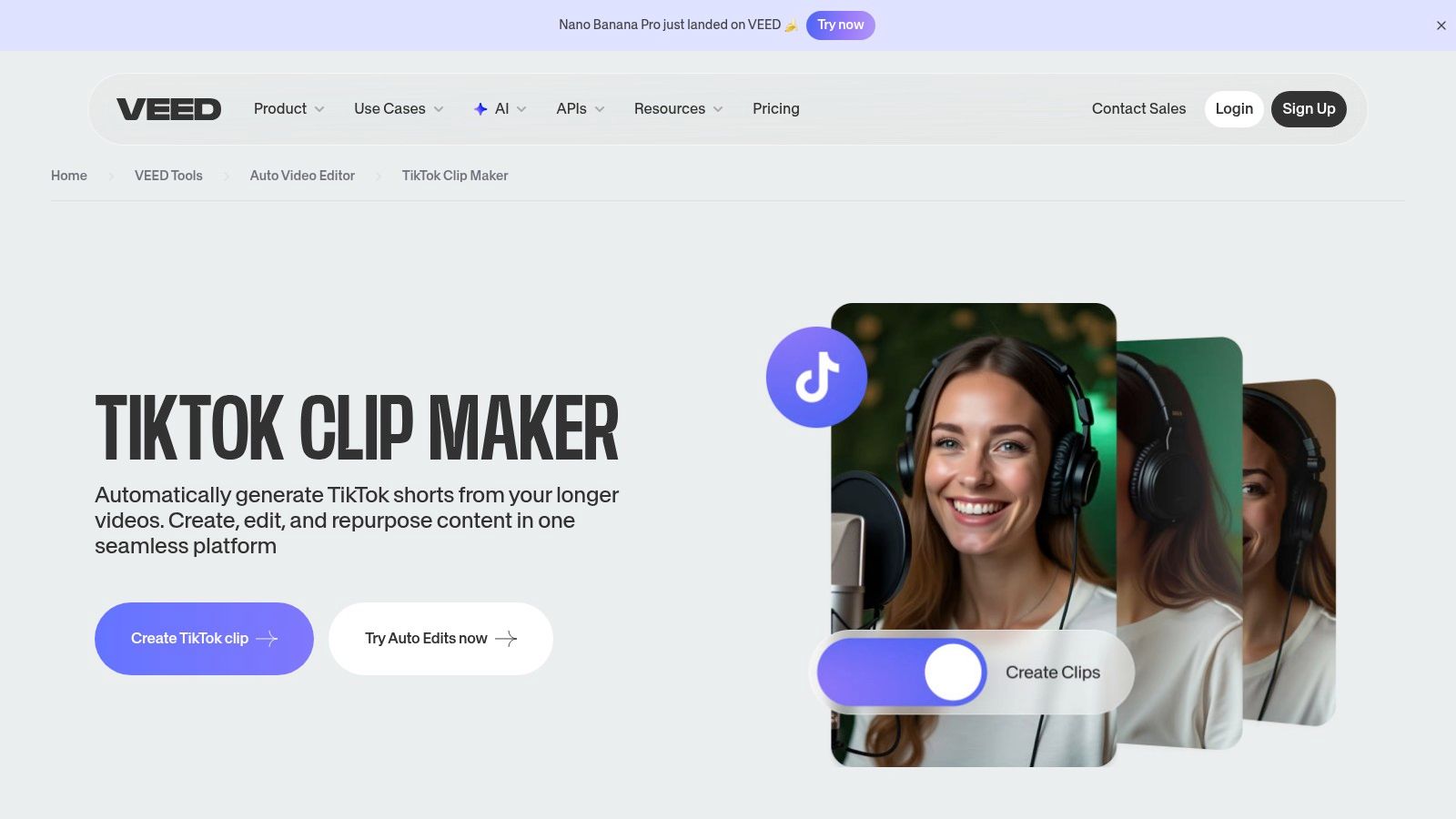
The platform’s strength lies in its AI-powered features like auto-subtitling, translation, and voice generation, which are invaluable for reaching a global audience on TikTok. The AI TikTok clip generator can automatically identify viral-worthy moments from longer videos, adding captions and formatting them perfectly for the vertical screen. This makes it a go-to tool for podcasters, streamers, and educators looking to quickly create engaging promotional clips from their primary content.
Key Features & User Experience
VEED.IO’s interface is clean and entirely web-based, making it incredibly accessible and ideal for team collaboration where members can work on projects from any device. The learning curve is gentle, with most tools being highly intuitive. However, users should carefully review the different pricing tiers, as AI features and credit allowances can be complex and vary significantly between plans.
- Best For: Teams and content repurposers who need a collaborative, browser-based editor with strong captioning and clipping automation.
- Pricing: Offers a free plan with watermarked exports. Paid plans start at $18/month (billed annually) for the Basic tier, with Pro and Business plans offering more features and AI credits.
- Pros: Excellent browser-based workflow for easy team access, powerful automation for clipping and generating subtitles.
- Cons: AI credit system and plan limitations can be confusing; higher-tier plans are required to unlock its full potential.
- Website: VEED.IO TikTok Clip Maker
6. Kapwing
Kapwing stands out as a collaborative, cloud-based editor that excels at repurposing content for vertical platforms. It’s a powerful ai tiktok video maker for teams and individuals who need to quickly transform existing videos, like YouTube links, into engaging TikToks. The platform combines a user-friendly timeline editor with smart AI tools, making it a go-to for marketers and content creators focused on efficiency.
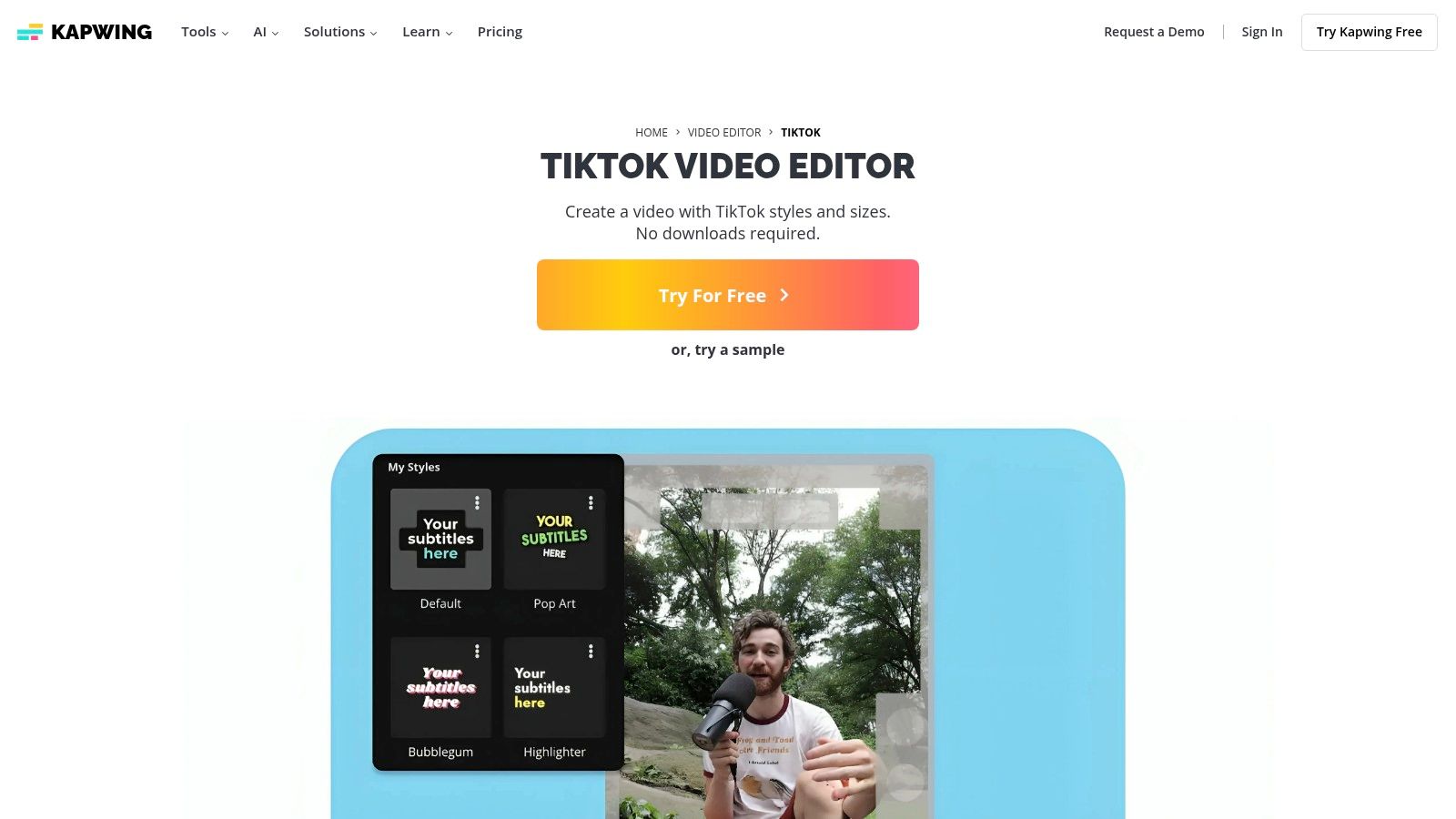
The platform’s strength lies in its streamlined repurposing workflow. You can simply paste a URL, and Kapwing’s AI will help you resize, trim, and add subtitles to create a new clip optimized for TikTok’s format. Its rich template library, auto-subtitle generator, and AI-powered dubbing and translation features further enhance its utility for creating diverse and accessible content without starting from scratch.
Key Features & User Experience
Kapwing's browser-based interface is clean and intuitive, making complex editing tasks feel straightforward. The cloud-based nature allows for seamless collaboration, letting multiple users work on a project simultaneously. The TikTok-safe-zone presets are particularly useful, ensuring critical elements are always visible on the app.
- Best For: Social media managers and creators focused on repurposing long-form content for TikTok.
- Pricing: A free plan is available with watermarks and export limits. Paid plans start at $16/month (billed annually) to remove watermarks and unlock pro features.
- Pros: Excellent for quickly repurposing content from URLs, strong collaborative features, and an intuitive cloud-based workflow.
- Cons: The free plan includes a watermark and has notable export limitations; the full feature set requires a paid subscription.
- Website: Kapwing for TikTok
7. Canva
Canva has evolved from a graphic design tool into a comprehensive content creation suite, positioning itself as a highly accessible ai tiktok video maker for teams and individuals. Its strength lies in combining a vast library of templates with user-friendly AI features like Magic Design for Video. This allows users to generate polished, on-brand TikToks by simply providing a prompt or uploading a few assets, making it ideal for marketers and creators who prioritize speed and brand consistency over complex editing.
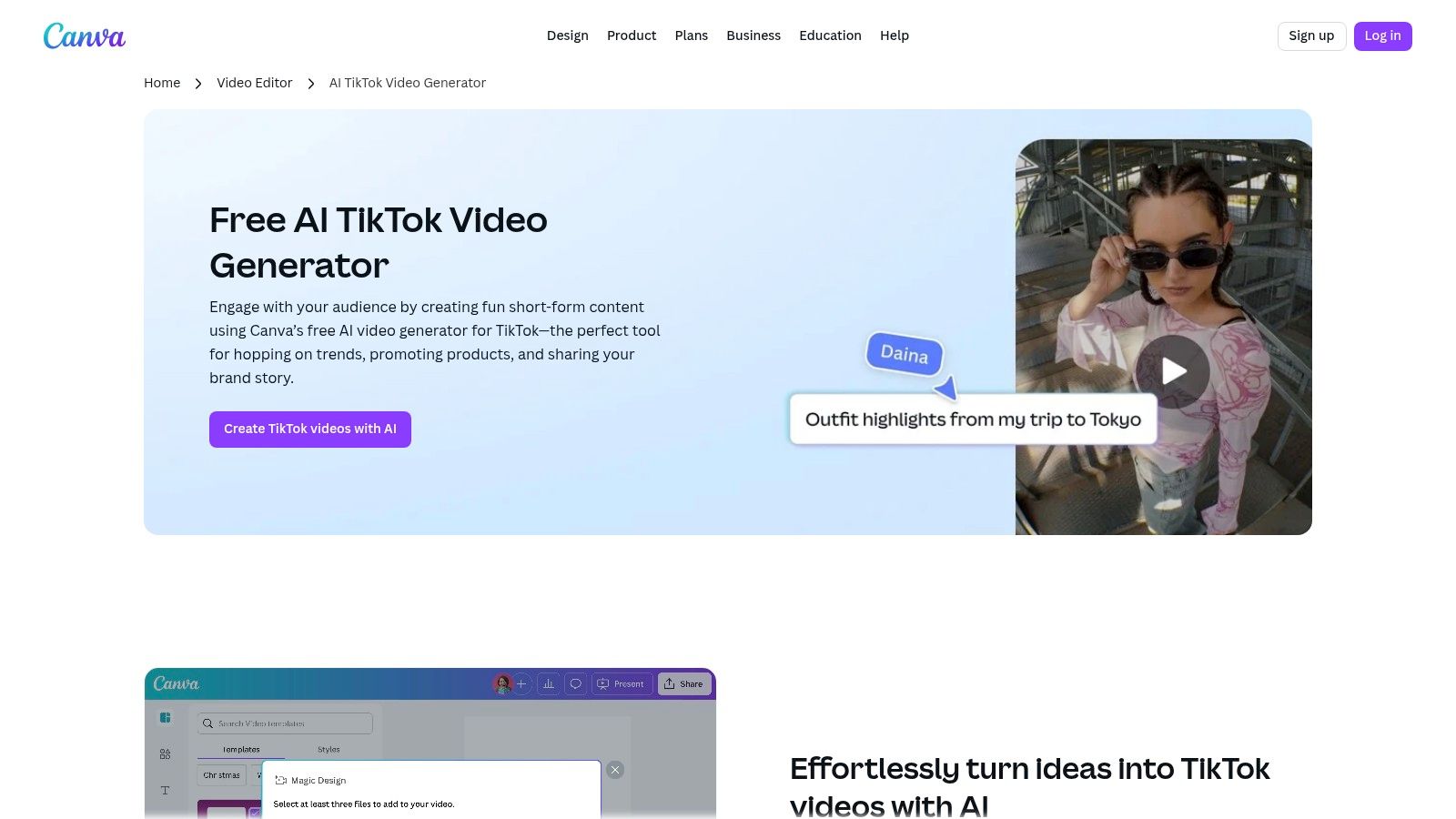
The platform’s Magic Media feature can generate video clips from a text description, while Magic Design assembles them into a cohesive, editable timeline complete with music and transitions. For businesses, the ability to integrate a Brand Kit ensures every video maintains a consistent look and feel. The workflow is streamlined for social media, with a built-in content planner and direct publishing options to TikTok and other platforms.
Key Features & User Experience
Canva’s interface is famously intuitive, removing the technical barriers often associated with video production. The drag-and-drop editor, combined with AI-powered suggestions, empowers non-editors to produce professional-quality content in minutes. The collaborative features are also a major advantage for marketing teams working on social campaigns.
- Best For: Marketing teams, small businesses, and creators needing to produce on-brand social media videos quickly without a steep learning curve.
- Pricing: A robust free plan is available. Canva Pro ($119.99/year for one person) and Canva for Teams plans unlock premium assets, AI features, and Brand Kits.
- Pros: Extremely easy to use for non-editors, massive library of templates and stock assets, excellent for maintaining brand consistency.
- Cons: AI video generation capabilities are less advanced than dedicated tools; some features require a paid subscription.
- Website: Canva AI TikTok Generator
8. Adobe Express
For creators and brands already embedded in the Adobe ecosystem, Adobe Express provides a streamlined, web-first solution for producing polished TikToks. While not a fully generative platform from a single prompt, it excels as an ai tiktok video maker by integrating powerful, task-specific AI features powered by Adobe Firefly into a familiar, template-driven workflow. This makes it ideal for creating on-brand promotional content and simple video ads with professional quality.
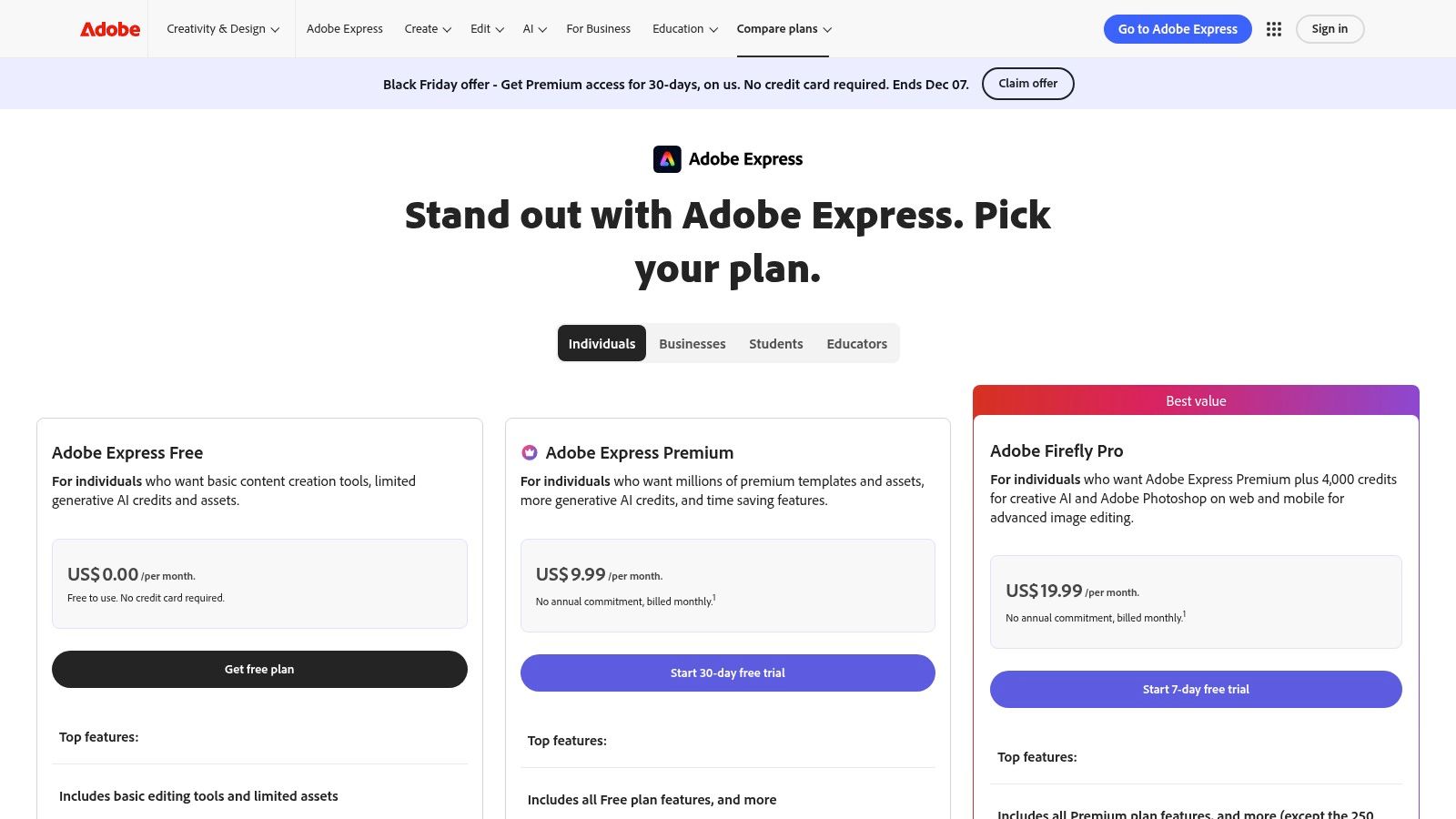
Its strengths lie in its brand management and assistive AI tools. Features like one-click video resizing for vertical formats, automatic background removal, and brand kit integration ensure consistency and speed. The platform also offers access to a vast library of Adobe Stock assets and includes a social media scheduler, allowing you to design and publish content from one central hub.
Key Features & User Experience
Adobe Express offers a clean, intuitive interface that simplifies the creative process, making professional design accessible to non-designers. The workflow is centered around templates and quick edits, perfect for social media managers who need to maintain a consistent brand aesthetic across platforms without deep video editing knowledge.
- Best For: Marketers, small businesses, and Adobe Creative Cloud users needing to quickly create brand-aligned social media content.
- Pricing: A free plan with basic features and 25 generative AI credits is available. The Premium plan starts at $9.99/month and includes 250 generative credits, brand kits, and access to the full library of premium templates and assets.
- Pros: Seamless integration with other Adobe apps and workflows, robust asset library and brand management tools, built-in social media scheduler.
- Cons: Not a pure text-to-video generator; AI features are more assistive than fully generative and higher credit allocations are locked behind premium plans.
- Website: Adobe Express Pricing
9. OpusClip
OpusClip is a powerful, purpose-built AI repurposing tool designed to transform long-form video content into a series of viral-ready short clips. It stands out as an exceptional ai tiktok video maker for podcasters, webinar hosts, and YouTubers who want to maximize their content's reach. The platform's core function is to intelligently identify the most engaging moments in a long video and automatically edit them into polished, captioned vertical clips perfect for TikTok.
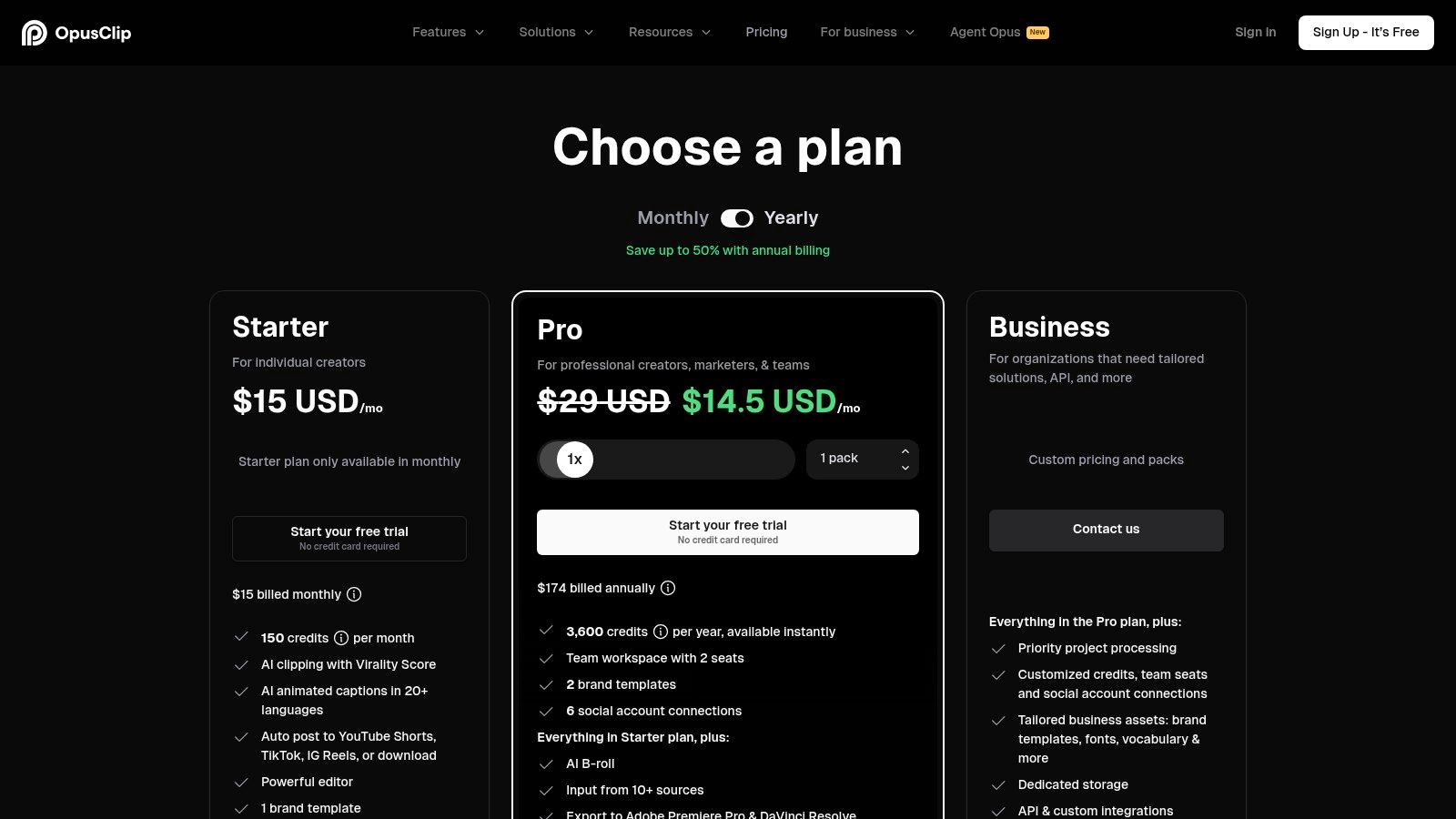
Its "ClipAnything" technology analyzes your video for hooks, highlights, and cohesive talking points, saving creators countless hours of manual editing. Each generated clip includes animated captions, auto-reframing for vertical viewing, and even a virality score to help you prioritize which clips to post. This makes it an indispensable asset for creators looking to consistently populate their TikTok feed with high-quality content derived from a single source video. For those wanting to explore similar tools, you can learn more about AI video generators and their capabilities.
Key Features & User Experience
The user experience is streamlined and efficient; simply paste a video link (like YouTube) or upload a file, and the AI handles the rest. The platform presents you with a gallery of ready-to-post clips, complete with an auto-scheduler that can post directly to your social media accounts, making it a true end-to-end solution.
- Best For: Podcasters, educators, and YouTubers who need to efficiently repurpose long-form content into multiple short clips.
- Pricing: Offers a free trial with processing credits. Paid plans start at $19/month for more processing minutes and premium features.
- Pros: Huge time-saver for bulk clip generation, powerful highlight detection, direct integration with YouTube, Drive, and Zoom on paid plans.
- Cons: The credit/minute-based system requires careful planning, and advanced features like scheduling are tied to higher-tier plans.
- Website: OpusClip Pricing
10. HeyGen
HeyGen focuses on creating hyper-realistic AI avatar videos, making it an excellent ai tiktok video maker for creators who need consistent, high-quality talking-head content without ever stepping in front of a camera. Its platform excels at generating professional-grade videos from a simple script, complete with voice cloning and lip-syncing in over 175 languages. This makes it a powerful tool for producing educational content, explainers, and localized ad variations for global TikTok audiences.
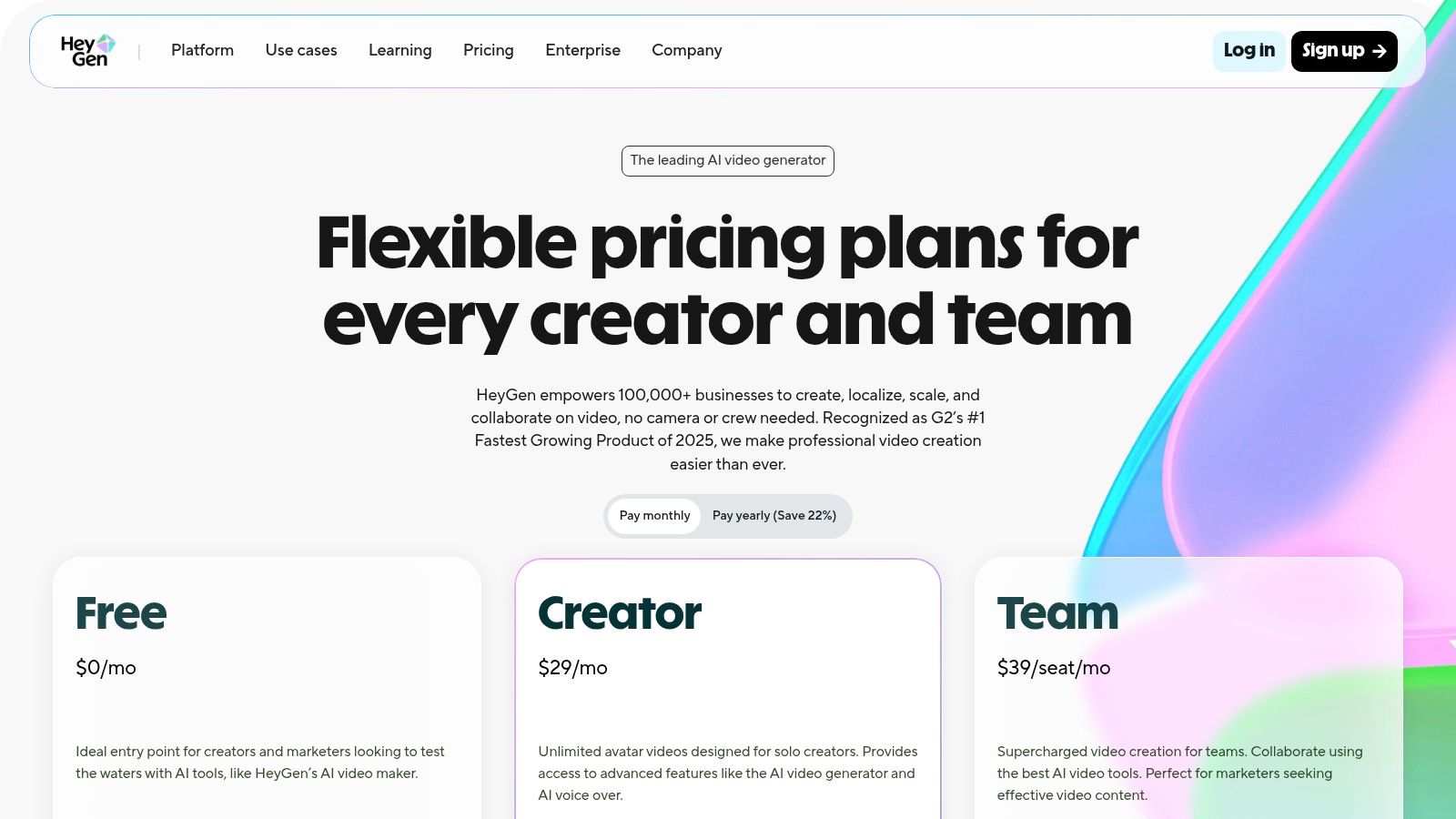
The platform's strength lies in its scalability and brand consistency. Instead of relying on live talent, you can use a custom video avatar of yourself or choose from over 500 stock options to deliver messages with a uniform look and feel. HeyGen’s AI can translate and re-render your video for different regions, opening up new markets for your TikTok content with minimal effort.
Key Features & User Experience
HeyGen's interface is clean and workflow-oriented, guiding you from script to final video render smoothly. The ability to create a custom avatar and clone your voice adds a layer of authenticity that many other avatar generators lack, making your content feel more personal and less robotic.
- Best For: Marketers, educators, and businesses needing to produce scalable, multilingual talking-head videos with brand consistency.
- Pricing: A free plan is available to create up to 3 videos per month. Paid plans with more features and credits start at $24/month.
- Pros: Fast generation of consistent talking-head content, exceptional localization and translation features, high-quality custom avatar creation.
- Cons: The AI avatar style can sometimes feel less organic than live talent, and the free tier is quite limited.
- Website: HeyGen
11. Luma AI – Dream Machine
Luma AI’s Dream Machine is a state-of-the-art AI video generator that excels at producing short, high-quality, and often cinematic clips from simple text or image prompts. While not a full editor, it serves as a powerful ai tiktok video maker for creators needing unique, eye-catching B-roll or standalone conceptual visuals. Its ability to generate striking, stylized scenes makes it ideal for adding a professional or surreal flair to short-form content that stands out in a crowded feed.
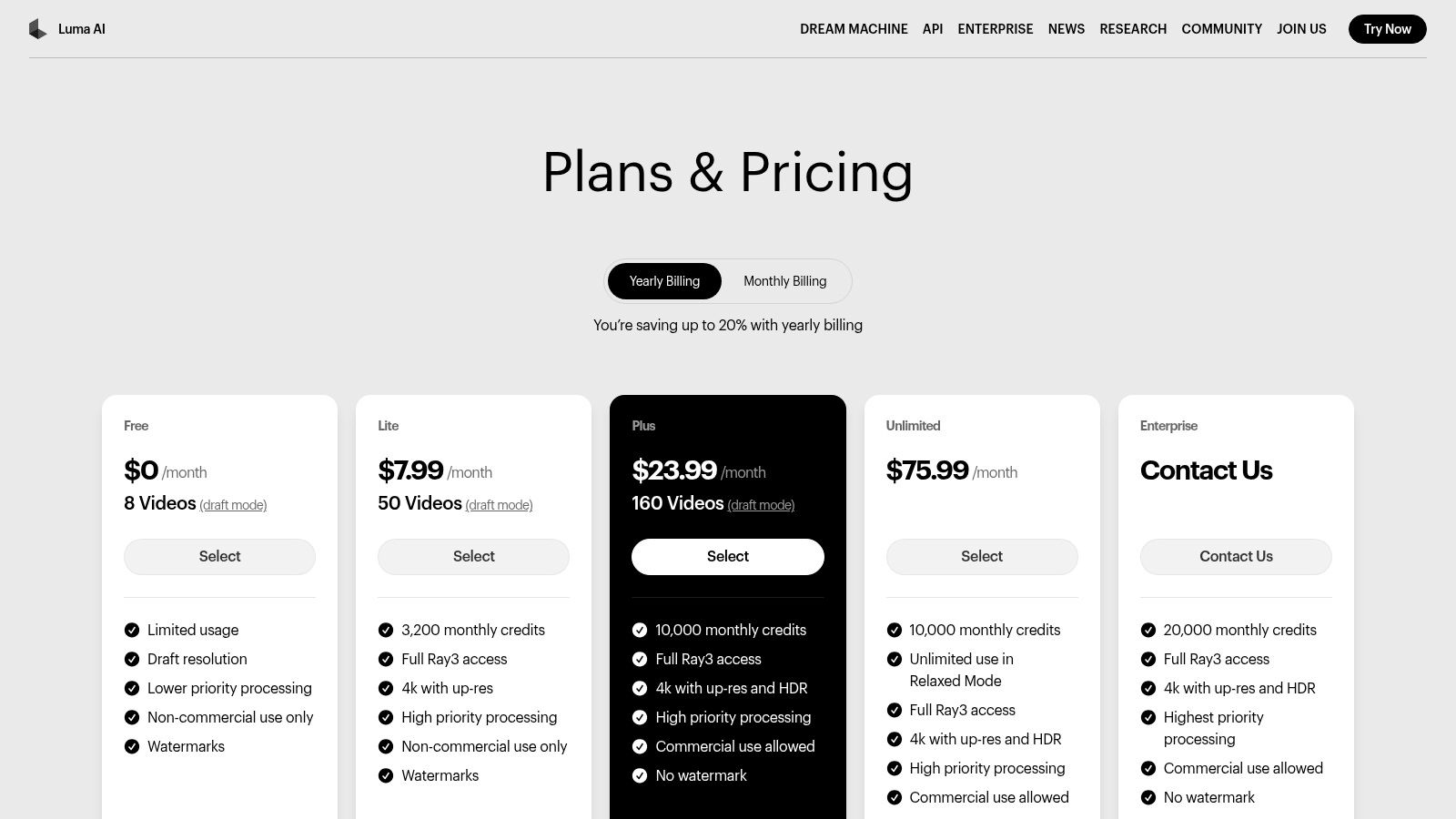
The platform operates on a credit system, allowing you to generate videos and then easily export them for final editing in a TikTok-friendly app like CapCut. You can resize clips and add captions or music elsewhere to fit the platform’s format. Its strength lies purely in its generation quality, offering a level of visual fidelity that can elevate abstract storytelling, product montages, or attention-grabbing hooks for your TikTok videos.
Key Features & User Experience
The web-based interface is minimalist, focusing entirely on the prompt-to-video workflow. Users input their text or image, and Dream Machine generates a short clip. The experience is straightforward but requires some planning due to the credit-based system and short clip durations, making it a specialized tool for sourcing premium footage rather than a complete video editor.
- Best For: Creative professionals and marketers who need high-fidelity, artistic B-roll or short conceptual clips for their TikToks.
- Pricing: A free plan offers 30 generations per month. Paid plans start at $29.99/month for 120 generations, with higher tiers offering more generations and faster processing.
- Pros: Generates exceptionally high-quality and visually striking short videos; web-based exports are easy to integrate into other editors.
- Cons: Clip durations are very short; the credit-based system can be costly and requires careful management.
- Website: Luma AI Pricing
12. Pika
Pika excels as a dedicated AI video generation tool, focusing on creating short, stylized motion clips from text or images. Instead of being a full-fledged editor, it operates as a powerful asset generator, making it an excellent ai tiktok video maker for creators who need unique, eye-catching visuals to splice into their larger projects. The platform’s strength lies in its ability to quickly iterate on creative ideas and produce high-quality, animated sequences.
The primary functions are text-to-video, image-to-video, and video-to-video transformation. This allows users to bring static images to life, modify existing video clips with new styles, or generate entirely new scenes from a simple prompt. These generated assets can then be exported and imported into a primary editor like CapCut or Premiere Pro to be integrated into a final TikTok video.
Key Features & User Experience
The interface is minimalist and centered around the generation prompt, encouraging rapid experimentation. Users describe a straightforward process: type a prompt, upload an image, and let the AI generate a short clip. The credit-based system means you pay for what you generate, which can be cost-effective for targeted use.
- Best For: Artists and creators needing to generate custom animated B-roll or short, artistic clips for their TikToks.
- Pricing: Offers a free tier with watermarked videos. Paid plans are credit-based, starting at $8/month (billed annually) for 700 credits.
- Pros: High-quality and stylized video generation, fast iteration for creative concepts, flexible credit-based pricing tiers.
- Cons: Not a comprehensive video editor; requires another tool for final assembly. Credit policies (like non-rollover on some plans) require careful management.
- Website: Pika
Top 12 AI TikTok Video Makers — Feature Comparison
| Tool | Core features | Quality (★) | Price (💰) | Target (👥) | Unique (✨) |
|---|---|---|---|---|---|
| 🏆 ClipShort | Script → voice → visuals → captions; 50+ languages; image styles & uploads | ★★★★☆ | 💰 Paid (plans via signup) | 👥 Creators, agencies, e‑commerce | ✨ End-to-end faceless short-form pipeline; retention-focused templates |
| CapCut | AI text-to-video, avatars, templates, direct TikTok export | ★★★★☆ | 💰 Free tier / region features | 👥 TikTok creators & casual editors | ✨ Deep TikTok-native integration |
| TikTok Symphony Assistant | Trend ideation, script gen, Top Ads analysis (Creative Center) | ★★★★☆ | 💰 Free (inside Creative Center) | 👥 Advertisers, TikTok-focused creators | ✨ First‑party TikTok insights & ad analysis |
| InVideo AI | Script-to-video, voiceover, AI avatars, large stock library | ★★★★ | 💰 Paid, credit/tiers | 👥 Marketers & fast‑turnaround creators | ✨ Rich stock + AI avatar options |
| VEED.IO | Browser editor, auto subtitles/dubbing, team collaboration | ★★★★ | 💰 Tiered subscriptions & credits | 👥 Teams, repurposers | ✨ In‑browser collaboration + clipping automation |
| Kapwing | Cloud editor, AI clip maker, templates, URL repurposing | ★★★★ | 💰 Freemium (watermark on free) | 👥 Repurposers & small teams | ✨ Quick URL → TikTok repurposing |
| Canva | Magic Media/Design, huge templates, brand kit, social publish | ★★★★☆ | 💰 Freemium / Team plans | 👥 Marketers, non‑designers | ✨ Massive templates + brand management |
| Adobe Express | Templates, Firefly AI, brand kits, one‑click vertical resize | ★★★★ | 💰 Paid with AI credits | 👥 Adobe users & brands | ✨ Adobe workflow + brand integration |
| OpusClip | AI highlight detection, captions, virality scoring, autopost | ★★★★ | 💰 Credit/minute & Pro plans | 👥 Podcasters, livestreamers, long‑form creators | ✨ Bulk highlight clipping + auto‑post |
| HeyGen | 500+ avatars, custom avatars, voice cloning, localization | ★★★★ | 💰 Paid (limited free tier) | 👥 Localized ads, explainers, teams | ✨ Talking‑head avatars + wide language support |
| Luma AI – Dream Machine | Text/image-to-video, Ray models, 4K up-res | ★★★★☆ | 💰 Credit-based (higher cost) | 👥 Creators needing stylized B‑roll | ✨ High‑fidelity, cinematic generative visuals |
| Pika | Text/image/video-to-video, fast stylized clip generation | ★★★★ | 💰 Credit-based tiers | 👥 Motion asset creators & editors | ✨ Rapid iteration of stylized motion assets |
Choosing Your AI Co-Creator: Final Thoughts on a Smarter Workflow
Navigating the expansive landscape of AI-powered video creation can feel overwhelming, but as we've explored, the right AI TikTok video maker is less about finding a single "best" tool and more about identifying the perfect co-creator for your specific workflow. The twelve platforms we've dissected, from all-in-one content engines to specialized generative models, represent a fundamental shift in how creators, marketers, and businesses approach short-form video production. The era of spending hours meticulously editing a single 30-second clip is rapidly being replaced by a smarter, more efficient, and scalable process.
The central takeaway is that these tools are not a replacement for creativity; they are a powerful amplifier for it. By automating repetitive and time-consuming tasks like scripting, voiceover generation, clip sourcing, and subtitle creation, you are freed to focus on what truly matters: high-level strategy, innovative concepts, and building a genuine connection with your audience. Think of these AI assistants as your production crew, working tirelessly in the background to bring your vision to life faster than ever before.
Matching the Tool to Your Goal
Your ideal starting point depends entirely on your content strategy. To make your choice easier, consider these primary use cases:
- For Automated 'Faceless' Content & Scaling: If your goal is to produce a high volume of engaging, retention-optimized videos from scratch with minimal manual input, an integrated solution like ClipShort is purpose-built for this workflow. It handles everything from the initial idea to the final, polished video, making it a powerful choice for theme-based channels and content automation.
- For Repurposing Long-Form Content: Creators with an existing library of podcasts, webinars, or long YouTube videos will find immense value in tools like OpusClip. Its ability to intelligently identify viral moments and reformat them for TikTok and Shorts is a game-changer for content multiplication.
- For Advanced Editing & Customization: If you prefer a more hands-on approach and need granular control over your edits, established editors with AI features like CapCut, VEED.IO, and Kapwing offer the best of both worlds. They provide a familiar editing timeline enhanced with time-saving AI capabilities.
- For Purely Generative & Artistic Visuals: When your content demands unique, eye-catching B-roll or abstract visual sequences that don't exist, turning to generative video models like Luma AI's Dream Machine or Pika is your best bet. These tools excel at creating short, visually stunning clips from simple text prompts.
- For Quick & Simple Template-Based Creation: Marketers and small business owners who need to create professional-looking videos quickly without a steep learning curve should look towards Canva and Adobe Express. Their vast template libraries, now supercharged with AI, make on-brand content creation incredibly accessible.
Implementing AI for Maximum Impact
Successfully integrating an AI TikTok video maker into your process involves more than just signing up. Remember to maintain your unique creative voice. Use the AI-generated script as a starting point, not a final draft. Tweak the wording, inject your personality, and ensure the final output aligns with your brand. Furthermore, always review and refine the AI's output. While powerful, AI can still make mistakes or choose visuals that don't quite fit the context. A quick human review is essential to maintain quality and brand consistency.
The future of content creation belongs to those who can effectively blend human ingenuity with artificial intelligence. By embracing these tools, you're not just saving time; you're unlocking new creative possibilities and gaining a significant competitive advantage. The key is to start experimenting. Test the free trials, find the tool that clicks with your process, and begin building a smarter, more sustainable content engine for your brand or channel.
Ready to stop spending hours on a single video and start scaling your content effortlessly? ClipShort is the all-in-one AI TikTok video maker designed to transform your ideas into engaging, viral-ready videos in minutes. Experience the future of automated content creation with ClipShort today.